Apple Fitness+ Adds Personalized Gym Strength Plans in iOS 27.3 Beta
Apple Fitness+ is expanding into personalized gym training with Gym Strength, a new feature available in the iOS 27.3 and iPadOS 27.3 developer betas. The plans recommend exercises and weights, then adapt as users log their progress.
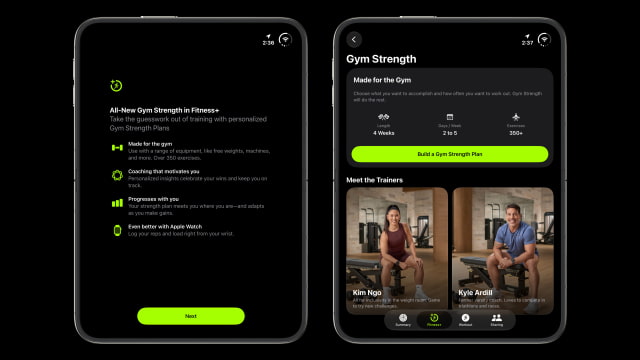
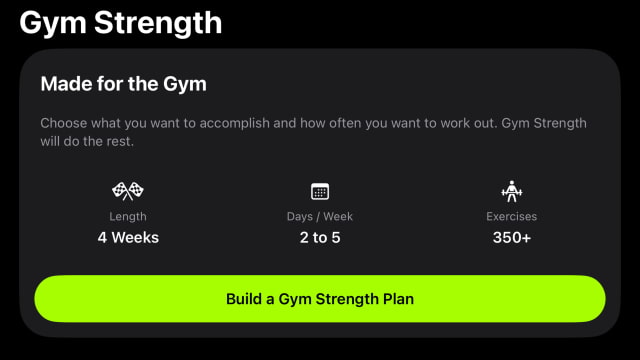
Users build a four-week plan around their goals, experience, available equipment, and preferred body areas. The setup offers two to five workout days per week, with a choice of five or seven exercises per session. Apple estimates roughly 20–30 minutes for the shorter option or 45–60 minutes for the longer one, depending on pace.
Each workout recommends sets, repetitions, and weight, with short demonstrations from Fitness+ trainers that can be expanded to show movements from three angles. After a week of workouts, the next week adjusts based on the reps and weight recorded.
The exercise library includes more than 350 movements using over 30 types of strength equipment, from dumbbells and kettlebells to cable machines and barbells. Dumbbells are the minimum requirement, so plans can be used at home as well as in a commercial gym. If a machine is occupied or equipment is unavailable, users can choose an alternative exercise with a similar movement and body focus, change equipment, add sets, or skip an exercise.
An Apple Watch is optional. With watchOS 27.3, users can view exercises and log reps and weight from their wrist while tracking heart rate and calories burned.
Gym Strength also adds an optional Training Note feature powered by Apple Intelligence. It previews workouts, explains progression, and highlights milestones. Training Note requires an Apple Intelligence-enabled iPhone or iPad set to English; that requirement applies to the optional notes, not the entire Gym Strength experience.
The new workout plans are available to Fitness+ subscribers testing the iOS 27.3 and iPadOS 27.3 betas. Gym Strength is included in the existing subscription, which costs $9.99 per month or $79.99 per year in the U.S.