Apple Releases First Public Betas of iOS 27.3, iPadOS 27.3, macOS 27.3, and More [Download]
Apple has released the first public betas of iOS 27.3, iPadOS 27.3, macOS Golden Gate 27.3, watchOS 27.3, tvOS 27.3, and HomePod Software 27.3. The updates let members of the free Apple Beta Software Program test the software ahead of its general release.
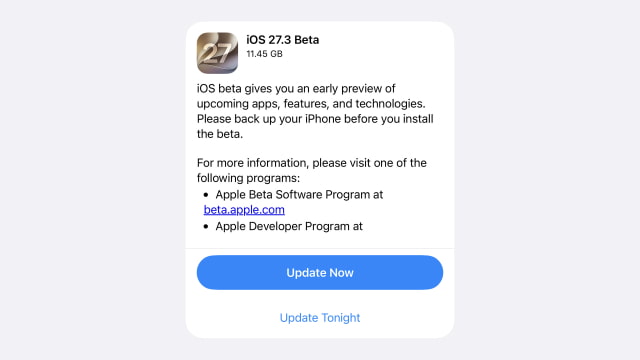
The public rollout follows the first developer betas released on November 3, bringing the same builds to a wider group of testers two days later.
On iPhone and iPad, the update brings back the redesigned Health app, including Insights and Longevity tabs, Health Age, and expanded language support. Fitness+ subscribers can also try Gym Strength, which creates four-week workout plans based on their goals, experience, schedule, and available equipment.
Safari adds Vertical Tabs and Adaptive Dark Mode across iPhone, iPad, and Mac. The browser can show tabs in a sidebar and offer a darker appearance for websites that do not provide one. Siri AI also gains more controls for managing tabs and windows.
Beyond Safari, Siri AI can carry out more actions across Apple apps. Apple has also opened third-party Siri AI integrations to all developers, but that remains a developer testing preview rather than an immediate rollout of integrations through the App Store.
For iPhone Duo owners, horizontal Reachability shifts content toward either side of the outer display for one-handed use. Apple Watch Series 12 and Ultra 4 owners can test Live Rewind and Siri Recap with watchOS 27.3 and a compatible iPhone running iOS 27.3. Availability depends on device, language, and region.
To get started, enroll through the Apple Beta Software Program using the Apple Account signed in on your device. On iPhone and iPad, open Settings > General > Software Update > Beta Updates, select the appropriate Public Beta option, then return to Software Update to install. Mac users can select the public beta under System Settings > General > Software Update > Beta Updates.
Apple Watch updates are managed through the Watch app on a paired iPhone, Apple TV updates through Settings > System > Software Updates, and HomePod updates through Software Update in Home Settings within the Home app.
Back up your iPhone, iPad, or Mac before installing. Beta software can contain bugs, compatibility problems, and performance issues, particularly early in a testing cycle.