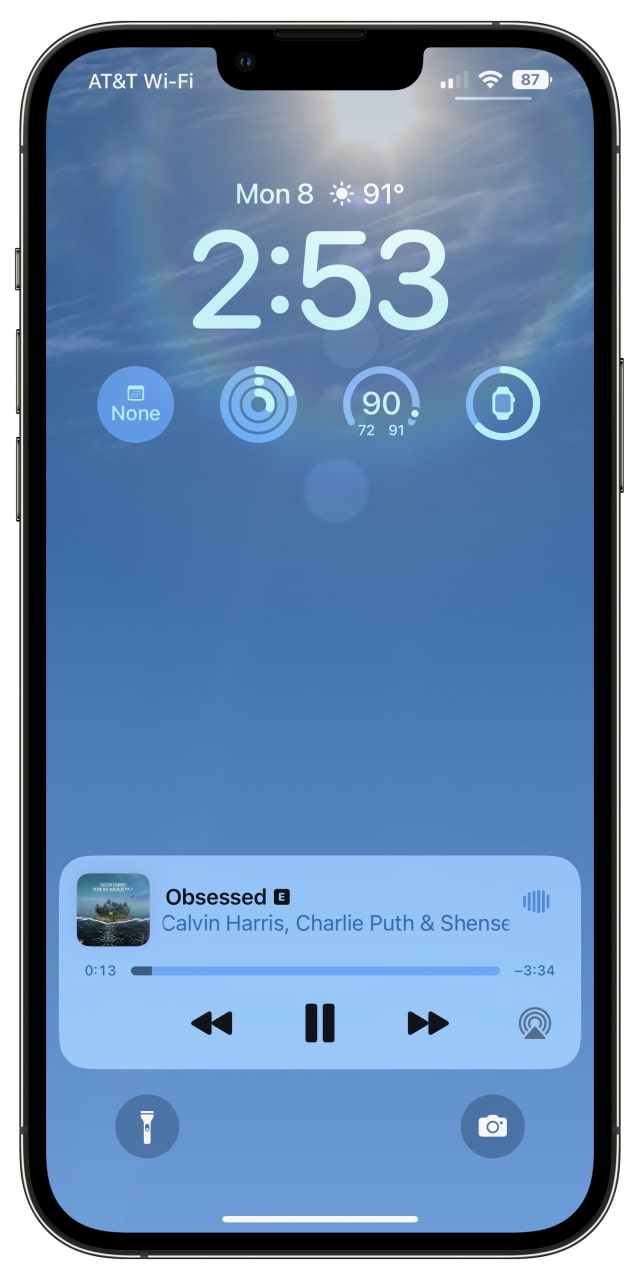
Apple has added the back the ability to see your battery percentage in the status bar with the release of iOS 16 beta 5.
Since the arrival of the notched iPhone X, users have had to swipe down to bring up Control Center which displayed a numerical representation of their remaining battery life.
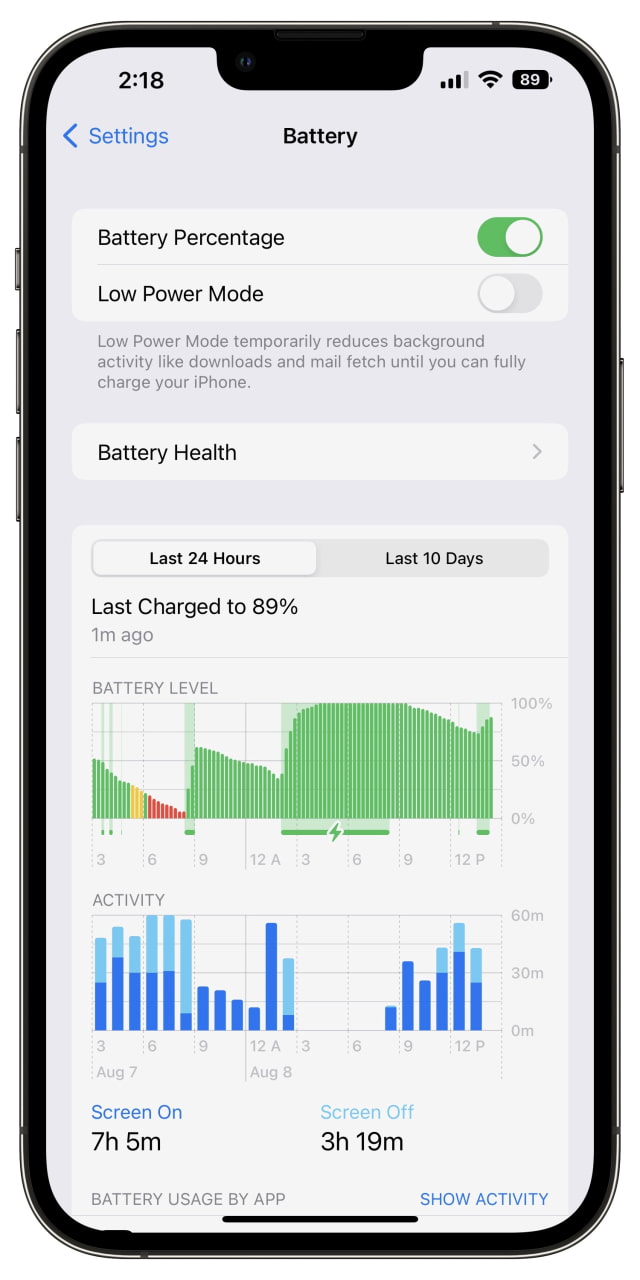
In iOS 16 beta 5, the percentage is now displayed within the battery icon at the top right of your display. You can switch battery percentage on and off using the toggle in the Settings > Battery menu.
Apple news, rumors, tutorials, price drop alerts, in your inbox every evening, free.
Unsubscribe at any time.
Success!
You have been subscribed.
Add Comment
Would you like to be notified when someone replies or adds a new comment?
Yes (All Threads)
Yes (This Thread Only)
No
Notifications
Would you like to be notified when we post a new Apple news article or tutorial?
Yes
No
Comments (9)
Comments are closed for this article.
0
FeRrO87NL - August 10, 2022 at 8:31pm
Finally apple understood why people did jailbreak.
My reason for it was next futures:
Battery percentage
Springtomize (futures smaller icons and dock settings)
Key vibrate on each tap on the keyboard
Lockscreen customized
0
wanted - August 10, 2022 at 7:25am
I think every ios 16 supporting device will get this feature…
0
toffilicious - August 8, 2022 at 11:00pm
It seems like it only works from ip12 and later models.
0
tomyi92 - August 8, 2022 at 9:49pm
iPhone XR no work
0
waqargill - August 8, 2022 at 8:45pm
Although its very basic feature but good one
0
Anthony6799 - August 8, 2022 at 8:04pm
I don’t see battery percentage on my iPhone 11
0
Hulk21 - August 8, 2022 at 8:36pm
It seems it’s only available on the bigger and later model iPhones







![Apple Releases Xcode 27.1 Beta With iPhone Duo SDKs and Simulator [Download]](/images/news/102276/102276/102276-160.jpg "Apple Releases Xcode 27.1 Beta With iPhone Duo SDKs and Simulator [Download]")
![Apple Shares 'new trick' Shot on iPhone 18 Pro Ad Featuring ROSÉ [Video]](/images/news/102273/102273/102273-160.jpg "Apple Shares 'new trick' Shot on iPhone 18 Pro Ad Featuring ROSÉ [Video]")
![iPhone 18 Pro Teardown Shows Under-Display Face ID Camera and Larger Vapor Chamber [Video]](/images/news/102270/102270/102270-160.jpg "iPhone 18 Pro Teardown Shows Under-Display Face ID Camera and Larger Vapor Chamber [Video]")











![Apple Studio Display XDR Hits All-Time Low of $2,969.99 ($329 Off) [Deal]](/images/news/101976/101976/101976-160.jpg "Apple Studio Display XDR Hits All-Time Low of $2,969.99 ($329 Off) [Deal]")
