![Apple Releases macOS Sonoma 14.7.8 and macOS Ventura 13.7.8 [Download] Apple Releases macOS Sonoma 14.7.8 and macOS Ventura 13.7.8 [Download]](/images/news/98236/467730/467730-64.png)
Apple Releases macOS Sonoma 14.7.8 and macOS Ventura 13.7.8 [Download]
Posted August 20, 2025 at 6:38pm by
Shalom Levytam
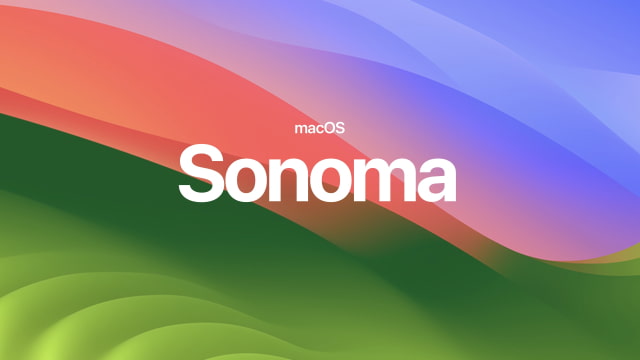
Apple has released macOS Sonoma 14.7.8 and macOS Ventura 13.7.8, alongside the release of macOS Sequoia 15.6.1.
This update provides important security fixes and is recommended for all users.
For information on the security content of Apple software updates, please visit this website: https://support.apple.com/100100
Users can find direct download links for the new macOS Sonoma and macOS Ventura updates here:
● Where to Download macOS Sonoma
● Where to Download macOS Ventura
● Where to Download macOS Monterey
Alternatively, you can update to the latest release by visiting the Apple menu > System Settings > Software Update.
Please download the iClarified app or follow iClarified on Twitter, Facebook, YouTube, and RSS for more macOS updates.
![Apple Releases macOS Sonoma 14.7.8 and macOS Ventura 13.7.8 [Download] Apple Releases macOS Sonoma 14.7.8 and macOS Ventura 13.7.8 [Download]](/images/news/98236/467733/467733-640.jpg)
This update provides important security fixes and is recommended for all users.
For information on the security content of Apple software updates, please visit this website: https://support.apple.com/100100
Users can find direct download links for the new macOS Sonoma and macOS Ventura updates here:
● Where to Download macOS Sonoma
● Where to Download macOS Ventura
● Where to Download macOS Monterey
Alternatively, you can update to the latest release by visiting the Apple menu > System Settings > Software Update.
Please download the iClarified app or follow iClarified on Twitter, Facebook, YouTube, and RSS for more macOS updates.
![Apple Releases macOS Sonoma 14.7.8 and macOS Ventura 13.7.8 [Download] Apple Releases macOS Sonoma 14.7.8 and macOS Ventura 13.7.8 [Download]](/images/news/98236/467733/467733-640.jpg)


![Apple Highlights Fast Apple Card Approval in New Ad [Video] Apple Highlights Fast Apple Card Approval in New Ad [Video]](/images/news/103347/103347/103347-160.jpg)
![Apple Could Merge iPhone Action Button Into Camera Control Next Year [Rumor] Apple Could Merge iPhone Action Button Into Camera Control Next Year [Rumor]](/images/news/103344/103344/103344-160.jpg)
![How To Back Up Your iPhone to an External Drive on Mac [Video] How To Back Up Your iPhone to an External Drive on Mac [Video]](/images/tutorials/72786/72786/72786-160.jpg)
![How To Sideload Apps Onto Your iPhone Using Xcode [Video] How To Sideload Apps Onto Your iPhone Using Xcode [Video]](/images/tutorials/52314/52314/52314-160.jpg)
![How To Find Your IP Address on iPhone [Video] How To Find Your IP Address on iPhone [Video]](/images/tutorials/496/496/496-160.jpg)


![Mac mini and Mac Studio Hit All-Time Lows, Up to $200 Off [Deal] Mac mini and Mac Studio Hit All-Time Lows, Up to $200 Off [Deal]](/images/news/103290/103290/103290-160.jpg)
![M5 MacBook Air Up to $200 Off, 13-Inch From $1,099.99 [Deal] M5 MacBook Air Up to $200 Off, 13-Inch From $1,099.99 [Deal]](/images/news/103233/103233/103233-160.jpg)
![Apple Watch Ultra 4 Drops Back to All-Time Low of $699.99 ($99 Off) [Deal] Apple Watch Ultra 4 Drops Back to All-Time Low of $699.99 ($99 Off) [Deal]](/images/news/103218/103218/103218-160.jpg)
![AirTag 2 4-Pack Hits All-Time Low of $69.99 ($29 Off) [Deal] AirTag 2 4-Pack Hits All-Time Low of $69.99 ($29 Off) [Deal]](/images/news/103203/103203/103203-160.jpg)