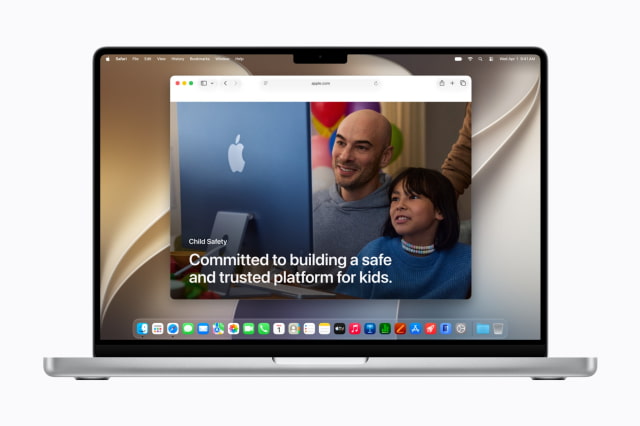
Apple today previewed a new set of child safety features coming with software updates this fall, including a simpler child account setup flow, new app and web access controls, expanded Communication Safety protections, Time Allowances, and a redesigned Screen Time experience.
The updates are aimed at giving parents more control over what children can see, who they can communicate with, and when they can access apps across Apple devices. Apple says the new features are based on guidance from online safety and health experts.
Child Accounts
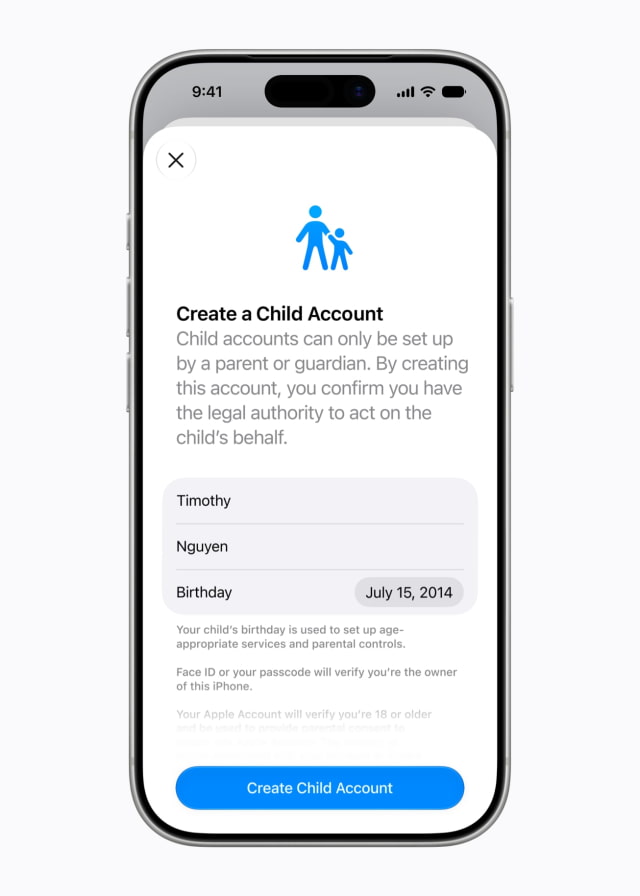
Apple says setting up a child account is the first step for enabling age-based protections across its platforms. A child account can limit adult websites, restrict media to age-appropriate content, and apply App Store age restrictions. Parents are guided through creating one when setting up a new device for a child.
Apple says a child account is required for children under 13 and available for children up to 18.
Apps, Websites, and Purchases
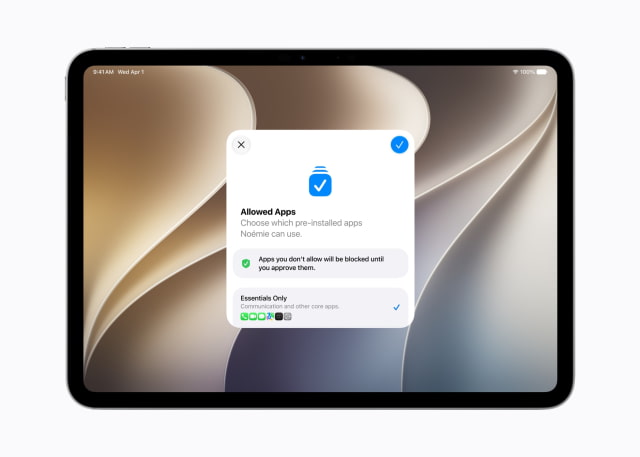
After a child account is created, parents will be able to choose which apps are available on the child's device from the start. Apple says parents can begin with only essential apps, use a curated starter set, or choose specific apps themselves, then add more over time.
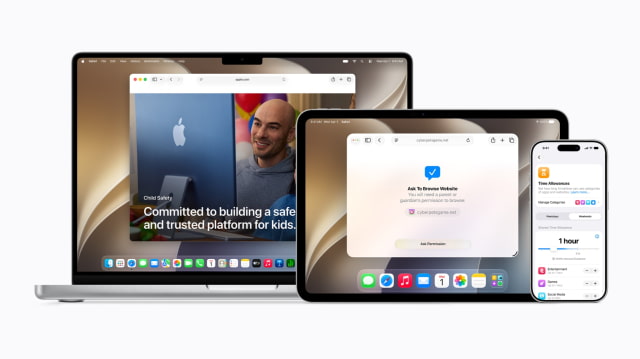
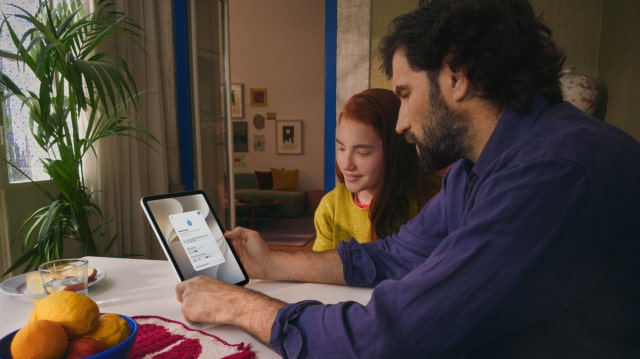
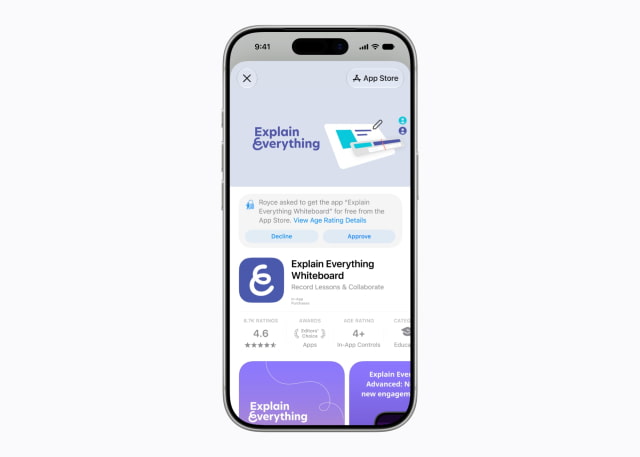
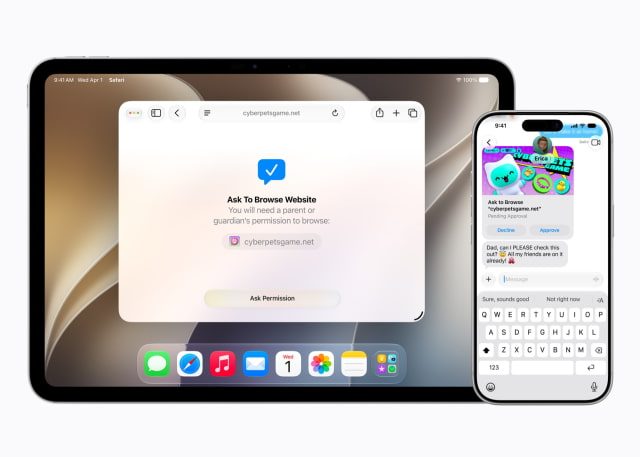
Ask to Buy will continue to let parents approve App Store downloads, including free apps, as well as in-app purchases. Apple is also adding Ask to Browse, a new Safari feature that lets parents require approval before a child can access a new website. Ask to Browse works across iPhone, iPad, and Mac.
Communication Controls
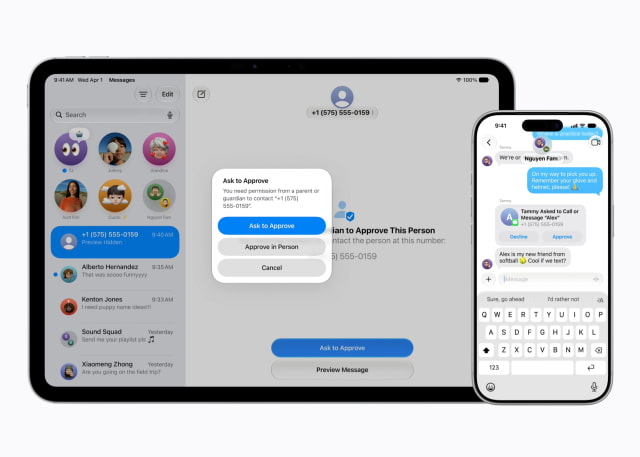
Parents can manage who children are allowed to contact through Messages, FaceTime, and Phone. If a child wants to communicate with someone new, parents can require approval before the contact is added.
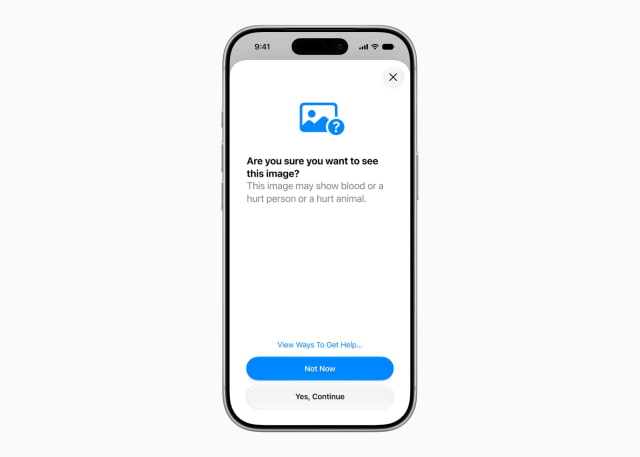
Communication Safety, which already blurs nudity detected in Messages and FaceTime and is enabled by default for users under 18, is being expanded to intervene when gore or violent content is detected in shared images or videos.
Time Allowances and Schedules
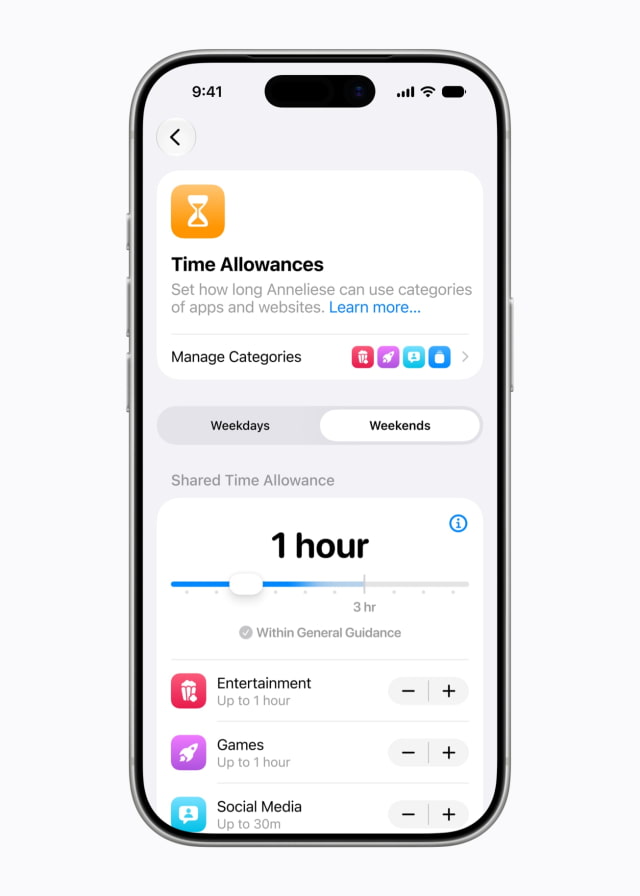
New Time Allowances will let parents manage how long children spend in app categories such as Entertainment, Games, and Social Media. Apple says the system provides age-based guidance informed by expert research, while still allowing parents to adjust limits for their own child.
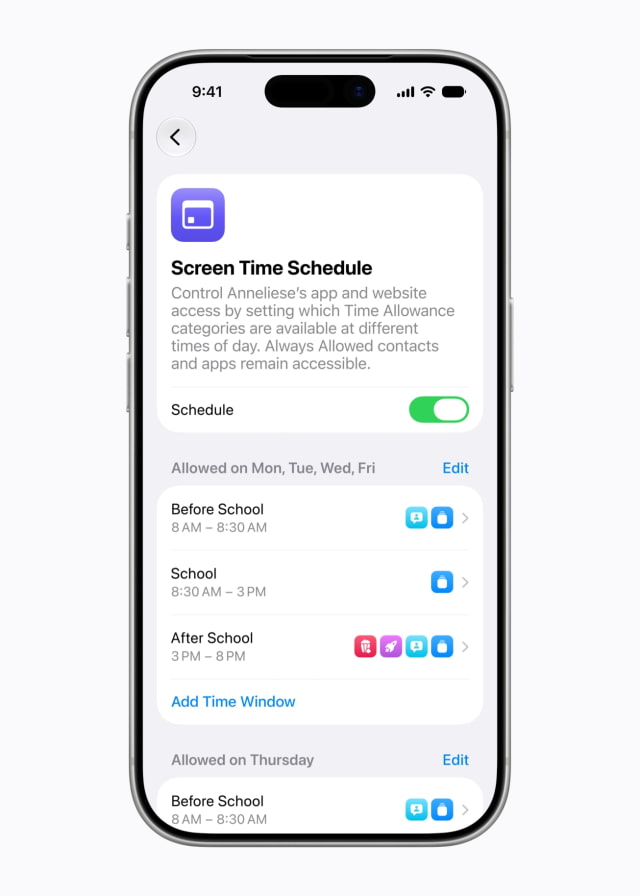
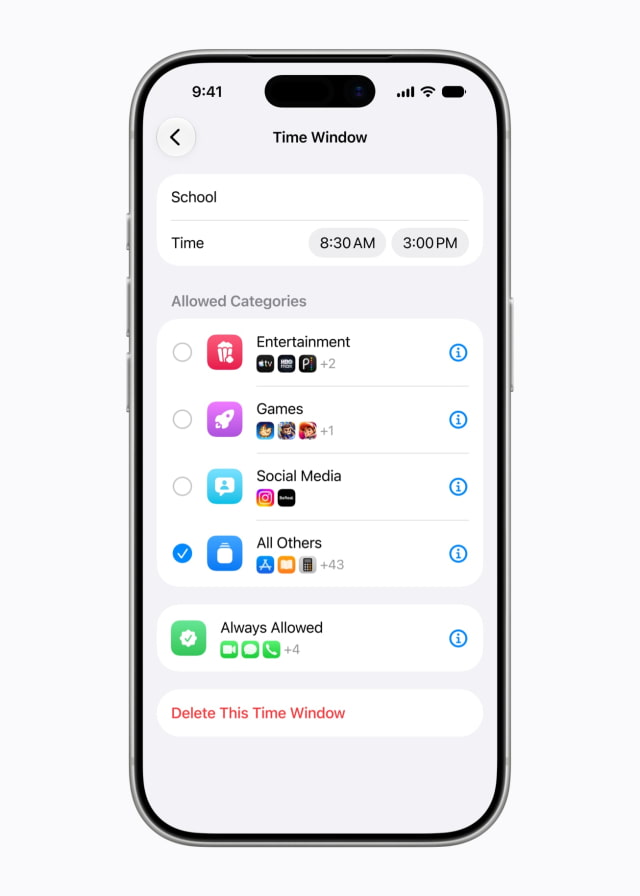
Parents will also be able to set daily Schedules that control which apps are available at different times of the day and across the week, such as during school hours.
Redesigned Screen Time
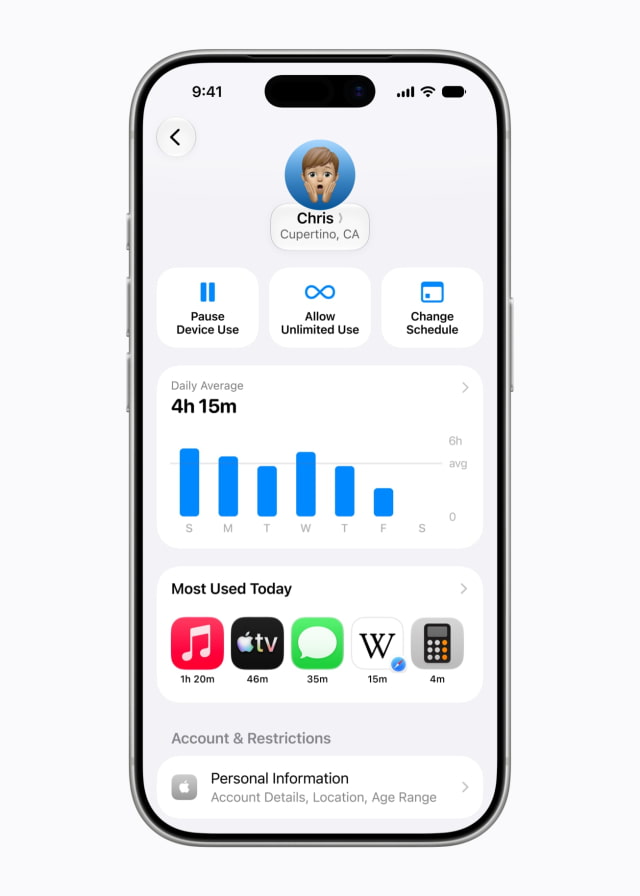
Apple says Screen Time has been redesigned to give parents an at-a-glance view of a child's average device usage and most-used apps. Parents will be able to adjust access to apps and the web quickly, pause access during meals or other family time, and grant extra time when a child needs to finish something in an app.
Parent Resources and Developer Tools
Apple has launched a dedicated website for parents with information about its child safety tools and related resources. The company is also working with the American Academy of Pediatrics to adapt the AAP Family Media Plan into a guide for parents using Apple products.
Apple also highlighted existing tools, including Screen Time passcode notifications, user reporting tools for harmful content, and Apple Watch For Your Kids. Apple says user reporting tools are currently available in certain countries and regions and will be expanded globally.
For developers, Apple is pointing to SensitiveContentAnalysis and PermissionKit for helping protect children from inappropriate content and requiring parent approval for new in-app contacts. The Declared Age Range API lets developers request a child's age range so they can tailor app experiences without receiving the child's birthday.
Apple says the new child safety features will be available after installing the Screen Time update in iOS 27, iPadOS 27, and macOS 27.
Get the iClarified Daily Newsletter
Apple news, rumors, tutorials, price drop alerts, in your inbox every evening, free.
Unsubscribe at any time.
Success!
You have been subscribed.
Add Comment
Would you like to be notified when someone replies or adds a new comment?
Yes (All Threads)
Yes (This Thread Only)
No
Notifications
Would you like to be notified when we post a new Apple news article or tutorial?



![iPhone Duo's Initial 8 Million-Unit Order Extends Into 2027 [Gurman]](/images/news/102975/102975/102975-160.jpg "iPhone Duo's Initial 8 Million-Unit Order Extends Into 2027 [Gurman]")
![CT Scan Reveals How iPhone Duo's Hinge Works [Video]](/images/news/102981/102981/102981-160.jpg "CT Scan Reveals How iPhone Duo's Hinge Works [Video]")
![Apple Tests Face ID and Action Button for iPhone Duo, Considers Larger Display [Gurman]](/images/news/102972/102972/102972-160.jpg "Apple Tests Face ID and Action Button for iPhone Duo, Considers Larger Display [Gurman]")



![How To Back Up Your iPhone to an External Drive on Mac [Video]](/images/tutorials/72786/72786/72786-160.jpg "How To Back Up Your iPhone to an External Drive on Mac [Video]")

![How To Find Your IP Address on iPhone [Video]](/images/tutorials/496/496/496-160.jpg "How To Find Your IP Address on iPhone [Video]")

![Apple's iPhone 18 Pro and Pro Max Cases Are Up to 37% Off [Deal]](/images/news/102978/102978/102978-160.jpg "Apple's iPhone 18 Pro and Pro Max Cases Are Up to 37% Off [Deal]")
![16-Inch MacBook Pro With M5 Pro Drops to $2,429 ($570 Off), Lowest Price We've Seen [Deal]](/images/news/102957/102957/102957-160.jpg "16-Inch MacBook Pro With M5 Pro Drops to $2,429 ($570 Off), Lowest Price We've Seen [Deal]")

![16-Inch MacBook Pro With M5 Max Drops to $3,499 ($900 Off), Lowest Price We've Seen [Deal]](/images/news/102900/102900/102900-160.jpg "16-Inch MacBook Pro With M5 Max Drops to $3,499 ($900 Off), Lowest Price We've Seen [Deal]")
![Mac Studio With M5 Max Is $200 Off, Lowest Price We've Seen [Deal]](/images/news/102897/102897/102897-160.jpg "Mac Studio With M5 Max Is $200 Off, Lowest Price We've Seen [Deal]")
