
![How To Get Siri AI on iPhone [Video]](/images/tutorials/102492/485061/485061-64.png "How To Get Siri AI on iPhone [Video]")
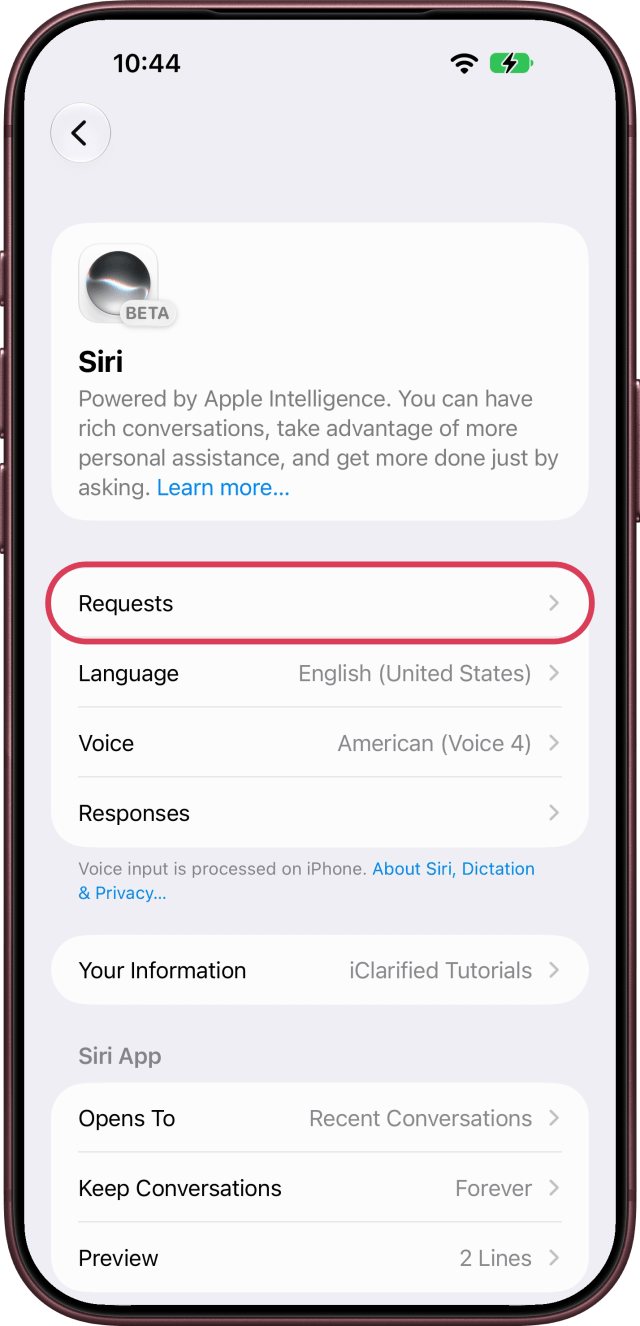
Siri AI is the new Siri, powered by Apple Intelligence. You turn it on in Settings in a few taps, then set Siri to listen for "Siri" or "Hey Siri" so you can talk to it hands-free.
It needs an iPhone 15 Pro or later, iPhone 16 or later, or iPhone Air on the latest version of iOS, with your iPhone and Siri set to the same supported language.
We set up Siri AI on an iPhone 18 Pro Max running iOS 27.
Turn On the New Siri With Apple Intelligence
Step One: Open Siri in Settings
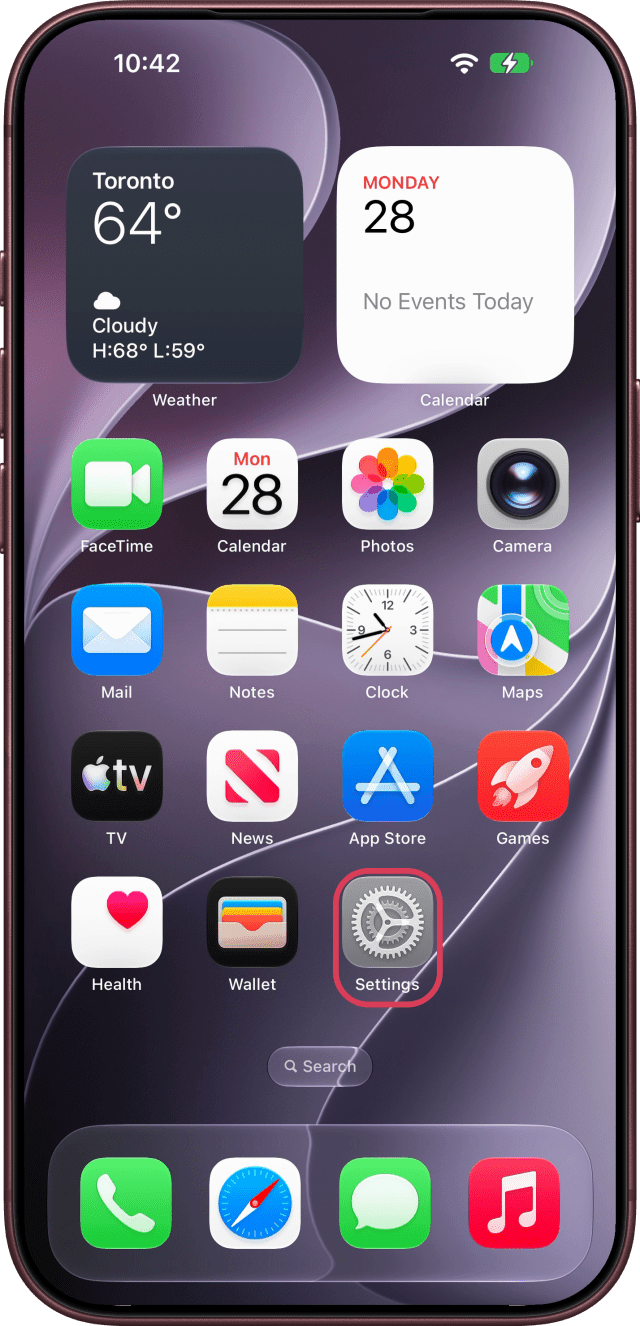
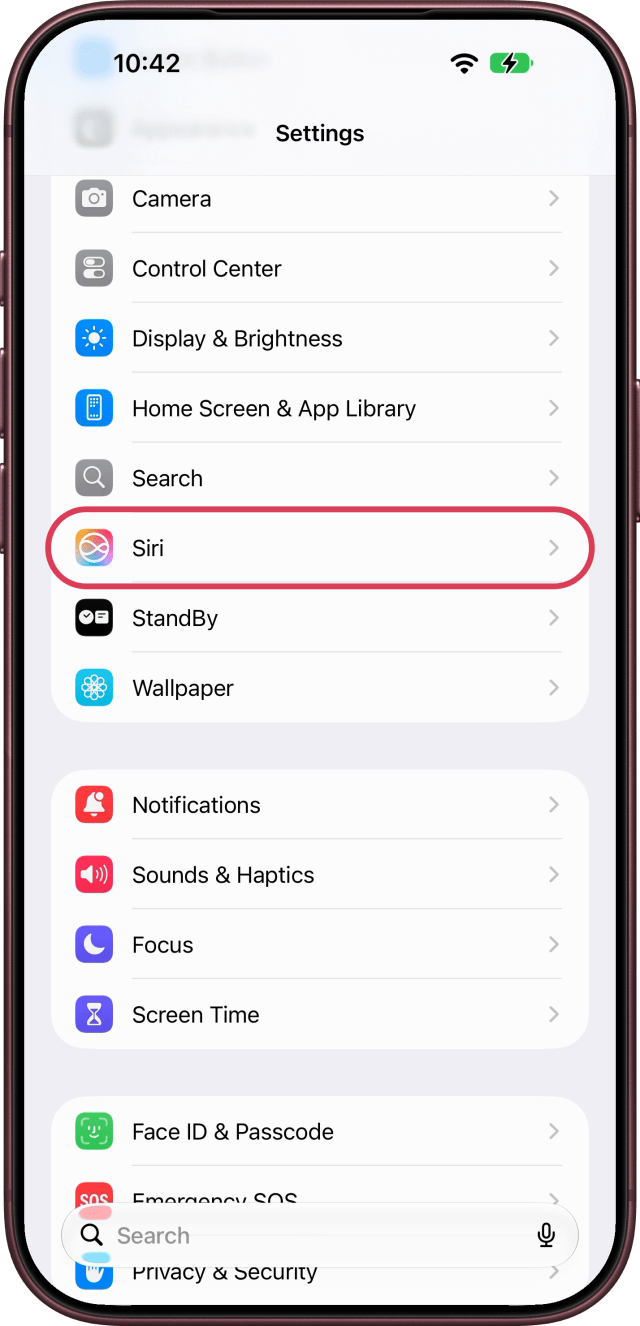
Open the Settings app, scroll down and tap Siri.
Step Two: Tap Try Siri AI (Beta)
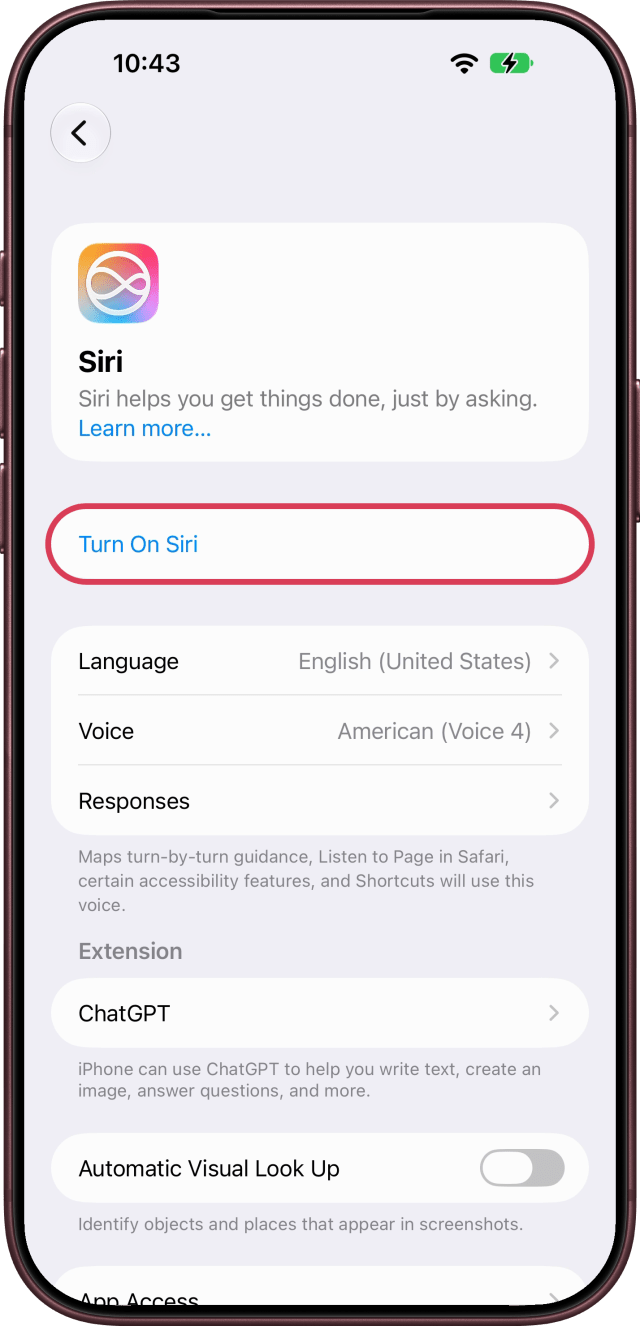
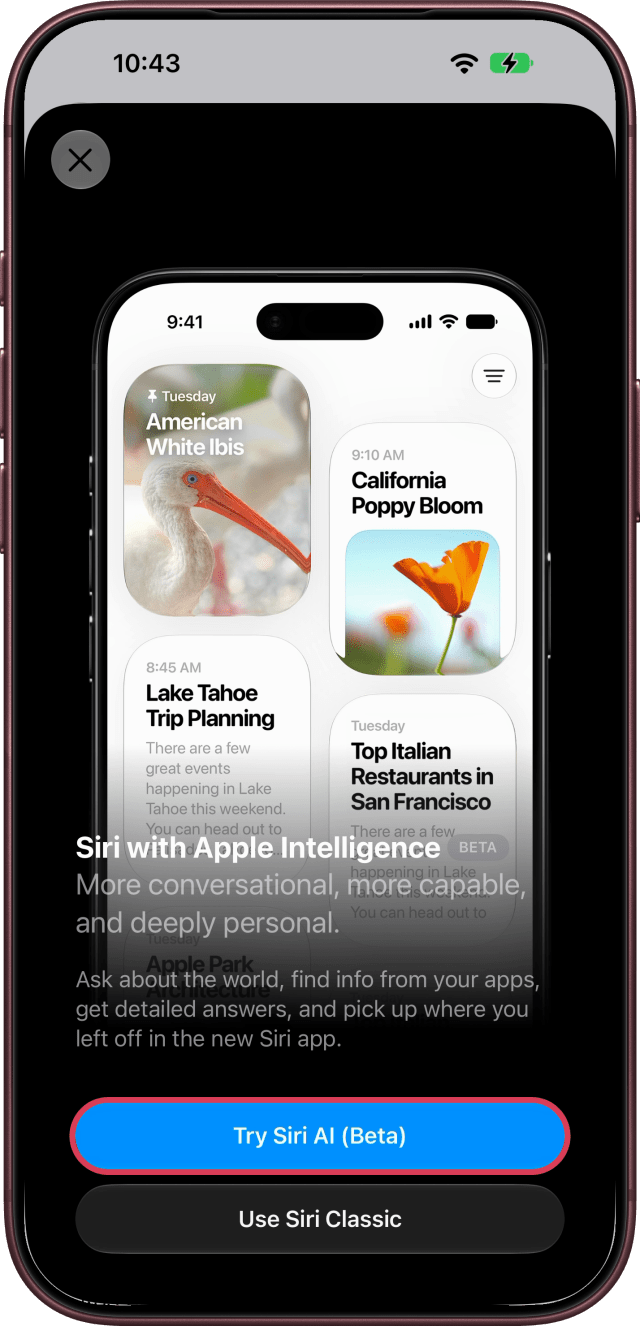
If Siri is off, tap Turn On Siri. A sheet introduces Siri with Apple Intelligence: tap Try Siri AI (Beta). If Siri is already on, you'll find Try Siri AI (Beta) on the Siri screen instead. To keep the old Siri, tap Use Siri Classic.
Step Three: Review Privacy and Pick a Voice
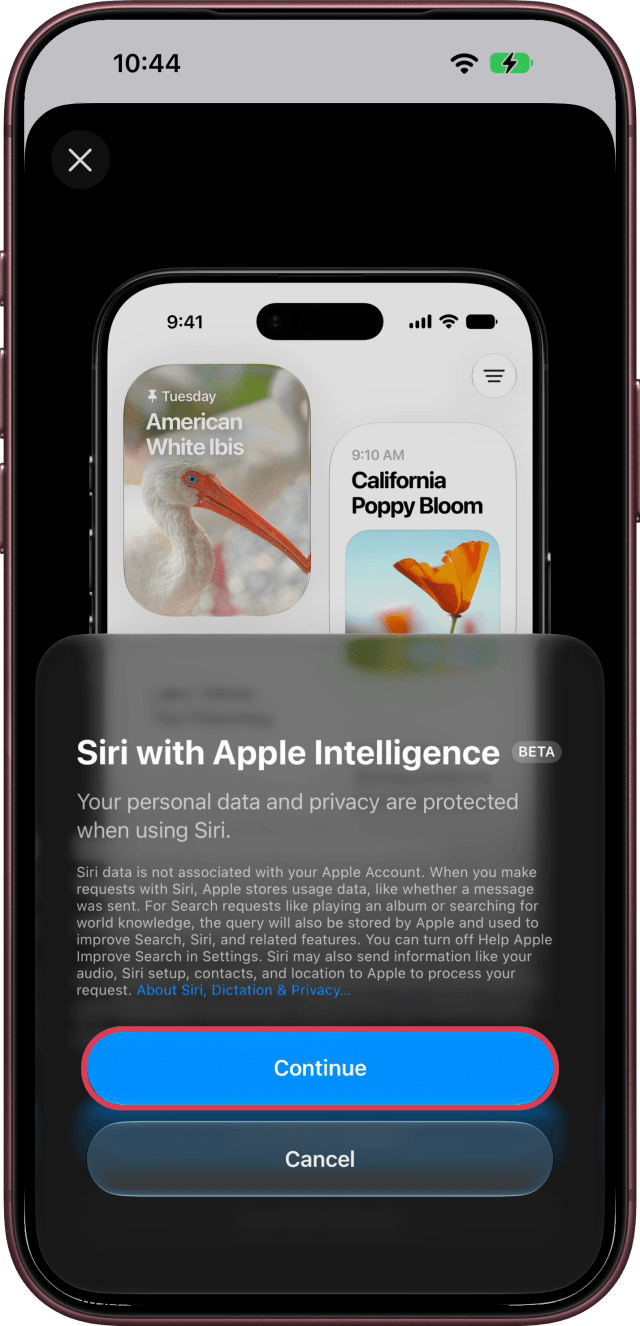
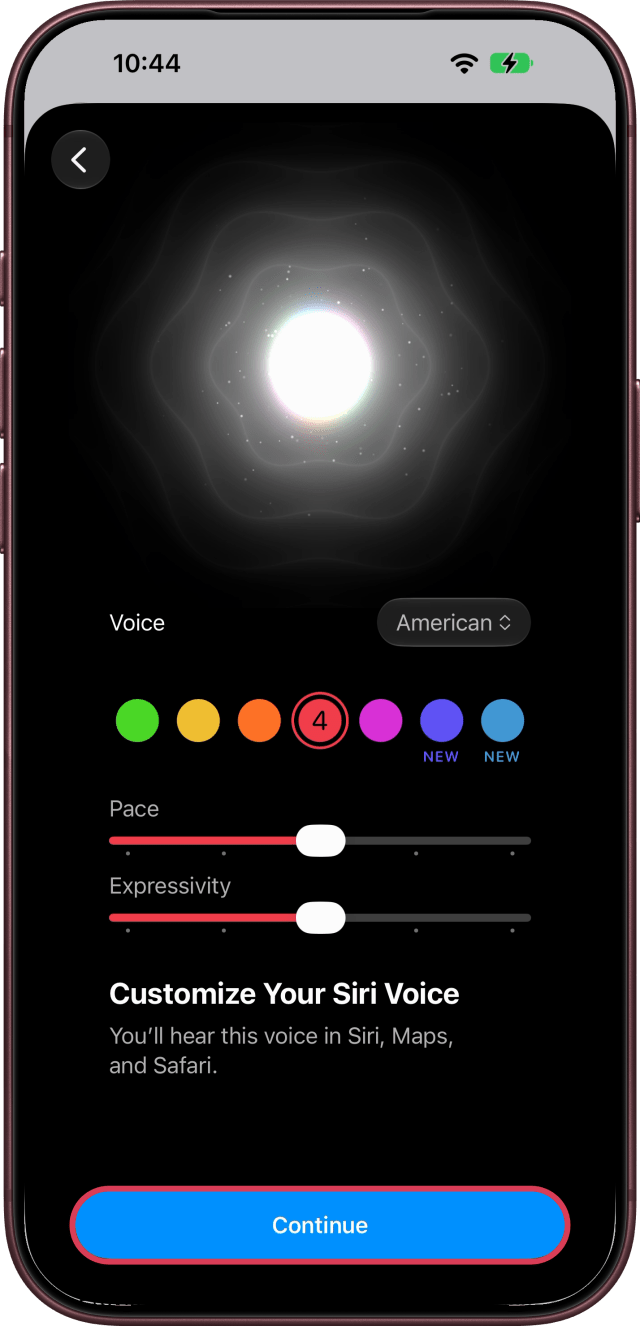
The next screen explains that Your personal data and privacy are protected when using Siri. Tap Continue. On Customize Your Siri Voice, pick a voice, set Pace and Expressivity if you like, then tap Continue. You can change the voice any time in Settings.
Step Four: Choose Whether to Share Audio and Text
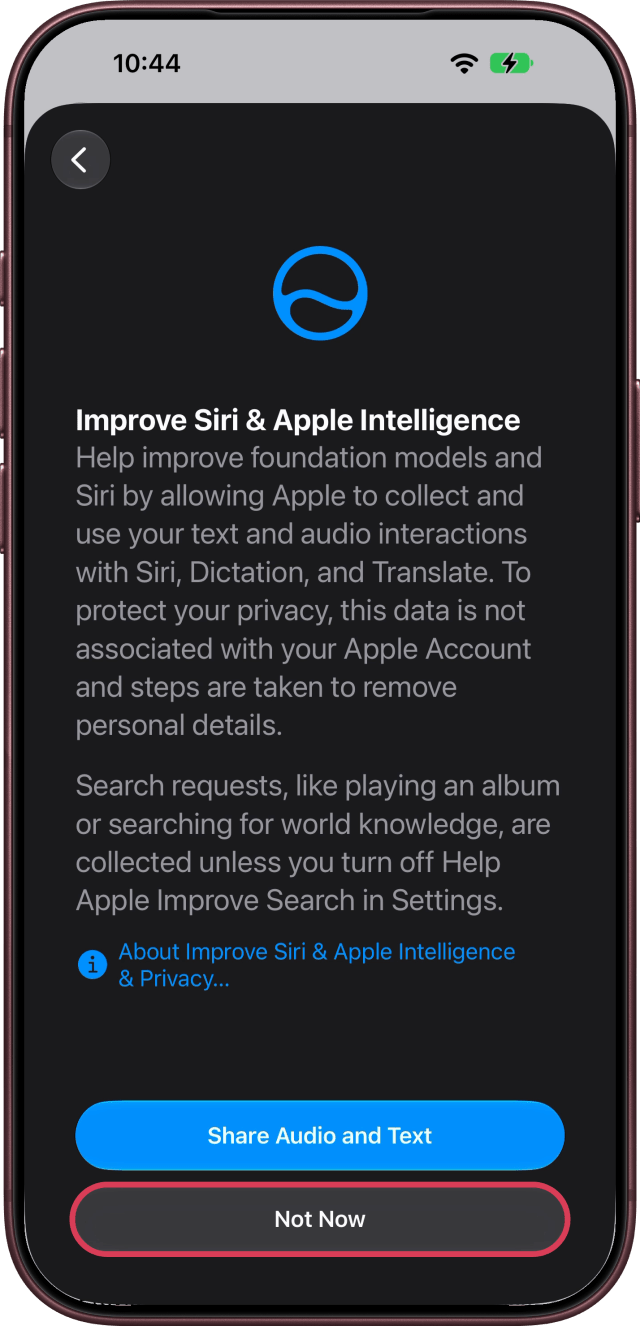
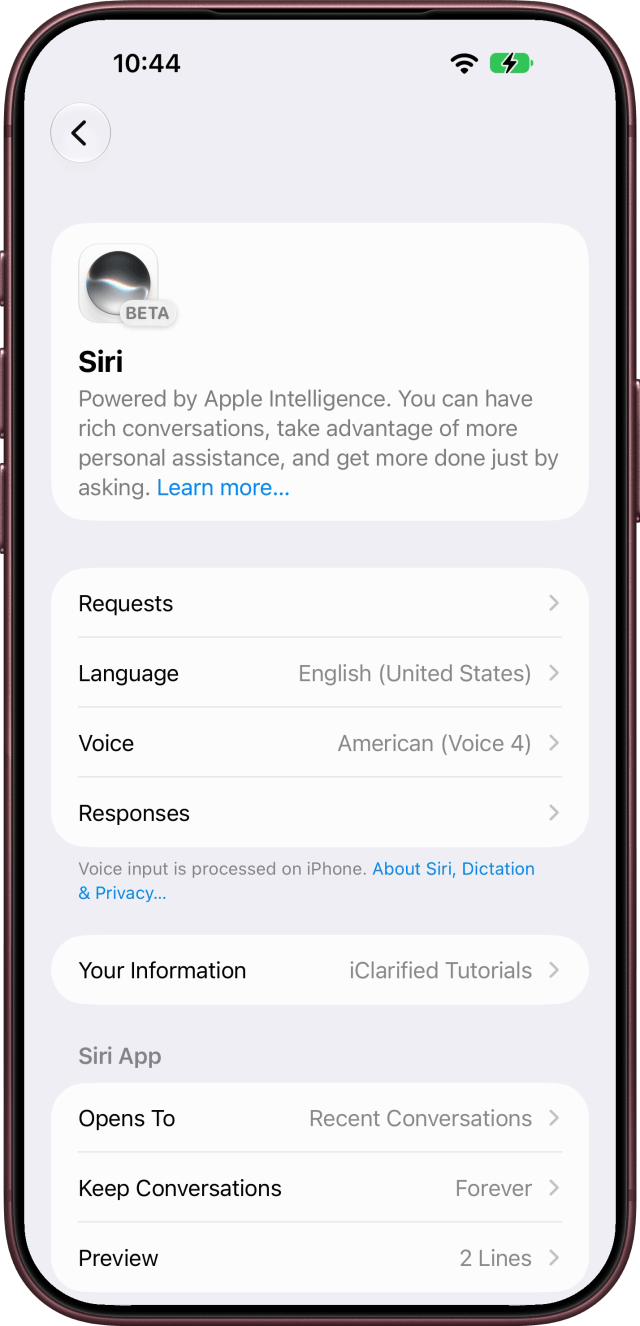
Improve Siri & Apple Intelligence asks to collect and use your text and audio interactions with Siri, Dictation, and Translate. Tap Share Audio and Text to allow it, or Not Now. The Siri screen then reads Powered by Apple Intelligence, with a BETA badge.
If you're put on a waitlist, Siri AI downloads automatically when your wait is over; our iPhone wasn't. Your iPhone also indexes your information privately, which can take a few days. Until then, answers about your personal information may be incomplete.
Step Five: Turn On "Siri" or "Hey Siri"
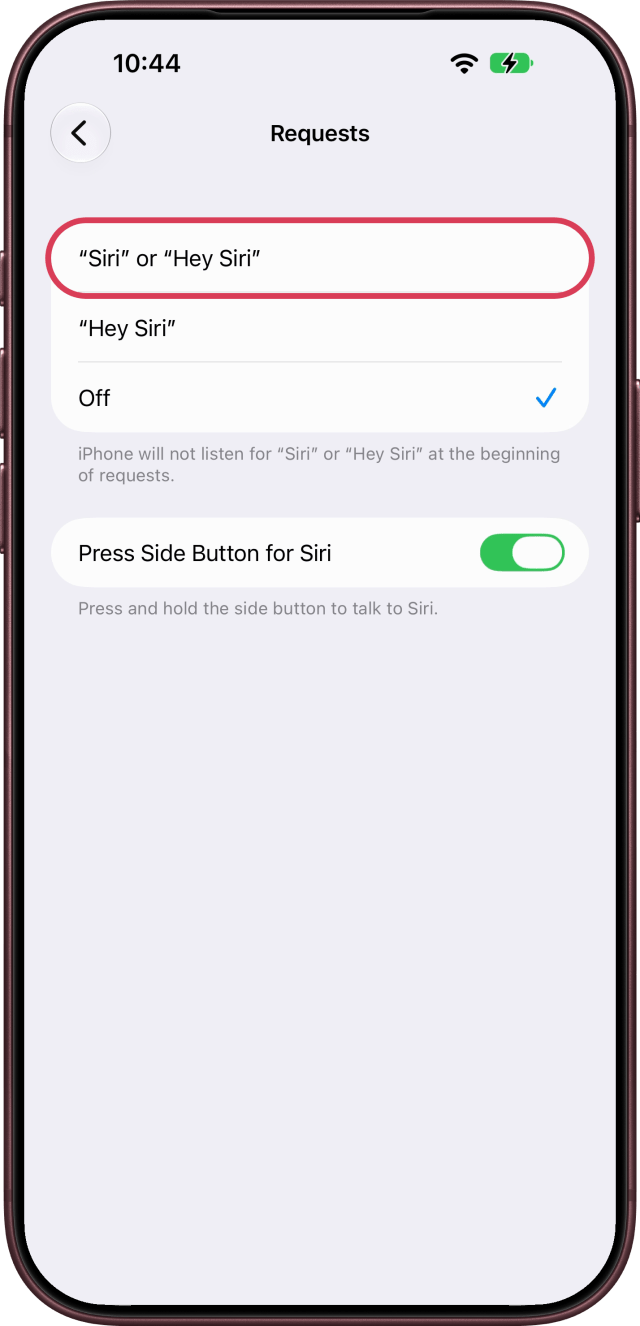
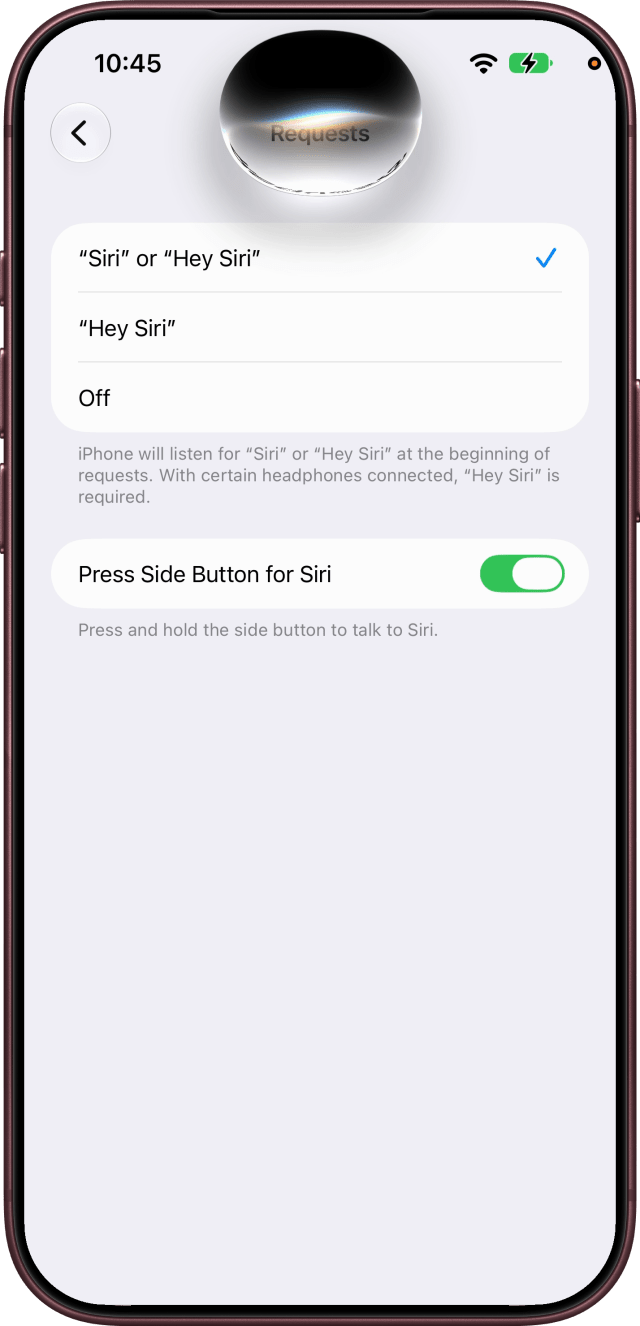
To talk to Siri hands-free, tap Requests on the Siri screen, then choose "Siri" or "Hey Siri".
Step Six: Say the Five Phrases
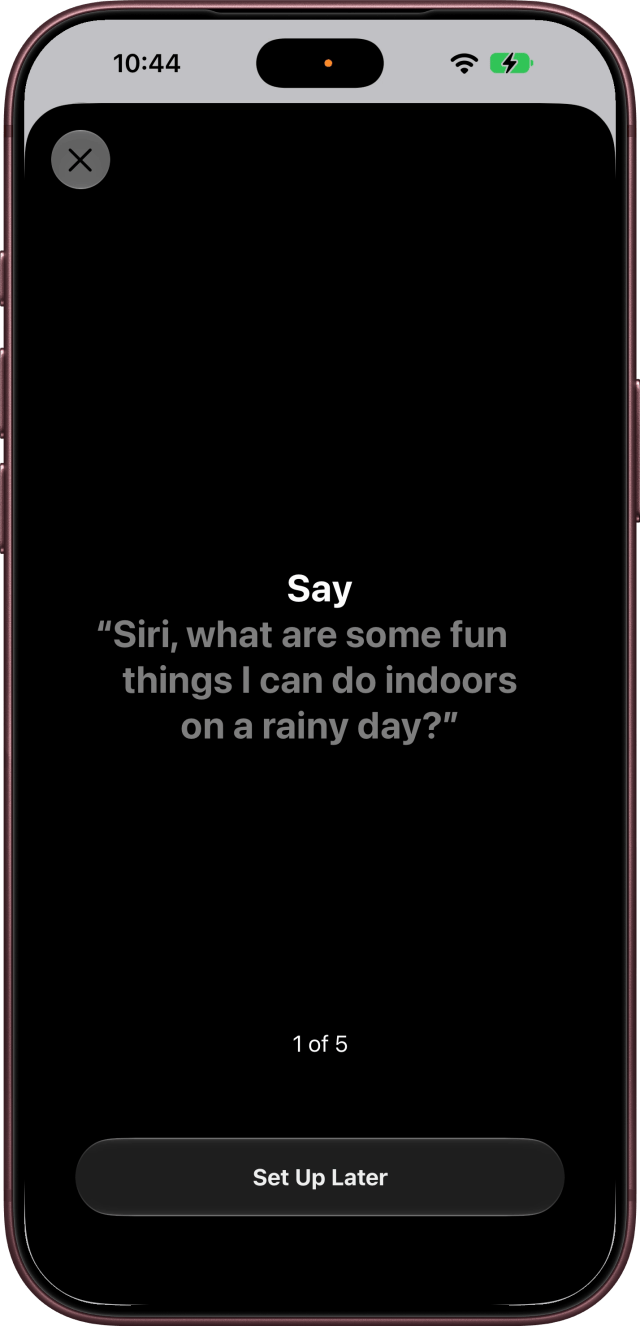
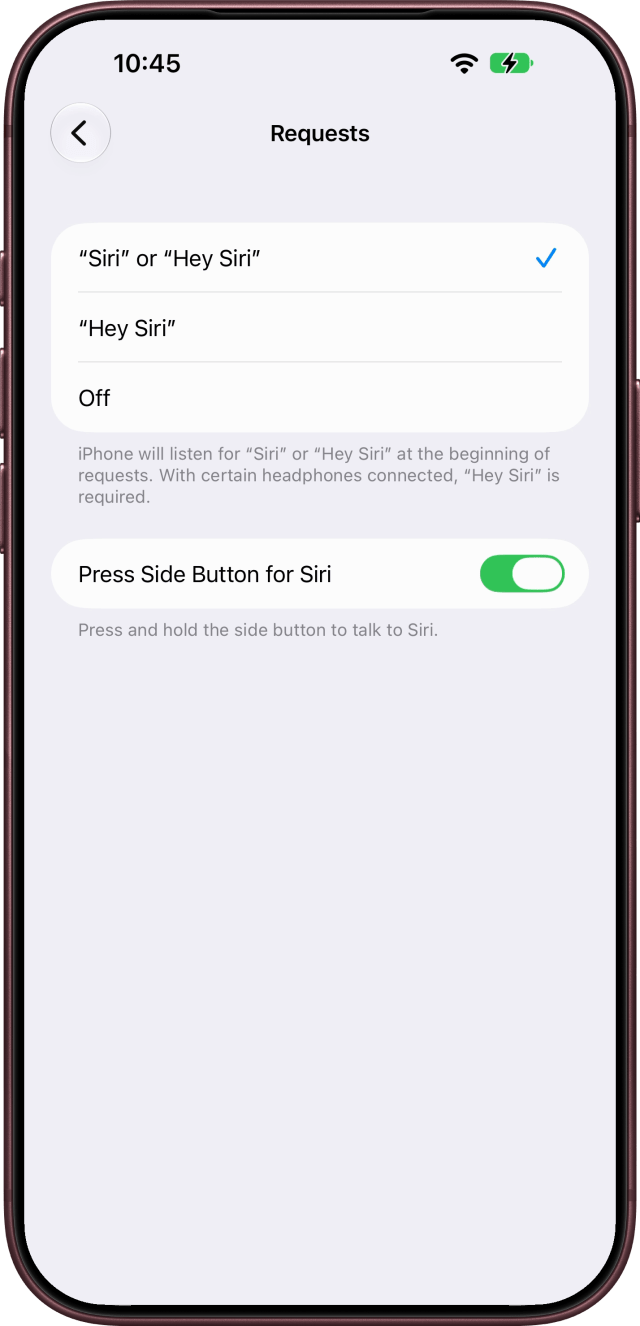
A sheet shows five phrases, one at a time, so Siri learns your voice. Say each one as it appears, or tap Set Up Later to do it another time. After the fifth, the sheet closes and Requests reads iPhone will listen for "Siri" or "Hey Siri" at the beginning of requests.
Start a Request
From now on, say Siri or Hey Siri to start a request. You can also press and hold the side button (the Press Side Button for Siri switch under Requests), or swipe down from the Dynamic Island.
If You Don't See Try Siri AI
Check that your iPhone is a supported model on the latest version of iOS, and that Siri's Language, on the Siri screen, matches your iPhone's language. At launch on September 14, 2026, Siri AI works in English; Apple says French, Japanese, Korean, Portuguese and Spanish follow in October. It isn't available at first on iPhone in the EU, and it won't currently work if your Apple Account region is mainland China.

![Apple Targets October 13 for Smart Home Hub, New HomePod mini and Apple TV [Gurman]](/images/news/102501/102501/102501-160.jpg "Apple Targets October 13 for Smart Home Hub, New HomePod mini and Apple TV [Gurman]")
![Apple Debuts Trailer for Mackenzie Crook Comedy 'Small Prophets' [Video]](/images/news/102495/102495/102495-160.jpg "Apple Debuts Trailer for Mackenzie Crook Comedy 'Small Prophets' [Video]")
![OpenAI Launches Dots, Personal AI Agents That Work in the Background [Video]](/images/news/102489/102489/102489-160.jpg "OpenAI Launches Dots, Personal AI Agents That Work in the Background [Video]")
![AirPods 5 Earn 2/10 Repairability Score in iFixit Teardown [Video]](/images/news/102486/102486/102486-160.jpg "AirPods 5 Earn 2/10 Repairability Score in iFixit Teardown [Video]")

![How To Get Siri AI on iPhone [Video]](/images/tutorials/102492/102492/102492-160.jpg "How To Get Siri AI on iPhone [Video]")
![How To Find Your iPhone IMEI Number [Video]](/images/tutorials/83557/83557/83557-160.jpg "How To Find Your iPhone IMEI Number [Video]")



![16-Inch M5 Max MacBook Pro Drops $900 to New Low of $3,499 [Deal]](/images/news/102438/102438/102438-160.jpg "16-Inch M5 Max MacBook Pro Drops $900 to New Low of $3,499 [Deal]")
![Magic Keyboard for iPad Air Drops to $200 on Amazon [Deal]](/images/news/102402/102402/102402-160.jpg "Magic Keyboard for iPad Air Drops to $200 on Amazon [Deal]")
![13-Inch M5 MacBook Air With 1TB Drops to $1,449 on Amazon [Deal]](/images/news/102345/102345/102345-160.jpg "13-Inch M5 MacBook Air With 1TB Drops to $1,449 on Amazon [Deal]")

