Google has added support for syncing your Google Contats to iOS using CardDAV.
For many years, we've supported two open protocols for accessing Gmail and Calendar from mobile apps and devices: IMAP for email and CalDAV for calendar. These protocols, combined with the options to access Gmail, Calendar, and Contacts with your desktop or mobile browser and via native apps on iOS and Android, help ensure you have a great experience regardless of the device you use.
Starting today, we're adding CardDAV - an open protocol for contacts - to that list. CardDAV enables 3rd party clients, like the iOS contacts app, to sync your Google contacts. By supporting IMAP, CalDAV, and CardDAV together, we're making it possible for 3rd parties to build a seamless Google Account sync experience.
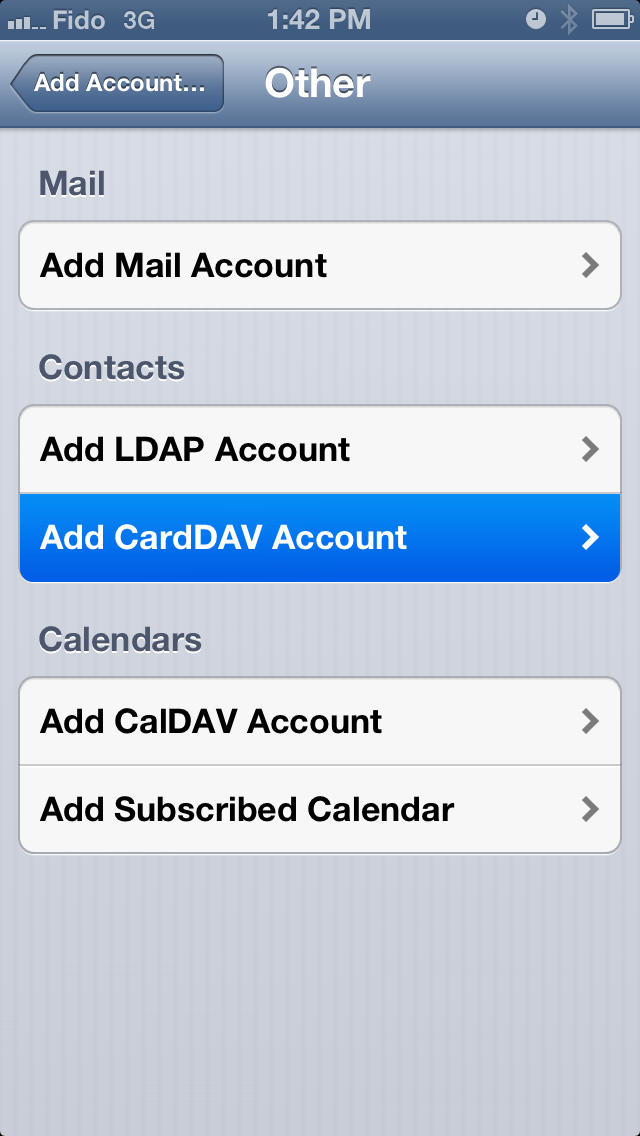
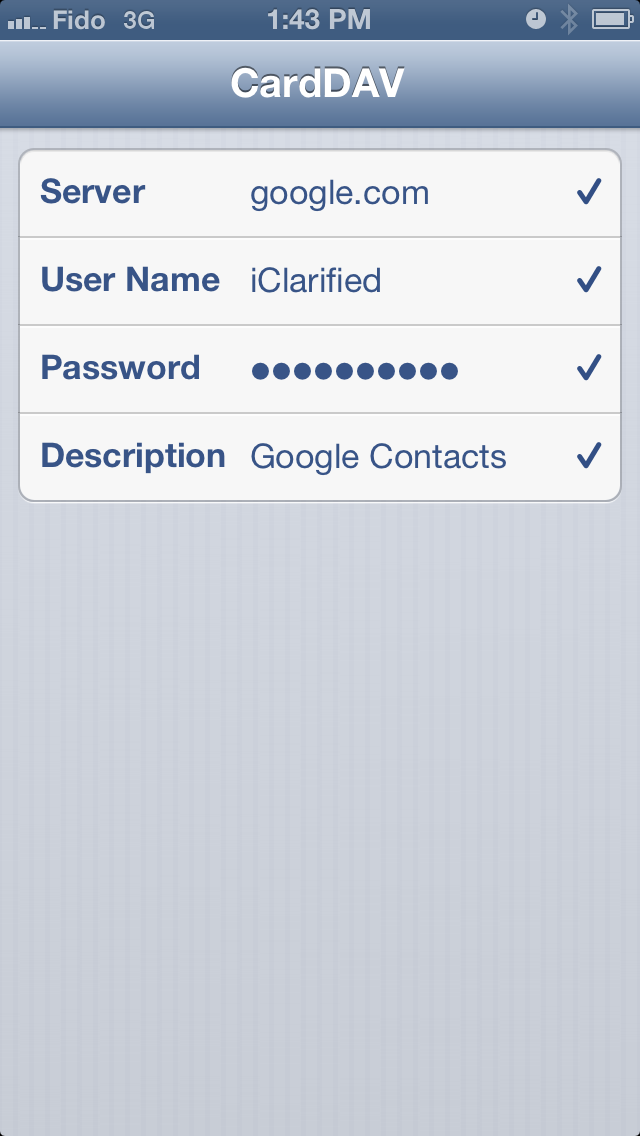
We've posted instructions on how to sync your Google Contacts to iOS using CardDav.
Apple news, rumors, tutorials, price drop alerts, in your inbox every evening, free.
Unsubscribe at any time.
Success!
You have been subscribed.
Add Comment
Would you like to be notified when someone replies or adds a new comment?
Yes (All Threads)
Yes (This Thread Only)
No
Notifications
Would you like to be notified when we post a new Apple news article or tutorial?
Yes
No
Comments (3)
Comments are closed for this article.
0
#AChurchNerd - September 27, 2012 at 8:15pm
Can anyone tell me the advantage (If there is one), over just setting up Google as Exchange server?
0
Andriy - September 30, 2012 at 9:54am
I have a the exact same question! Thank's!
0
Andriy - September 30, 2012 at 10:38am
I did a test in Google Contacts:
I edited 1 contact and I added a lot of numbers, emails, websites, addresses and dates when i sync in iphone and ipad:
result?
Exchange Vs. CardDAV
tel numbers: max 6 vs no limit? (I entered12)
email: max 3 vs no limit? (I entered 8)
websites max 1 vs no limit? (I entered 4)
addresses max 3 vs. no limit? (6)
dates max 2? vs no limit (6)
Thanks Google!





![Pro Photographer Austin Mann Tests iPhone 18 Pro Camera [Video]](/images/news/102297/102297/102297-160.jpg "Pro Photographer Austin Mann Tests iPhone 18 Pro Camera [Video]")

![Apple Releases Xcode 27.1 Beta With iPhone Duo SDKs and Simulator [Download]](/images/news/102276/102276/102276-160.jpg "Apple Releases Xcode 27.1 Beta With iPhone Duo SDKs and Simulator [Download]")
![Apple Shares 'new trick' Shot on iPhone 18 Pro Ad Featuring ROSÉ [Video]](/images/news/102273/102273/102273-160.jpg "Apple Shares 'new trick' Shot on iPhone 18 Pro Ad Featuring ROSÉ [Video]")









![Apple Studio Display XDR Hits All-Time Low of $2,969.99 ($329 Off) [Deal]](/images/news/101976/101976/101976-160.jpg "Apple Studio Display XDR Hits All-Time Low of $2,969.99 ($329 Off) [Deal]")
