Wunderlist for Mac, a popular to-do list app, has been updated with the ability to email lists, print lists, and access more functionality via contextual menus.
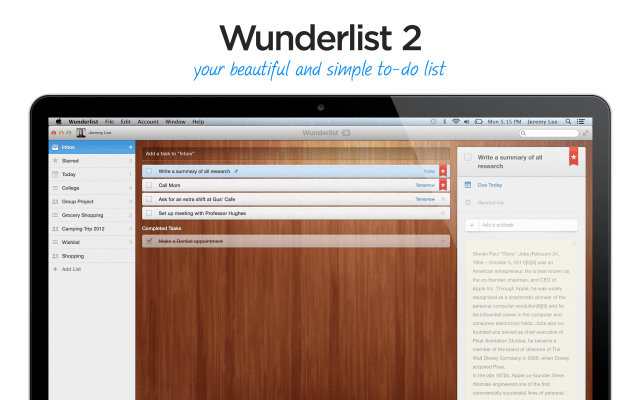
Wunderlist 2 is the easiest way to manage and share your daily to-do lists. Whether you’re planning an overseas adventure, sharing a shopping list with a loved one, or simply keeping track of your daily to-dos, Wunderlist is here to help you get things done.
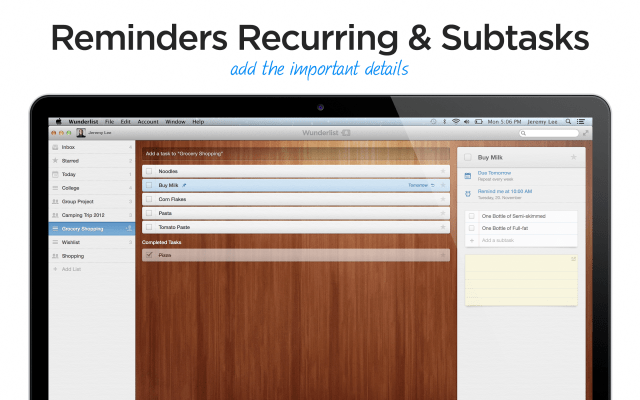
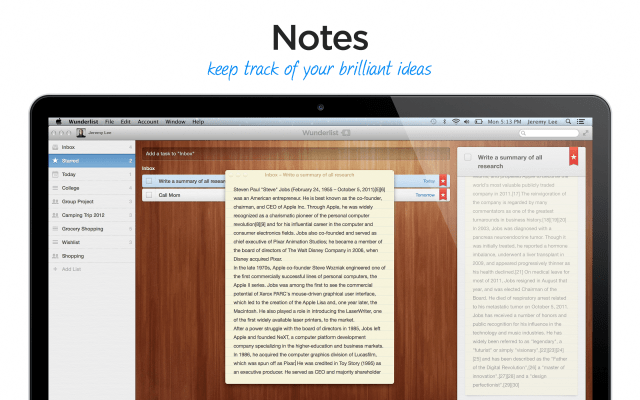
Features: • Lists - Create and manage all your lists in one place across all your devices • Cloud Sync - Use it on any of your devices • Recurring & Subtasks - Add all the important details, again and again • Reminders - Never miss a deadline • Notes - Keep track of all your brilliant ideas • Collaborate - Invite friends and colleagues to get involved • Notifications - Stay informed via push, email and in-app notifications as well as the brand-new Activity Center • Design - Wunderlist’s beautifully simple design makes it downright easy and fun to use
What's New In This Version: • Print - you can now print your lists and tasks by hitting ⌘P. • Email Lists - to share lists via email simply select the list, hit ⌘I, type in the recipients email address and then click send! Hint - you can also use this function to backup your data. • Contextual Menus - right click on a list or task to access even more functionality. • Bug Fixes - the bug that wouldn’t allow Wunderlist to start on older Mac configurations has been well and truly squashed. • Performance and Stability - we’ve made a host of improvements to the overall performance and stability to the app. Thanks a bunch for sending in all your feedback! • Additional Languages - Russian, Swedish, Maltese and simplified Chinese have been added to our available languages.
You can download Wunderlist from the App Store for free.
Get the iClarified Daily Newsletter
Apple news, rumors, tutorials, price drop alerts, in your inbox every evening, free.
Unsubscribe at any time.
Success!
You have been subscribed.
Add Comment
Would you like to be notified when someone replies or adds a new comment?
Yes (All Threads)
Yes (This Thread Only)
No
Notifications
Would you like to be notified when we post a new Apple news article or tutorial?









![How To Change Wallpaper on Mac [Video]](/images/tutorials/90512/90512/90512-160.jpg "How To Change Wallpaper on Mac [Video]")
![How To Turn Off Always On Display on iPhone [Video]](/images/tutorials/87524/87524/87524-160.jpg "How To Turn Off Always On Display on iPhone [Video]")





![16-Inch M5 Max MacBook Pro Drops $900 to New Low of $3,499 [Deal]](/images/news/102438/102438/102438-160.jpg "16-Inch M5 Max MacBook Pro Drops $900 to New Low of $3,499 [Deal]")
![Magic Keyboard for iPad Air Drops to $200 on Amazon [Deal]](/images/news/102402/102402/102402-160.jpg "Magic Keyboard for iPad Air Drops to $200 on Amazon [Deal]")
