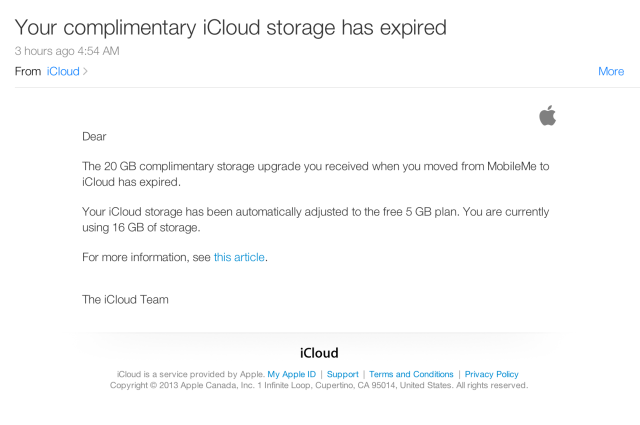
Apple has sent an email to former MobileMe members telling them that their complimentary iCloud Storage has expired.
----- Dear [User],
The 20 GB complimentary storage upgrade you received when you moved from MobileMe to iCloud has expired.
Your iCloud storage has been automatically adjusted to the free 5 GB plan. You are currently using 16 GB of storage.
For more information, see this article.
The iCloud Team -----
If the storage you're using in iCloud exceeds the total storage available, iCloud Backup, Documents in the Cloud, and iCloud Mail will temporarily stop working. To resume using these features, you can either reduce the amount of iCloud storage that you're using, or purchase a storage plan with a larger amount of storage than you're currently using.
You can choose a new plan by going to Settings > iCloud > Storage & Backup on your iOS device.
Get the iClarified Daily Newsletter
Apple news, rumors, tutorials, price drop alerts, in your inbox every evening, free.
Unsubscribe at any time.
Success!
You have been subscribed.
Add Comment
Would you like to be notified when someone replies or adds a new comment?
Yes (All Threads)
Yes (This Thread Only)
No
Notifications
Would you like to be notified when we post a new Apple news article or tutorial?
Yes
No
Comments (2)
Comments are closed for this article.
0
sal872 - October 1, 2013 at 6:19pm
it may sounds wired but I haven't received any email and I have still got 25 GB and 22 GB are in USE. if when I tap on more storage it says my current plan is 5GB. if clarified want proof I can send pictures






![Beats 360 Headphones Debut With Swappable Cushions, IPX4 Rating for $349.99 [Video]](/images/news/102342/102342/102342-160.jpg "Beats 360 Headphones Debut With Swappable Cushions, IPX4 Rating for $349.99 [Video]")






![13-Inch M5 MacBook Air With 1TB Drops to $1,449 on Amazon [Deal]](/images/news/102345/102345/102345-160.jpg "13-Inch M5 MacBook Air With 1TB Drops to $1,449 on Amazon [Deal]")




