Apple is introducing some significant improvements to Photos in iOS 8.
Here's a look at what's new!
iCloud Photo Library Now all your photos can be stored in iCloud. This will let you access any photo you've taken from any device. The images are stored at full resolution in their original formats, including RAW files. iCloud Photo Library can be enabled from the Settings app in the Photos & Camera section.
iCloud Photo Library will also be able to automatically keep your original high-resolution photos and videos in iCloud and leave behind lightweight versions on your devices.
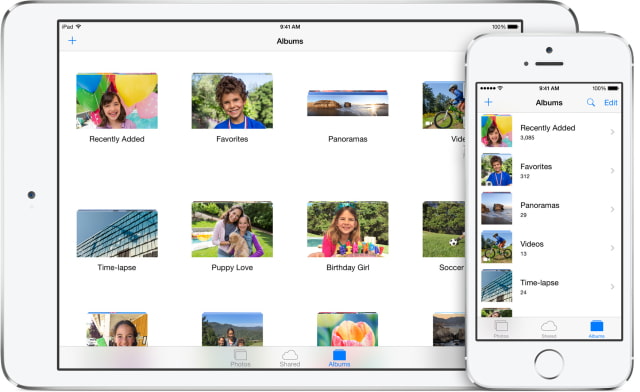
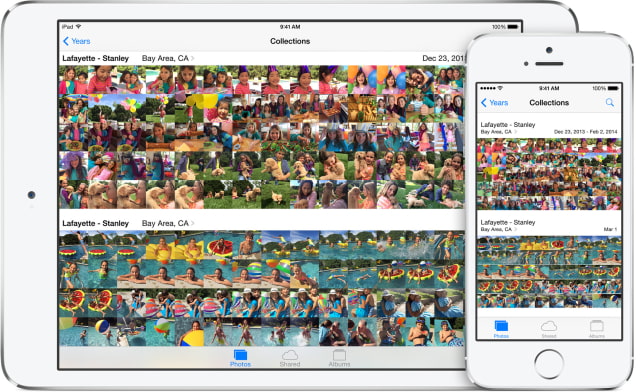
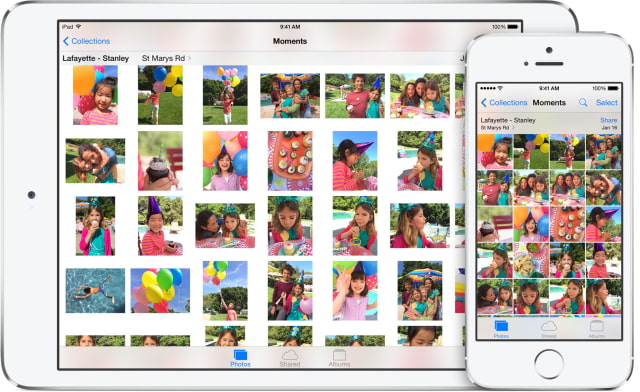
With iOS 8 you can now press hold on an image to Hide it from Collections, Moments, and Years. However, it will still be available in Albums. You can also favorite a photo by tapping the heart icon in the bottom bar. If you want to rearrange the order of your photos, choose an Album, tap the Select button at the top right, press and hold an image, then drag it to its new location.
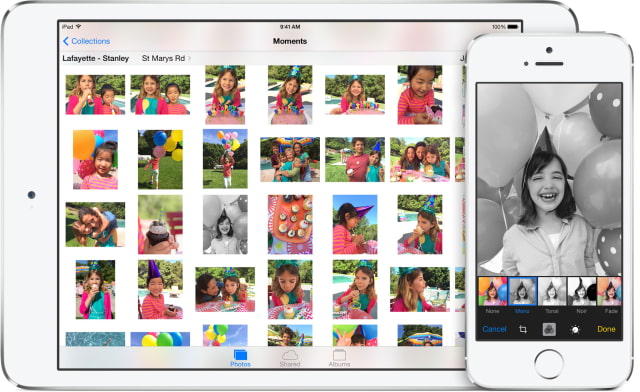
Edits that you make to photos are automatically synchronized across devices if you have iCloud Photo Library enabled. The edits are non-destructive and you can return to the original version if you want.
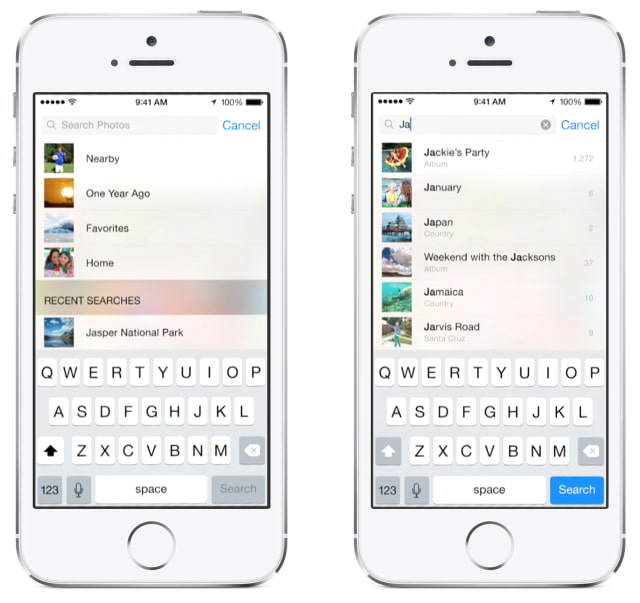
Search You can now search your photo library! iOS 8 lets you search by date or time a photo was taken, location, or album name.
In addition, tapping the search icon at the top right offers suggestions such as photos taken nearby, photos taken the same time last year, or all-time favorite photos.
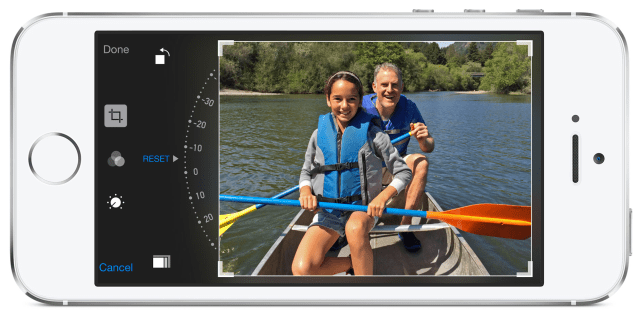
Smart Composition The Photos app can now automatically straighten horizons and provide the ideal crop to images that weren't composed perfectly. Simply tap the Edit button and choose the Crop tool. If you don't like the automatic adjustment, just tap the Reset button and you can perform the crop and rotate adjustments manually.
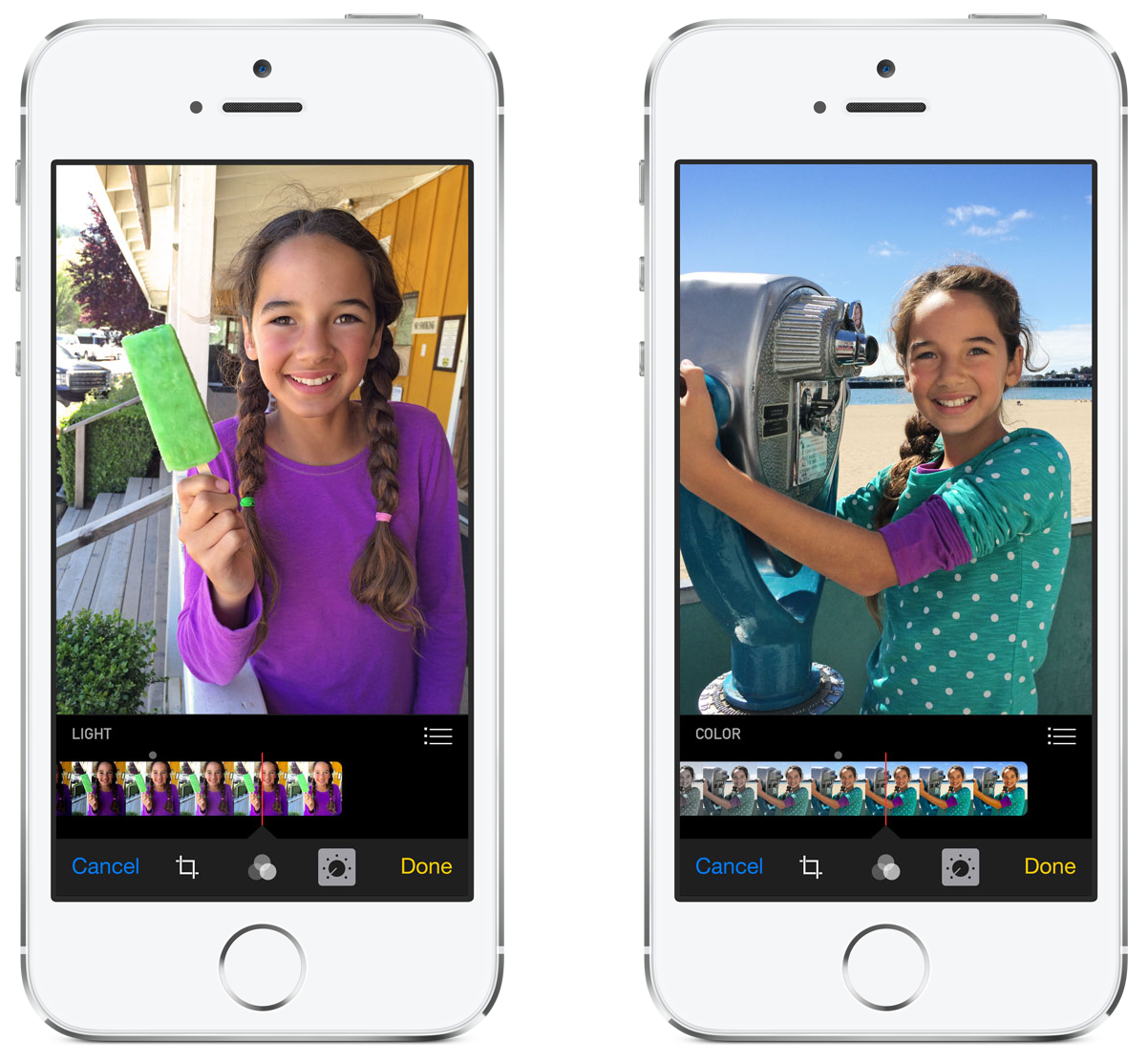
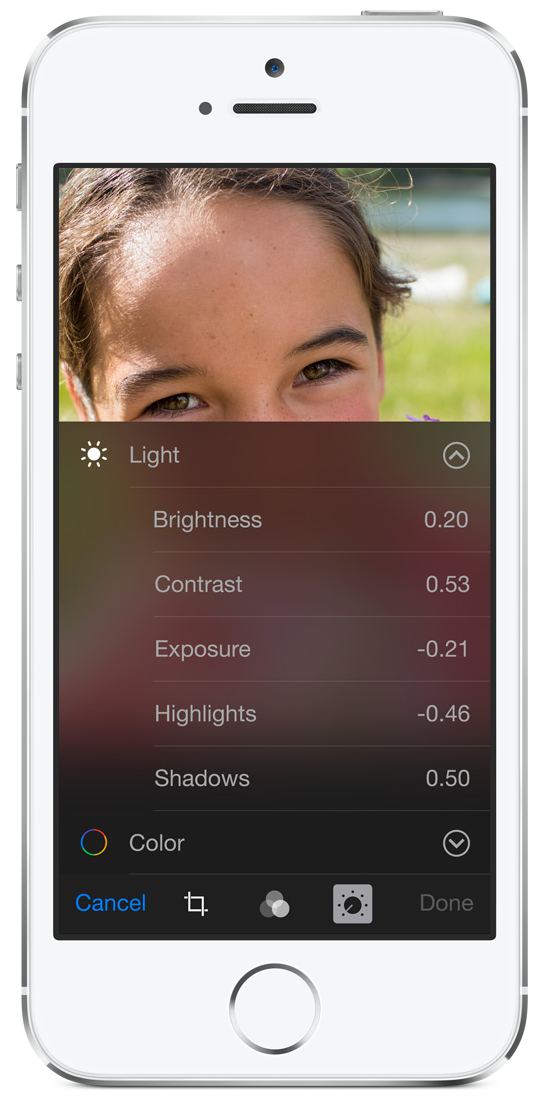
Smart Adjustments There are new adjustment sliders for Light and Color. You can use the smart sliders to find just the right lighting and make colors pop.
If you aren't happy with the basic adjustment, tap the details icon. For Light this will bring up individual controls for Brightness, Contrast, Exposure, Highlights, and Shadows. For Color this will bring up individual controls for Contrast and Vibrancy. Each of these controls have their own sliders which can be set separately.
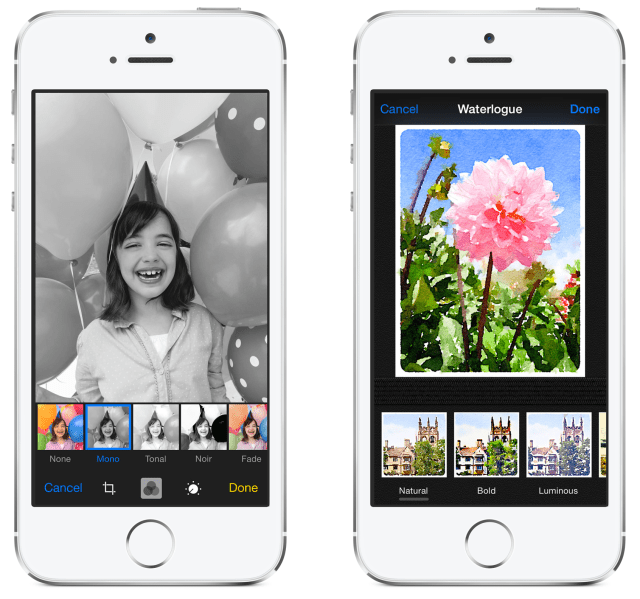
Filters Apple says it has enhanced its photo filters in iOS 8. There's still only eight to choose from; however, app developers can now make their filters and editing tools accessible in the Photos app.
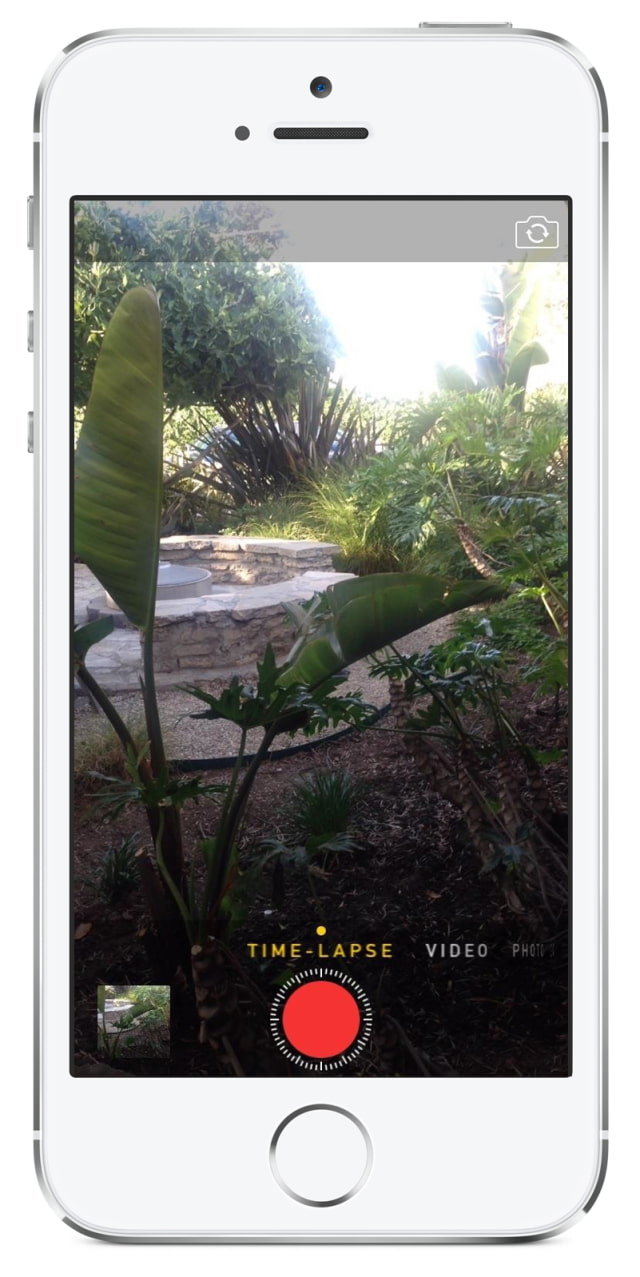
Time-Lapse Video You can now capture beautiful time-lapse videos with a new Time-lapse mode available in Camera. The camera will snap photos at dynamically selected intervals and the result is a video showing an accelerated sequence of the photos over time.
Swipe all the way to the right to select the Time-lapse mode, tap the Record button, and let Camera record as long as you choose.
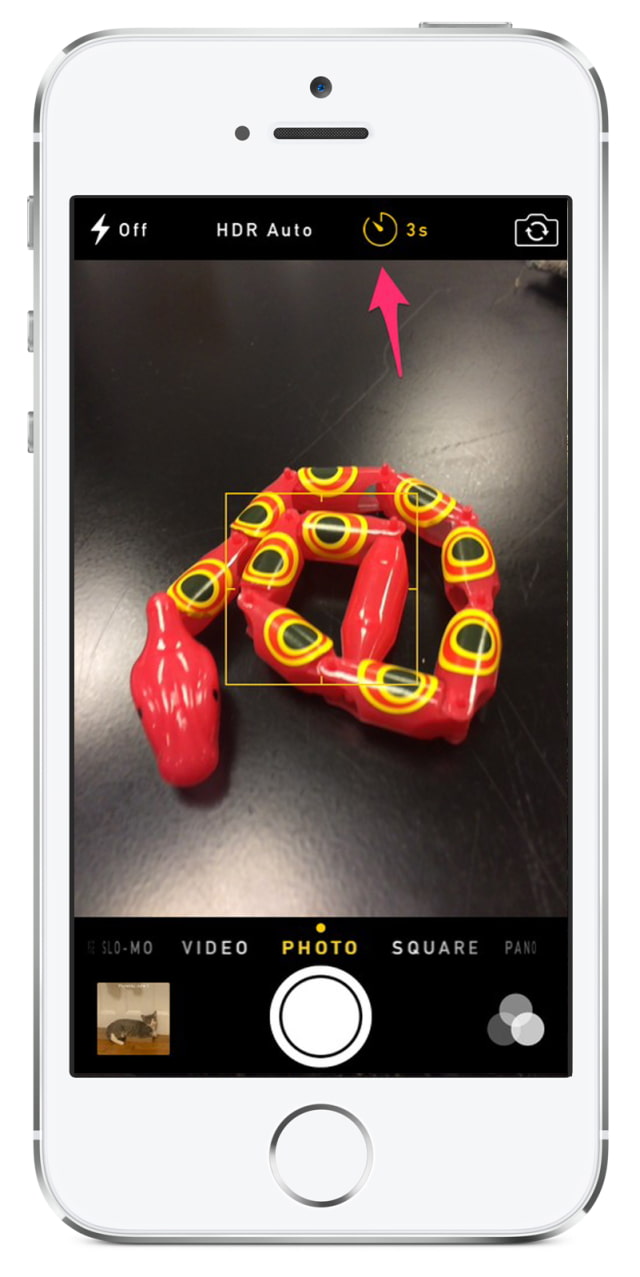
Timer A new timer control is available in the Camera app. Taping the Timer icon lets you choose between a 3s and 10s delay. Once you tap the shutter button, the iPhone's flash will flash once per second as the timer counts down. You'll also see the countdown progress on screen via large numbers that are flashed on top of the camera view. Notably, a burst of 11 photos are taken when using the Timer.
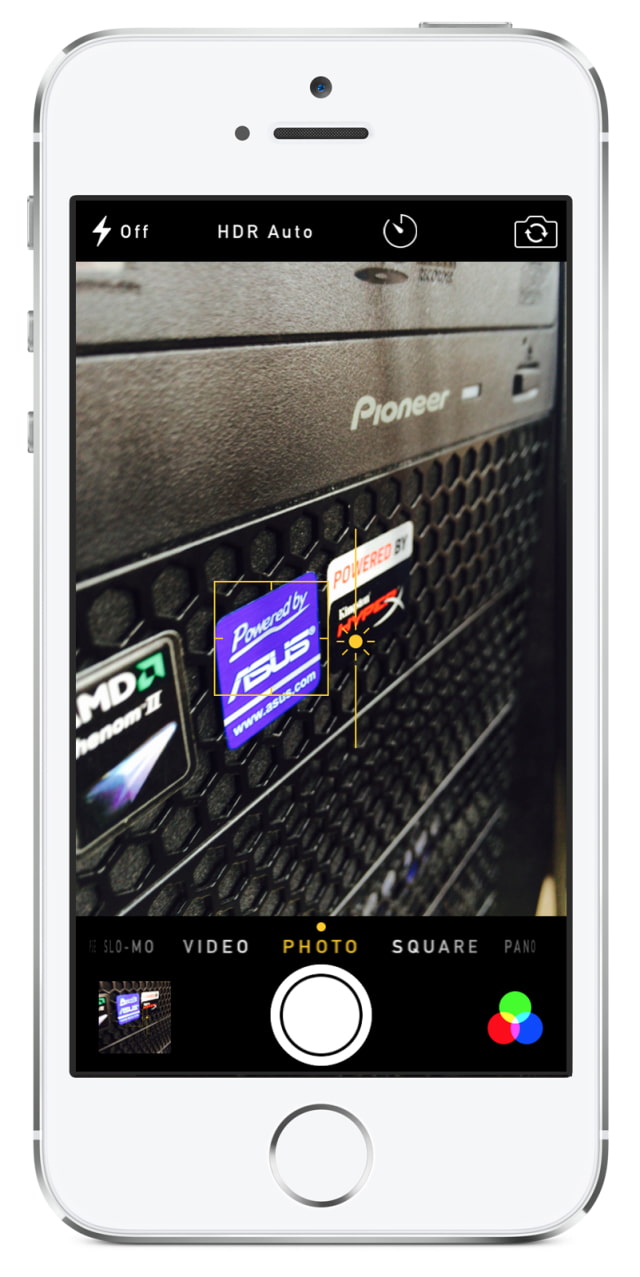
Manual Exposure Controls Photographers will be happy to learn that iOS 8 finally offers some manual exposure control in the Camera app. Tapping the camera view brings up the typical auto-focus box; however, next to it there is now a small sunshine icon. This is the exposure control.
If you drag the sunshine icon up you increase the exposure. Dragging it down, decreases the exposure.
Apple news, rumors, tutorials, price drop alerts, in your inbox every evening, free.
Unsubscribe at any time.
Success!
You have been subscribed.
Add Comment
Would you like to be notified when someone replies or adds a new comment?
Yes (All Threads)
Yes (This Thread Only)
No
Notifications
Would you like to be notified when we post a new Apple news article or tutorial?
Yes
No
Comments (14)
Comments are closed for this article.
0
Bloobeary - June 8, 2014 at 12:28pm
Are any of these new camera features going to work on iPad? Or are iPad users going to be left out again? We still don't have HDR or panorama mode.
0
gamerscul9870 - June 8, 2014 at 12:34pm
Yes.
0
Tom L - June 8, 2014 at 11:23pm
iPad will get Panorama with iOS 8.
0
Frederik81 - June 8, 2014 at 6:09am
Will it be possible to separately toggle wether you want photos and/or videos to be stored in iCooud? I'd like to use it for photos but those hd videos will be filling the storage too fast and will not upload fast either on certain wifi connections. So I hope you can disable it for videos at least.
0
Me2 - June 8, 2014 at 12:35am
If it is not going to be jailbroken I am staying at 7.0.4 for ever
0
Frugga - June 8, 2014 at 12:20am
About friggin time they add that timer on the camera.
0
cbe56c7 - June 8, 2014 at 12:01am
What's "NEW"? Nothing's ever new, most if not all have been done by others years ago.........
0
aapl - June 7, 2014 at 10:31pm
great new features, but now, when they realesed the continuity, which is also very helpful, the first thing I tought, that they give more icloud place than 5GB.
Already many apps use icloud, my storage is almost full. Maybe some free space for users with more than 1 iDevice. I won't purchase storage every month for 0.99 ...
0
NoGoodNick - June 7, 2014 at 6:56pm
The biggest addition is simply allows users to NAME their photos! I hate that I'm unable to name the location/event of my photos, having to guess about it after the fact. That's been my biggest complaint about the iPhone camera since they first offered it.
0
Maria - June 7, 2014 at 7:02pm
How do you do that?
0
iclarred - June 7, 2014 at 5:59pm
I hope they add animated gif support in the photo's app.
0
Dragonettie - June 7, 2014 at 5:30pm
All the new features are cool. However, when will they allow true picture placement in folders, w/o a copy still remaining in the camera roll? That's one feature I've been wanting for years & have had to jb to get it.
0
Sizzler59 - June 7, 2014 at 5:21pm
iOS. It just works!
0
gamerscul9870 - June 7, 2014 at 5:10pm
The light balance blew me away, fix exposure while it adds color, now that's major improvement.






![Apple Has Built a Framework for Third-Party AI Models in Siri [Report]](/images/news/101188/101188/101188-160.jpg "Apple Has Built a Framework for Third-Party AI Models in Siri [Report]")
![Apple's Unreleased Beats Headphones Spotted on Antonee Robinson at World Cup [Photo]](/images/news/101186/101186/101186-160.jpg "Apple's Unreleased Beats Headphones Spotted on Antonee Robinson at World Cup [Photo]")






![Apple Watch Ultra 3 Drops to $699.99, Save $99 [Deal]](/images/news/101192/101192/101192-160.jpg "Apple Watch Ultra 3 Drops to $699.99, Save $99 [Deal]")
![Save $50 on Beats Powerbeats Pro 2, Now Just $199.95 [Deal]](/images/news/101182/101182/101182-160.jpg "Save $50 on Beats Powerbeats Pro 2, Now Just $199.95 [Deal]")
![AirPods Pro 3 Drop to New All-Time Low of $179 ($70 Off) [Deal]](/images/news/101156/101156/101156-160.jpg "AirPods Pro 3 Drop to New All-Time Low of $179 ($70 Off) [Deal]")
![Apple Watch Series 11 is Back on Sale for Just $299 [Deal]](/images/news/101081/101081/101081-160.jpg "Apple Watch Series 11 is Back on Sale for Just $299 [Deal]")
![AirPods Max 2 Drop to New All-Time Low of $499 [Deal]](/images/news/101063/101063/101063-160.jpg "AirPods Max 2 Drop to New All-Time Low of $499 [Deal]")
