
![How To Turn Off Adaptive Power on iPhone [Video]](/images/tutorials/102254/483621/483621-64.png "How To Turn Off Adaptive Power on iPhone [Video]")
How To Turn Off Adaptive Power on iPhone [Video]
Adaptive Power is a battery setting that trades a little performance for battery life. When it is on, your iPhone can lower the display brightness slightly, let some activities take longer, and turn on Low Power Mode when the battery reaches 20%. Apple turns it on by default on iPhone 17 and newer devices; on iPhone 16 and iPhone 15 Pro models it is available but off by default.
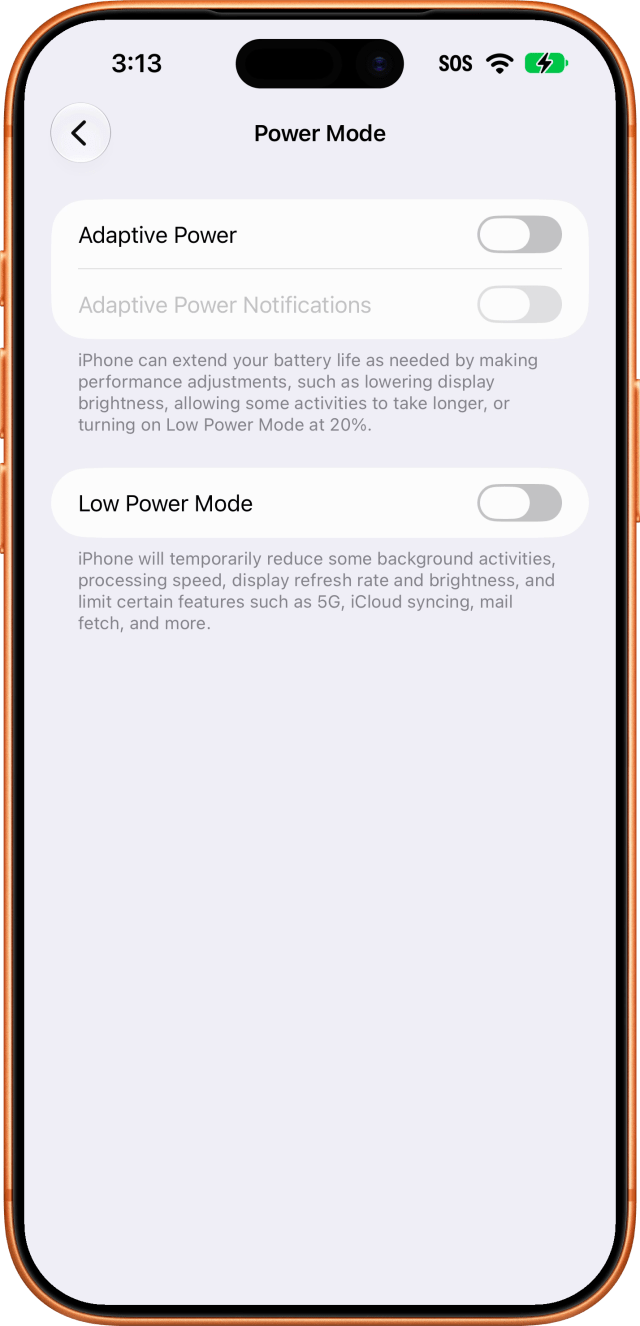
Turning it off is three taps deep in Settings, and switching it off also switches off and greys out Adaptive Power Notifications. Low Power Mode is a separate switch on the same screen and is not affected.
We verified this on an iPhone 18 Pro Max running iOS 27.
How to Turn Off Adaptive Power on iPhone
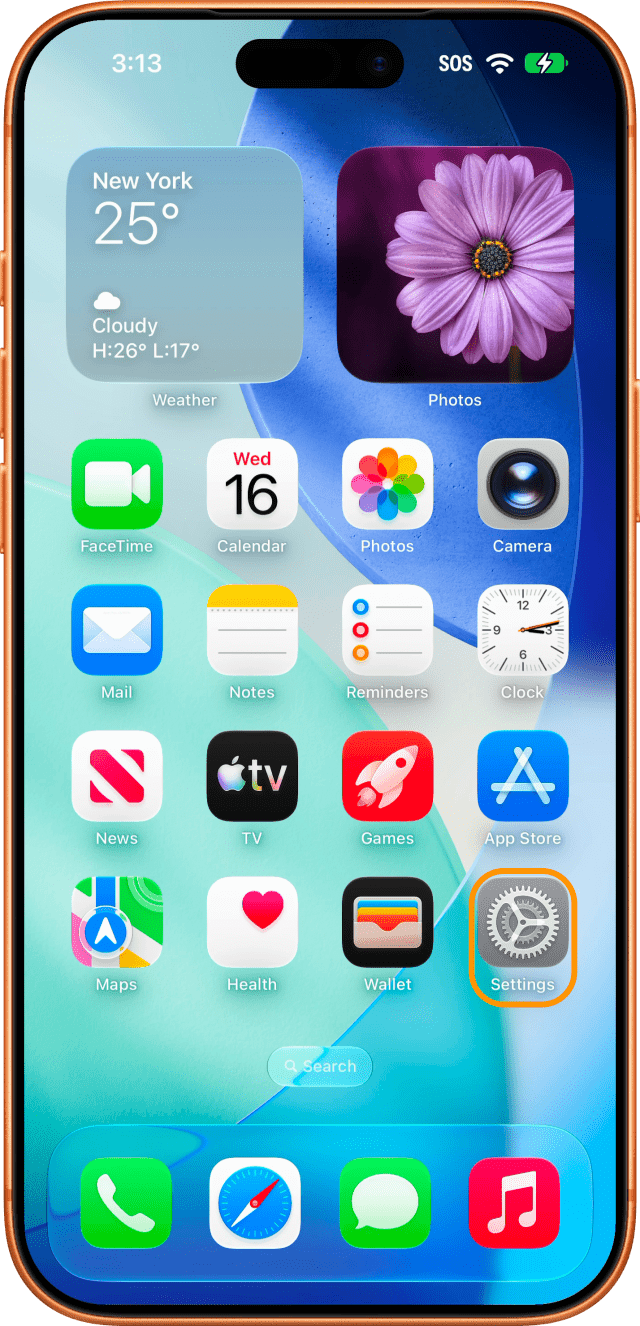
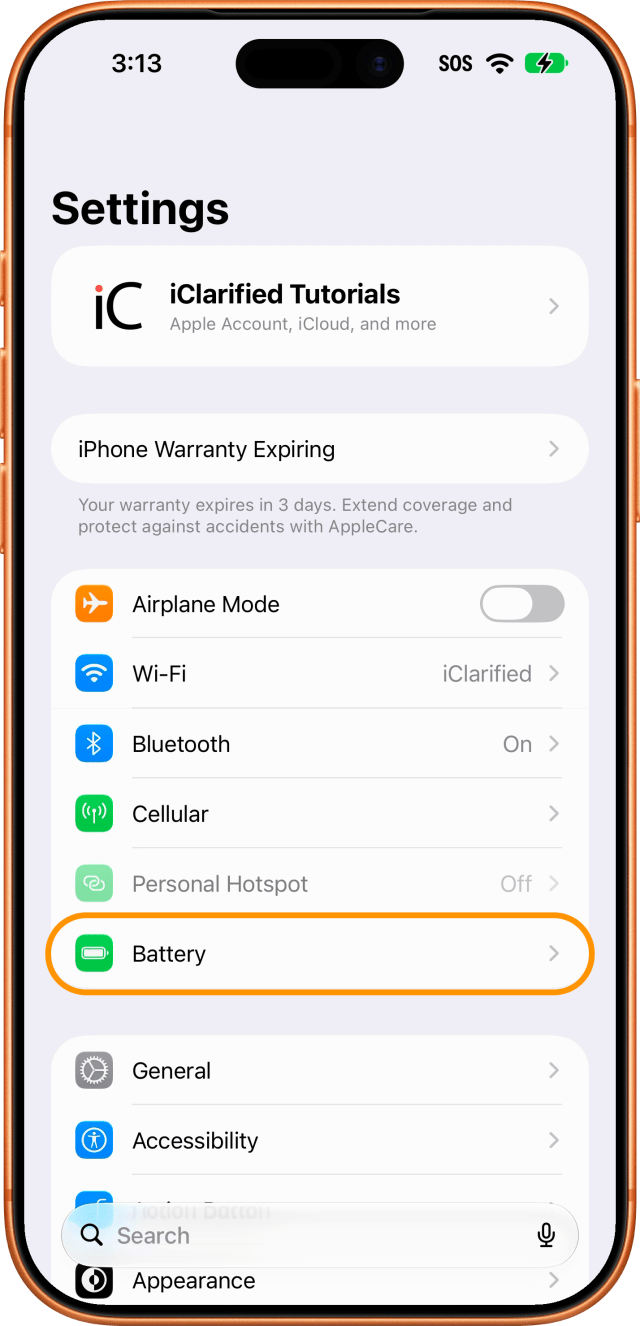
Step One: Open Settings and Tap Battery
Open the Settings app from your Home Screen, then tap Battery.
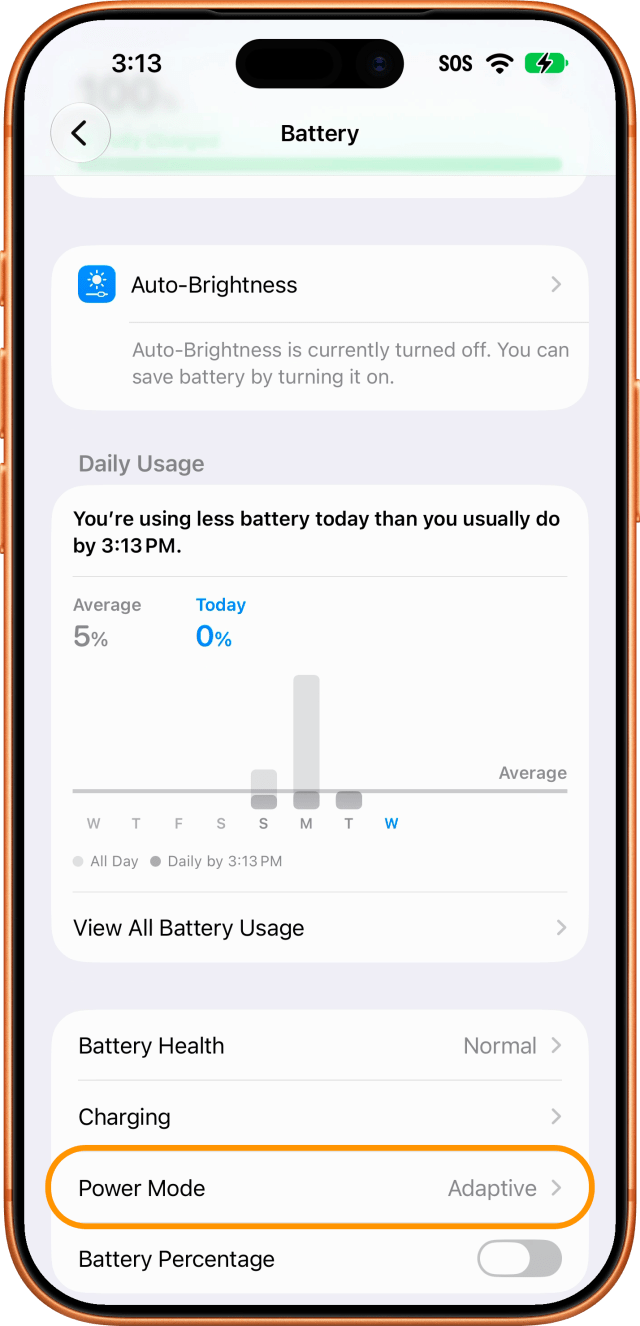
Step Two: Tap Power Mode
Scroll down and tap Power Mode. It sits below Battery Health and Charging, and shows the current mode beside it (Adaptive while the feature is on).
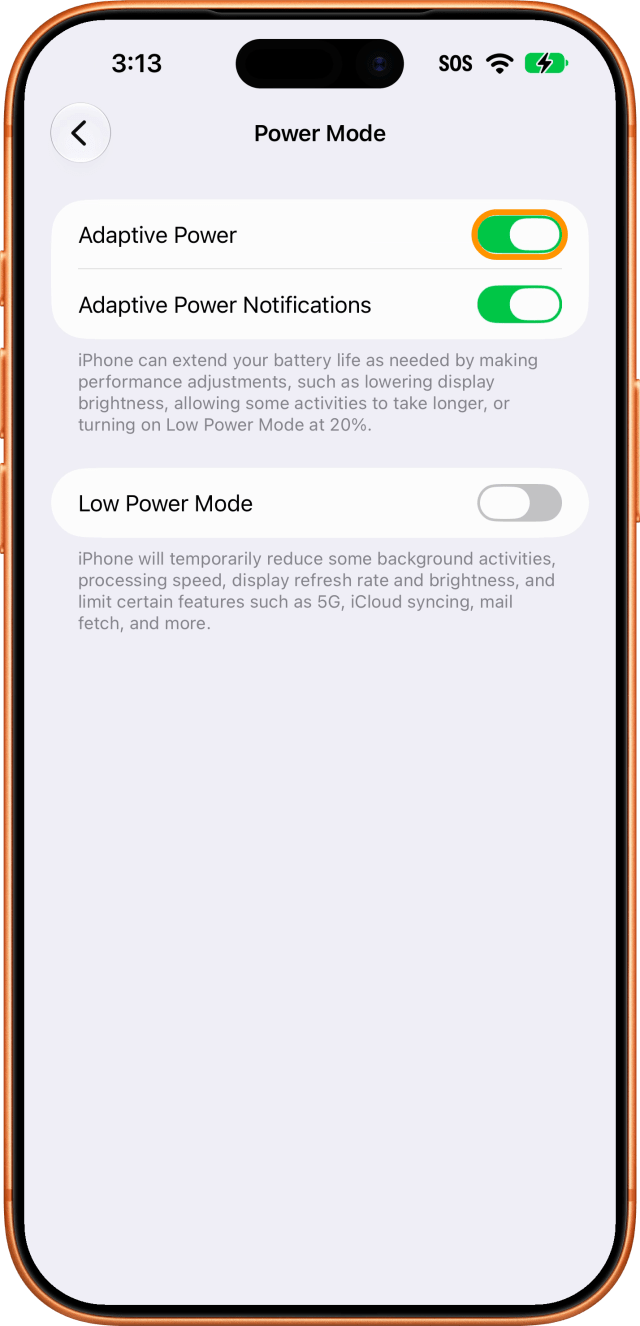
Step Three: Turn Off Adaptive Power
Turn off the Adaptive Power switch. Adaptive Power Notifications switches off and greys out at the same time, because there is nothing left for it to notify you about. Low Power Mode stays available; you can turn it on yourself at any time from this screen or from Control Center.
To turn Adaptive Power back on, return to Settings > Battery > Power Mode and switch it on. Apple notes that it needs about a week of your charging habits before it can predict when you will need the extra battery life.

![Apple Highlights Fast Apple Card Approval in New Ad [Video]](/images/news/103347/103347/103347-160.jpg "Apple Highlights Fast Apple Card Approval in New Ad [Video]")
![Apple Could Merge iPhone Action Button Into Camera Control Next Year [Rumor]](/images/news/103344/103344/103344-160.jpg "Apple Could Merge iPhone Action Button Into Camera Control Next Year [Rumor]")



![How To Back Up Your iPhone to an External Drive on Mac [Video]](/images/tutorials/72786/72786/72786-160.jpg "How To Back Up Your iPhone to an External Drive on Mac [Video]")
![How To Sideload Apps Onto Your iPhone Using Xcode [Video]](/images/tutorials/52314/52314/52314-160.jpg "How To Sideload Apps Onto Your iPhone Using Xcode [Video]")
![How To Find Your IP Address on iPhone [Video]](/images/tutorials/496/496/496-160.jpg "How To Find Your IP Address on iPhone [Video]")


![Mac mini and Mac Studio Hit All-Time Lows, Up to $200 Off [Deal]](/images/news/103290/103290/103290-160.jpg "Mac mini and Mac Studio Hit All-Time Lows, Up to $200 Off [Deal]")
![M5 MacBook Air Up to $200 Off, 13-Inch From $1,099.99 [Deal]](/images/news/103233/103233/103233-160.jpg "M5 MacBook Air Up to $200 Off, 13-Inch From $1,099.99 [Deal]")
![Apple Watch Ultra 4 Drops Back to All-Time Low of $699.99 ($99 Off) [Deal]](/images/news/103218/103218/103218-160.jpg "Apple Watch Ultra 4 Drops Back to All-Time Low of $699.99 ($99 Off) [Deal]")
![AirTag 2 4-Pack Hits All-Time Low of $69.99 ($29 Off) [Deal]](/images/news/103203/103203/103203-160.jpg "AirTag 2 4-Pack Hits All-Time Low of $69.99 ($29 Off) [Deal]")

