TextExpander has been updated with support for fill-in snippets, formatted snippet and note text, renaming and duplication of snippet groups, and much more.
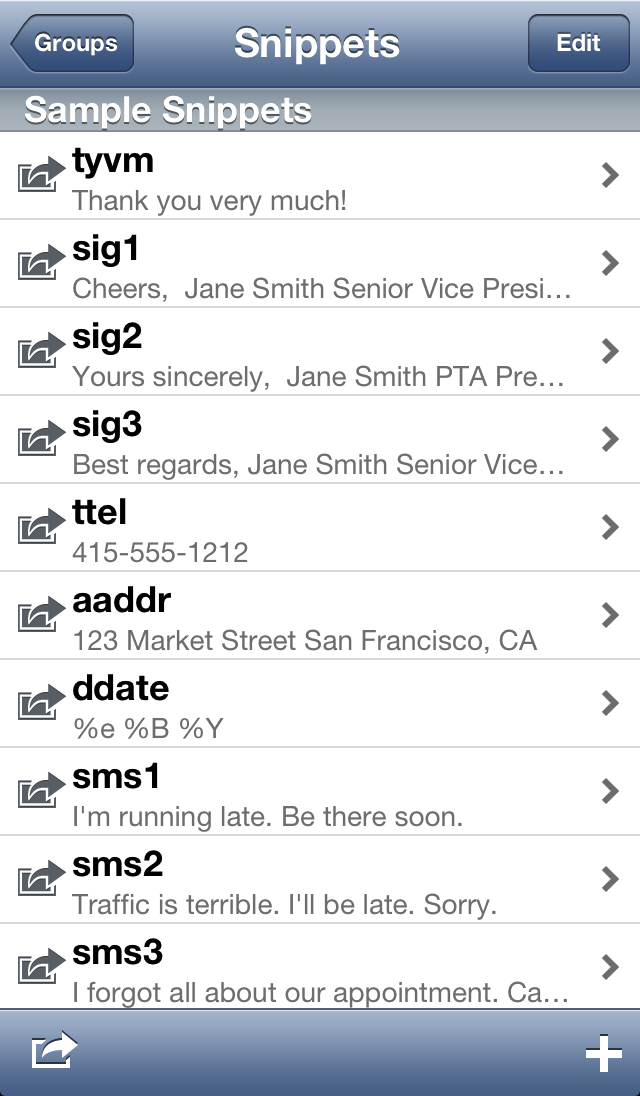
With TextExpander touch, you create a library of abbreviation shortcuts for snippets of text that you use frequently, such as addresses, URLs, and standard replies. Tap that abbreviation, and it automatically expands to the full snippet. (You can even insert today's date automatically with the default abbreviation "ddate"!)
You can use your TextExpander touch snippets directly in over 150 apps that support it, including OmniFocus, Things, iA Writer, DayOne, Drafts, Byword, Notesy, Elements, BlogPad Pro, Launch Center Pro, and WriteRoom. See TextExpander supported apps list (no longer available) for a complete list.
Features: - Compose notes quickly and easily that contain frequently-used text, addresses, phone numbers, email signatures, URLs, etc. - Supported in over 150 apps, including OmniFocus, Things, iA Writer, DayOne, Drafts, Byword, Notesy, Elements, BlogPad Pro, Launch Center Pro, and WriteRoom - Automatically insert your notes into Mail and SMS messages, or copy-and-paste into other apps on your iOS device - Automatically insert today's date with the short abbreviation ddate - Use Dropbox to sync snippets - Add TextExpander snippets from your Mac via your local network - Save composed notes in an archive for reuse - Use multiple snippet groups - Add Predefined Groups such as accented words, symbols, HTML, and CSS
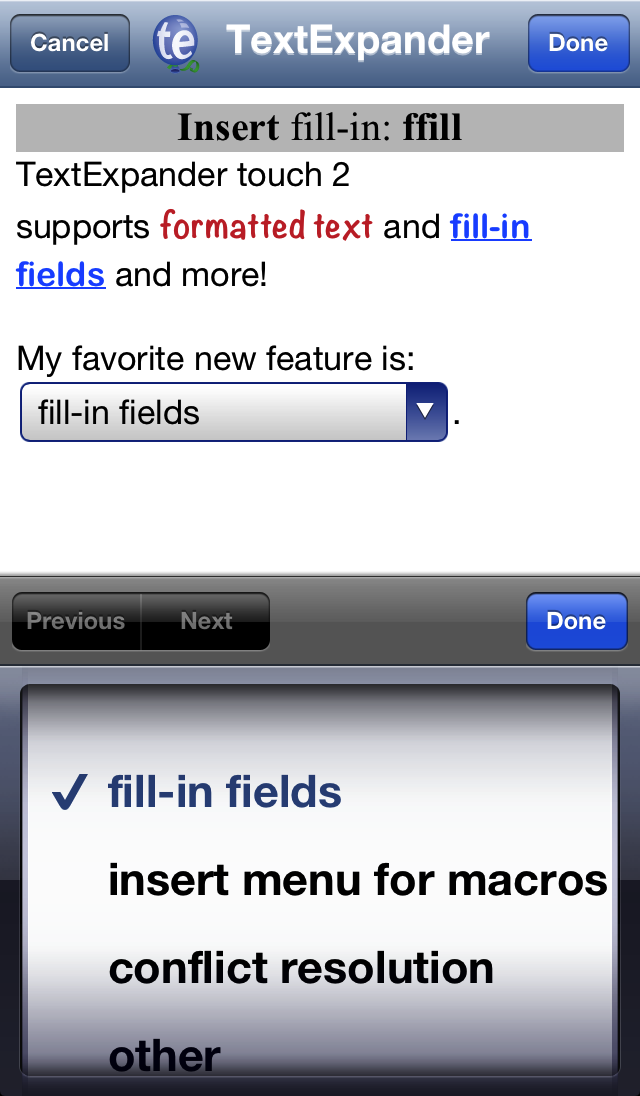
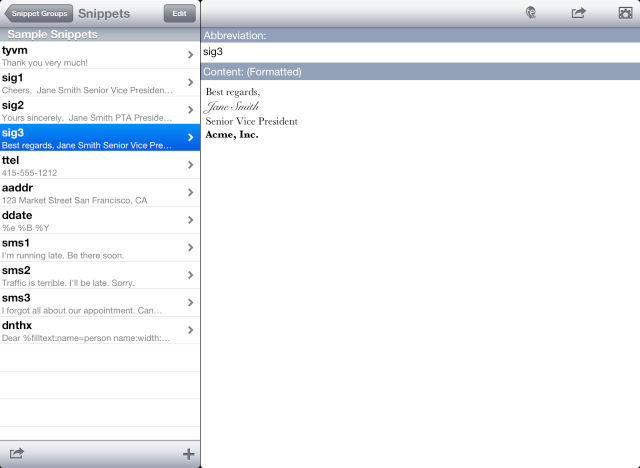
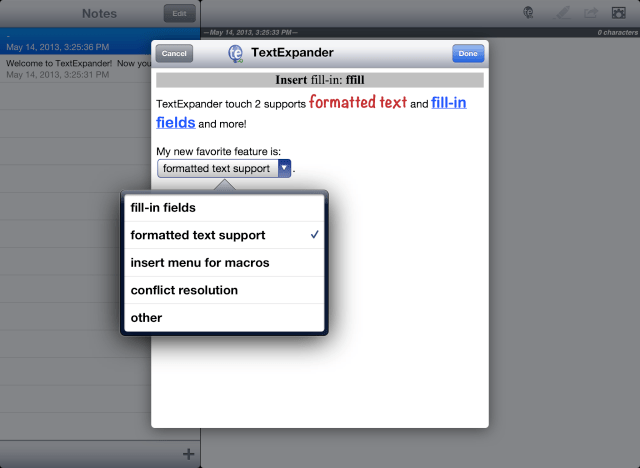
What's New In This Version: - Adds support for fill-in snippets - Adds formatted snippet and note text on iOS 6.0 and later via "Format…" menu item - Copy and Send Email actions support formatted text - Adds an "Insert…" menu item for macros such as date, time, clipboard contents, and fill-ins - Supports renaming and duplication of snippet groups - Displays alerts for conflicting snippet abbreviations and duplicate snippets; adds handling to resolve conflicts and eliminate duplicates - Supports % selection range macro (ie. %| select this text % ) - Spins the network indicator during Dropbox operations - Key macros (Enter, Esc, Return, Tab) are handled more gracefully - Fixes orientation and keyboard exposure issues - Fixes numerous minor bugs
You can purchase TextExpander from the App Store for $4.99.
Get the iClarified Daily Newsletter
Apple news, rumors, tutorials, price drop alerts, in your inbox every evening, free.
Unsubscribe at any time.
Success!
You have been subscribed.
Add Comment
Would you like to be notified when someone replies or adds a new comment?
Yes (All Threads)
Yes (This Thread Only)
No
Notifications
Would you like to be notified when we post a new Apple news article or tutorial?




![Pro Photographer Austin Mann Tests iPhone 18 Pro Camera [Video]](/images/news/102297/102297/102297-160.jpg "Pro Photographer Austin Mann Tests iPhone 18 Pro Camera [Video]")

![Apple Releases Xcode 27.1 Beta With iPhone Duo SDKs and Simulator [Download]](/images/news/102276/102276/102276-160.jpg "Apple Releases Xcode 27.1 Beta With iPhone Duo SDKs and Simulator [Download]")
![Apple Shares 'new trick' Shot on iPhone 18 Pro Ad Featuring ROSÉ [Video]](/images/news/102273/102273/102273-160.jpg "Apple Shares 'new trick' Shot on iPhone 18 Pro Ad Featuring ROSÉ [Video]")









![Apple Studio Display XDR Hits All-Time Low of $2,969.99 ($329 Off) [Deal]](/images/news/101976/101976/101976-160.jpg "Apple Studio Display XDR Hits All-Time Low of $2,969.99 ($329 Off) [Deal]")
