Panic has updated Diet Coda, its web code editor app, with support for local files and 15+ new syntax modes.
What happens when you take the power of Coda, our Mac OS X web code editor, and crunch it down into a powerful, feature-packed iPad package? Introducing Diet Coda, the best way to make quick edits to your websites on the go. We've made a powerful, feature-packed web editor with a easy-to-use, enjoyable touch interface. Now, we can travel with the iPad and know that we have the tools necessary to do our job. And thanks to AirPreview, now we can put our iPad to great use while it's sitting on our desk at work and we're coding in Coda.
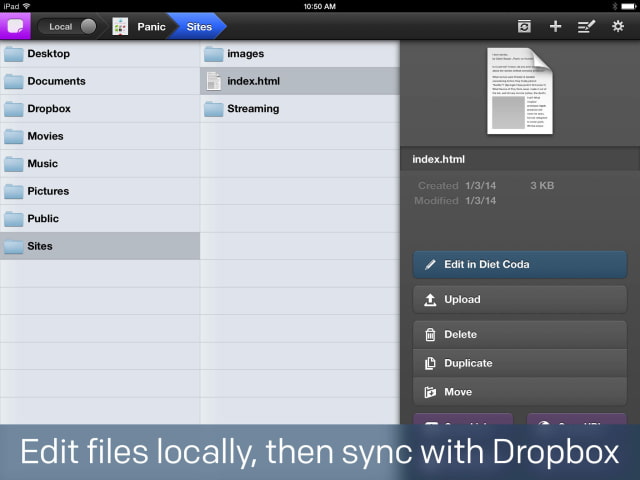
WHAT DOES IT DO? • Local Editing Edit files locally. Even sync a Dropbox folder to your iPad, edit files locally, and those changes will magically sync to your Dropbox.
• Remote Editing Or, edit documents right on your server or staging server.
• Powerful FTP and SFTP File Management Open, rename, modify, change permissions, the works.
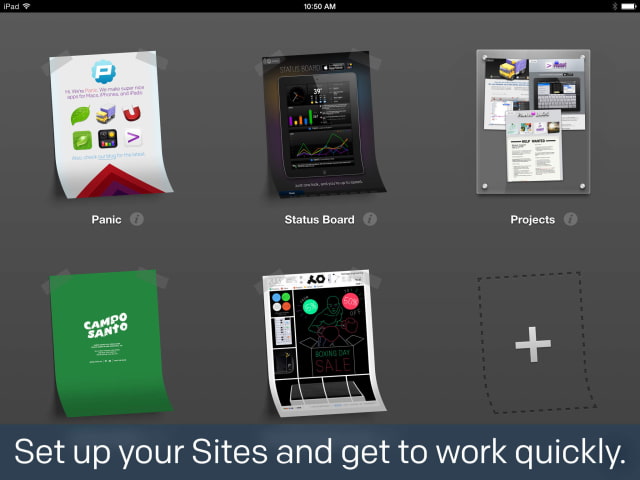
• Sites Quickly get to work on your servers.
• Syntax Highlighting HTML, CSS, JS, PHP, Python, Ruby and more.
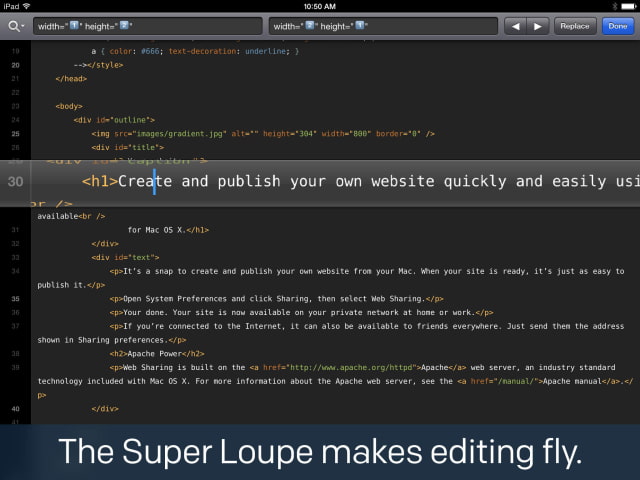
• Revolutionary Super Loupe Positioning the cursor in iOS isn't fun. We've changed that forever.
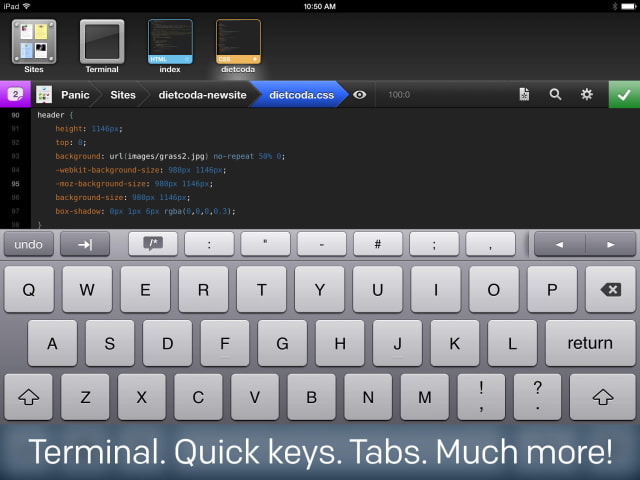
• Contextual Keyboard The right special characters at the right time.
• Clips Insert chunks of code with a single tap.
• Find and Replace Including our ground-breaking "Wildcard" token
• Built-In Terminal The power of Prompt built-in. A $7.99 value.
• Much More Packed with thoughtful touches.
AND ONE MORE THING.
• AirPreview Use your iPad as a dedicated preview window for Coda 2 on the Mac
What's New In This Version: MASSIVE NEW FEATURES — 1.5 IS A GIANT, FREE UPDATE. ENJOY!
• Local Files Diet Coda now supports files stored locally on your iOS device. Files are managed automatically by Diet Coda, and are limited by the space available on your device. Remote files can now be downloaded and uploaded from the local set, in the same way as Coda.
In addition, sites can also be set up to automatically sync their local files to a Dropbox account, allowing cloud-enabled “local” projects. You can make changes to files in Diet Coda, save, and have the changes automatically appear on your Mac or Windows computer. A popover has been added to the File Browser to see the status of cloud operations (pushes and pulls), conflicts, and space quotas in your Dropbox account. A different Dropbox account can be configured for each sites in the case of workgroups, shared projects, etc.
• 15+ New Syntax Modes Apache, C, Diff, HTML (Django), HTML (ERB), Haml, Java, LESS, Markdown, Objective-C, Objective-J, Perl, Python, Ruby, SCSS, XML, and YAML
• Import Sites via Dropbox • Improved Autocomplete • Indentation Styles • New Themes and Font Options • Editor improvements (including matching curly braces and parenthesis)
• Custom Site Images • 1Password Integration
Along with many, many fixes for bugs and crashes.
You can purchase Diet Coda from the App Store for $19.99.





![Mac mini With M6 and M5 Pro Review Roundup [Video]](/images/news/102318/102318/102318-160.jpg "Mac mini With M6 and M5 Pro Review Roundup [Video]")
![Apple Releases macOS 27.2 Golden Gate Beta 2 to Developers [Download]](/images/news/102327/102327/102327-160.jpg "Apple Releases macOS 27.2 Golden Gate Beta 2 to Developers [Download]")

![How To Turn Off Adaptive Power on iPhone [Video]](/images/tutorials/102254/102254/102254-160.jpg "How To Turn Off Adaptive Power on iPhone [Video]")







![Apple Studio Display XDR Hits All-Time Low of $2,969.99 ($329 Off) [Deal]](/images/news/101976/101976/101976-160.jpg "Apple Studio Display XDR Hits All-Time Low of $2,969.99 ($329 Off) [Deal]")
