These are instructions on how to add the emoji icons to your iOS keyboard on the iPhone, iPad, and iPod touch. The emoji character set offers a selection of smiley faces and other icons for use in Messages.
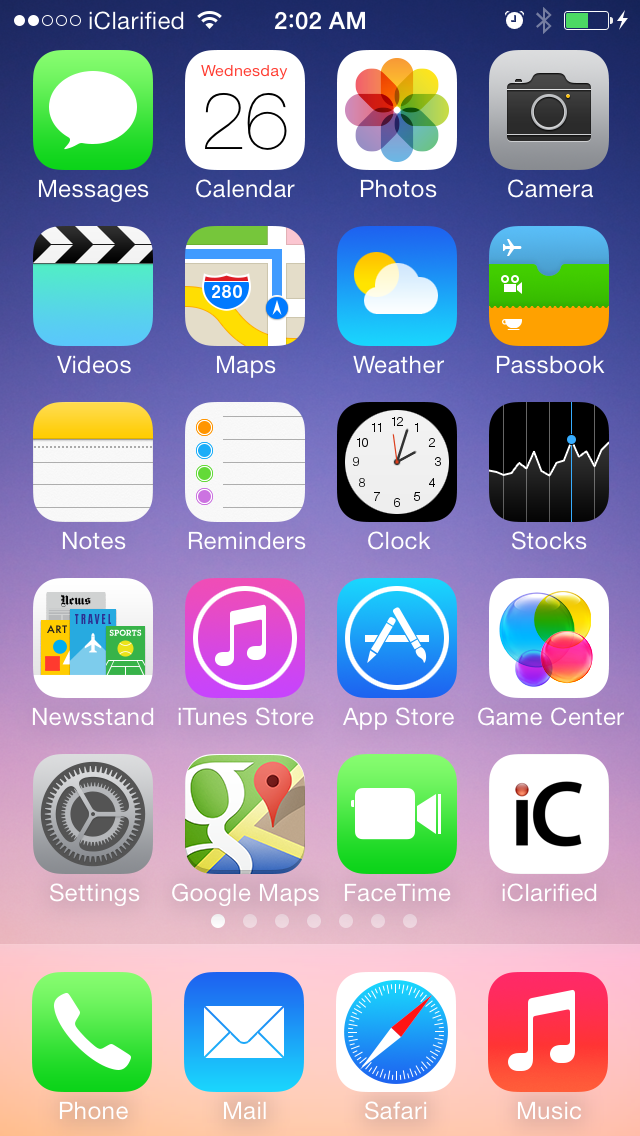
Step One Tap to select Settings from your SpringBoard.
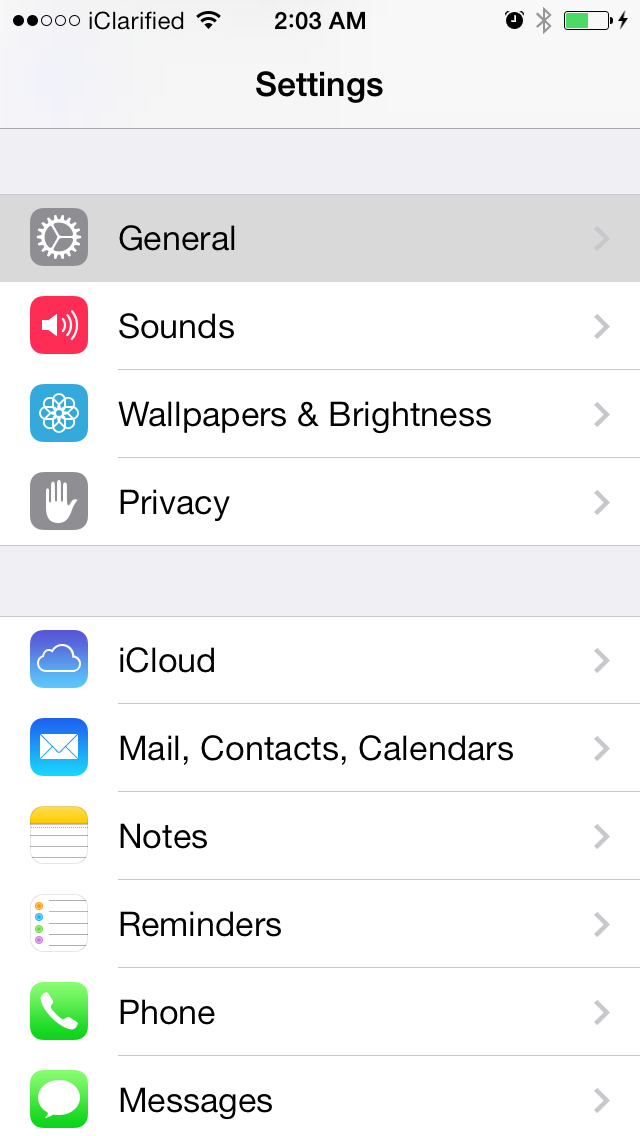
Step Two Choose General from the Settings menu.
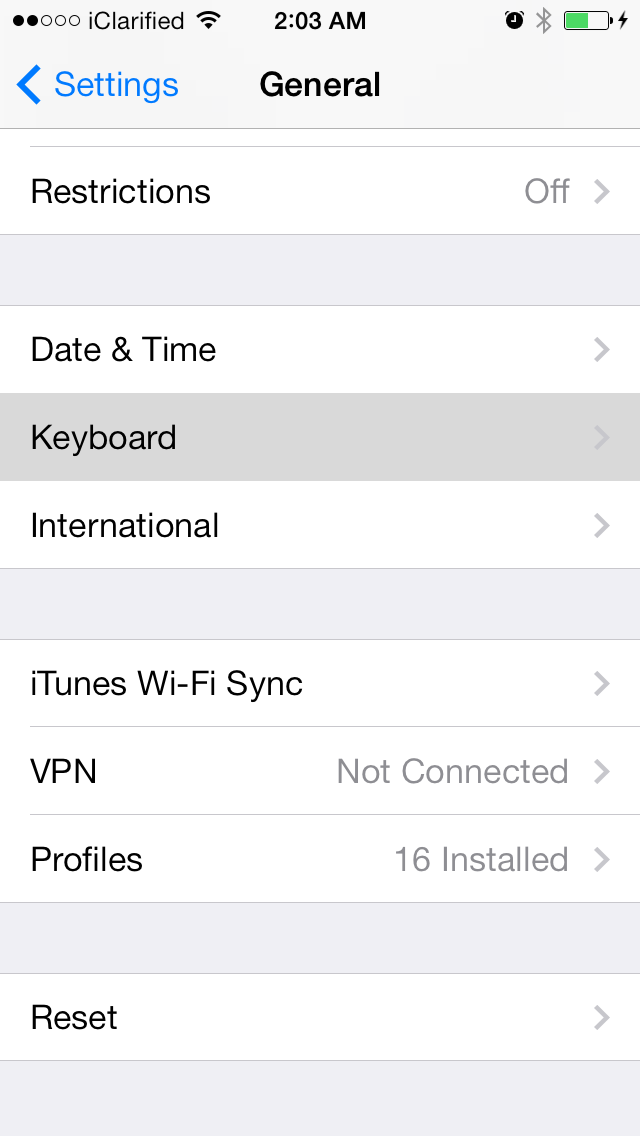
Step Three Select Keyboard from the General menu.
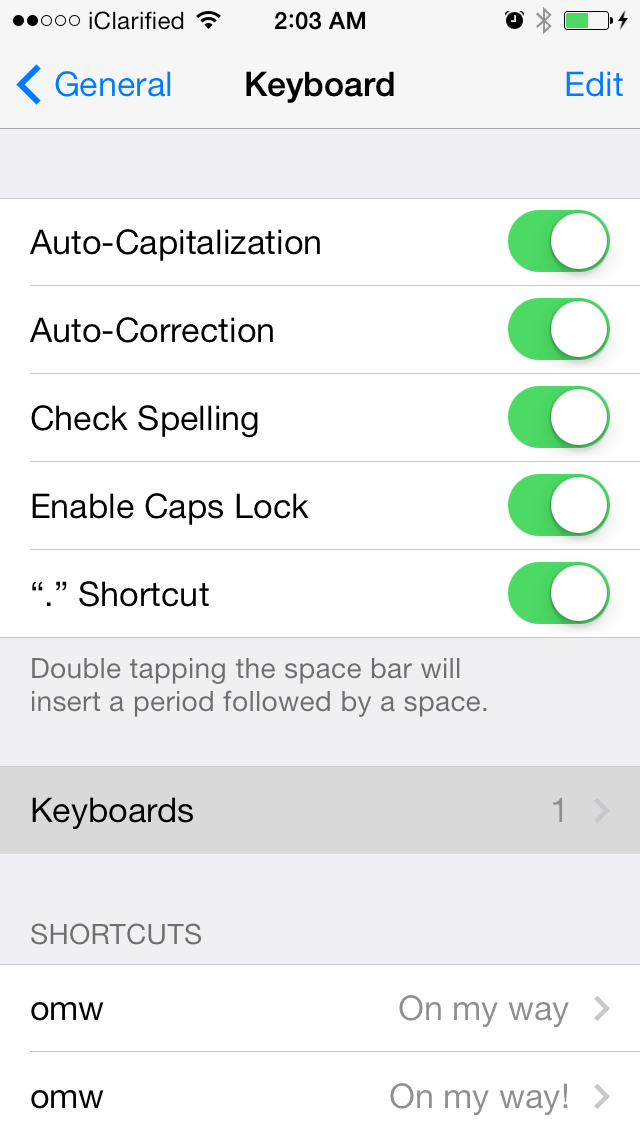
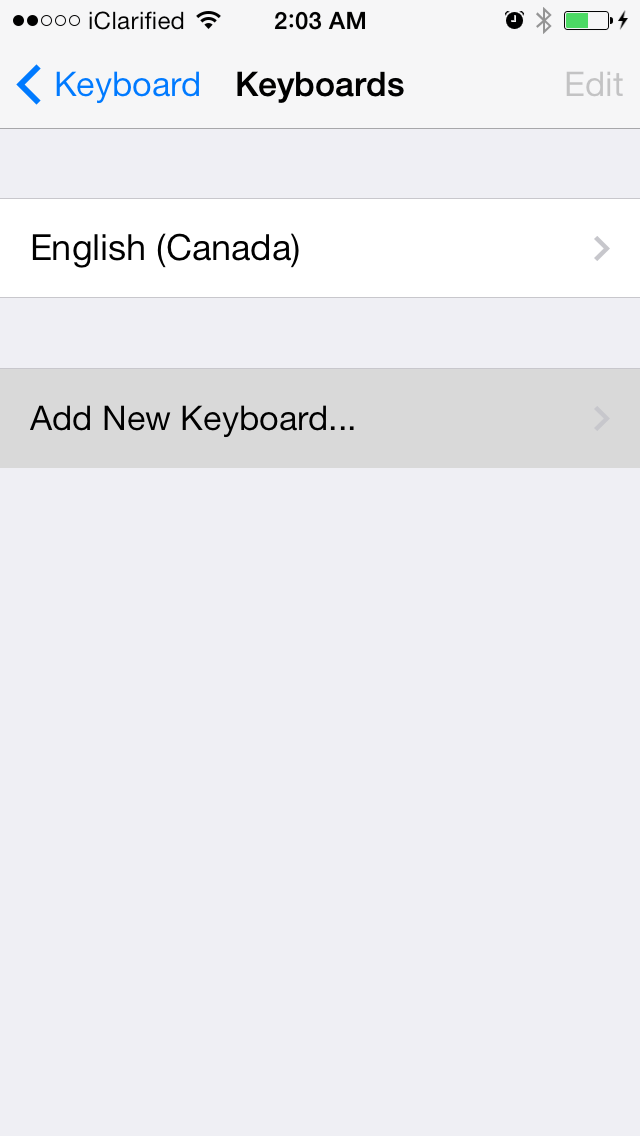
Step Four Tap Keyboards from the Keyboard menu.
Step Five Choose Add New Keyboard...
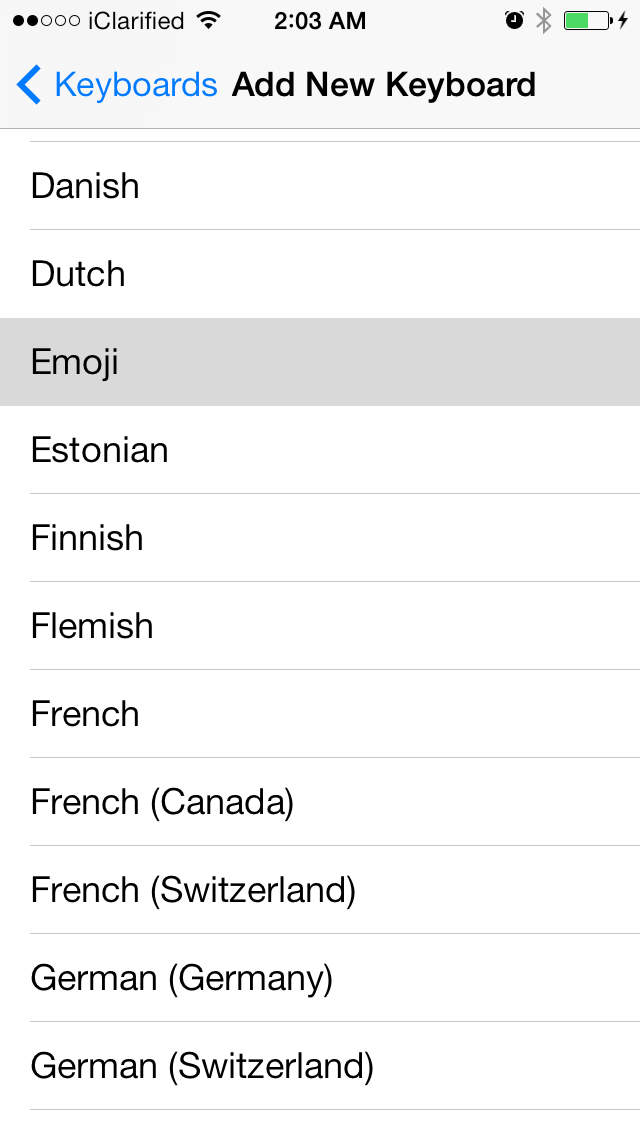
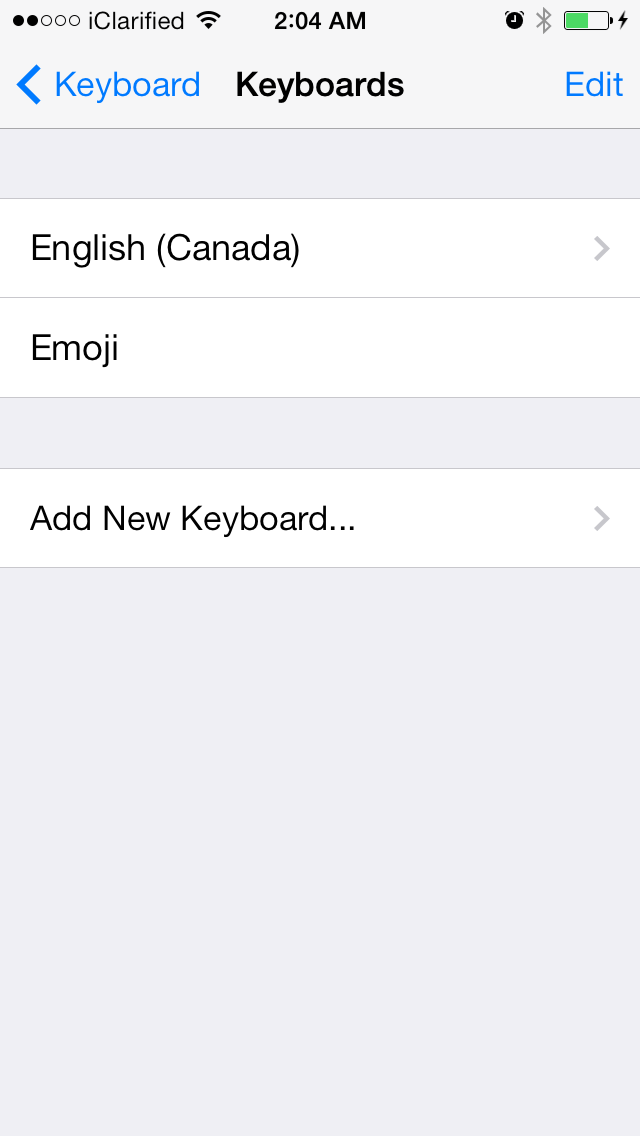
Step Six Select Emoji from the list of available keyboards.
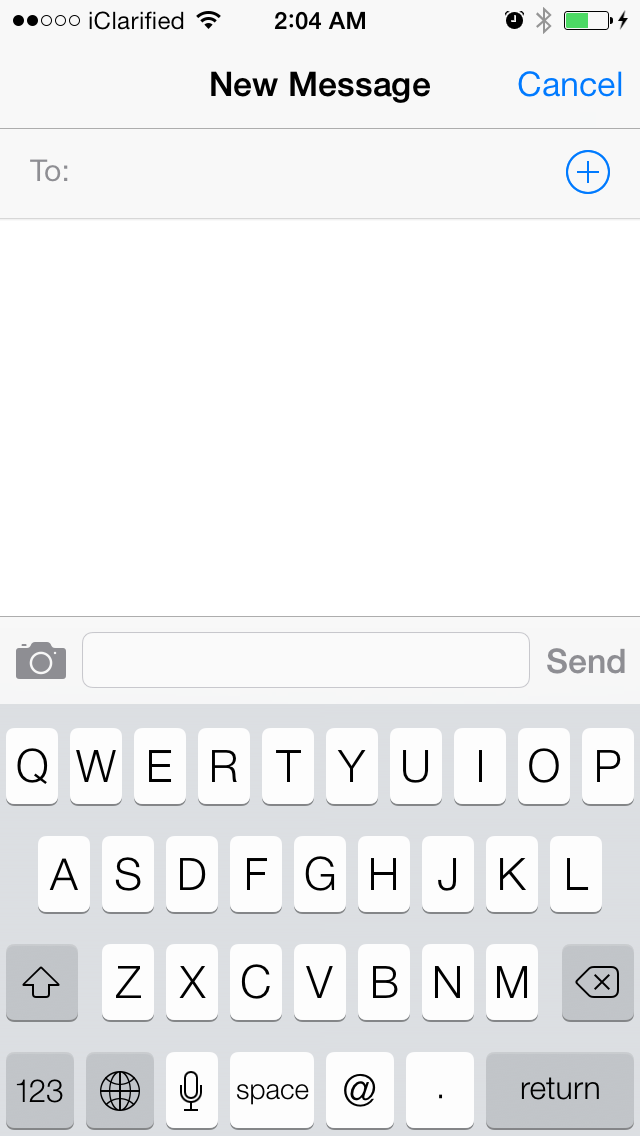
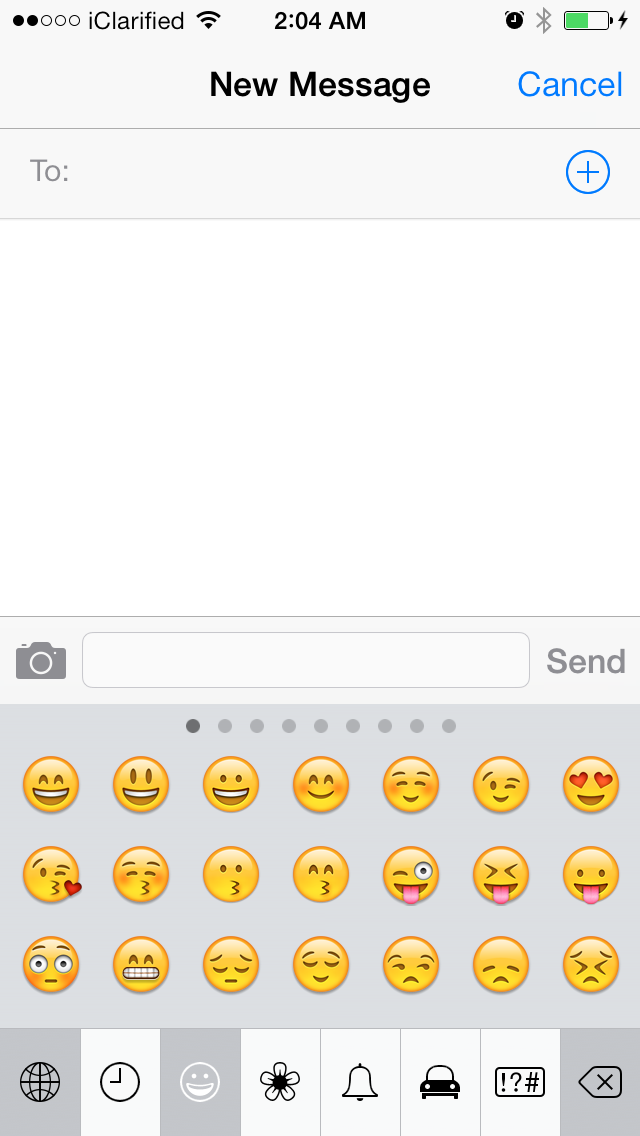
Step Seven Launch the Messages app and begin composing a new message. When the keyboard slides up you will notice a new globe icon at the bottom left of the keyboard. You can tap the globe icon to cycle through the available keyboards. The emoji keyboard will be the one with all the emoticons!
Get the iClarified Daily Newsletter
Apple news, rumors, tutorials, price drop alerts, in your inbox every evening, free.
Unsubscribe at any time.
Success!
You have been subscribed.
Add Comment
Would you like to be notified when someone replies or adds a new comment?
Yes (All Threads)
Yes (This Thread Only)
No
Notifications
Would you like to be notified when we post a new Apple news article or tutorial?







![Mac mini With M6 and M5 Pro Review Roundup [Video]](/images/news/102318/102318/102318-160.jpg "Mac mini With M6 and M5 Pro Review Roundup [Video]")
![Apple Releases macOS 27.2 Golden Gate Beta 2 to Developers [Download]](/images/news/102327/102327/102327-160.jpg "Apple Releases macOS 27.2 Golden Gate Beta 2 to Developers [Download]")

![How To Turn Off Adaptive Power on iPhone [Video]](/images/tutorials/102254/102254/102254-160.jpg "How To Turn Off Adaptive Power on iPhone [Video]")







![Apple Studio Display XDR Hits All-Time Low of $2,969.99 ($329 Off) [Deal]](/images/news/101976/101976/101976-160.jpg "Apple Studio Display XDR Hits All-Time Low of $2,969.99 ($329 Off) [Deal]")
