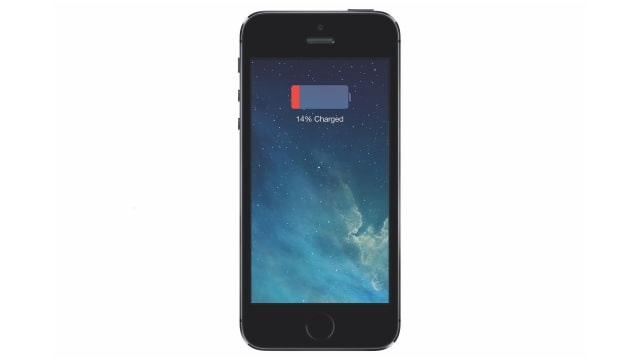
Scotty Loveless, a former Apple Store Genius Bar employee, has posted 'The Ultimate Guide to Solving iOS Battery Drain'.
Loveless says, "99.9% of the time it is not actually iOS that is causing your battery to drain quickly. I guarantee you that if you erased your phone and there were no apps or email on it, it would last for ages."
First, you should determine whether you are experiencing battery drain. Head over to Settings > General > Usage and check out your times. Your device usage time should be significantly lower than your standby time. If that is not the case, you likely have a problem.
Loveless outlines 8 steps you can take to try and identify the issue. Check out the full guide at the link below...
[via Amy]
Get the iClarified Daily Newsletter
Apple news, rumors, tutorials, price drop alerts, in your inbox every evening, free.
Unsubscribe at any time.
Success!
You have been subscribed.
Add Comment
Would you like to be notified when someone replies or adds a new comment?
Yes (All Threads)
Yes (This Thread Only)
No
Notifications
Would you like to be notified when we post a new Apple news article or tutorial?
Yes
No
Comments (3)
Comments are closed for this article.
0
vueapp - April 8, 2014 at 2:35am
everything that makes a smartphone smart sucks energy. it's to the point that larger battery is needed or better battery chemistry(not here yet).
i'm willing to actually have a thicker phone so my phone can last 1 full day with power using. no i don't want a piggy back case. hopefully the newer wider iPhone will help with the battery life. the smartphone is hardly a phone anymore it seems.
0
Rohan - April 7, 2014 at 6:33pm
I have a helpful tip that works. Follow all the steps he mentioned, and then try this before going to bed:
0
Rohan - April 7, 2014 at 6:35pm
Follow those steps. Before going to bed, close all apps and shut down your phone. Plug in the charging cord and the phone will reboot. Leave it until morning. Only open the apps you need and avoid using Facebook. You'll end up with 50% by the end of the day even with camera and IM use.





![Pro Photographer Austin Mann Tests iPhone 18 Pro Camera [Video]](/images/news/102297/102297/102297-160.jpg "Pro Photographer Austin Mann Tests iPhone 18 Pro Camera [Video]")

![Apple Releases Xcode 27.1 Beta With iPhone Duo SDKs and Simulator [Download]](/images/news/102276/102276/102276-160.jpg "Apple Releases Xcode 27.1 Beta With iPhone Duo SDKs and Simulator [Download]")
![Apple Shares 'new trick' Shot on iPhone 18 Pro Ad Featuring ROSÉ [Video]](/images/news/102273/102273/102273-160.jpg "Apple Shares 'new trick' Shot on iPhone 18 Pro Ad Featuring ROSÉ [Video]")









![Apple Studio Display XDR Hits All-Time Low of $2,969.99 ($329 Off) [Deal]](/images/news/101976/101976/101976-160.jpg "Apple Studio Display XDR Hits All-Time Low of $2,969.99 ($329 Off) [Deal]")
