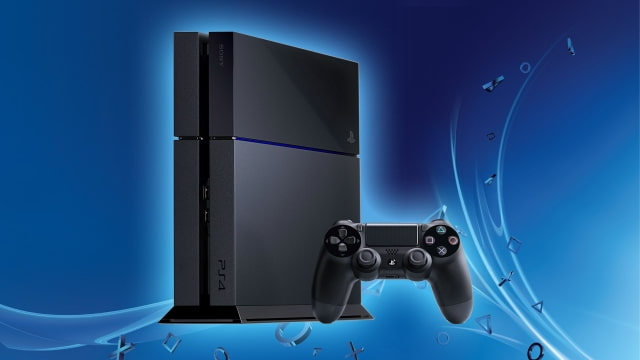
Sony has announced that starting tomorrow you will be able to remotely play Sony PlayStation games on your Mac or Windows PC.
The feature comes via a PlayStation 3.5 System Software Update:
With this update, we’re expanding PS4’s Remote Play capabilities to work with Windows PC and Mac.
Remote Play on PC / Mac is compatible with the following system software: ● Windows 8.1 ● Windows 10 or later ● OS X 10.10 ● OS X 10.11
You’ll be able to select from the following resolution and frame rate options, depending on your Internet bandwidth. ● Resolution options: 360p, 540p, 720p (Default: 540p) ● Frame rate : Standard (30fps), High (60fps) (Default: Standard)
You can use one DualShock 4 as the controller for Remote Play, which needs to be connected to your PC / Mac via a USB cable. After the system software update launches, you’ll be able to download the Remote Play Installer from here.
Apple news, rumors, tutorials, price drop alerts, in your inbox every evening, free.
Unsubscribe at any time.
Success!
You have been subscribed.
Add Comment
Would you like to be notified when someone replies or adds a new comment?
Yes (All Threads)
Yes (This Thread Only)
No
Notifications
Would you like to be notified when we post a new Apple news article or tutorial?
Yes
No
Comments (8)
Comments are closed for this article.
0
augustorey6 - April 6, 2016 at 12:29am
Wow thats wonderful
0
gamerscul9870 - April 5, 2016 at 6:38pm
And people said Max doesn't support as many games. I bet this can prove VR makers wrong about what they said about not releasing a goggle for Mac when Apple makes a better computer!
0
Daf - April 5, 2016 at 7:17pm
Dude. PS4 does calculating stuff and streams video to mac. Mac just has to play the stream. With VR the mac needs to calculate and it can't do that properly.
0
gamerscul9870 - April 5, 2016 at 7:28pm
Does that mean it can run using parallels?
0
Fred - April 6, 2016 at 12:03am
Not going to happen. You will always have to run Windows on a Mac to make it worthwhile.
0
gamerscul9870 - April 6, 2016 at 12:10am
What can I expect when Apple is making one.
0
Mang Domeng - April 6, 2016 at 5:40pm
I ditched Windows for Mac 8 years ago and never used it. If you have a PS4 or Xbox play it from there. It is what is designed for - Gaming. Window PCs are for gamers and Apple Macs are for creativity and productivity. Why would you setup Windows in your Mac when Windows OS will eat a lot of your storage. There are apps in Windows that are available now in Mac.
0
gamerscul9870 - April 6, 2016 at 6:46pm
1. Get games to play in a window running on Windows to play on the Mac because of most games not released for Mac (it's worth mentioning that Apple features games that can run on Mac in the MacBook Pro area), 2. Windows claims to have more 'features' than OS X, so it can currently be on Mac like that, 3. Running two os' at the same time.










![How To Change Wallpaper on Mac [Video]](/images/tutorials/90512/90512/90512-160.jpg "How To Change Wallpaper on Mac [Video]")
![How To Turn Off Always On Display on iPhone [Video]](/images/tutorials/87524/87524/87524-160.jpg "How To Turn Off Always On Display on iPhone [Video]")





![16-Inch M5 Max MacBook Pro Drops $900 to New Low of $3,499 [Deal]](/images/news/102438/102438/102438-160.jpg "16-Inch M5 Max MacBook Pro Drops $900 to New Low of $3,499 [Deal]")
![Magic Keyboard for iPad Air Drops to $200 on Amazon [Deal]](/images/news/102402/102402/102402-160.jpg "Magic Keyboard for iPad Air Drops to $200 on Amazon [Deal]")
