Microsoft has released a 'Photos Companion' app for iOS that makes it easy to transfer photos from your iPhone to Windows over Wi-Fi.
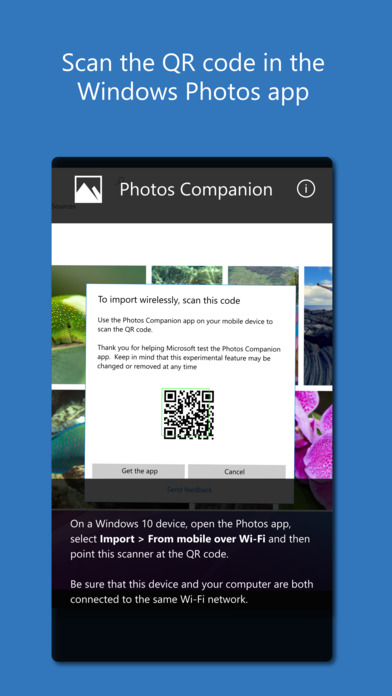
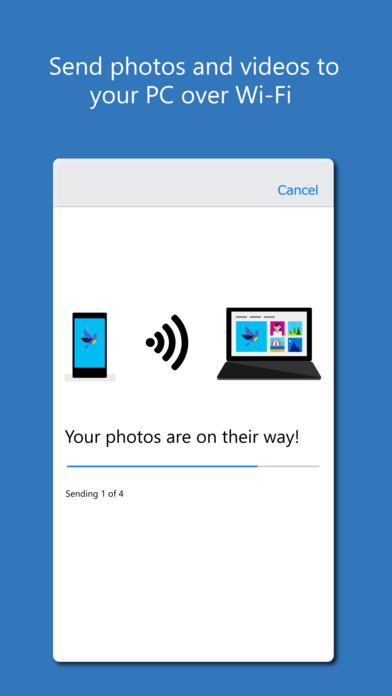
Photos Companion, a Microsoft Garage project, works with Microsoft Photos in Windows 10 to transfer photos and videos from a phone to a PC over Wi-Fi. Just make sure the phone and PC are on the same Wi-Fi network, then scan a code and start the transfer.
● Start a video project in the Photos app on the PC, and add pictures and videos from your phone directly into a project. Make a masterpiece on your own or pick a theme and let the app work its magic. ● Transfer pictures and video from your camera roll into the Photos app so you can enhance and edit, customize with ink, and share with friends.
Mobile transfer features can be found in the Microsoft Photos app in Windows 10, version 2018.18011.13110.0 or higher. You can download Photos Companion from the App Store for free.
Download
Get the iClarified Daily Newsletter
Apple news, rumors, tutorials, price drop alerts, in your inbox every evening, free.
Unsubscribe at any time.
Success!
You have been subscribed.
Add Comment
Would you like to be notified when someone replies or adds a new comment?
Yes (All Threads)
Yes (This Thread Only)
No
Notifications
Would you like to be notified when we post a new Apple news article or tutorial?





![Apple Tests Microphones and a Remote Speaker for New Apple TV [Report]](/images/news/102729/102729/102729-160.jpg "Apple Tests Microphones and a Remote Speaker for New Apple TV [Report]")
![Apple's New 'HomeView' Hub to Launch Without an App Store [Gurman]](/images/news/102726/102726/102726-160.jpg "Apple's New 'HomeView' Hub to Launch Without an App Store [Gurman]")

![How To Turn Off iPhone [Video]](/images/tutorials/94999/94999/94999-160.jpg "How To Turn Off iPhone [Video]")
![How To Back Up Your iPhone to an External Drive on Mac [Video]](/images/tutorials/72786/72786/72786-160.jpg "How To Back Up Your iPhone to an External Drive on Mac [Video]")
![How To Forward Calls on iPhone [Video]](/images/tutorials/92926/92926/92926-160.jpg "How To Forward Calls on iPhone [Video]")






![Mac mini Drops to $779.99 for Prime Big Deal Days [Deal]](/images/news/102624/102624/102624-160.jpg "Mac mini Drops to $779.99 for Prime Big Deal Days [Deal]")
