

These are instructions on how to find the model number of your iPhone.
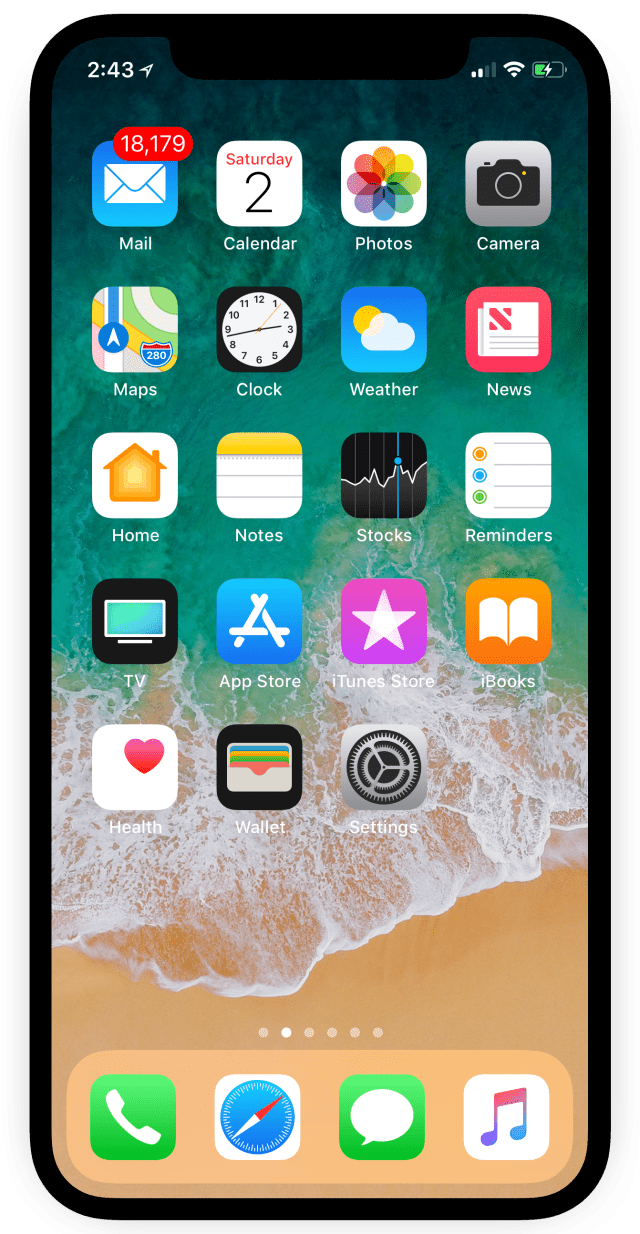
Step One
Tap to launch Settings from your Springboard.
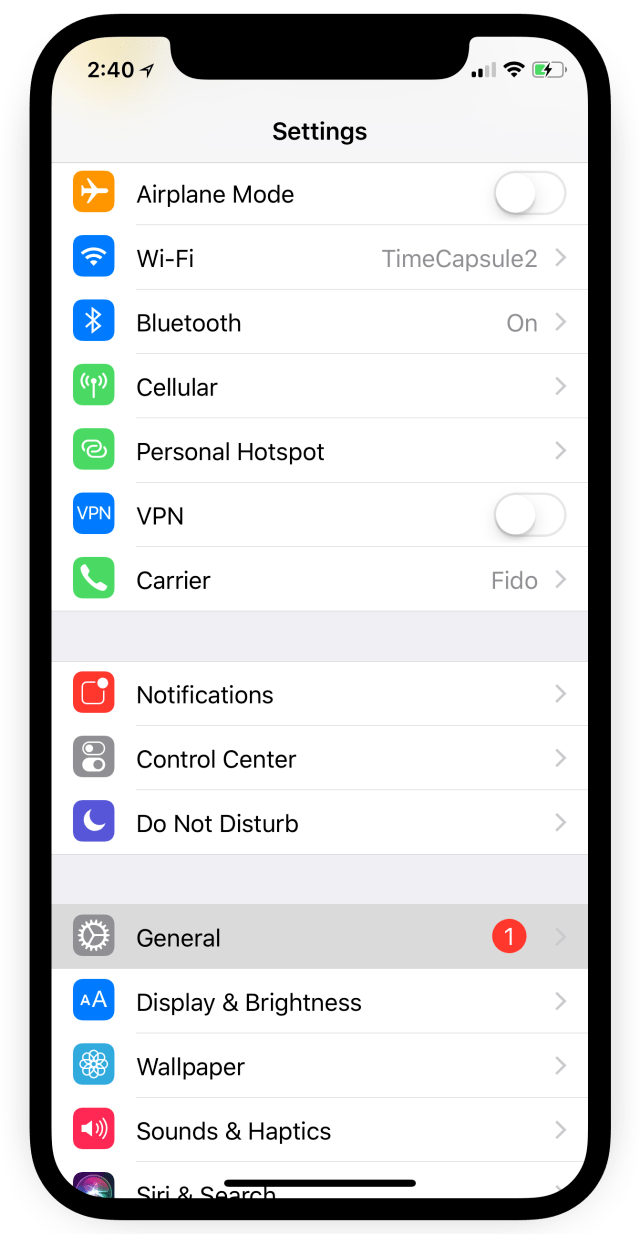
Step Two
Choose General from the Settings menu.
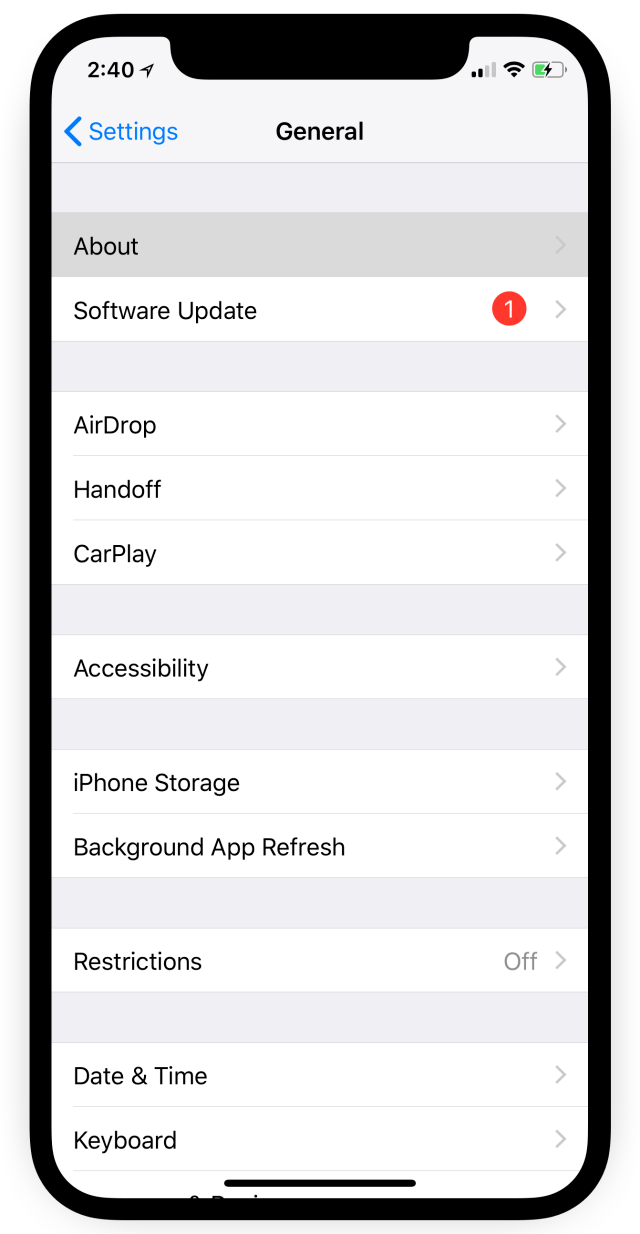
Step Three
Select About from the General menu.
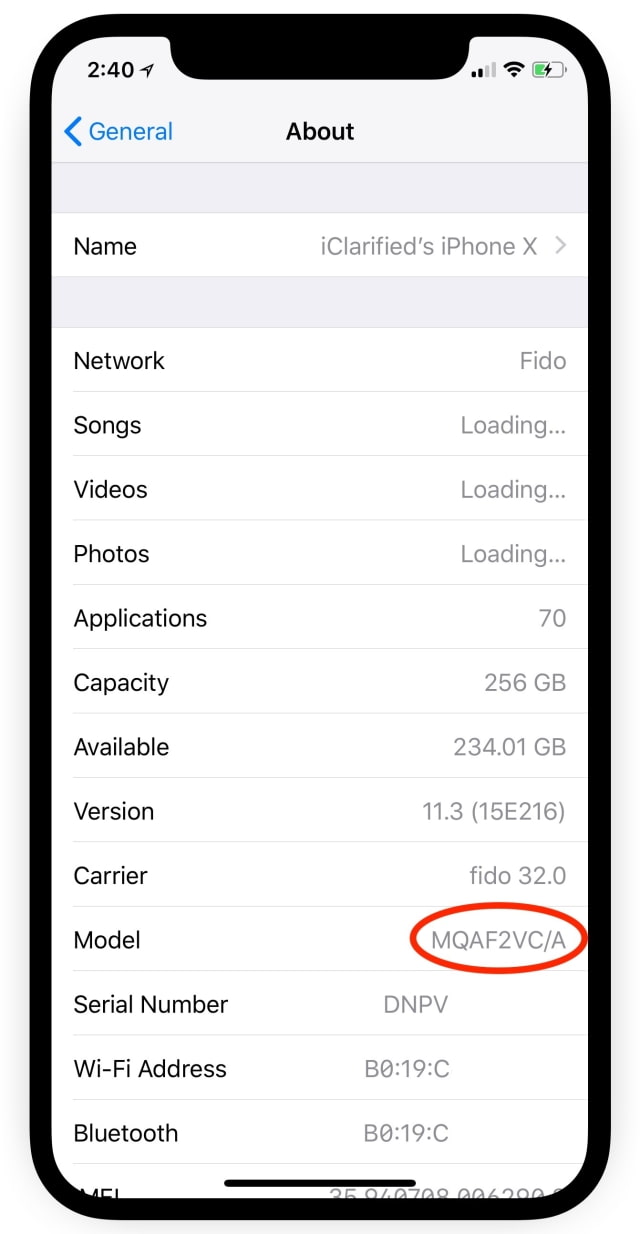
Step Four
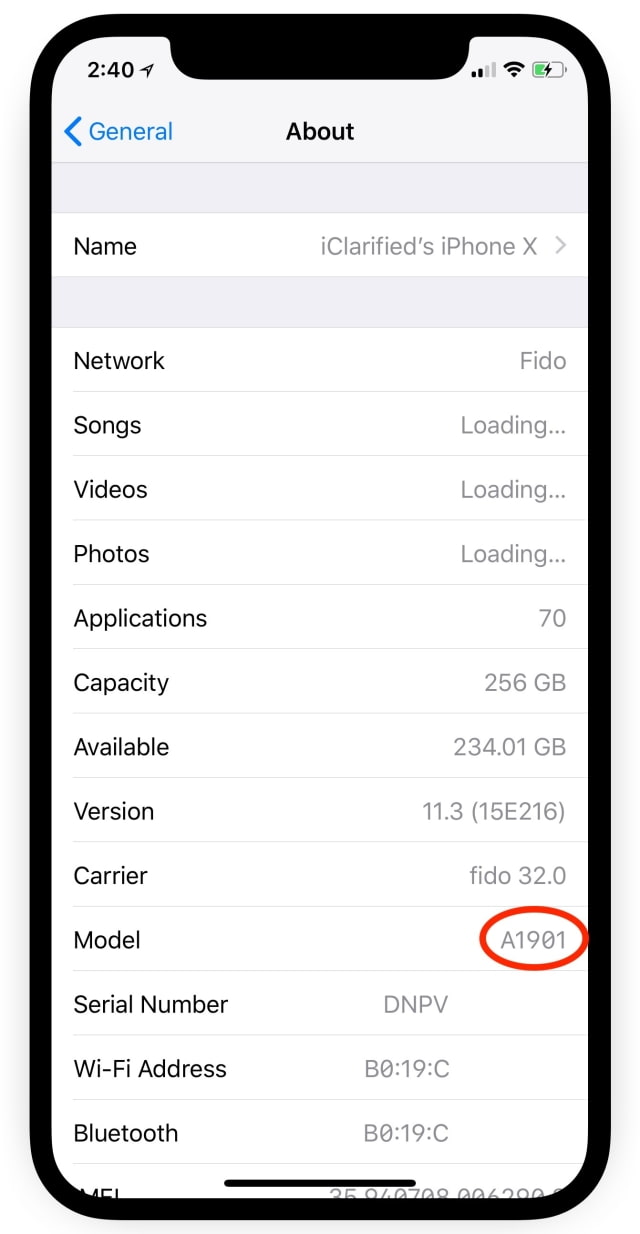
Locate the Model row under the About menu and tap the part number to reveal your model number.
Step One
Tap to launch Settings from your Springboard.
Step Two
Choose General from the Settings menu.
Step Three
Select About from the General menu.
Step Four
Locate the Model row under the About menu and tap the part number to reveal your model number.




![Mac mini With M6 and M5 Pro Review Roundup [Video]](/images/news/102318/102318/102318-160.jpg "Mac mini With M6 and M5 Pro Review Roundup [Video]")
![Apple Releases macOS 27.2 Golden Gate Beta 2 to Developers [Download]](/images/news/102327/102327/102327-160.jpg "Apple Releases macOS 27.2 Golden Gate Beta 2 to Developers [Download]")









![Apple Studio Display XDR Hits All-Time Low of $2,969.99 ($329 Off) [Deal]](/images/news/101976/101976/101976-160.jpg "Apple Studio Display XDR Hits All-Time Low of $2,969.99 ($329 Off) [Deal]")
