These are instructions on how to wirelessly sync your iPhone with iTunes using Wi-Fi Sync.
Step One To follow these instructions you must jailbreak your iPhone. You can find out how to do that by using the iClarified Jailbreak Wizard.
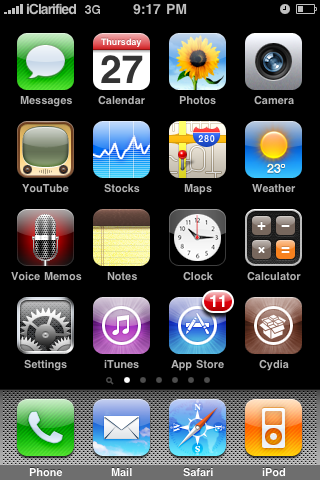
Step Two Press to launch Cydia from your SpringBoard.
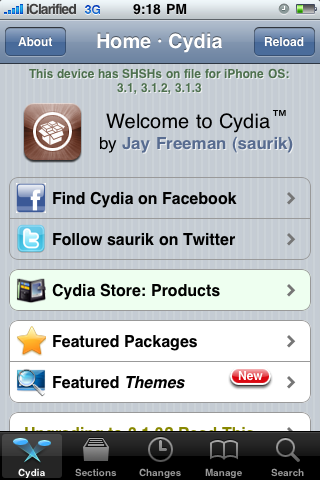
Step Three Press to select the Sections tab from the bottom of the screen.
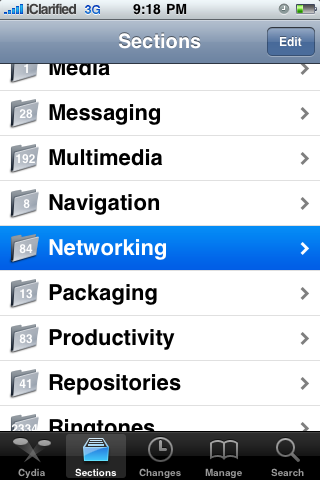
Step Four Press to choose the Networking section
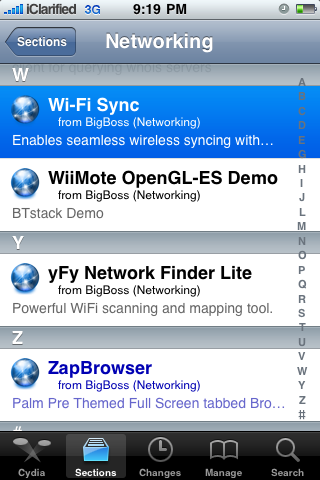
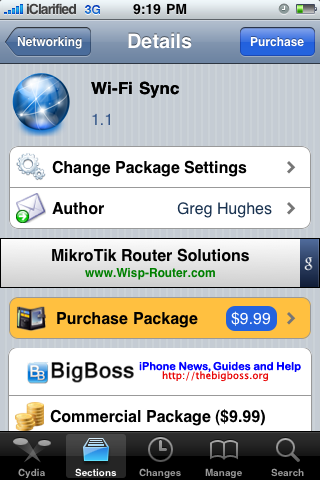
Step Five Press to select Wi-Fi Sync from the list of packages.
Step Six Press the Purchase button at the top right of the screen. For detailed instructions on purchasing an app from the Cydia Store see this tutorial.
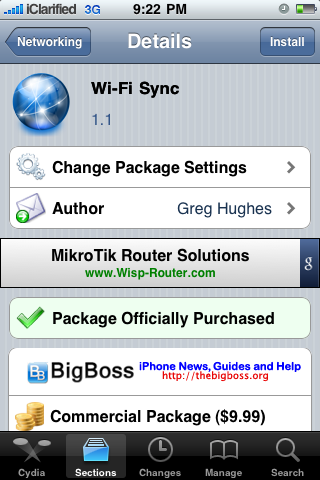
Step Seven Once you have purchased the application press the Install button at the top right of the screen.
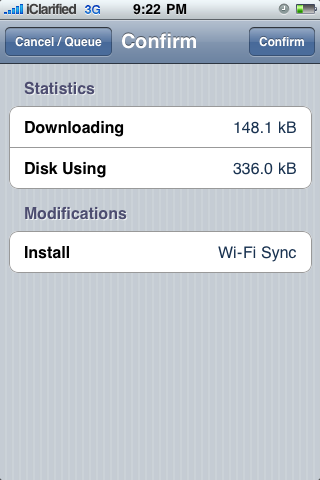
Step Eight Press the Confirm button to begin installation.
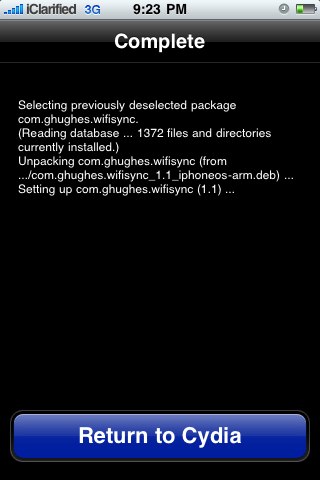
Step Nine Once installation has completed successfully press the large Return to Cydia button.
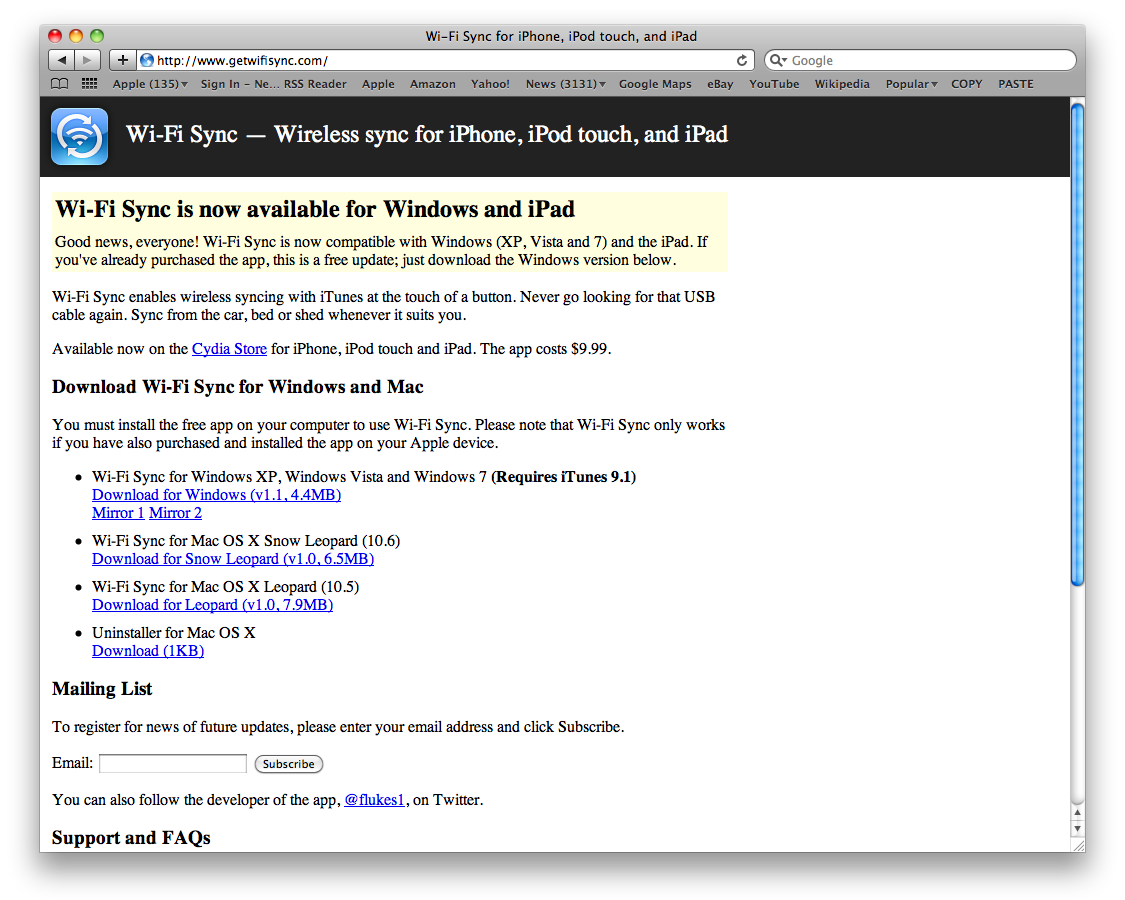
Step Ten Open Safari from your dock and navigate to getwifisync.com (no longer available).
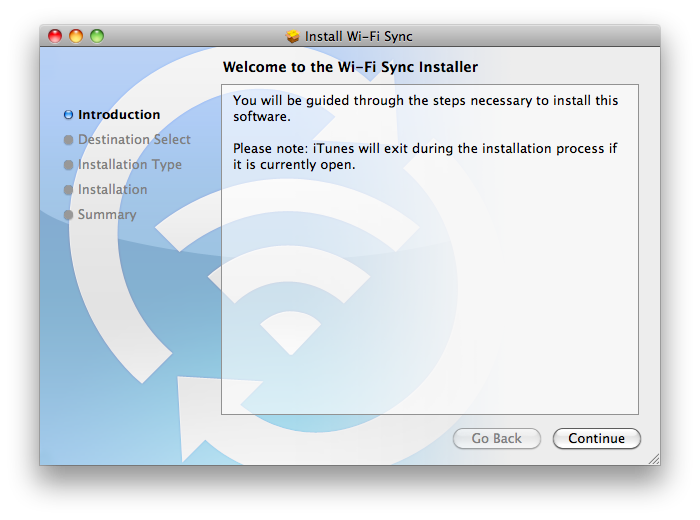
Download the helper application for your operating system and install it.
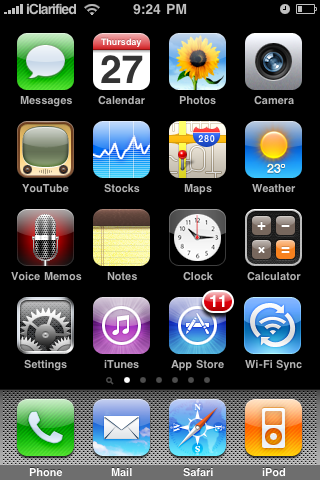
Step Eleven Make sure your iPhone and computer are on the same wireless network then launch Wi-Fi Sync from your SpringBoard.
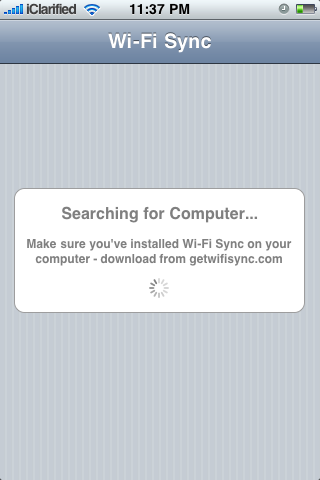
Step Twelve As soon as the application is launched it will try to find a computer to connect to.
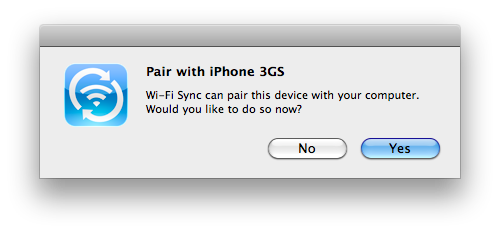
When the computer recognizes a device it will ask you if you want to pair with it. Click Yes
Then press Yes on the "Pair with Computer" alert that appears on your iPhone.
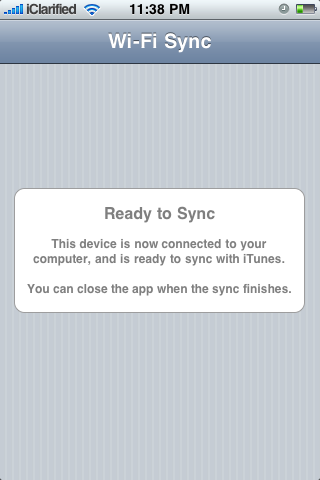
The iPhone will then tell you that you are ready to sync.
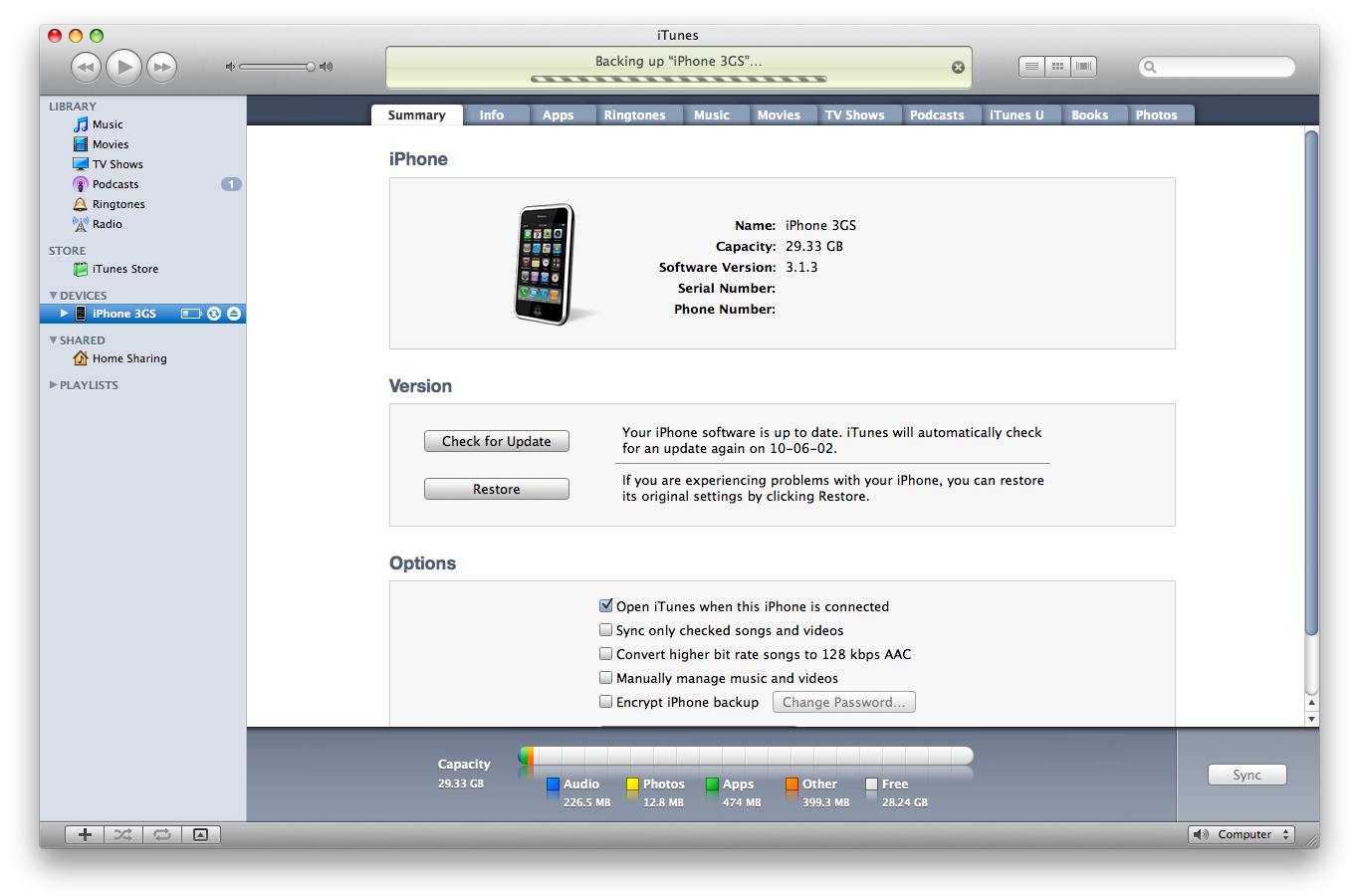
Your iPhone will now appear in iTunes and begin synchronization as though it was connected directly to the computer!
Get the iClarified Daily Newsletter
Apple news, rumors, tutorials, price drop alerts, in your inbox every evening, free.
Unsubscribe at any time.
Success!
You have been subscribed.
Add Comment
Would you like to be notified when someone replies or adds a new comment?
Yes (All Threads)
Yes (This Thread Only)
No
Notifications
Would you like to be notified when we post a new Apple news article or tutorial?
Sorry! for how to sync iphone with itune , please kindly let me know why my itune appear Error. Meanwhile i can't sync iphone with itune use Wifi Sync app.
I looking forward to hearing your explanation.
Thanks
Hello there, I installed this tool... tried but instead of syncing it messed up my iPhone. iTunes library lost all its contents and it's just not stable yet. I'm on Mac and using 3GS. Wait for a stable release.
I keep getting this alert message telling me that I am using a hacked app from the developer of the pay app. Is there anyway around it? My thought is, I can only really sync when I am on wifi pretty much near my computer anyway so why should I have to pay for that?
If you download from this location and install, you receive a warning message regarding the authenticity of the app. The info collected in the warning is correct.








![Mac mini With M6 and M5 Pro Review Roundup [Video]](/images/news/102318/102318/102318-160.jpg "Mac mini With M6 and M5 Pro Review Roundup [Video]")
![Apple Releases macOS 27.2 Golden Gate Beta 2 to Developers [Download]](/images/news/102327/102327/102327-160.jpg "Apple Releases macOS 27.2 Golden Gate Beta 2 to Developers [Download]")









![Apple Studio Display XDR Hits All-Time Low of $2,969.99 ($329 Off) [Deal]](/images/news/101976/101976/101976-160.jpg "Apple Studio Display XDR Hits All-Time Low of $2,969.99 ($329 Off) [Deal]")
