

Apple Features Still Coming After iOS 27: Health, Siri Recap, and More
Installing iOS 27 doesn't bring every feature Apple showed in September. The redesigned Health app is still ahead, Apple Watch's new conversation tools are coming in a later beta, and iPhone Duo's Pencil support will follow the phone's launch.
Apple has given some of these additions a 2026 release window, while others are described only as coming in a future software update. As of October 2, here's what's still on the way, who can use it, and which dates remain unsettled.
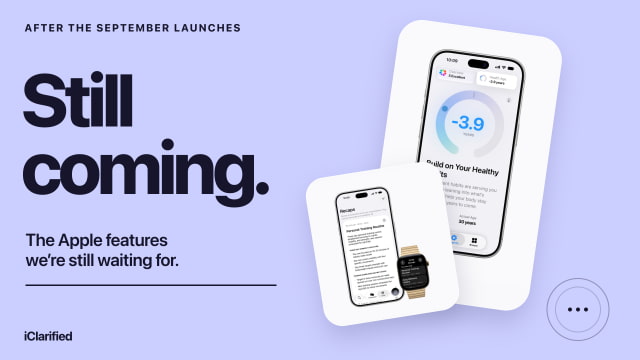
What Is Still Coming, at a Glance
| Feature | Apple's timing | Main requirement or limit |
|---|---|---|
| Redesigned Health | Later 2026 | Apple Intelligence iPhone or iPad; U.S. English first |
| Live Rewind / Siri Recap | Beta later 2026 | Series 12 or Ultra 4 + supported iPhone; English first; EU excluded initially |
| Duo Pencil support | Later 2026 | Apple Pencil (USB-C); follows Oct. 23 phone launch |
| More Siri AI languages | October 2026 | French, Japanese, Korean, Portuguese, Spanish |
| SynthID image identification | Later 2026 | AI-generated and eligible AI-edited images |
| Automatic password updates | Future update; undated | Passwords feature |
| Suggestions in Messages | Future update; undated | In-conversation suggestions |
A Redesigned Health App, With More Help Interpreting Your Data
The redesigned Health app is one of the biggest pieces of Apple's fall rollout still to come. Apple says it will arrive later in 2026, initially in U.S. English, on compatible Apple Intelligence-enabled iPhones and iPads running the latest software. Some features will be limited to iPhone.
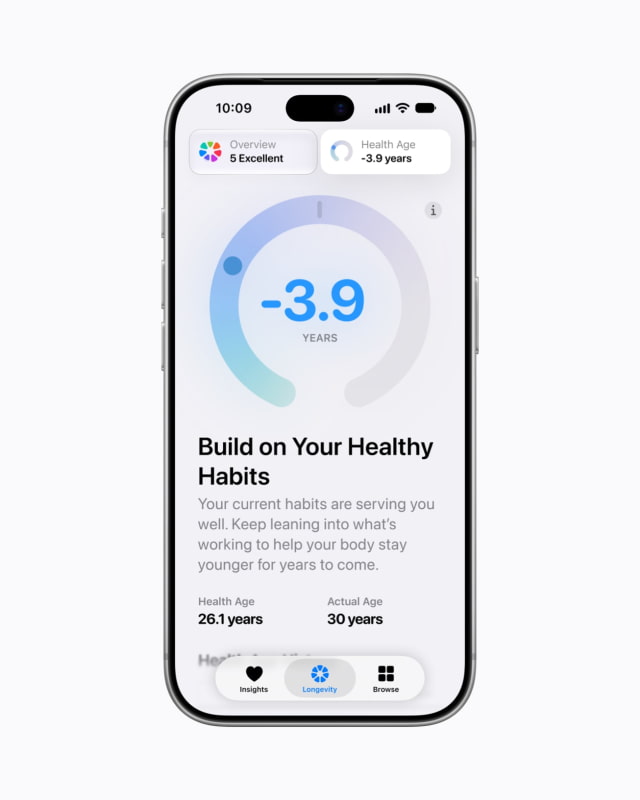
Rather than leaving you to interpret a collection of charts, the update adds personalized Insights across areas such as heart health, sleep, fitness, vitals, and cycle tracking. A Longevity section brings longer-term trends together, including a Health Age estimate based on information from Apple Watch and other health data. Health Age is an estimate within Apple's app, not a diagnosis or a measurement of your actual biological age.
At-home assessments will use the iPhone camera to evaluate movement, with processing on device and no saved video. The planned VO2 max assessment will need heart-rate data from an Apple Watch, AirPods Pro 3, or a compatible third-party heart-rate monitor. Apple is also planning U.S. lab testing through Quest: $119 for more than 50 biomarkers, with appointments at approximately 2,000 locations. Some health features will require users to be 18 or older.
There is already a new health feature you can use: the Readiness score on Series 12 and Ultra 4. The coming Health redesign expands the surrounding experience; it isn't the launch date for every health capability announced with those watches.
Live Rewind and Siri Recap on Apple Watch
Live Rewind and Siri Recap are due in beta later in 2026, starting in English. Both require Apple Watch Series 12 or Ultra 4, plus a compatible iPhone with Apple Intelligence and Siri AI enabled. Apple's phone list starts with the iPhone 16 family but excludes iPhone 16e. These features will not initially be available in the EU.
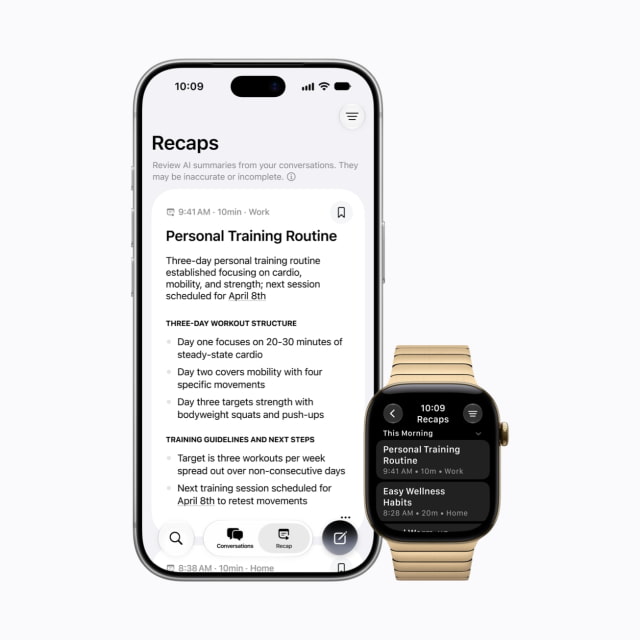
Live Rewind is for the sentence you just missed: double-press the Digital Crown and the watch shows a text snippet from the previous 15 seconds. Siri Recap is for the conversation you'd like help remembering later, producing a short summary rather than a word-for-word transcript. Both are opt-in, and Apple says unsaved Recaps will disappear after seven days.
Apple hasn't announced a launch day for either feature. Sound Recognition and automatic Shazam detection are separate Audio Intelligence features already available on the new watches, with less demanding iPhone requirements. If you're buying a watch specifically for conversation summaries, treat those summaries as a future feature rather than something you can turn on today.
Apple Pencil Support for iPhone Duo
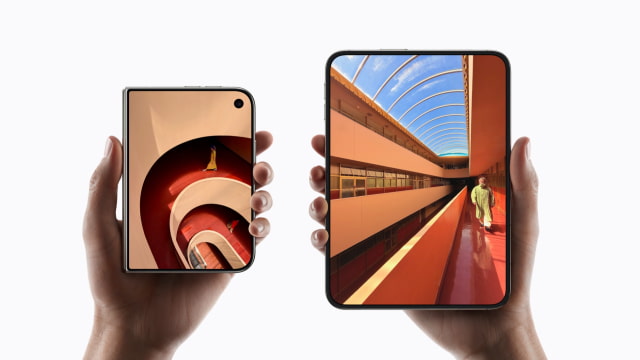
iPhone Duo pre-orders open October 16, with the phone reaching customers October 23. Apple Pencil support will come later in 2026, so it won't be part of the phone's launch-day feature set.
Apple names one compatible stylus: Apple Pencil (USB-C). It has not announced support for Apple Pencil Pro or the second-generation Apple Pencil. For people hoping to use the 7.6-inch folding screen for handwritten notes or marking up documents, the update could be an important part of Duo's appeal. Anyone buying primarily for that use should wait to see the finished experience.
More Siri AI Languages in October
Siri AI is already rolling out in English as a beta, with access managed through a waitlist. Apple has announced French, Japanese, Korean, Portuguese, and Spanish support for October 2026. That is a language expansion for the new Siri, not the initial release of Siri AI itself.
Language and location remain separate limits. Siri AI is not initially available in the EU on iPhone, iPad, or Apple Watch, although eligible Mac and Vision Pro users there can use it in English. Apple has not given a date for the missing EU platforms, and Siri AI is also unavailable with a China mainland Apple Account. The October language announcement doesn't establish a release date for those regions.
Our Siri AI compatibility guide covers the device and regional requirements. If you are eligible now, the Siri AI setup video walks through getting started.
AI Image Identification With SynthID
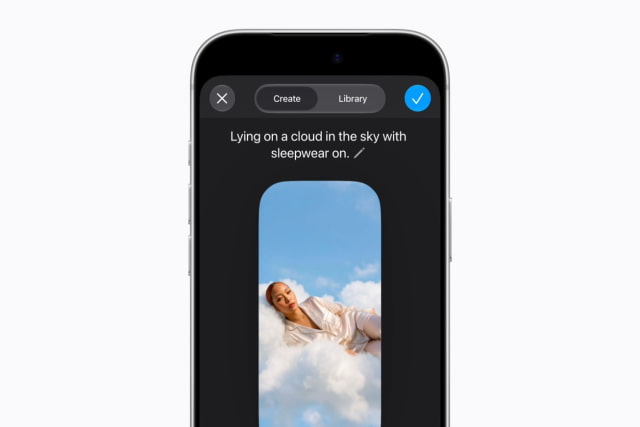
Apple says SynthID support is coming later in 2026 for identifying AI-generated images and most AI-edited images, depending on the edit. This is a way to signal AI involvement in an image, including work produced through Apple's new image tools.
It should not be treated as a universal authenticity check. Whether an image carries an AI marker and whether the scene it depicts is true are different questions. Apple has not announced a specific launch day for this addition.
Two More Additions Without a Firm Date
Apple's current feature pages also list automatic password updates and Suggestions in Messages conversations as coming in a future software update. Neither has a specific date in that wording, so neither belongs on a guaranteed 2026 checklist.
The Passwords addition is intended to help update weak or compromised passwords automatically. Existing alerts that tell you a password needs attention are already a separate capability. Suggestions in Messages will offer contextual actions within a conversation, such as helping with a calendar event or relevant photos. Suggestions already available in Mail don't mean the Messages version has shipped.
What to Expect From the Rest of the Rollout
The nearest announced milestone is Siri AI's October language expansion, followed by Duo's October 23 hardware launch. Health, Watch conversation tools, Pencil support, and SynthID still have broader release windows. Apple hasn't tied all of them to one named software update.
Before upgrading for a particular feature, check both halves of the requirement: whether the feature has actually launched, and whether your device, language, and region qualify. The new hardware may already be on sale even when the feature that interests you is still weeks away.





![Apple Says iPhone Duo's Folding Display Has a Replaceable Cover Layer [Video]](/images/news/102525/102525/102525-160.jpg "Apple Says iPhone Duo's Folding Display Has a Replaceable Cover Layer [Video]")
![How To Find Your iPhone IMEI Number [Video]](/images/tutorials/83557/83557/83557-160.jpg "How To Find Your iPhone IMEI Number [Video]")

![How To Change Wallpaper on Mac [Video]](/images/tutorials/90512/90512/90512-160.jpg "How To Change Wallpaper on Mac [Video]")




![16-Inch M5 Max MacBook Pro Drops $900 to New Low of $3,499 [Deal]](/images/news/102438/102438/102438-160.jpg "16-Inch M5 Max MacBook Pro Drops $900 to New Low of $3,499 [Deal]")
![Magic Keyboard for iPad Air Drops to $200 on Amazon [Deal]](/images/news/102402/102402/102402-160.jpg "Magic Keyboard for iPad Air Drops to $200 on Amazon [Deal]")
![13-Inch M5 MacBook Air With 1TB Drops to $1,449 on Amazon [Deal]](/images/news/102345/102345/102345-160.jpg "13-Inch M5 MacBook Air With 1TB Drops to $1,449 on Amazon [Deal]")
