
![7 iPhone Duo Settings to Change [Video]](/images/tutorials/103039/488409/488409-64.png "7 iPhone Duo Settings to Change [Video]")
The iPhone Duo adds settings for its two displays, its fold and the Touch ID side button. These seven are worth a look, depending on how you use it: the StandBy poses, Only While Charging, Shift Left Edge, Fixed Position Volume Controls, Smart Take's Flash During Capture, Battery Percentage and Rest Finger to Open. There's also a faster way to open Control Center.
We checked each one on our iPhone Duo running iOS 27, open in landscape, where Settings shows its sidebar beside each page. Every switch below turns back the same way.
iPhone Duo Settings You Can Change
1. Choose Which Poses Start StandBy
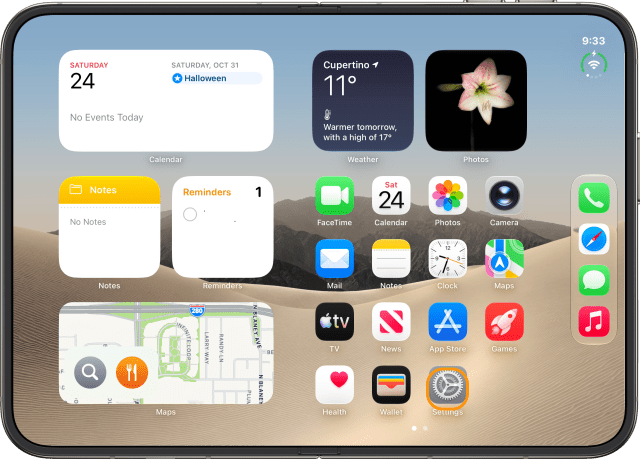
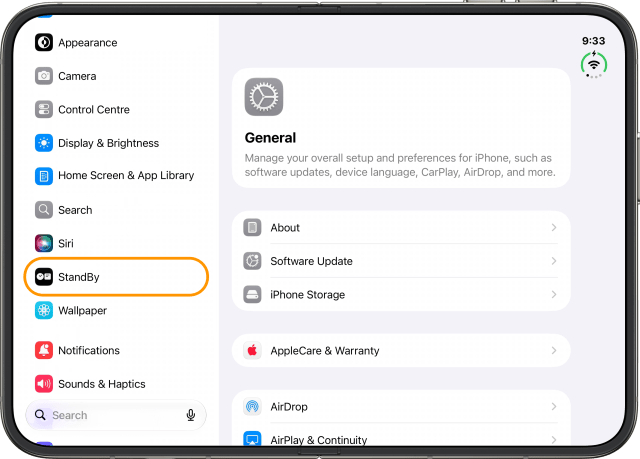
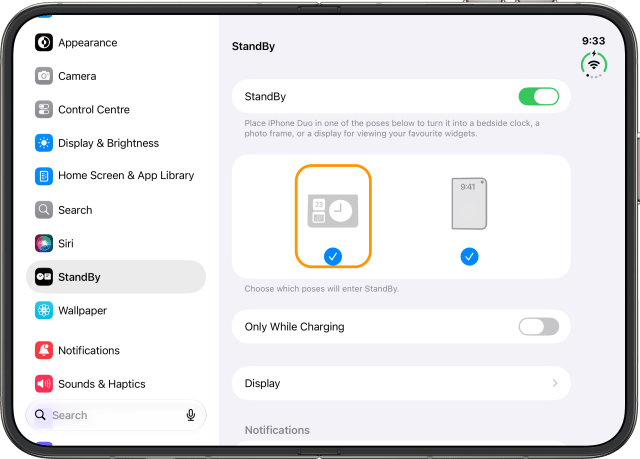
StandBy turns your iPhone Duo into a bedside clock or photo frame when you partly fold it like a book or a tent and set it down. It doesn't need a charger. Open Settings and tap StandBy. Both poses are ticked. If you only want StandBy in one, untick the other.
2. Use StandBy Only While Charging
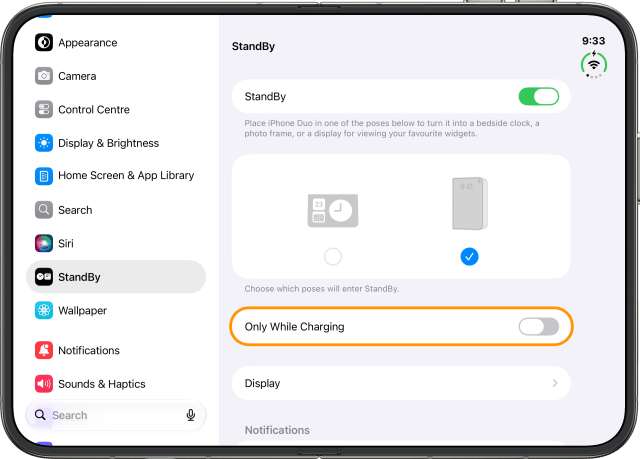
If you only want StandBy on the charger, turn on Only While Charging on the same page.
3. Turn On Shift Left Edge for Your Case
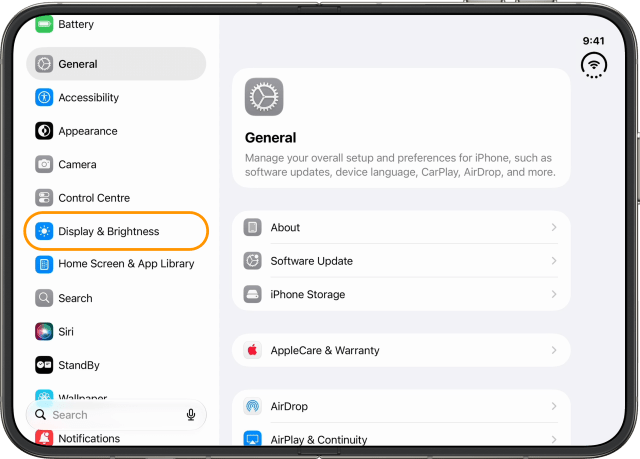
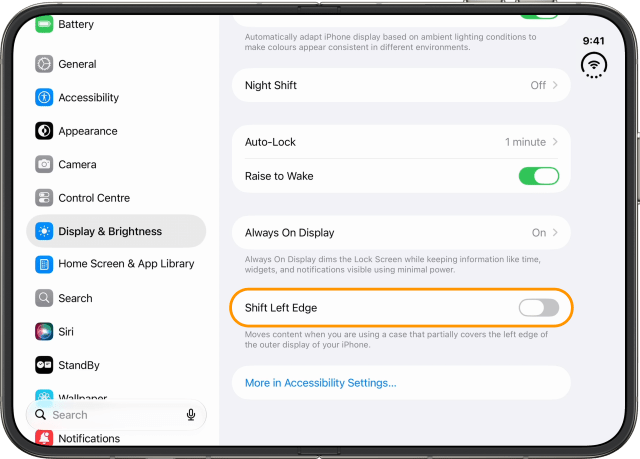
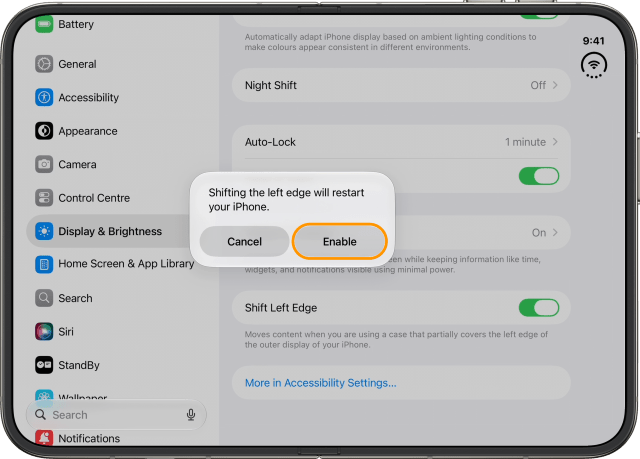
If your case covers part of the outer display's left edge, tap Display & Brightness and turn on Shift Left Edge. It moves content in from the edge. Your iPhone Duo needs to restart for it, so tap Enable, and it's back in a moment.
4. Let the Volume Buttons Follow How You Hold It
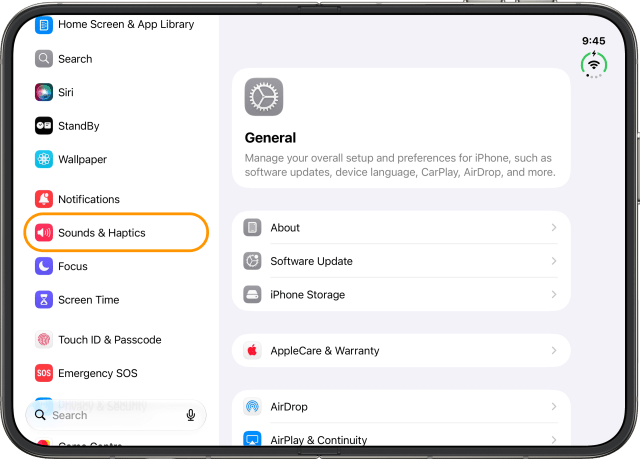
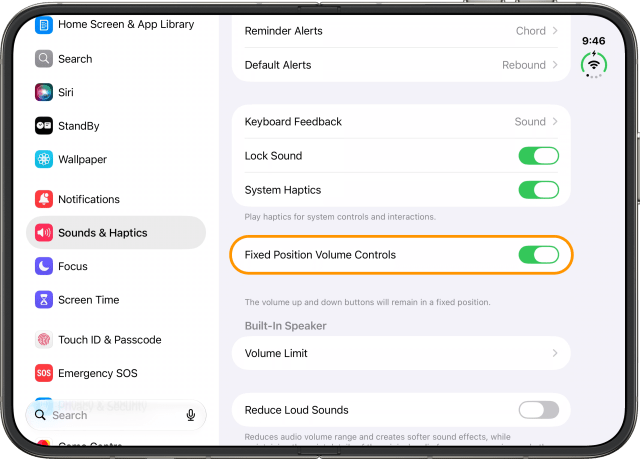
In Sounds & Haptics, Fixed Position Volume Controls keeps the volume up and down buttons in a fixed position. If you'd rather they change depending on how you're holding your iPhone Duo, turn it off.
5. Turn Off Smart Take's Flash
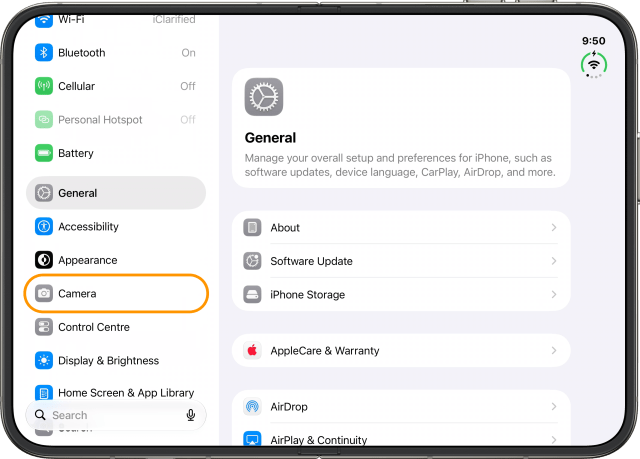
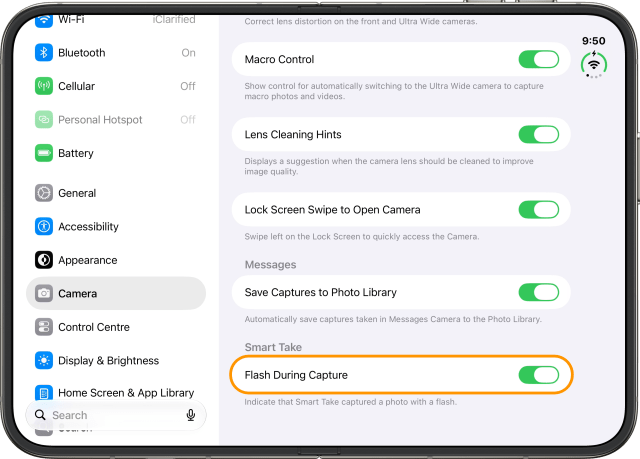
Smart Take takes photos for you when your iPhone Duo sits on a surface and you strike a pose or hold still, and the flash blinks each time it captures one. If the blink bothers you, tap Camera, and under Smart Take, turn off Flash During Capture.
6. Show the Battery Percentage
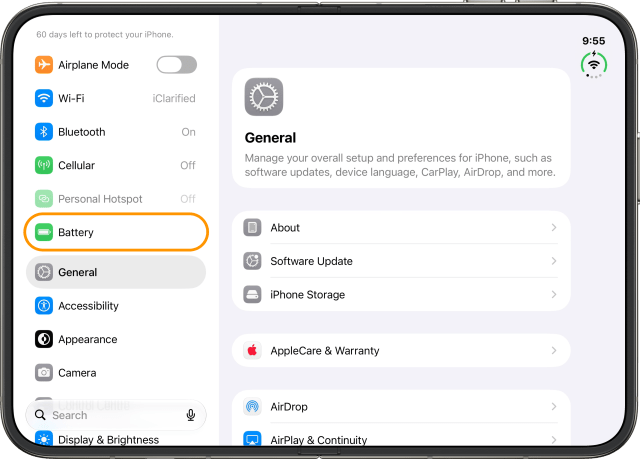
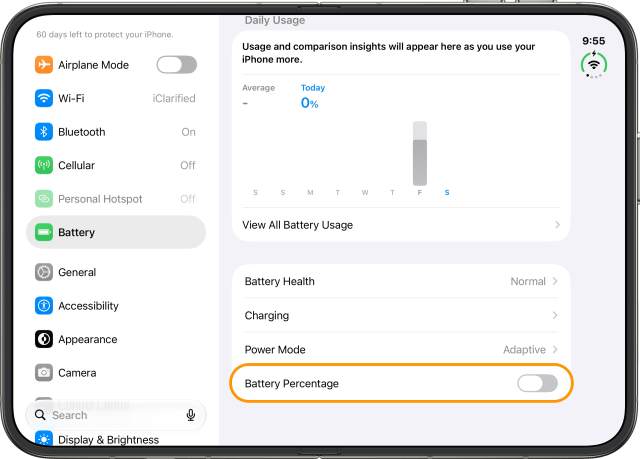
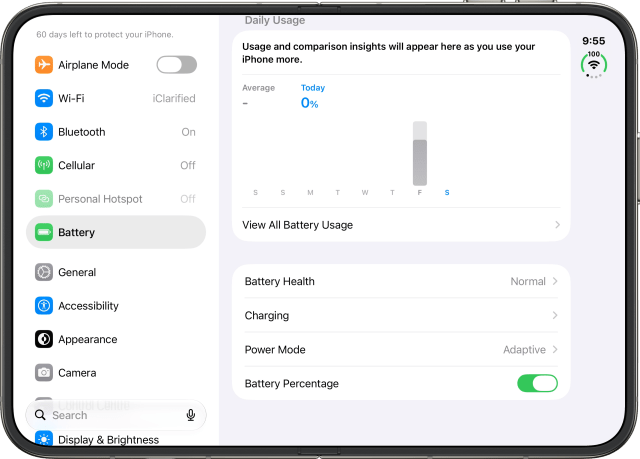
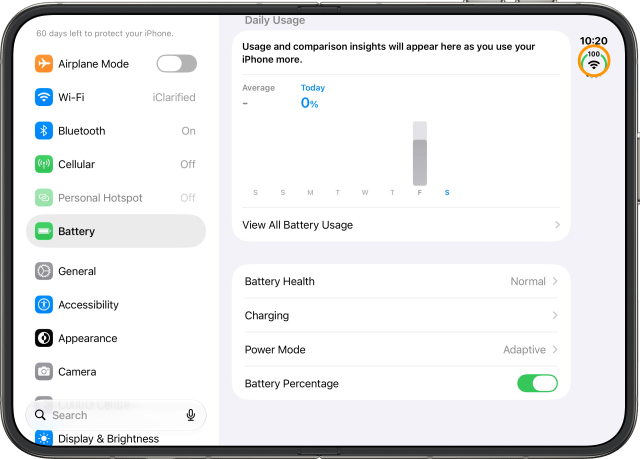
To see exactly how much charge you have left, tap Battery and turn on Battery Percentage. On the iPhone Duo, the number shows at the top of the round battery icon.
7. Open With a Press Instead of a Rest
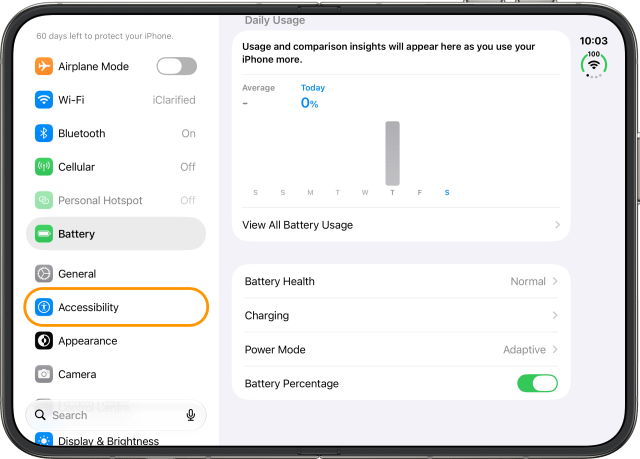
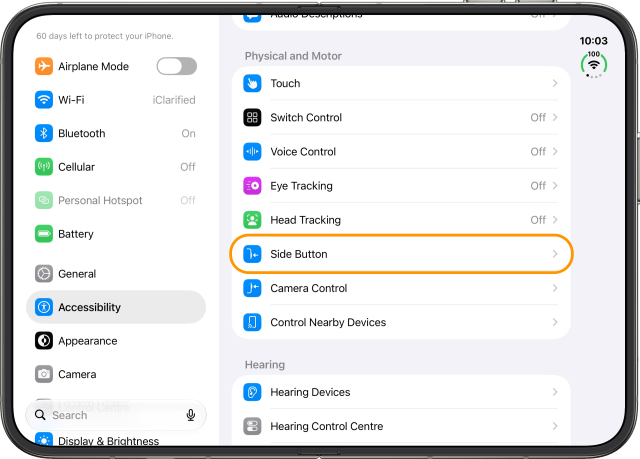
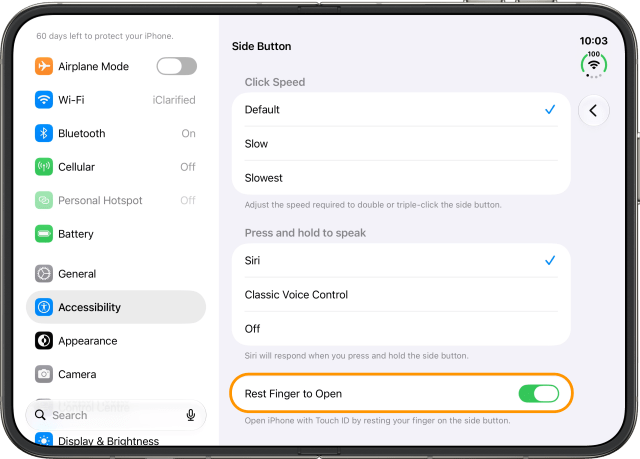
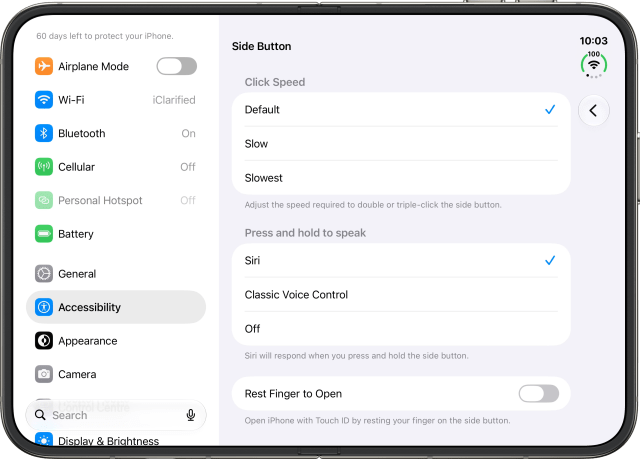
Touch ID is in the side button, and resting your finger on it opens your iPhone Duo. If you'd rather open it only when you press the button, tap Accessibility, then Side Button, and turn off Rest Finger to Open.
Open Control Center With the Status Icon
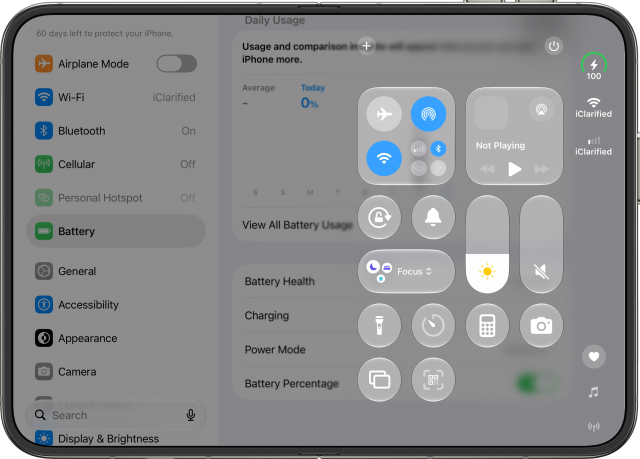
To open Control Center, you don't have to swipe down from the top right corner. Just tap the round status icon.

![iFixit Investigates iPhone Duo Screen Failures, Points to Possible Hinge Issue [Video]](/images/news/103038/103038/103038-160.jpg "iFixit Investigates iPhone Duo Screen Failures, Points to Possible Hinge Issue [Video]")
![Apple's Touchscreen MacBook Pro to Cost 'Significantly' More [Gurman]](/images/news/103035/103035/103035-160.jpg "Apple's Touchscreen MacBook Pro to Cost 'Significantly' More [Gurman]")
![Apple Stores Get iPhone Scanner to Fight Return Fraud [Report]](/images/news/103029/103029/103029-160.jpg "Apple Stores Get iPhone Scanner to Fight Return Fraud [Report]")
![Apple TV Shares 'Full Throttle' With F1 Drivers and Vince Young Ahead of U.S. Grand Prix [Video]](/images/news/103023/103023/103023-160.jpg "Apple TV Shares 'Full Throttle' With F1 Drivers and Vince Young Ahead of U.S. Grand Prix [Video]")
![7 iPhone Duo Settings to Change [Video]](/images/tutorials/103039/103039/103039-160.jpg "7 iPhone Duo Settings to Change [Video]")
![How To Back Up Your iPhone to an External Drive on Mac [Video]](/images/tutorials/72786/72786/72786-160.jpg "How To Back Up Your iPhone to an External Drive on Mac [Video]")

![How To Find Your IP Address on iPhone [Video]](/images/tutorials/496/496/496-160.jpg "How To Find Your IP Address on iPhone [Video]")

![Beats Headphones, Earbuds, and Pill Speaker Are Up to 41% Off [Deal]](/images/news/103026/103026/103026-160.jpg "Beats Headphones, Earbuds, and Pill Speaker Are Up to 41% Off [Deal]")

![New Fire TV Stick 4K Drops to $29.99 (50% Off) [Deal]](/images/news/102984/102984/102984-160.jpg "New Fire TV Stick 4K Drops to $29.99 (50% Off) [Deal]")
![Apple's iPhone 18 Pro and Pro Max Cases Are Up to 37% Off [Deal]](/images/news/102978/102978/102978-160.jpg "Apple's iPhone 18 Pro and Pro Max Cases Are Up to 37% Off [Deal]")
![16-Inch MacBook Pro With M5 Pro Drops to $2,429 ($570 Off), Lowest Price We've Seen [Deal]](/images/news/102957/102957/102957-160.jpg "16-Inch MacBook Pro With M5 Pro Drops to $2,429 ($570 Off), Lowest Price We've Seen [Deal]")
