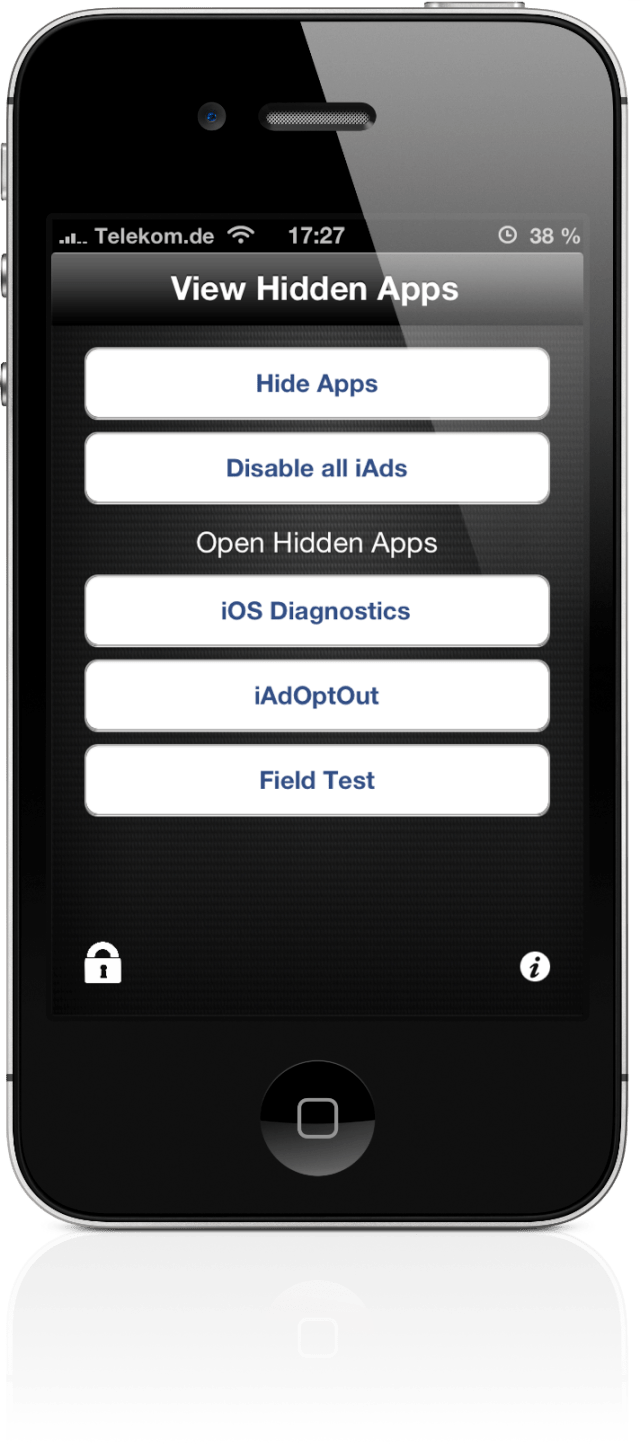
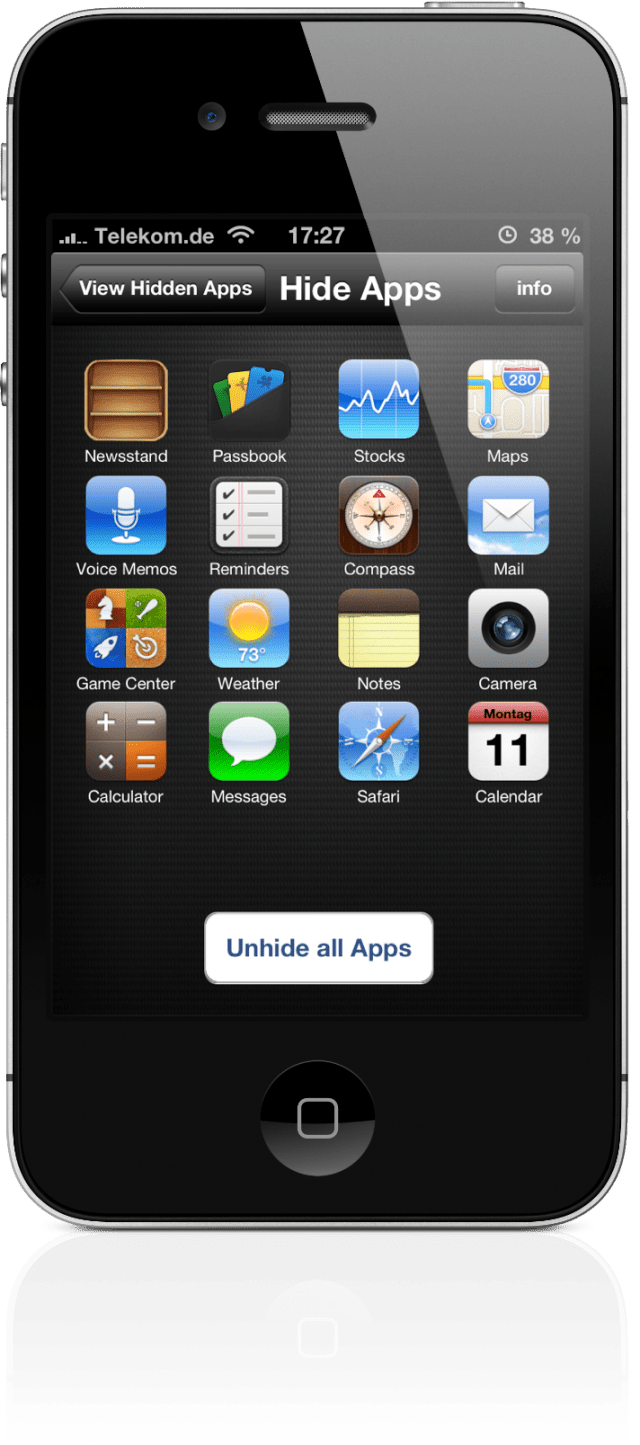
HiddenApps is a new App Store application from David Goelzhaeuser that lets you hide stock apps, launch field test, and disable iAds without jailbreaking.
The official description reads, "HiddenApps is a simple and easy app that shows you tips and tricks about your iDevice." However, in actuality the app lets you: Hide apps, Disable all iAds, and launch iOS Diagnostics, iAdOptOut, and Field Test. Unfortunately, you will need to rehide apps after a reboot but that isn't too difficult.
It's highly likely that Apple will remove this app. We'd suggest downloading it now if you haven't already.
You can download HiddenApps from the App Store for free.
Get the iClarified Daily Newsletter
Apple news, rumors, tutorials, price drop alerts, in your inbox every evening, free.
Unsubscribe at any time.
Success!
You have been subscribed.
Add Comment
Would you like to be notified when someone replies or adds a new comment?
Yes (All Threads)
Yes (This Thread Only)
No
Notifications
Would you like to be notified when we post a new Apple news article or tutorial?
Yes
No
Comments (20)
Comments are closed for this article.
0
tzvifiller - March 21, 2013 at 7:55am
If u want to hide apps use rag3hack
0
Hero - March 13, 2013 at 6:46am
I have it already but was wondering why it isn't available in the US App Store but is in the Canadian one?
0
OMAR - March 12, 2013 at 8:32am
This app should remove ads from apps, right! Well, it didn't.
0
Copperhead - March 21, 2013 at 7:49am
No you are wrong. It only hides ads from ( iAd ) and does not or is suppose to hide ads coming from the app itself when you open an actual app itself. The reason for the app mentioned above is so that apple does not treat your device, that you worked so hard on purchasing like a junkyard. Otherwise you would be carrying a 600 dollar junkyard in your pocket....
0
Nitro Junkie - March 12, 2013 at 12:36am
Annnnnd GONE!
0
Enderzshadowz - March 11, 2013 at 11:09pm
Wow they just removed it already. Ha ha ha
0
Copperhead - March 21, 2013 at 7:54am
Its because apple knows what this does and apple wants to sent unsolicited ads to your devices when ever they want. This is why they currently trademarked ( iAd )... Soon people's devices will be receiving ads without consent. If you want to use a apple device you have to accept the EULA to receive ads when ever apple wants to send such ads.
0
Enderzshadowz - March 11, 2013 at 11:07pm
It says cannot download Poof. Don't worry though. That's how the exploit works. When it says that, simply click Done and delete the empty Poof! app, and voila! Gone!
0
Dyllon - March 11, 2013 at 11:03pm
I got it as soon as I read this article 4 hours ago Apple pulled it rather quickly though. Having an article highlighting that Apple would pull it probably didn't help This is a sort of high-profile blog that engineers in Apple more than likely monitor
0
Read the post - March 11, 2013 at 9:32pm
When install (and failing) with "poof" what it is doing is hiding the chosen app. Just delete the poof icon after the failed message.
0
Tee Dee - March 11, 2013 at 7:41pm
Can't download Poof, hit done & head to home screen. Delete Newsstand & any other app you choose, done :)
0
Tsangpo - March 11, 2013 at 7:41pm
Its gone!!
0
Scott - March 11, 2013 at 7:33pm
It's gone
0
Mark - March 11, 2013 at 7:43pm
It's not gone i just downloaded it... It is however no 15 of 1,418 when you search for "Hidden Apps"
0
Sam - March 11, 2013 at 10:40pm
No, it's gone.
0
aaax - March 11, 2013 at 7:05pm
Say's it can't download Poof when trying to hide apps... Maybe not able to work on 6.1.3?










![How To Change Wallpaper on Mac [Video]](/images/tutorials/90512/90512/90512-160.jpg "How To Change Wallpaper on Mac [Video]")
![How To Turn Off Always On Display on iPhone [Video]](/images/tutorials/87524/87524/87524-160.jpg "How To Turn Off Always On Display on iPhone [Video]")





![16-Inch M5 Max MacBook Pro Drops $900 to New Low of $3,499 [Deal]](/images/news/102438/102438/102438-160.jpg "16-Inch M5 Max MacBook Pro Drops $900 to New Low of $3,499 [Deal]")
![Magic Keyboard for iPad Air Drops to $200 on Amazon [Deal]](/images/news/102402/102402/102402-160.jpg "Magic Keyboard for iPad Air Drops to $200 on Amazon [Deal]")
