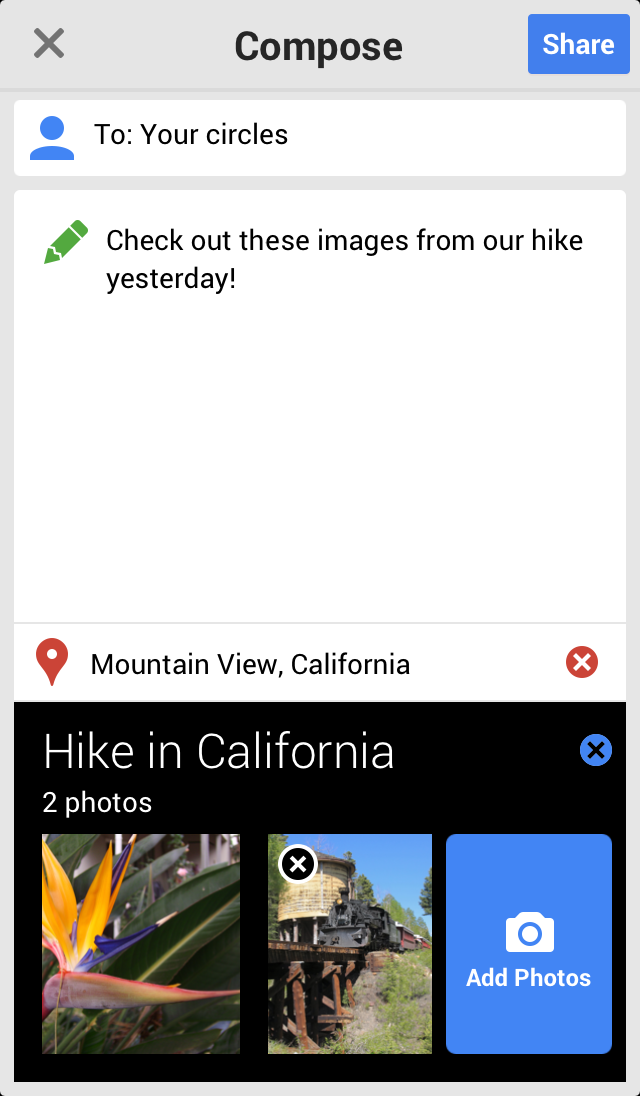
The Google+ app for iOS has received a significant update that brings a new profile design, photo editing features, notifications try, setup flow, and more.
Stay connected and share life as it happens with Google+ for iPhone and iPad. Join a Hangout, post a photo, or see what friends are sharing while you’re on the go.
Features: ✓ New iPad-optimized layout brings your stream to life ✓ Share photos directly to Events for all your friends to enjoy ✓ Video chat with up to 9 friends with mobile Hangouts ✓ Turn on Instant Upload to sync photos from your phone to a private Google+ album ✓ Chat with a friend or all your friends at once with Messenger from your phone ✓ Check out the What’s Hot stream to see popular posts ✓ View the Nearby stream to see what people near your location are saying ✓ See vibrant, high-resolution images on Retina display devices
What's New In This Version: - New photo editing features: add filters, rotate, and crop - New profile design - New notifications tray - New set-up flow for new users - Control the volume of posts that you see in your stream from individual circles/communities - Filter search results by best or most recent - Tell your friends about a community (by sharing it or sending an invitation) - Re-share posts to communities - Display counts for unread messages in your communities - Additional community moderation features
You can download Google+ from the App Store for free.
Get the iClarified Daily Newsletter
Apple news, rumors, tutorials, price drop alerts, in your inbox every evening, free.
Unsubscribe at any time.
Success!
You have been subscribed.
Add Comment
Would you like to be notified when someone replies or adds a new comment?
Yes (All Threads)
Yes (This Thread Only)
No
Notifications
Would you like to be notified when we post a new Apple news article or tutorial?








![Apple-LG Home Accessories Could Offer Dynamic Island Proximity Controls [Leak]](/images/news/102711/102711/102711-160.jpg "Apple-LG Home Accessories Could Offer Dynamic Island Proximity Controls [Leak]")



![How To Force Restart iPhone [Video]](/images/tutorials/95012/95012/95012-160.jpg "How To Force Restart iPhone [Video]")
![How To Turn Off iPhone [Video]](/images/tutorials/94999/94999/94999-160.jpg "How To Turn Off iPhone [Video]")
![How To Back Up Your iPhone to an External Drive on Mac [Video]](/images/tutorials/72786/72786/72786-160.jpg "How To Back Up Your iPhone to an External Drive on Mac [Video]")






![Mac mini Drops to $779.99 for Prime Big Deal Days [Deal]](/images/news/102624/102624/102624-160.jpg "Mac mini Drops to $779.99 for Prime Big Deal Days [Deal]")
