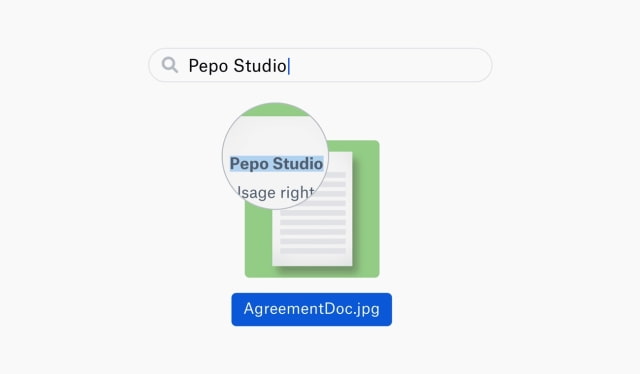
Dropbox has announced that it will begin automatically performing optical character recognition on images and PDFs as part of its DBXi initiative. This will allow users to search the content of images.
This new feature harnesses the power of our machine intelligence capabilities to make search smarter for you. Now, images and PDFs in Dropbox Professional, Business Advanced, and Enterprise accounts will be automatically and securely scanned, letting you search for text found within them. The best part is that it’s active for every JPEG, static GIF, PNG, TIFF, or PDF you have in Dropbox, including files you’ve added in the past—not just the ones you add going forward.
"Looking for a contract that a teammate scanned years ago? Just search for the vendor. Trying to track down blueprints an architect put together for your remodel? Type in their name. Can’t remember where you saved that flight itinerary screenshot? Enter in the destination airport. And for files you add in the future, now you won’t have to worry about renaming images so you can find them later on."
Dropbox Professional subscribers will begin seeing the ability to recognize English text within images over the coming months. Dropbox Business Advanced and Enterprise admins can visit the admin console to get early access for their teams now.
Apple news, rumors, tutorials, price drop alerts, in your inbox every evening, free.
Unsubscribe at any time.
Success!
You have been subscribed.
Add Comment
Would you like to be notified when someone replies or adds a new comment?
Yes (All Threads)
Yes (This Thread Only)
No
Notifications
Would you like to be notified when we post a new Apple news article or tutorial?
Yes
No
Comments (1)
Comments are closed for this article.
0
NoGoodNick - October 15, 2018 at 7:28pm
Sigh, yet another reason not to upgrade. If you pay more, we’ll give you fewer options, restrict how you can use your account, and start data mining now so when we finally decide to sell our souls and cash in, we’ll sell your data first.











![How To Change Wallpaper on Mac [Video]](/images/tutorials/90512/90512/90512-160.jpg "How To Change Wallpaper on Mac [Video]")
![How To Turn Off Always On Display on iPhone [Video]](/images/tutorials/87524/87524/87524-160.jpg "How To Turn Off Always On Display on iPhone [Video]")





![16-Inch M5 Max MacBook Pro Drops $900 to New Low of $3,499 [Deal]](/images/news/102438/102438/102438-160.jpg "16-Inch M5 Max MacBook Pro Drops $900 to New Low of $3,499 [Deal]")
![Magic Keyboard for iPad Air Drops to $200 on Amazon [Deal]](/images/news/102402/102402/102402-160.jpg "Magic Keyboard for iPad Air Drops to $200 on Amazon [Deal]")
