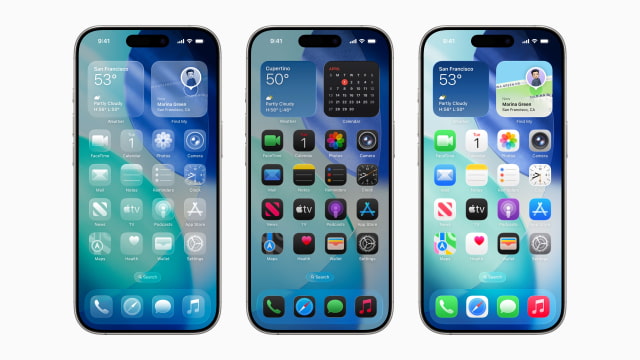
Apple is testing a change that could fix one of the more frustrating parts of customizing the iPhone and iPad. When iOS 27 and iPadOS 27 roll out later this year, they may include dedicated undo and redo buttons for the Home Screen.
Right now, a long press on the Home Screen brings up a menu with options to add widgets, customize layouts, or edit wallpapers. According to Mark Gurman, Apple is testing a way to add undo and redo controls directly into that same interface, so you can quickly reverse changes instead of fixing things manually.
It's a small tweak, but it solves a problem that shows up pretty quickly once you start moving things around. Rearranging apps and widgets can get messy, especially when you're dealing with multiple icons or trying different widget stacks. One bad drag can throw everything off, and there's no easy way to go back. Most of the time, you end up trying to recreate what you had.
Adding undo and redo would make the whole process a lot less rigid. It gives you room to try different layouts, move things around, and adjust your setup without worrying about messing it up. It also brings the Home Screen more in line with other parts of iOS, where undo-style actions are already built in.
The feature is still in testing and could change before release, but it lines up with Apple's recent focus on tightening up everyday interactions. iOS 27 is expected to bring bigger updates around Siri and AI, but changes like this are the kind people actually notice right away when they use their phone.
Get the iClarified Daily Newsletter
Apple news, rumors, tutorials, price drop alerts, in your inbox every evening, free.
Unsubscribe at any time.
Success!
You have been subscribed.
Add Comment
Would you like to be notified when someone replies or adds a new comment?
Yes (All Threads)
Yes (This Thread Only)
No
Notifications
Would you like to be notified when we post a new Apple news article or tutorial?



![Apple Releases macOS Golden Gate 27.0.1, Tahoe 26.7.1, and Sequoia 15.8.1 [Download]](/images/news/102456/102456/102456-160.jpg "Apple Releases macOS Golden Gate 27.0.1, Tahoe 26.7.1, and Sequoia 15.8.1 [Download]")
![Apple Releases iOS 27.0.1, iPadOS 27.0.1, and 26.7.1 Updates [Download]](/images/news/102453/102453/102453-160.jpg "Apple Releases iOS 27.0.1, iPadOS 27.0.1, and 26.7.1 Updates [Download]")

![All 2027 iPhones Expected to Use Apple Modems [Gurman]](/images/news/102447/102447/102447-160.jpg "All 2027 iPhones Expected to Use Apple Modems [Gurman]")



![How To Find Your iPhone IMEI Number [Video]](/images/tutorials/83557/83557/83557-160.jpg "How To Find Your iPhone IMEI Number [Video]")



![16-Inch M5 Max MacBook Pro Drops $900 to New Low of $3,499 [Deal]](/images/news/102438/102438/102438-160.jpg "16-Inch M5 Max MacBook Pro Drops $900 to New Low of $3,499 [Deal]")
![Magic Keyboard for iPad Air Drops to $200 on Amazon [Deal]](/images/news/102402/102402/102402-160.jpg "Magic Keyboard for iPad Air Drops to $200 on Amazon [Deal]")
![13-Inch M5 MacBook Air With 1TB Drops to $1,449 on Amazon [Deal]](/images/news/102345/102345/102345-160.jpg "13-Inch M5 MacBook Air With 1TB Drops to $1,449 on Amazon [Deal]")

