

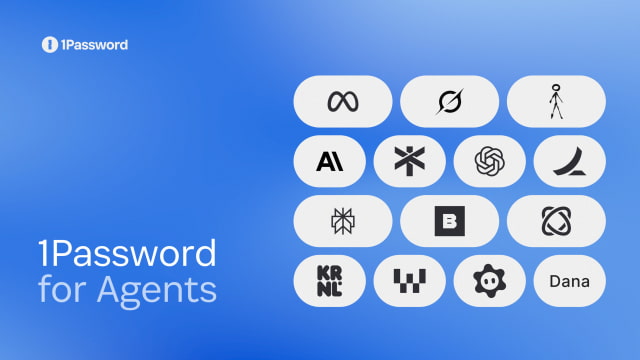
1Password has introduced a feature that lets AI agents sign into online accounts without receiving or seeing the passwords. Called 1Password for Agents, it gives users a way to approve the logins an assistant needs instead of pasting credentials into a conversation.
When a supported agent reaches a sign-in page, it uses a digital key to identify itself and requests the relevant login. The user reviews the request on their own device and can approve or deny it. After approval, 1Password fills the password or one-time code directly into the website, allowing the agent to continue without handling the credential itself.
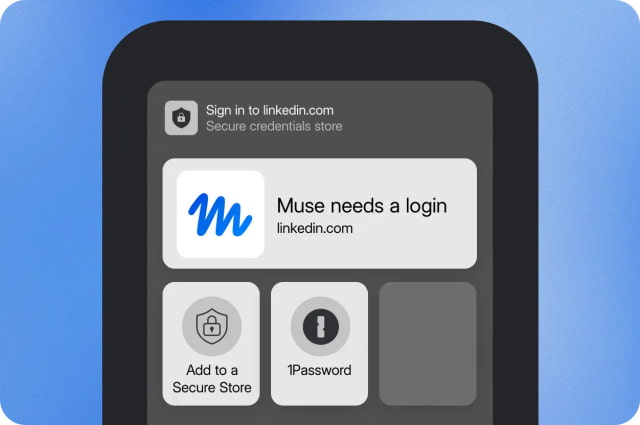
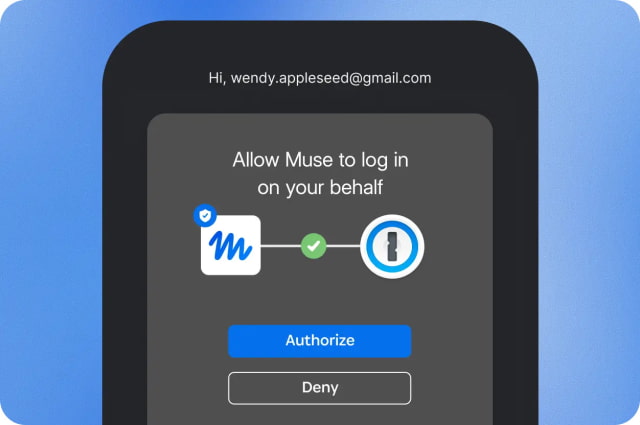
Connecting an agent does not open up the entire vault. Users choose which login it can use and can disconnect the integration later. However, once signed in, the agent may be able to read information or take actions within that account. Those permissions depend on the agent and the website, so protecting the password is not the same as limiting everything an assistant can do afterward.
The launch builds on the Claude integration introduced in July, which enabled approved browser sign-ins on Mac.
Integrations with Meta Muse and Grok Bot are rolling out over the coming days. Claude Duet, ChatGPT Work, dots, and Town's Townie are coming soon.
1Password for Agents is included at no extra cost with Individual and Families accounts hosted on 1Password.com. Accounts on 1Password.ca and 1Password.eu are not currently supported.


![iPhone Duo's Initial 8 Million-Unit Order Extends Into 2027 [Gurman]](/images/news/102975/102975/102975-160.jpg "iPhone Duo's Initial 8 Million-Unit Order Extends Into 2027 [Gurman]")
![CT Scan Reveals How iPhone Duo's Hinge Works [Video]](/images/news/102981/102981/102981-160.jpg "CT Scan Reveals How iPhone Duo's Hinge Works [Video]")
![Apple Tests Face ID and Action Button for iPhone Duo, Considers Larger Display [Gurman]](/images/news/102972/102972/102972-160.jpg "Apple Tests Face ID and Action Button for iPhone Duo, Considers Larger Display [Gurman]")


![How To Back Up Your iPhone to an External Drive on Mac [Video]](/images/tutorials/72786/72786/72786-160.jpg "How To Back Up Your iPhone to an External Drive on Mac [Video]")

![How To Find Your IP Address on iPhone [Video]](/images/tutorials/496/496/496-160.jpg "How To Find Your IP Address on iPhone [Video]")

![New Fire TV Stick 4K Drops to $29.99 (50% Off) [Deal]](/images/news/102984/102984/102984-160.jpg "New Fire TV Stick 4K Drops to $29.99 (50% Off) [Deal]")
![Apple's iPhone 18 Pro and Pro Max Cases Are Up to 37% Off [Deal]](/images/news/102978/102978/102978-160.jpg "Apple's iPhone 18 Pro and Pro Max Cases Are Up to 37% Off [Deal]")
![16-Inch MacBook Pro With M5 Pro Drops to $2,429 ($570 Off), Lowest Price We've Seen [Deal]](/images/news/102957/102957/102957-160.jpg "16-Inch MacBook Pro With M5 Pro Drops to $2,429 ($570 Off), Lowest Price We've Seen [Deal]")

![16-Inch MacBook Pro With M5 Max Drops to $3,499 ($900 Off), Lowest Price We've Seen [Deal]](/images/news/102900/102900/102900-160.jpg "16-Inch MacBook Pro With M5 Max Drops to $3,499 ($900 Off), Lowest Price We've Seen [Deal]")
