Steven Troughton-Smith has released to contributors Alpha 2 of Stacks v3.0, a brand new version of Stack for iPhone OS 3.
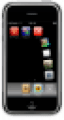
Stack is one of the oldest and most popular additions to your iPhone or iPod touch that adds a quick-launch menu to your Dock, giving rapid access to your favourite applications.
Simply tap the Stack and it will unfurl across your screen, then tap any icon to open it. Drag & Hover an icon (but don't let go!) across the Stack to add an application to it; drag an icon out of the Stack and let go to remove it. Drag the Stack like any other icon on your homescreen to reposition it.
Stack also has a Grid View mode, for those times when the Stack has too many items to fit onscreen at once.
New in Alpha 2:
● Multiple Stacks
● Dimming of screen when opening a Stack
● Reflective Dock support
● Support for iTunes 9's App Management
● Stack Update Notifications (notification when there's a new version available)
● New Grid View animations (temporary)
● Stacks are findable/openable using Spotlight
Read More