
How to Access Terminal (Command Line) on Your iPhone
Posted November 2, 2008 at 9:59pm by
Shalom Levytam
These are instructions on how to access a command line prompt (Terminal window) on your iPhone or iPod touch.
To follow these steps you will need to have already jailbroken your iPhone or iPod touch.
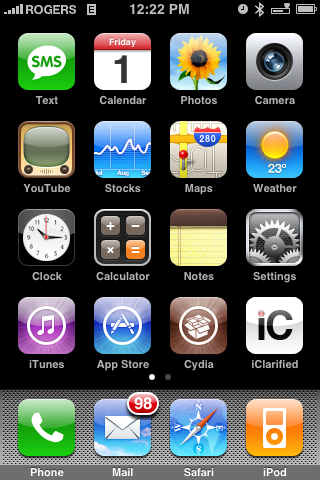
Step One
Press to launch Cydia from your iPhone's Springboard.
Step Two
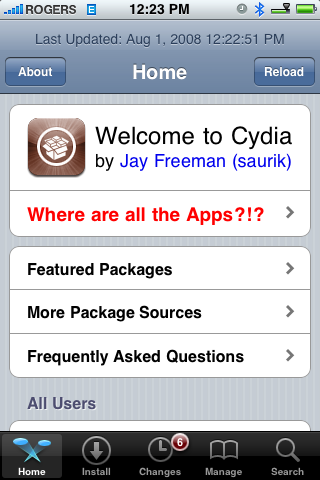
Once Cydia opens press to select the Sections tab at the bottom of the screen.
Step Three
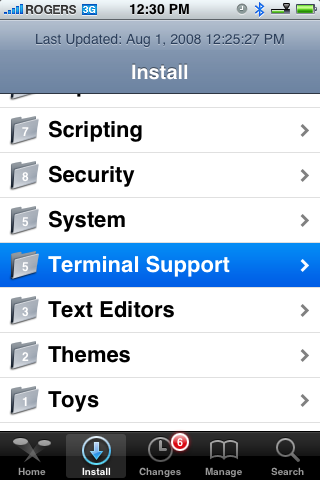
Press to select Terminal Support from the list of Sections.
Step Four
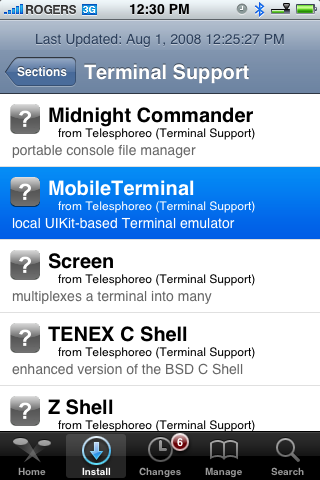
Press to select MobileTerminal from the list of Packages available.
Step Five
Press the Install button at the top right of the screen.
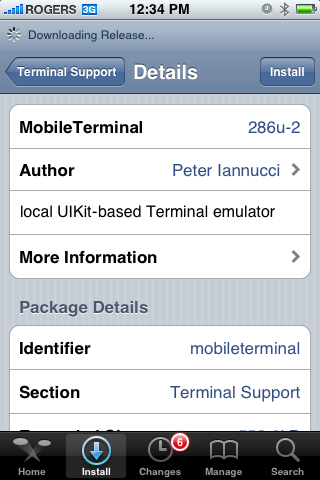
Step Six
Press the Confirm button to begin installation.
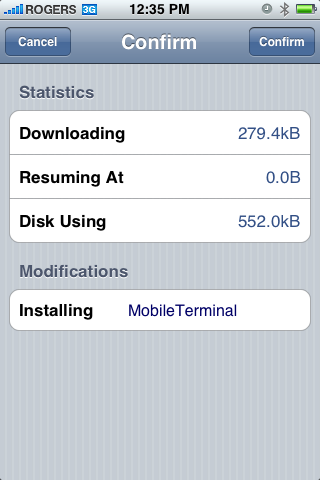
Step Seven
Once the installation has completed successfully press the large Return to Cydia or Close Window button.
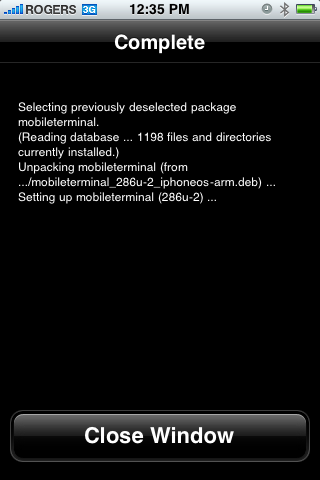
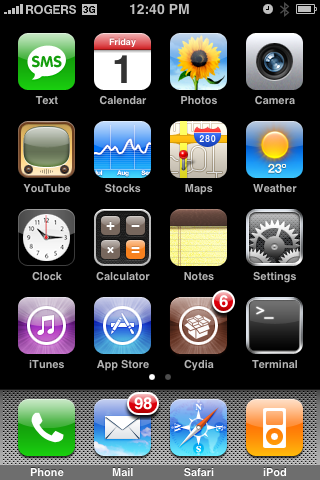
Step Eight
Press the Home button to return to your Springboard. Notice the new MobileTerminal icon. Press to launch it!
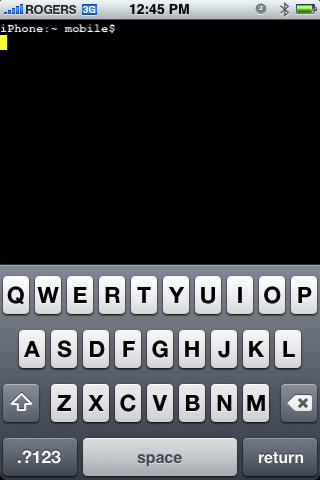
To follow these steps you will need to have already jailbroken your iPhone or iPod touch.
Step One
Press to launch Cydia from your iPhone's Springboard.
Step Two
Once Cydia opens press to select the Sections tab at the bottom of the screen.
Step Three
Press to select Terminal Support from the list of Sections.
Step Four
Press to select MobileTerminal from the list of Packages available.
Step Five
Press the Install button at the top right of the screen.
Step Six
Press the Confirm button to begin installation.
Step Seven
Once the installation has completed successfully press the large Return to Cydia or Close Window button.
Step Eight
Press the Home button to return to your Springboard. Notice the new MobileTerminal icon. Press to launch it!


![Boot Speed Test: iPhone Duo vs iPhone 18 Pro Max [Video]](/images/news/103104/103104/103104-160.jpg "Boot Speed Test: iPhone Duo vs iPhone 18 Pro Max [Video]")



![How To Turn Off iPhone [Video]](/images/tutorials/94999/94999/94999-160.jpg "How To Turn Off iPhone [Video]")
![How To Back Up Your iPhone to an External Drive on Mac [Video]](/images/tutorials/72786/72786/72786-160.jpg "How To Back Up Your iPhone to an External Drive on Mac [Video]")

![How To Find Your IP Address on iPhone [Video]](/images/tutorials/496/496/496-160.jpg "How To Find Your IP Address on iPhone [Video]")


![Beats Headphones, Earbuds, and Pill Speaker Are Up to 41% Off [Deal]](/images/news/103026/103026/103026-160.jpg "Beats Headphones, Earbuds, and Pill Speaker Are Up to 41% Off [Deal]")

![New Fire TV Stick 4K Drops to $29.99 (50% Off) [Deal]](/images/news/102984/102984/102984-160.jpg "New Fire TV Stick 4K Drops to $29.99 (50% Off) [Deal]")
![Apple's iPhone 18 Pro and Pro Max Cases Are Up to 37% Off [Deal]](/images/news/102978/102978/102978-160.jpg "Apple's iPhone 18 Pro and Pro Max Cases Are Up to 37% Off [Deal]")
