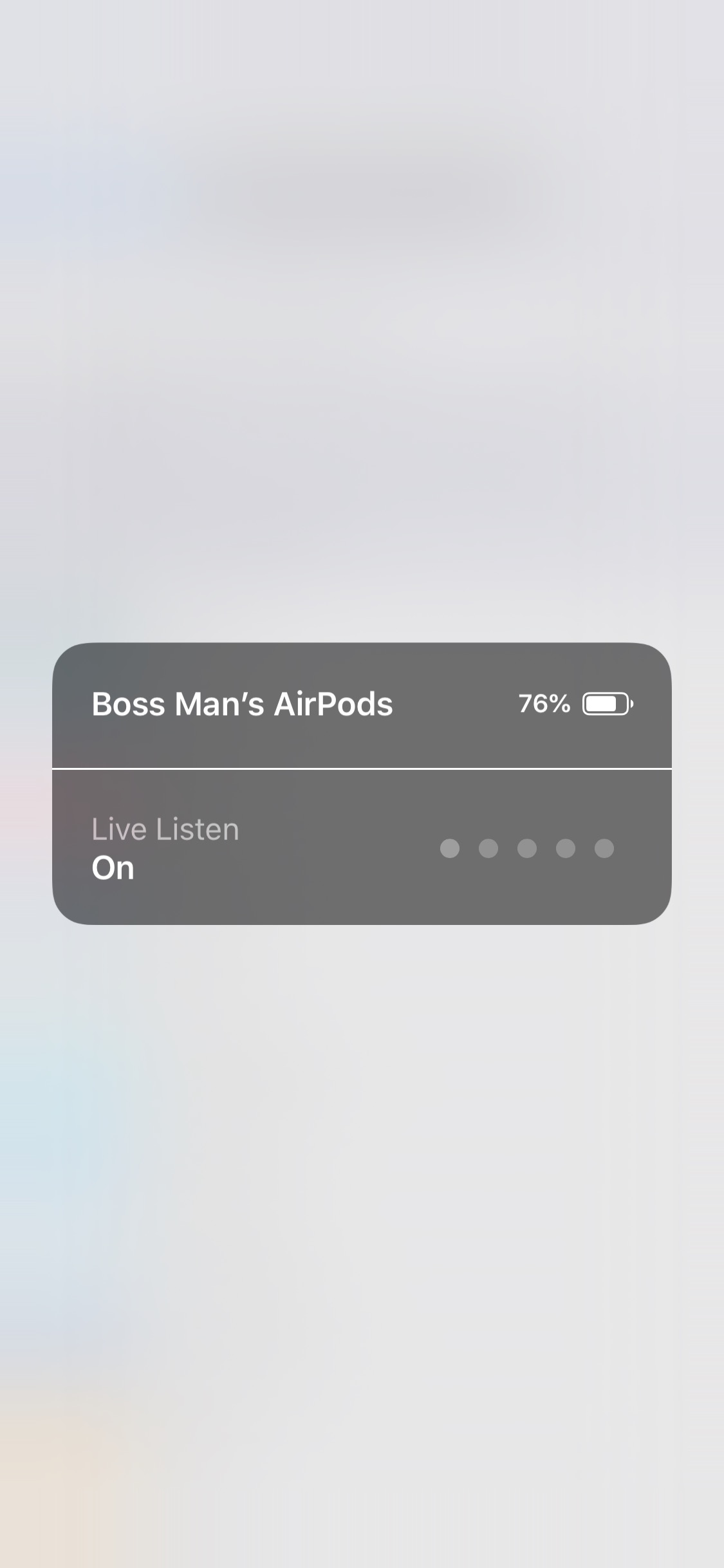
Apple has introduced the ability to 'Live Listen' to your iPhone's microphone using AirPods in iOS 12 beta.
Previously, Live Listen only worked with Made for iPhone hearing aids. The added ability to work with AirPods will open up the feature to many more users.
With Live Listen, your iPhone, iPad, or iPod touch becomes a remote microphone that sends sound to your Made for iPhone hearing aid. Live Listen can help you hear a conversation in a noisy room or hear someone speaking across the room.
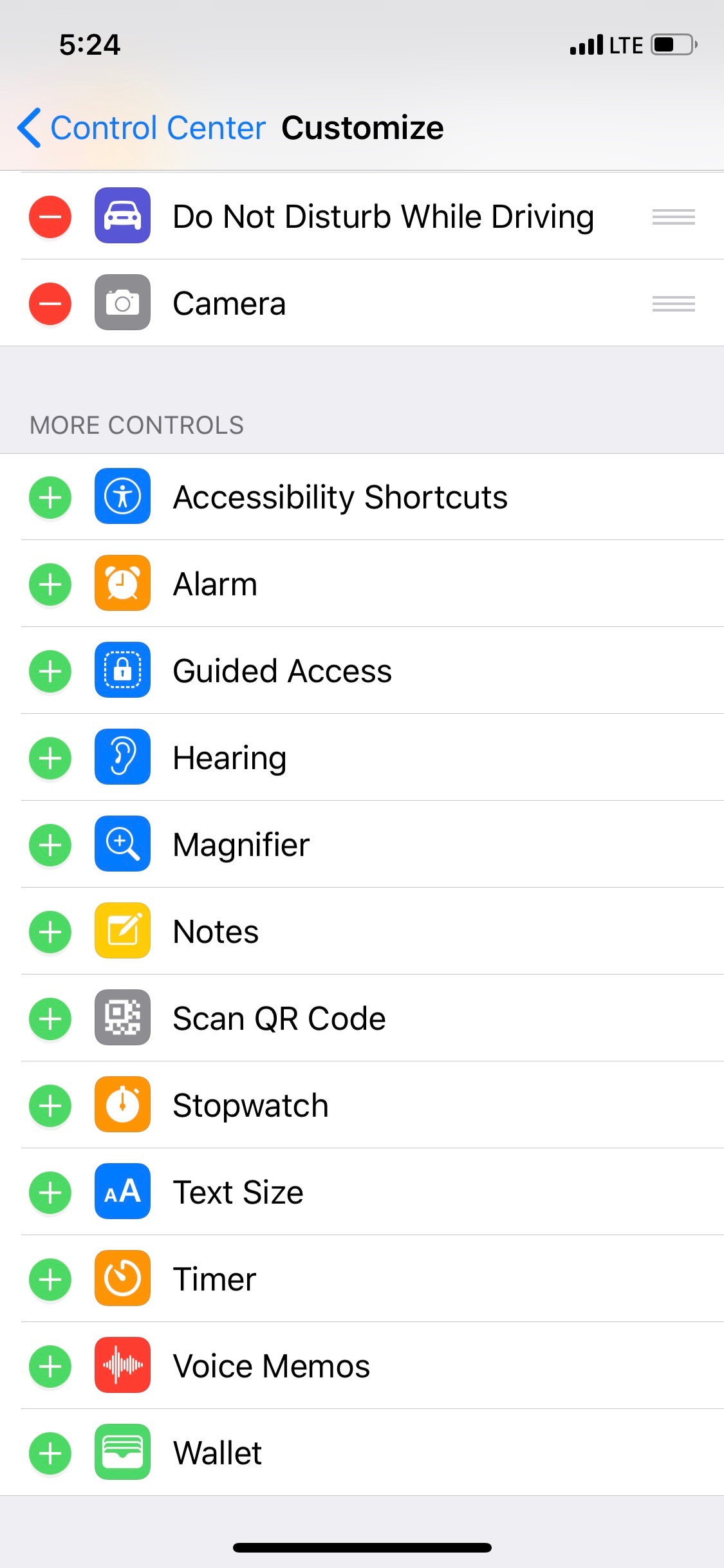
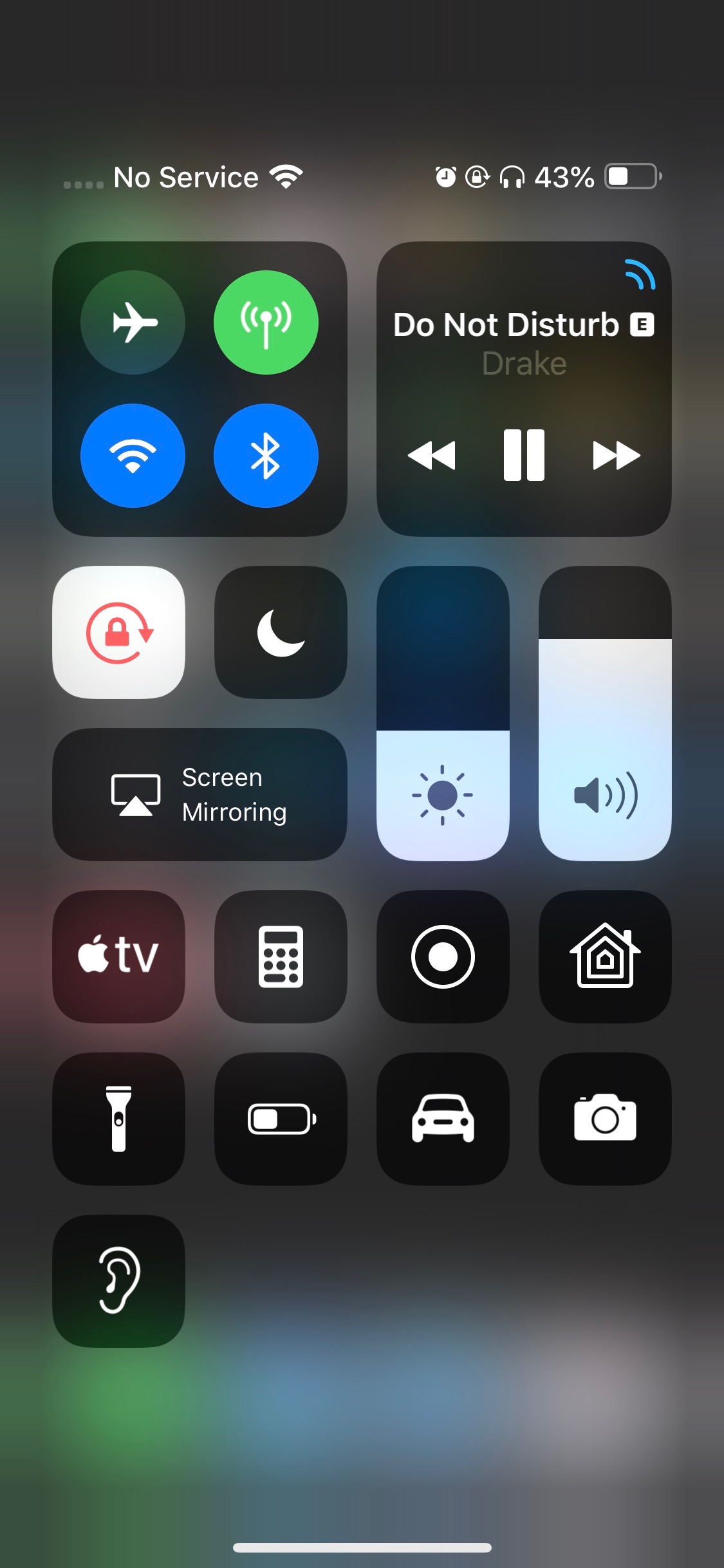
To easily turn on the feature you can add the Hearing toggle to Control Center then simply connect your AirPods, open Control Center and tap the hearing aid icon.
Please follow iClarified on X, Facebook, or RSS for updates.
Get the iClarified Daily Newsletter
Apple news, rumors, tutorials, price drop alerts, in your inbox every evening, free.
Unsubscribe at any time.
Success!
You have been subscribed.
Add Comment
Would you like to be notified when someone replies or adds a new comment?
Yes (All Threads)
Yes (This Thread Only)
No
Notifications
Would you like to be notified when we post a new Apple news article or tutorial?
Yes
No
Comments (1)
Comments are closed for this article.
0
mcneillmuk - June 17, 2018 at 12:46pm
doesn’t work on the iPhone X on IOS 12 yet but hopefully will sort it on next update






![How To Back Up Your iPhone to an External Drive on Mac [Video]](/images/tutorials/72786/72786/72786-160.jpg "How To Back Up Your iPhone to an External Drive on Mac [Video]")
![How To Sideload Apps Onto Your iPhone Using Xcode [Video]](/images/tutorials/52314/52314/52314-160.jpg "How To Sideload Apps Onto Your iPhone Using Xcode [Video]")
![How To Find Your IP Address on iPhone [Video]](/images/tutorials/496/496/496-160.jpg "How To Find Your IP Address on iPhone [Video]")


![M5 MacBook Air Up to $200 Off, 13-Inch From $1,099.99 [Deal]](/images/news/103233/103233/103233-160.jpg "M5 MacBook Air Up to $200 Off, 13-Inch From $1,099.99 [Deal]")
![Apple Watch Ultra 4 Drops Back to All-Time Low of $699.99 ($99 Off) [Deal]](/images/news/103218/103218/103218-160.jpg "Apple Watch Ultra 4 Drops Back to All-Time Low of $699.99 ($99 Off) [Deal]")
![AirTag 2 4-Pack Hits All-Time Low of $69.99 ($29 Off) [Deal]](/images/news/103203/103203/103203-160.jpg "AirTag 2 4-Pack Hits All-Time Low of $69.99 ($29 Off) [Deal]")

![Beats Headphones, Earbuds, and Pill Speaker Are Up to 41% Off [Deal]](/images/news/103026/103026/103026-160.jpg "Beats Headphones, Earbuds, and Pill Speaker Are Up to 41% Off [Deal]")
