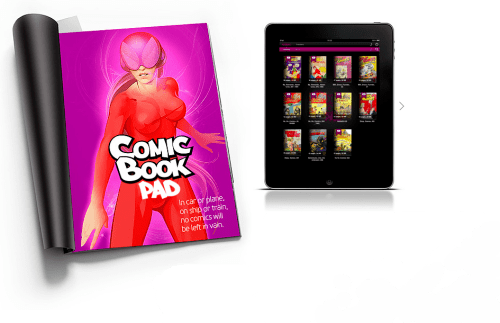
Developica has introduced ComicBookPad 1.0 exclusively for iPad, their full-featured comic book reader that allows simultaneous reader functionality and iTunes playback in iOS 3.2 or later. The app operates so as to permit this multitasking despite the present lack of an iPad compatible version of iOS 4. The iPad optimized reader includes: real-time display and zoom, thumbnails of every page, a file library with stacks, no-lag page turning, and .cbr, .cbz, .rar, and .zip file import capability.
Reading comic books on ComicBookPad is completely glitch-free, with no choppy images, sluggishness, or lags. At launch, the selected book is loaded into cache memory, facilitating very fast, smooth operation. The user can flip through pages as quickly as desired, and may gain random access to any page using the page thumbnail display that can be activated at the bottom or the screen. The app functions in either portrait or landscape orientation, but since only one page may be displayed, most users will opt for portrait mode.
The iPad display is ideal for viewing comic books. The colors are vivid, there is a wide dynamic range between whites and blacks, and the light emitting display gives the images greater realism than printed inks on inexpensive paper. eComicbooks for which no digital originals exist (approximately pre-1985) are usually just scans of the original printed version. These lack the clarity and power of original digital artwork, but the user can easily zoom in on scanned books which automatically increases their impact and realism.
Feature Highlights: * ComicBookPad 1.0 turns the iPad into a perfect comic book reader * The app accommodates all major comic book file formats including: .cbr, .cbz, .rar, and .zip * Download eComicbooks to a computer, and then easily upload to ComicBookPad on iPad * Easily zoom in and out with iPad optimized graphical display * Designed to run smoothly with no lag or broken images * Listen to iTunes while ComicBookPad is running - multitasking without iOS 4 * Page slider shows thumbnail view of every page for random access to any page * Fully searchable library, and file groups * Integrated music player controls, playlists, and search
ComicBookPad 1.0 is designed to allow both the reader and iTunes player apps to run simultaneously. Multitasking, available in iOS 4 and later, is not yet available for the iPad, making ComicBookPad one of the few comic book readers that permits the user to enjoy some tunes while following the exploits of their favorite superhero. The app also supports bookmarking, which allows the user to return to where they may have left off reading. Comic book files can be grouped into stacks which appear in the app's library. In addition, the user can set the last file opened to re-open on launch. File transfer from computer to iPad is fast and easy using the USB connection provided by the 30 pin docking cable.
"There are quite a few comic book readers for iOS," commented the founder Radi Danchev. "But none have both full iPad optimization, and iTunes plus reader capability."
Pricing and Availability: ComicBookPad 1.0 is $8.99 (USD) and available worldwide exclusively through the App Store in the Books category. Review copies are available upon request.




![Apple Releases iOS 26.4.1 and iPadOS 26.4.1 With Bug Fixes [Download]](/images/news/100492/100492/100492-160.jpg "Apple Releases iOS 26.4.1 and iPadOS 26.4.1 With Bug Fixes [Download]")

![Apple TV Debuts 'Criminal Record' Season 2 Trailer [Video]](/images/news/100488/100488/100488-160.jpg "Apple TV Debuts 'Criminal Record' Season 2 Trailer [Video]")






![13-inch MacBook Air M5 Drops to $949 in New All-Time Low [Deal]](/images/news/100466/100466/100466-160.jpg "13-inch MacBook Air M5 Drops to $949 in New All-Time Low [Deal]")




