

If your M4 iMac still feels quick, the M6 gives you little reason to replace it. You get the same size screen, the same camera, and the same starting storage. The biggest improvements are in work that pushes the processor or SSD.
Buying an iMac for the first time is a different decision. The M6 brings faster processing, storage, and networking. At today's modest M4 discounts, it's the more appealing purchase.
The Screen and Camera Are Familiar
You'll spend every day looking at the same size and resolution of screen whichever generation you choose. Both have a 24-inch 4.5K Retina display, measuring 23.5 inches diagonally, with 500 nits of brightness, P3 color, and True Tone. The M6 does not give you more room for windows or a sharper picture.
Both generations also have a 12MP Center Stage camera with Desk View, a three-microphone array, and a six-speaker sound system.
Nano-texture glass remains an extra-cost option on the four-port iMac in either generation. Moving from a standard-glass M4 to a nano-texture M6 would change how the screen handles reflections, but you're paying for that finish separately.
Where the M6 Could Save You Time
Apple says the M6 iMac is up to 1.5 times faster in Excel, up to twice as fast in graphics work such as Affinity, and up to five times faster at processing prompts in LM Studio than the M4. Those are the most compelling reasons to upgrade if similar work regularly leaves you waiting.
The five-times figure comes from a local AI test, not a general speed comparison. Apple tested a 12-core M6 against a 10-core M4, both with 32GB of memory and 2TB SSDs, using a 14-billion-parameter model and an 8K-token prompt. Your apps, projects, and chosen configuration will determine how much time you actually save.
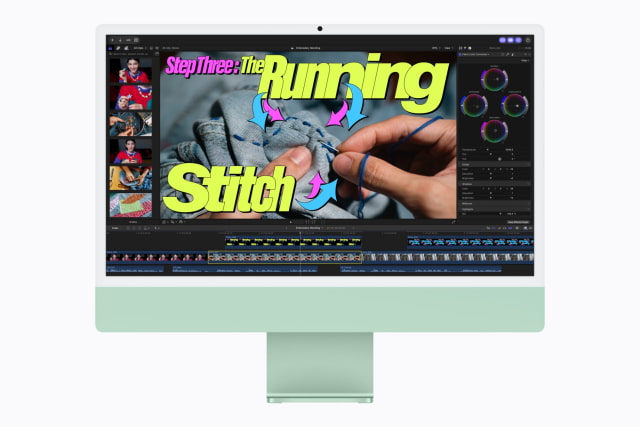
There are two versions of each generation. The two-port M4 has an eight-core CPU and GPU; the four-port model has 10 of each. M6 raises those counts to 10 and 12 respectively, introduces its newer CPU architecture, and replaces the M4's 16-core Neural Engine with dual 16-core Neural Engines.
Faster Storage, but No Extra Space Included
Apple claims up to twice the SSD read and write speeds of the M4 generation. Faster storage can help when loading or transferring large files, though an external drive or network connection can still limit a transfer.
Both generations continue to start with 16GB of memory and a 256GB SSD. The two-port versions top out at 24GB of memory and 1TB of storage; the four-port versions go to 32GB and 2TB. If your M4's main problem is a full drive, another base-model iMac would give you the same amount of space.
Better Networking, the Same Port Choice
The M6 adds Wi-Fi 7 and Bluetooth 6, replacing the M4's Wi-Fi 6E and Bluetooth 5.3. Wired Ethernet rises from Gigabit to 2.5Gb. It's included with each generation's four-port model and optional on the two-port version.
The faster wired connection can help with large files on a compatible local network. Wi-Fi 7 needs a compatible router to deliver its full benefits, and neither upgrade makes a slower internet plan faster.
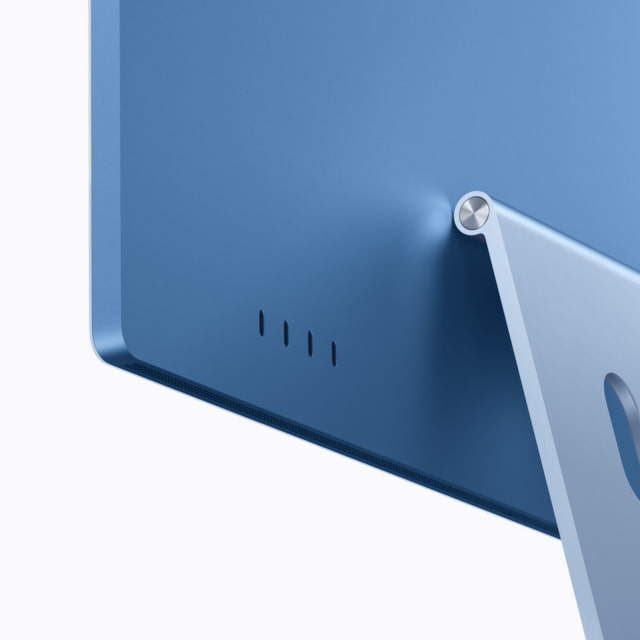
You still choose between two and four Thunderbolt 4 ports. The two-port iMac supports one external display; the four-port version supports two 6K displays at 60Hz or one 8K display at 60Hz, alongside its built-in screen. Those maximum display counts are the same on M4 and M6.
A Touch ID keyboard is included with the four-port model in both generations and optional on the base version. Our 10-core vs. 12-core M6 iMac guide goes through the reasons to spend the extra $200 on the higher-end model.
You Don't Need M6 for Apple Intelligence
The M4 iMac already supports Apple Intelligence. Both generations can run macOS 27, so a new Siri or other compatible software feature is not, by itself, a reason to replace the computer. The M6's extra processing power is a separate benefit for supported workloads.
How Much Cheaper Is an M4 Now?
The new M6 iMac starts at $1,499 for the two-port model and $1,699 for the four-port version. Those match the outgoing M4 models' revised retail prices. Pre-orders begin October 28, with availability from November 6.
At our October 27 price check, the silver two-port M4 with 16GB/256GB was $1,399, a $100 saving over the equivalent new M6. The silver four-port M4 with 16GB/256GB was $1,649, just $50 less than its replacement.
We'd pay those differences for the M6. A larger clearance discount could make an M4 worthwhile, particularly if it buys you more memory or storage for the same money.
M4 vs. M6 iMac Specifications
| Feature | M4 iMac | M6 iMac |
|---|---|---|
| US retail baseline | 2-port: $1,499; 4-port: $1,699 | 2-port: $1,499; 4-port: $1,699 |
| CPU | 2-port: 8 cores; 4-port: 10 cores | 2-port: 10 cores; 4-port: 12 cores |
| GPU | 2-port: 8 cores; 4-port: 10 cores | 2-port: 10 cores; 4-port: 12 cores |
| Neural Engine | 16-core | Dual 16-core |
| Memory bandwidth | 120GB/s | Up to 170GB/s |
| Starting memory / SSD | 16GB memory; 256GB SSD | 16GB memory; 256GB SSD |
| Memory choices | 2-port: 16/24GB; 4-port: 16/24/32GB | 2-port: 16/24GB; 4-port: 16/24/32GB |
| SSD capacity limit | 2-port: up to 1TB; 4-port: up to 2TB | 2-port: up to 1TB; 4-port: up to 2TB |
| Built-in display | 24-inch 4.5K; 23.5-inch actual diagonal | 24-inch 4.5K; 23.5-inch actual diagonal |
| Resolution / density | 4480 × 2520; 218 ppi | 4480 × 2520; 218 ppi |
| Brightness | 500 nits | 500 nits |
| Display glass | Nano-texture optional on 4-port only | Nano-texture optional on 4-port only |
| Camera | 12MP Center Stage; Desk View | 12MP Center Stage; Desk View |
| Audio | Six speakers; three-mic array | Six speakers; three-mic array |
| Thunderbolt | Two or four Thunderbolt 4 ports | Two or four Thunderbolt 4 ports |
| External displays | 2-port: one 6K/60Hz; 4-port: two 6K/60Hz or one 8K/60Hz | 2-port: one 6K/60Hz; 4-port: two 6K/60Hz or one 8K/60Hz |
| Ethernet | 1Gb: optional on 2-port; included on 4-port | 2.5Gb: optional on 2-port; included on 4-port |
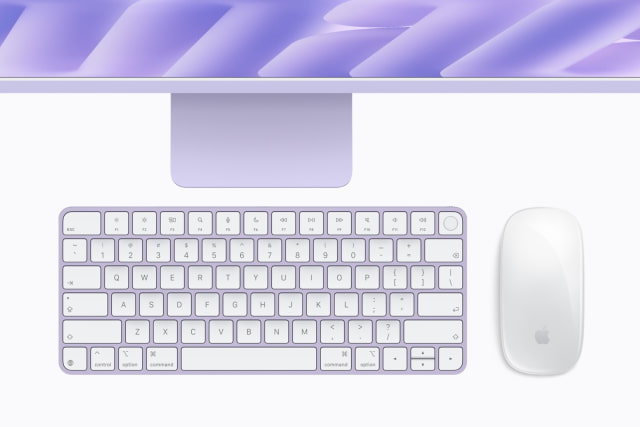
| Keyboard and mouse | 2-port: Touch ID optional; 4-port: included | 2-port: Touch ID optional; 4-port: included |
| Wireless | Wi-Fi 6E; Bluetooth 5.3 | Wi-Fi 7; Bluetooth 6; Thread |
| Dimensions / stand | 54.7 × 46.1 cm; 14.7cm stand depth | 54.7 × 46.1 cm; 14.7cm stand depth |
| Weight | 2-port: 4.42kg; 4-port: 4.44kg | 2-port: 4.42kg; 4-port: 4.44kg |
Should You Upgrade?
For most M4 owners, we'd sit this one out. The display, camera, speakers, and capacity options are already very similar, and replacing the whole computer is an expensive way to improve everyday tasks that already feel quick.
The exception is an M4 that regularly holds up paid work or demanding creative projects. The M6's processor and storage gains could justify the move, provided they show up in the apps you use.
For a new purchase, the M6 iMac is our pick at the prices above. The remaining M4 models need a more substantial discount to be the better deal. Check the iClarified Mac Price Tracker for current prices and availability across tracked retailers.


![Apple Shares Two New Apple Watch Stories on Heart Alerts and Fitness [Video]](/images/news/103146/103146/103146-160.jpg "Apple Shares Two New Apple Watch Stories on Heart Alerts and Fitness [Video]")
![OLED Touchscreen MacBook Pro Could Start at $2,899 [Report]](/images/news/103143/103143/103143-160.jpg "OLED Touchscreen MacBook Pro Could Start at $2,899 [Report]")

![How To Turn Off iPhone [Video]](/images/tutorials/94999/94999/94999-160.jpg "How To Turn Off iPhone [Video]")
![How To Back Up Your iPhone to an External Drive on Mac [Video]](/images/tutorials/72786/72786/72786-160.jpg "How To Back Up Your iPhone to an External Drive on Mac [Video]")

![How To Find Your IP Address on iPhone [Video]](/images/tutorials/496/496/496-160.jpg "How To Find Your IP Address on iPhone [Video]")


![Beats Headphones, Earbuds, and Pill Speaker Are Up to 41% Off [Deal]](/images/news/103026/103026/103026-160.jpg "Beats Headphones, Earbuds, and Pill Speaker Are Up to 41% Off [Deal]")

![New Fire TV Stick 4K Drops to $29.99 (50% Off) [Deal]](/images/news/102984/102984/102984-160.jpg "New Fire TV Stick 4K Drops to $29.99 (50% Off) [Deal]")
![Apple's iPhone 18 Pro and Pro Max Cases Are Up to 37% Off [Deal]](/images/news/102978/102978/102978-160.jpg "Apple's iPhone 18 Pro and Pro Max Cases Are Up to 37% Off [Deal]")
