

HomePod Speakers for Your Mac: What's New and Which Models Work
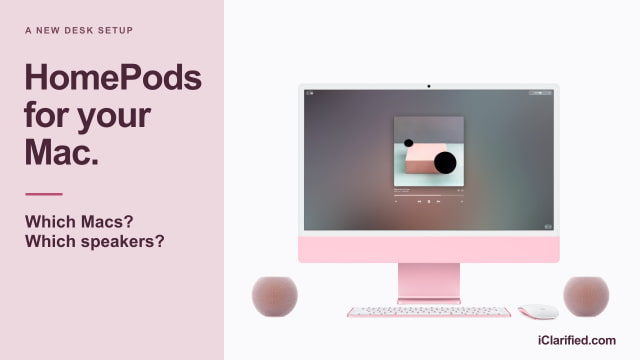
If you already own a second-generation HomePod, you may not need to buy speakers for your Mac. HomePod software 27.2 adds a persistent AirPlay connection for everyday Mac audio, using either one speaker or a stereo pair.
The upcoming HomePod mini 2 supports the same feature and reaches stores on October 30. Both options require a Mac with Wi-Fi 6E or later, so some older Apple silicon models miss out.
What's New With the Mac Connection?
HomePods have long accepted audio from a Mac through AirPlay. With the new connection, a supported HomePod or stereo pair becomes the Mac's default audio output, and Apple describes the link as more responsive and persistent. It's intended to handle games and video calls as well as music and movies.

Which HomePods Work?
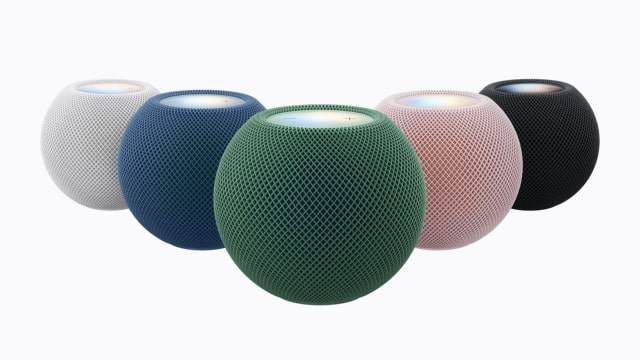
The new connection works with HomePod mini 2 and HomePod (2nd generation). A stereo pair must contain two speakers of the same model and generation: two mini 2s or two full-size HomePod 2s. You can't pair one of each for left and right audio.
Original HomePod minis and first-generation full-size HomePods retain their existing AirPlay functionality but don't support the new connection. If you only send music to an original mini occasionally, there's no need to replace it for that job.
Check Your Mac's Wi-Fi Generation
Your Mac needs Wi-Fi 6E or newer hardware. Apple's current compatibility list includes:
- MacBook Pro introduced in 2023 or later
- MacBook Air with M3 or later
- MacBook Neo
- iMac introduced in 2023 or later
- Mac mini introduced in 2023 or later
- Mac Studio introduced in 2023 or later
- Mac Pro introduced in 2023 or later
The dates refer to when a model was introduced, not when you bought it. Check your model against Apple's Wi-Fi compatibility list if you're unsure.
Update your HomePod to software 27.2 or later and keep your Mac's software current. Then open System Settings > Sound > Output on the Mac and select the HomePod or stereo pair. You'll also need a compatible iPhone or iPad for the HomePod's initial setup.
One Speaker or Two?
A single $149 HomePod mini 2 is the less expensive option for a small desk. Two cost $298 at Apple's U.S. retail prices and give you separate left and right channels, with one speaker on either side of the display. Pre-orders are open ahead of the October 30 launch.
HomePod 2 costs $349 each at Apple, or $698 for a pair. The full-size model has a 4-inch woofer and five tweeters, compared with the mini 2's full-range driver and passive radiators. It's about twice as tall and considerably wider, so a pair needs more space beside the display.
Gaming, Calls, and Siri AI
For recording or precise audio monitoring, we'd keep a wired setup. Apple hasn't published a latency figure for the new connection, so gamers who are sensitive to audio delay should wait for measured tests before replacing speakers they already like.
For video calls, plan to keep using your Mac's microphone or an external mic; Apple documents the HomePod connection as sound output. The Mac supports one HomePod or a stereo pair. Apple's new four-HomePod surround setup instead requires a fourth-generation Apple TV 4K.
Siri AI on HomePod mini 2 is still coming in a later software update. Enabling it requires the home owner to have an Apple Intelligence-compatible iPhone or iPad with Siri AI turned on. That is separate from the Mac speaker feature, which doesn't require you to wait for Siri AI.
Speaker Sizes and Apple Retail Prices
| Feature | HomePod mini 2 | HomePod 2 |
|---|---|---|
| One speaker | $149 | $349 |
| Stereo pair | $298 | $698 |
| Height | 84.3mm | 168mm |
| Width | 97.9mm | 142mm |
| Weight | 335g | 2.3kg |
| Speaker hardware | Full-range driver; two passive radiators | 4-inch woofer; five tweeters |
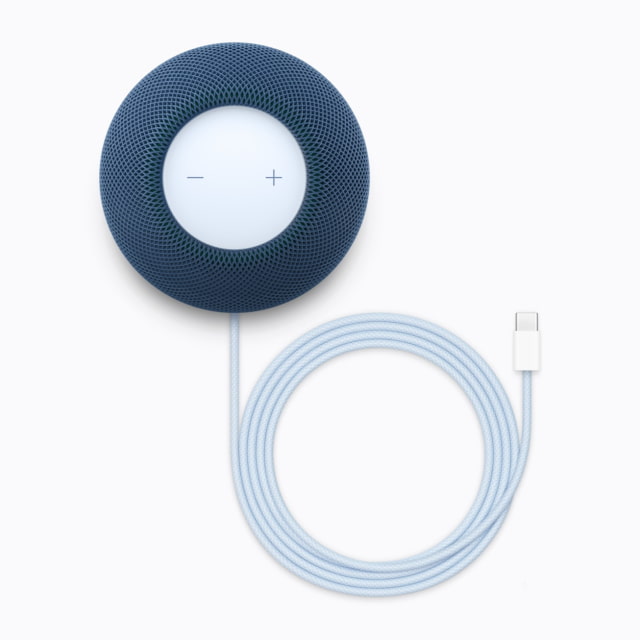
| Power | 20W adapter included | Power cable included |
| Speaker Wi-Fi | Wi-Fi 6E | 802.11n Wi-Fi |
| Compatible Mac | Mac with Wi-Fi 6E or later | Mac with Wi-Fi 6E or later |
| Stereo pairing | Two mini 2 speakers | Two HomePod 2 speakers |
The audio is wireless, but each speaker still needs its own power connection.
Is It Worth Buying Speakers for Your Mac?
Start with the HomePod 2 you already own, if you have one and a compatible Mac. The software update gives you a reason to try it on your desk without buying anything. For a new stereo setup, we'd lean toward two mini 2s: they take up less desk space and cost $400 less than a full-size pair at Apple's retail prices.
HomePods make the most sense when you want desk speakers that also play music independently when the Mac is off. If you're happy with wired speakers and don't need those extra uses, this update alone isn't a reason to replace them.
Compare current offers for HomePod mini 2 and HomePod 2 in midnight or white, or browse the iClarified Home Price Tracker for pricing and availability across tracked retailers.

![Google Unveils Genie 4 With Interactive AI Worlds and Real-Time Audio [Video]](/images/news/103125/103125/103125-160.jpg "Google Unveils Genie 4 With Interactive AI Worlds and Real-Time Audio [Video]")

![Apple Shares New Ad for 14-Inch MacBook Pro With M6 [Video]](/images/news/103119/103119/103119-160.jpg "Apple Shares New Ad for 14-Inch MacBook Pro With M6 [Video]")
![Apple Debuts 'Way of the Warrior Kid' Trailer Starring Chris Pratt [Video]](/images/news/103116/103116/103116-160.jpg "Apple Debuts 'Way of the Warrior Kid' Trailer Starring Chris Pratt [Video]")

![How To Turn Off iPhone [Video]](/images/tutorials/94999/94999/94999-160.jpg "How To Turn Off iPhone [Video]")
![How To Back Up Your iPhone to an External Drive on Mac [Video]](/images/tutorials/72786/72786/72786-160.jpg "How To Back Up Your iPhone to an External Drive on Mac [Video]")

![How To Find Your IP Address on iPhone [Video]](/images/tutorials/496/496/496-160.jpg "How To Find Your IP Address on iPhone [Video]")


![Beats Headphones, Earbuds, and Pill Speaker Are Up to 41% Off [Deal]](/images/news/103026/103026/103026-160.jpg "Beats Headphones, Earbuds, and Pill Speaker Are Up to 41% Off [Deal]")

![New Fire TV Stick 4K Drops to $29.99 (50% Off) [Deal]](/images/news/102984/102984/102984-160.jpg "New Fire TV Stick 4K Drops to $29.99 (50% Off) [Deal]")
![Apple's iPhone 18 Pro and Pro Max Cases Are Up to 37% Off [Deal]](/images/news/102978/102978/102978-160.jpg "Apple's iPhone 18 Pro and Pro Max Cases Are Up to 37% Off [Deal]")
