

Opera has introduced an early preview of WebAI, letting websites and browser extensions run AI models locally on Apple silicon Macs. The feature is available across Opera One, Opera GX, and Opera Neon, with support for compatible Windows PCs as well.
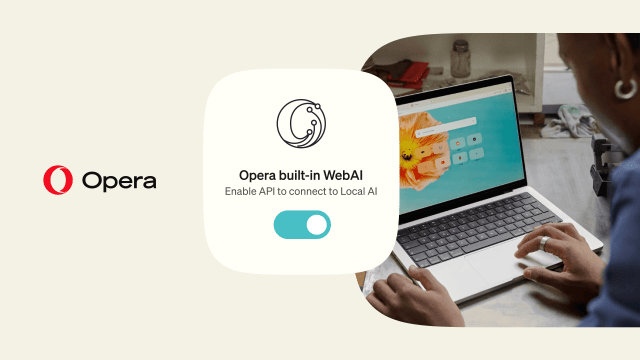
Unlike a cloud-based assistant, WebAI processes AI requests on the device rather than sending the content to an external AI provider. Developers can use it to generate text, classify information, or find relationships between passages without paying for each request to a cloud service.
The browser handles the models itself, so users do not need to install a separate AI app, configure a server, or supply an API key. Opera describes the system as model-agnostic, supporting open-weight models through its own inference engine as well as compatible local models already on the device. Its model-manager screenshot shows Google's Gemma models among the available options.
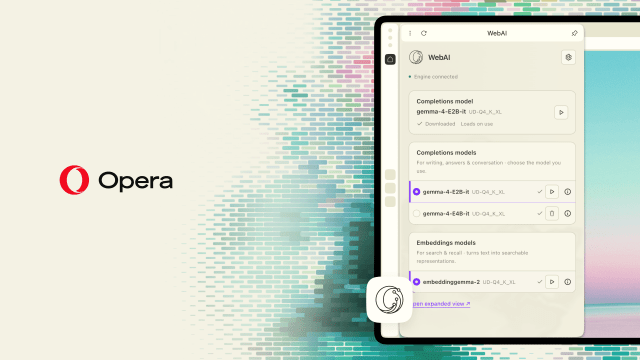
To show what developers can build, Opera has released six experimental extensions. Project Lens highlights paragraphs relevant to a project, while Got It? turns an article into a quiz. Other demos explore semantic search and creative uses of local AI. These are examples users can install, not features automatically added to every webpage.
The preview is opt-in. Users can open Settings → Opera AI and turn on "Enable Web AI API," then download a compatible model and try the WebAI playground or example extensions. No models are downloaded until the feature is enabled, and performance will depend on the computer.
On the Mac, WebAI requires Apple silicon; Intel Macs are not supported. Windows support covers 64-bit Intel and AMD systems, but not Windows on Arm. The local tools are a separate addition to Opera's existing Gemini-powered AI features, which remain part of its broader browser lineup.


![Google Unveils Genie 4 With Interactive AI Worlds and Real-Time Audio [Video]](/images/news/103125/103125/103125-160.jpg "Google Unveils Genie 4 With Interactive AI Worlds and Real-Time Audio [Video]")
![Apple Shares New Ad for 14-Inch MacBook Pro With M6 [Video]](/images/news/103119/103119/103119-160.jpg "Apple Shares New Ad for 14-Inch MacBook Pro With M6 [Video]")
![Apple Debuts 'Way of the Warrior Kid' Trailer Starring Chris Pratt [Video]](/images/news/103116/103116/103116-160.jpg "Apple Debuts 'Way of the Warrior Kid' Trailer Starring Chris Pratt [Video]")

![How To Turn Off iPhone [Video]](/images/tutorials/94999/94999/94999-160.jpg "How To Turn Off iPhone [Video]")
![How To Back Up Your iPhone to an External Drive on Mac [Video]](/images/tutorials/72786/72786/72786-160.jpg "How To Back Up Your iPhone to an External Drive on Mac [Video]")

![How To Find Your IP Address on iPhone [Video]](/images/tutorials/496/496/496-160.jpg "How To Find Your IP Address on iPhone [Video]")


![Beats Headphones, Earbuds, and Pill Speaker Are Up to 41% Off [Deal]](/images/news/103026/103026/103026-160.jpg "Beats Headphones, Earbuds, and Pill Speaker Are Up to 41% Off [Deal]")

![New Fire TV Stick 4K Drops to $29.99 (50% Off) [Deal]](/images/news/102984/102984/102984-160.jpg "New Fire TV Stick 4K Drops to $29.99 (50% Off) [Deal]")
![Apple's iPhone 18 Pro and Pro Max Cases Are Up to 37% Off [Deal]](/images/news/102978/102978/102978-160.jpg "Apple's iPhone 18 Pro and Pro Max Cases Are Up to 37% Off [Deal]")
