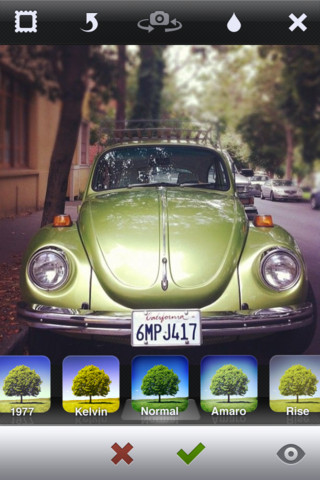
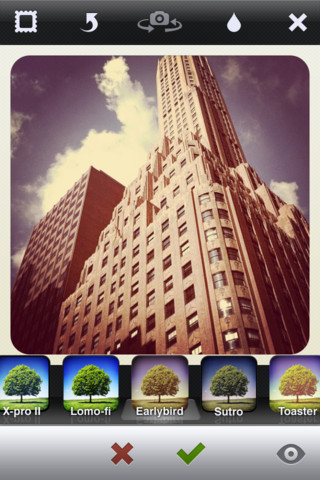
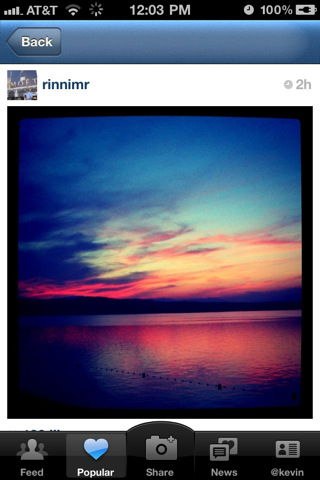
Instagram has received a major 2.0 update bringing a completely revamped Camera experience.
Pick from one of several gorgeous filtered effects or tilt-shift blur to breathe a new life into your mobile photos. Transform everyday moments into works of art you'll want to share with friends and family.
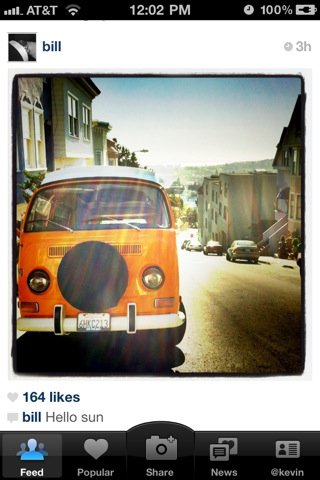
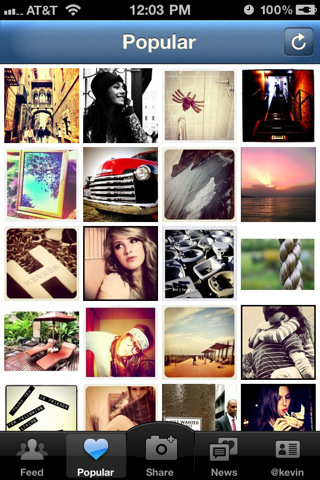
Share your photos in a simple photo stream with friends to see - and follow your friends' photos with the click of a single button. Every day you open up Instagram, you'll see new photos from your closest friends, and creative people from around the world.
Features ☆ 100% free custom designed filters and borders such as XPro-II, Earlybird, Rise, Amaro, Hudson, Lomo-fi, Sutro, Toaster, Brannan, Inkwell, Walden, Hefe, Nashville, 1977, and others. ☆ Linear and Radial Tilt-Shift blur effects for extra depth of field. ☆ Instant sharing to Facebook, Twitter, Flickr, Tumblr, Foursquare, and Posterous ☆ Unlimited uploads ☆ Interact with friends through giving & receiving likes and comments ☆ Works with first generation, 3G, 3GS and iPhone 4 ☆ Full iPhone 4 front & back camera support ☆ And much much more...
What's New In This Version: Completely revamped Camera experience (iOS 4.2.1+): - Instant live filters & live tilt-shift - 4 new filters - Turn borders on & off - Rotate photo after taking - Filtered photos save in high-resolution to photo library
Other improvements: - Better support for viewing feeds with many comments - Faster load times for feeds - New icon
You can download Instagram from the App Store for free.
Apple news, rumors, tutorials, price drop alerts, in your inbox every evening, free.
Unsubscribe at any time.
Success!
You have been subscribed.
Add Comment
Would you like to be notified when someone replies or adds a new comment?
Yes (All Threads)
Yes (This Thread Only)
No
Notifications
Would you like to be notified when we post a new Apple news article or tutorial?
Yes
No
Comments (3)
Comments are closed for this article.
0
kdv - September 20, 2011 at 9:03pm
They removed the blur control (a lot or little blur) for tilt shift effect. What a bumma because it was the best effect. They also removed the Gotham filter!
0
kloquewerk - September 20, 2011 at 9:18pm
My guess is that they'll re-add the Gotham filter because I am hearing a lot of complaints about it from other users. That's my hope, at least.
0
Oopsslipon - September 20, 2011 at 9:59pm
Actually they didnt remove a control of your tiltnshift, just after you select dot or line alike tiltnshift put 2 of your fingers on a screen just as before and edit it. Just now you cant edit how aharp or smooth it will be started from a center. Aswell you can edit it after taking a shot)))
ps sorry for my english.





![Apple Targets October 27 for Touchscreen MacBook Pro and OLED iPad mini [Report]](/images/news/102696/102696/102696-160.jpg "Apple Targets October 27 for Touchscreen MacBook Pro and OLED iPad mini [Report]")
![LG Home Accessories Could Offer HomeKit-Exclusive NFC Setup Without Power [Leak]](/images/news/102687/102687/102687-160.jpg "LG Home Accessories Could Offer HomeKit-Exclusive NFC Setup Without Power [Leak]")

![Apple Names Steve Smith M&A Chief, Promotes App Store Leader [Report]](/images/news/102690/102690/102690-160.jpg "Apple Names Steve Smith M&A Chief, Promotes App Store Leader [Report]")
![How To Force Restart iPhone [Video]](/images/tutorials/95012/95012/95012-160.jpg "How To Force Restart iPhone [Video]")
![How To Turn Off iPhone [Video]](/images/tutorials/94999/94999/94999-160.jpg "How To Turn Off iPhone [Video]")
![How To Back Up Your iPhone to an External Drive on Mac [Video]](/images/tutorials/72786/72786/72786-160.jpg "How To Back Up Your iPhone to an External Drive on Mac [Video]")




![Mac mini Drops to $779.99 for Prime Big Deal Days [Deal]](/images/news/102624/102624/102624-160.jpg "Mac mini Drops to $779.99 for Prime Big Deal Days [Deal]")