Tweetbot for Mac has been updated with a large image thumbnail option, three finger swipes support, and other improvements.
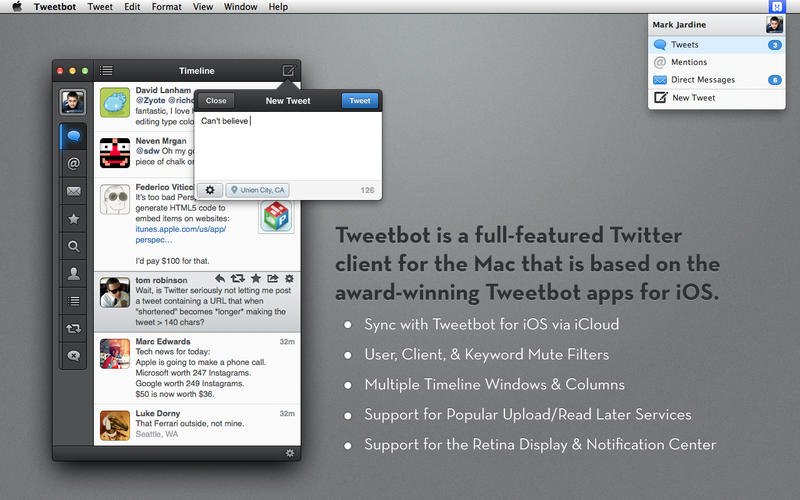
Tweetbot is a full-featured Mac OS X Twitter client with a lot of personality. Whether it’s the meticulously-crafted interface, sounds & animation, or features like multiple timelines & column views, there’s a lot to love about Tweetbot.
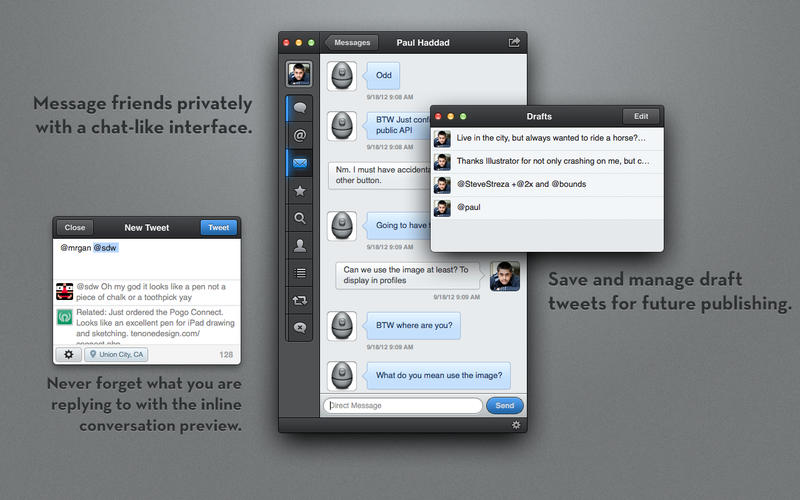
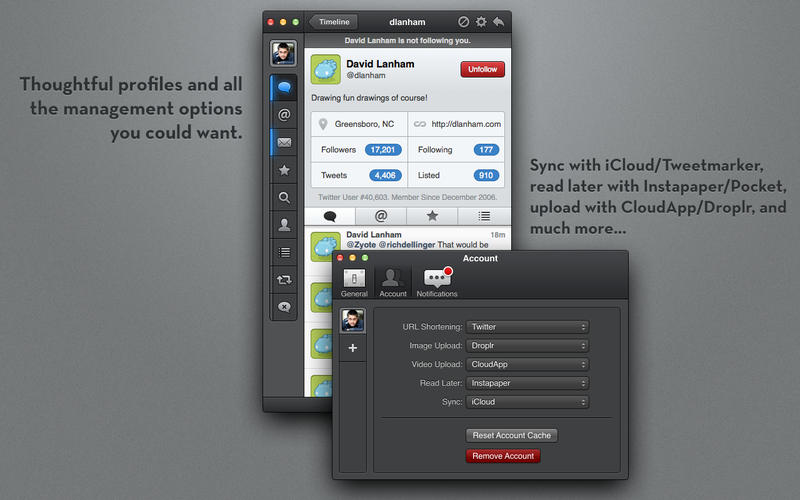
Highlights: ◆ Multiple Timelines. Quickly switch between your lists as your main timeline. ◆ Multiple Windows and Columns. Display timelines from different accounts side by side. ◆ Notification Center Support. ◆ Beautiful Retina graphics. ◆ Mute filters lets you block messages from users without unfollowing them. You can also mute hashtags and specific keywords. ◆ Sync timeline position, direct message read statuses and mute filters between your Mac, iPhone and iPad via iCloud. ◆ Support for multiple services like Pocket, Instapaper, Readability, CloudApp and Droplr. ◆ Save drafts, add locations and POI's, attach photos/videos, manage your lists, and much more.
What's New In This Version: - Large image thumbnail option (as well as an option for no thumbnail) in the display settings. - Refreshed design of image thumbnails - Three finger left/right swipes in your timeline function if trackpad settings are configured that way. - Fixed the issue where some context menus had the first option highlighted by default - Fixed layout issues when viewing tweet details
You can purchase Tweetbot for Twitter from the App Store for $19.99.
Read More
Get the iClarified Daily Newsletter
Apple news, rumors, tutorials, price drop alerts, in your inbox every evening, free.
Unsubscribe at any time.
Success!
You have been subscribed.
Add Comment
Would you like to be notified when someone replies or adds a new comment?
Yes (All Threads)
Yes (This Thread Only)
No
Notifications
Would you like to be notified when we post a new Apple news article or tutorial?



![Apple-LG Home Accessories Could Offer Dynamic Island Proximity Controls [Leak]](/images/news/102711/102711/102711-160.jpg "Apple-LG Home Accessories Could Offer Dynamic Island Proximity Controls [Leak]")




![How To Force Restart iPhone [Video]](/images/tutorials/95012/95012/95012-160.jpg "How To Force Restart iPhone [Video]")
![How To Turn Off iPhone [Video]](/images/tutorials/94999/94999/94999-160.jpg "How To Turn Off iPhone [Video]")
![How To Back Up Your iPhone to an External Drive on Mac [Video]](/images/tutorials/72786/72786/72786-160.jpg "How To Back Up Your iPhone to an External Drive on Mac [Video]")





![Mac mini Drops to $779.99 for Prime Big Deal Days [Deal]](/images/news/102624/102624/102624-160.jpg "Mac mini Drops to $779.99 for Prime Big Deal Days [Deal]")