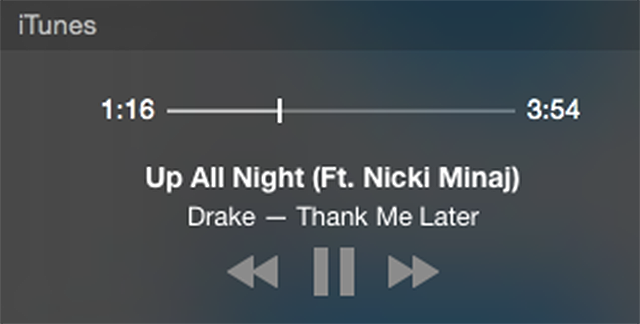
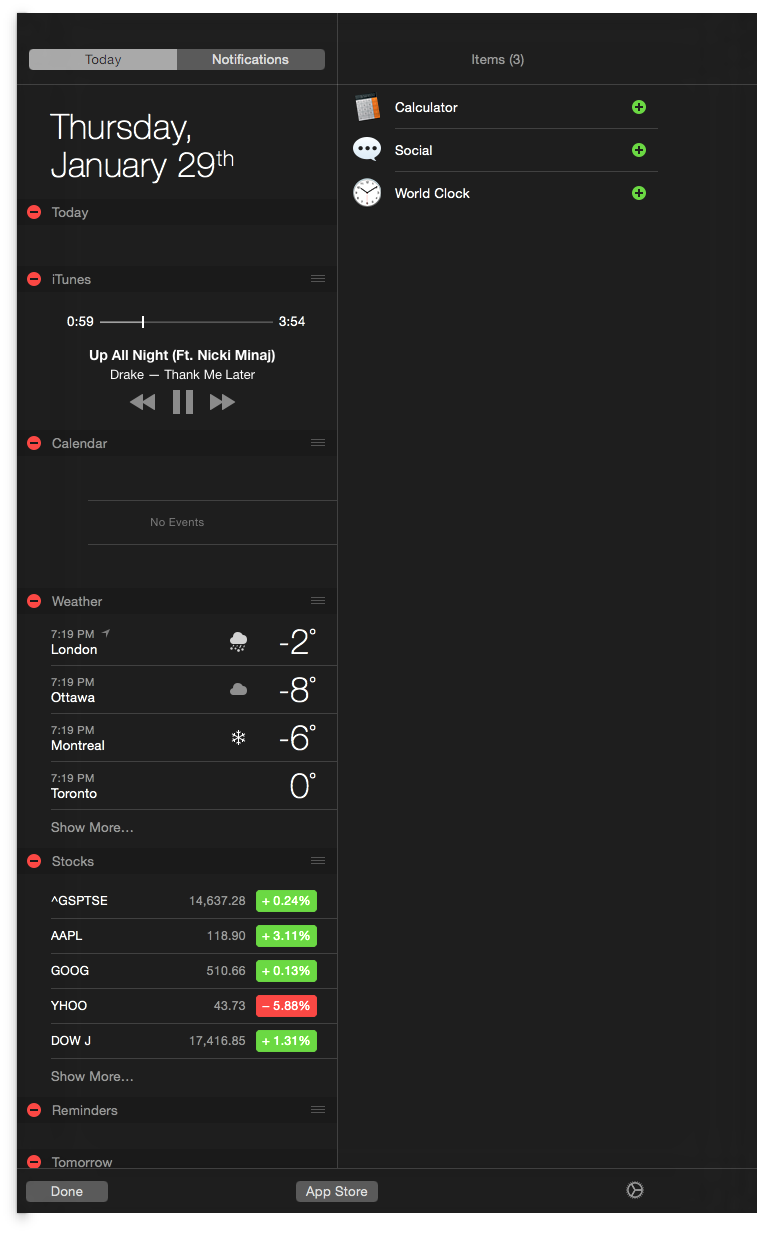
Apple has released iTunes 12.1 with a new widget for Notification Center in OS X Yosemite.
What's New In This Version: This update introduces a new iTunes widget for Notification Center in OS X Yosemite. See what's playing, skip ahead, and even buy songs while listening to iTunes Radio - right from Notification Center. This update also improves performance when syncing with your iPhone, iPad, or iPod touch.
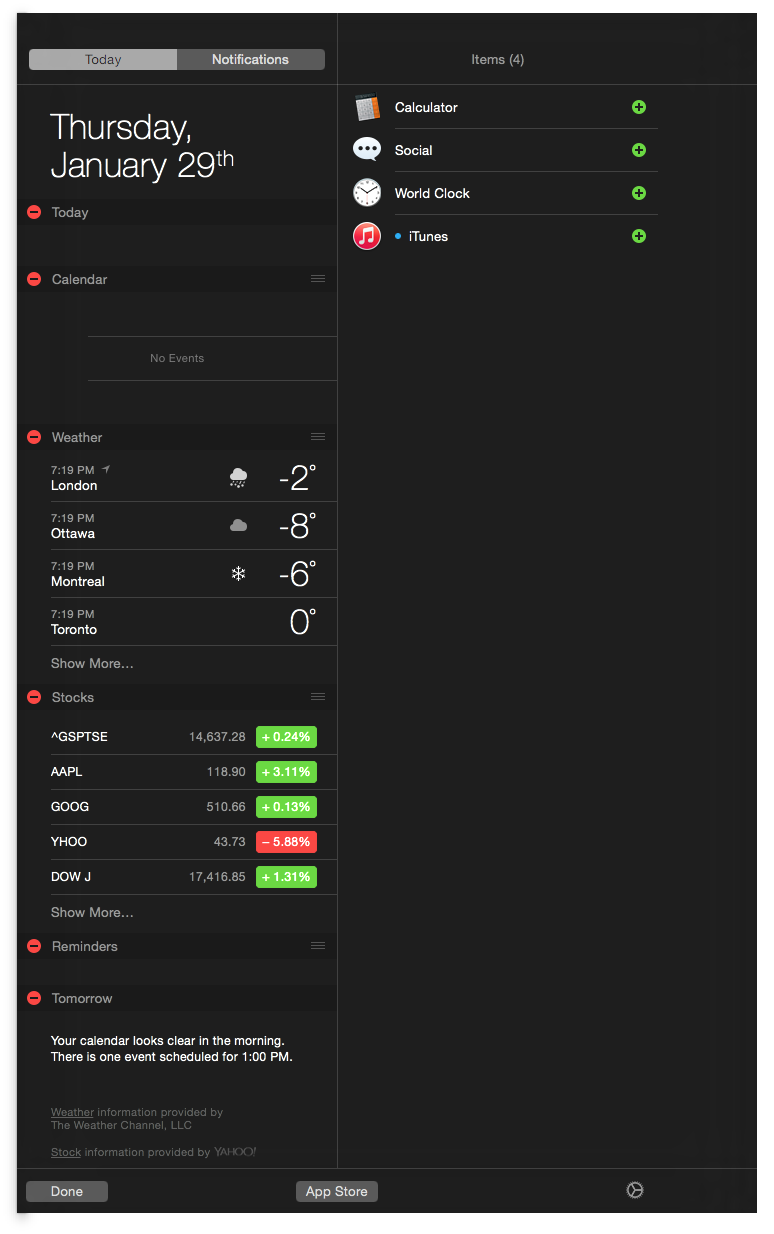
To install the update, navigate to the Updates tab of the Mac App Store. To install the widget, press the Notification Center button at the top right of your screen. Click the Edit button at the bottom of the Notification Center panel, then select the new iTunes widget from the list of available items on the right. Click Done to finalize your selections.
Please follow iClarified on X, Facebook, or RSS for updates.
Get the iClarified Daily Newsletter
Apple news, rumors, tutorials, price drop alerts, in your inbox every evening, free.
Unsubscribe at any time.
Success!
You have been subscribed.
Add Comment
Would you like to be notified when someone replies or adds a new comment?
Yes (All Threads)
Yes (This Thread Only)
No
Notifications
Would you like to be notified when we post a new Apple news article or tutorial?
Yes
No
Comments (3)
Comments are closed for this article.
0
matrixmaniac - January 30, 2015 at 7:52am
Who needs these notification widgets??
They shall bring the sidebar back. iTunes is ridiculous without it.
0
gamerscul9870 - January 30, 2015 at 11:48am
Who said anything about getting rid of features from iTunes? You can still find instructions online on how to display the sidebar in iTunes 12.





![Apple-LG Home Accessories Could Offer Dynamic Island Proximity Controls [Leak]](/images/news/102711/102711/102711-160.jpg "Apple-LG Home Accessories Could Offer Dynamic Island Proximity Controls [Leak]")



![How To Force Restart iPhone [Video]](/images/tutorials/95012/95012/95012-160.jpg "How To Force Restart iPhone [Video]")
![How To Turn Off iPhone [Video]](/images/tutorials/94999/94999/94999-160.jpg "How To Turn Off iPhone [Video]")
![How To Back Up Your iPhone to an External Drive on Mac [Video]](/images/tutorials/72786/72786/72786-160.jpg "How To Back Up Your iPhone to an External Drive on Mac [Video]")





![Mac mini Drops to $779.99 for Prime Big Deal Days [Deal]](/images/news/102624/102624/102624-160.jpg "Mac mini Drops to $779.99 for Prime Big Deal Days [Deal]")