These are instructions on how to install Telnet on your Mac. We'll be using macOS Big Sur for this tutorial but the procedure is the same for other versions of macOS.
Step One Launch Terminal from Applications > Utilities folder.
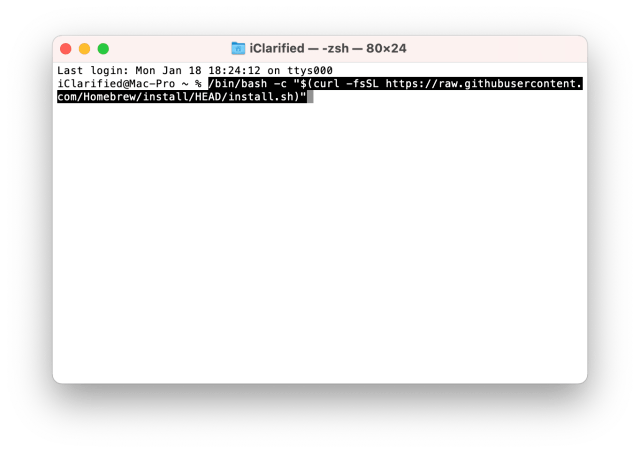
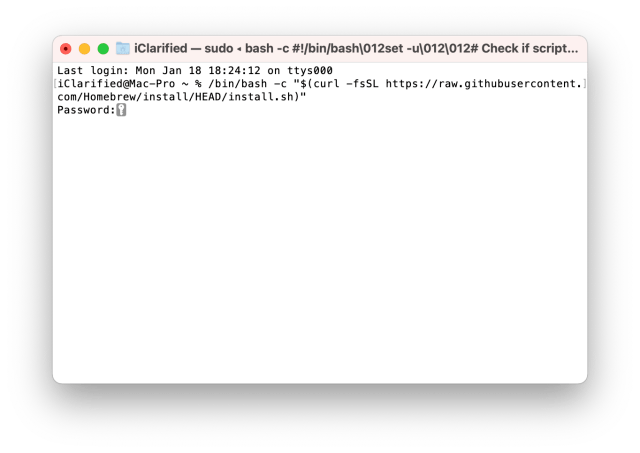
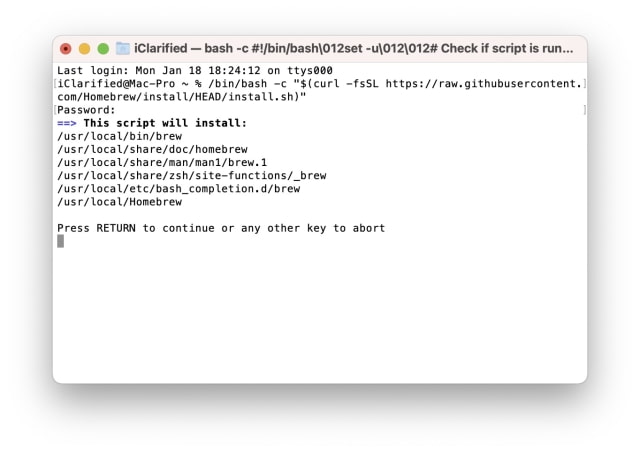
Step Two Install Homebrew by entering the following command into the Terminal window:
On a Mac with Apple silicon, Homebrew installs into /opt/homebrew and finishes by printing Next steps: commands that add Homebrew to your PATH. Run them, or Terminal answers command not found: brew in the next step. For Terminal's default shell, they are:
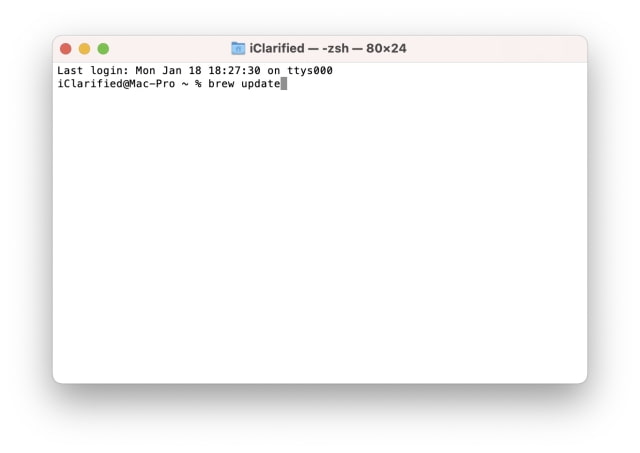
**If you already have Homebrew installed, use the command "brew update" instead. This command may take some time to run.
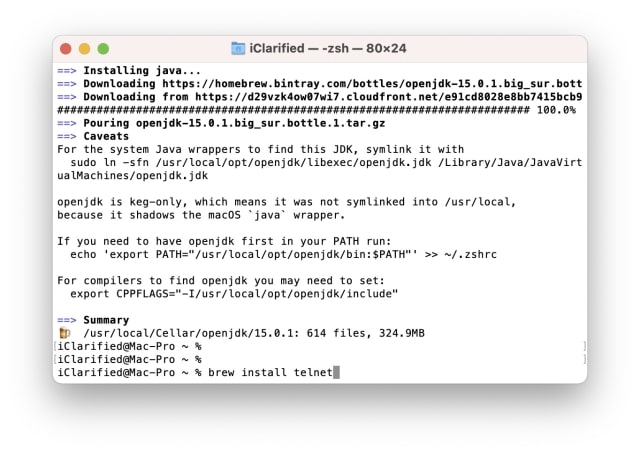
Step Three Once Homebrew is installed, you can install telnet using the following command:
brew install telnet
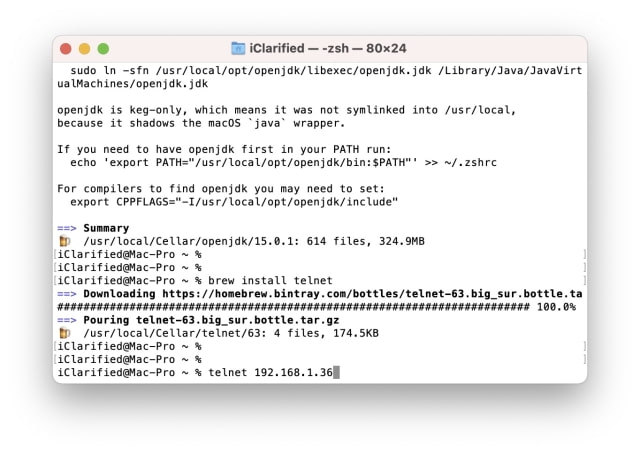
Step Four You can now use telnet directly from Terminal. For example, telnet [ip address]. More details on how use to use telnet can be found by entering man telnet.
Get the iClarified Daily Newsletter
Apple news, rumors, tutorials, price drop alerts, in your inbox every evening, free.
Unsubscribe at any time.
Success!
You have been subscribed.
Add Comment
Would you like to be notified when someone replies or adds a new comment?
Yes (All Threads)
Yes (This Thread Only)
No
Notifications
Would you like to be notified when we post a new Apple news article or tutorial?





![New Macs and OLED iPad mini Could Go on Sale November 6 [Gurman]](/images/news/102858/102858/102858-160.jpg "New Macs and OLED iPad mini Could Go on Sale November 6 [Gurman]")
![Apple Invites Media to October 28 Launch Experience in Los Angeles [Gurman]](/images/news/102852/102852/102852-160.jpg "Apple Invites Media to October 28 Launch Experience in Los Angeles [Gurman]")


![How To Forward Calls on iPhone [Video]](/images/tutorials/92926/92926/92926-160.jpg "How To Forward Calls on iPhone [Video]")
![How To Back Up Your iPhone to an External Drive on Mac [Video]](/images/tutorials/72786/72786/72786-160.jpg "How To Back Up Your iPhone to an External Drive on Mac [Video]")
![How To Install Homebrew on Mac [Video]](/images/tutorials/83695/83695/83695-160.jpg "How To Install Homebrew on Mac [Video]")


![14-Inch MacBook Pro With M5 Max Drops to $3,299 ($800 Off) [Deal]](/images/news/102828/102828/102828-160.jpg "14-Inch MacBook Pro With M5 Max Drops to $3,299 ($800 Off) [Deal]")