

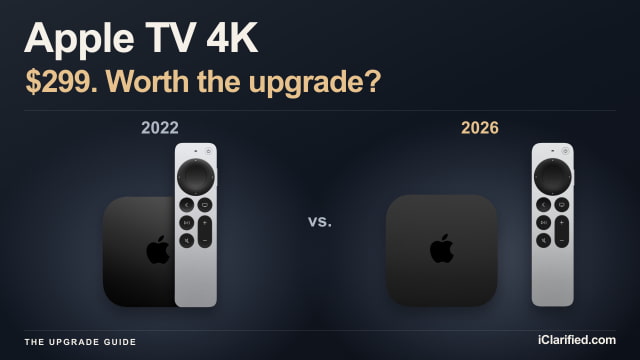
Apple's new Apple TV 4K asks you to spend $299 on a box that still streams in 4K, just like the one you bought in 2022. The appeal is what happens around that picture: hands-free Siri, four-HomePod surround sound, and a remote you can make ring when it disappears into the couch.
Those are useful additions, but the upgrade is easier to justify for a new living-room setup than for someone who simply wants to keep watching their favorite shows. Siri AI is coming to the 2022 model too, so you can try Apple's new assistant before deciding whether you need new hardware. The 2026 model is available to pre-order on Amazon.
Talking to the TV Without Finding the Remote
The biggest everyday change in the 2026 Apple TV 4K is its three built-in far-field microphones. You can ask Siri to find something to watch or control playback from across the room, without reaching for the remote. Apple says echo cancellation separates your voice from the TV's audio; how well that works in a busy living room will be worth checking in reviews.
The 2022 box relies on the Siri Remote for its own voice input. If you already use a HomePod to control your Apple TV, hands-free requests will be familiar, but the new box can listen without that extra speaker. Far-field Siri support varies by language and region.
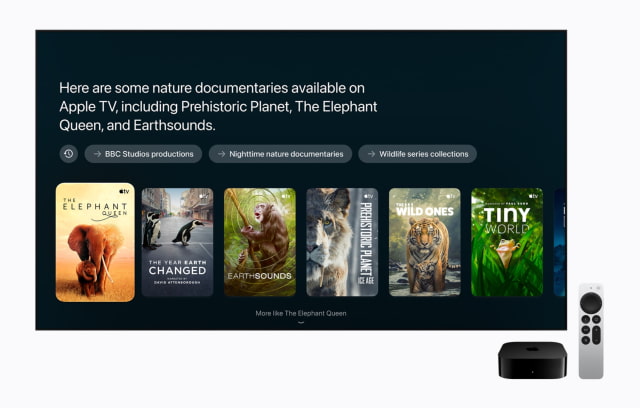
Siri AI itself is a software upgrade for Apple TV 4K models from the second generation onward, including both 2022 configurations. With tvOS 27.2, it can suggest shows conversationally, answer questions about what you're watching, and draw on personal context—for example, finding a show someone recommended in a message.
To enable Siri AI, the home owner needs an Apple Intelligence-capable iPhone or iPad with current software and Siri AI turned on in a supported language. Personal requests need a paired, compatible device as well. The beta initially supports English in the U.S., Australia, Canada, India, New Zealand, Singapore, South Africa, and the UK. Some server-based features have daily usage limits, with paid expanded access planned for later.
Four HomePods Are the Strongest Reason to Upgrade
For anyone building a home theater around Apple speakers, the fourth-generation box has a much clearer advantage. It supports four-speaker surround sound using HomePod mini 2 or second-generation HomePod speakers. Put a matching pair at the front and another matching pair behind you, and the system automatically calibrates timing and levels to their positions.
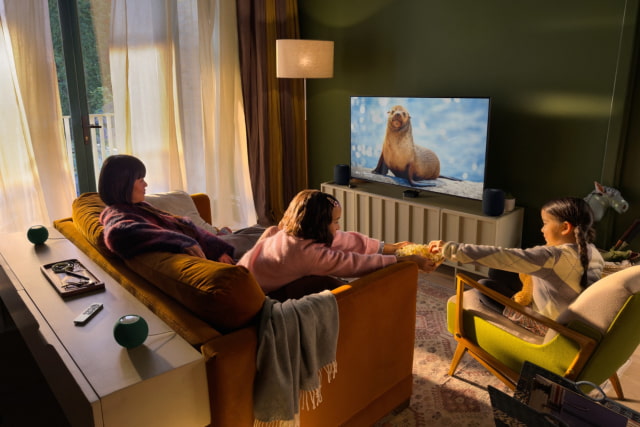
You can mix the two supported models between the front and rear pairs. That makes a pair of mini 2 speakers a possible addition to an existing pair of HomePod 2s. Original HomePod minis and first-generation full-size HomePods are not included in Apple's compatibility list for this new mode, and the 2022 Apple TV cannot run it.
Starting from scratch, four $149 HomePod mini 2 speakers and the $299 Apple TV cost $895 before tax. That is a substantial audio purchase, so we would wait for listening tests before replacing a good soundbar or receiver system. If you already own two compatible HomePods and want rear speakers, the upgrade is more compelling.
Faster Inside, With the Same 4K Output
The A19 replaces the 2022 model's A15 Bionic. Apple claims up to 50 percent faster CPU performance and up to twice the GPU performance, which should matter more for demanding games than for an evening of streaming. The new dedicated AV1 decoder also adds support for a widely used video format.
Both generations output up to 4K at 60 frames per second and support Dolby Vision, HDR10+, HDR10, and HLG. The new model does not raise that ceiling to 4K at 120 fps or 8K. The 2022 model already supports Quick Media Switching and wider cinematic aspect ratios on compatible displays, so there is little reason to replace it solely for those capabilities.
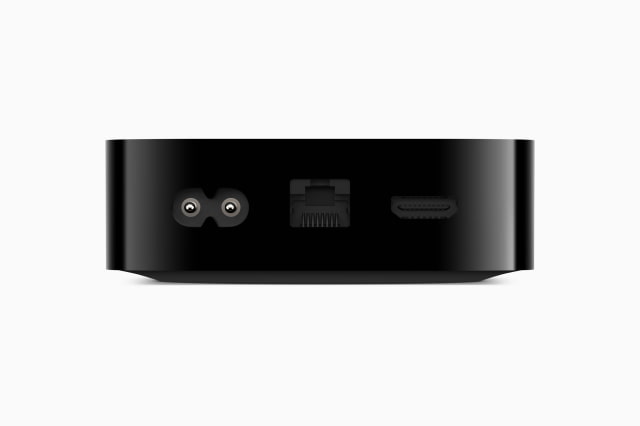
The new box comes in one 128GB configuration with Gigabit Ethernet and Thread. It also moves from Wi-Fi 6 to Wi-Fi 7 and from Bluetooth 5.0 to Bluetooth 6. Wi-Fi 7 needs a compatible network to deliver its benefits; a stable wired connection remains a good option. Owners of the 2022 Ethernet model already have that port and Thread, while owners of the 64GB Wi-Fi model gain both.
You Can Upgrade Just the Remote
The fourth-generation Siri Remote adds Precision Finding and a speaker that can play a locating sound. The second- and third-generation Siri Remotes already have a Find My locating feature, but making the remote ring is exclusive to this new version.
Apple is selling the new remote separately, and it works with Apple TV HD as well as Apple TV 4K. If losing the remote is your main frustration, replacing it may solve the problem without replacing the streaming box.
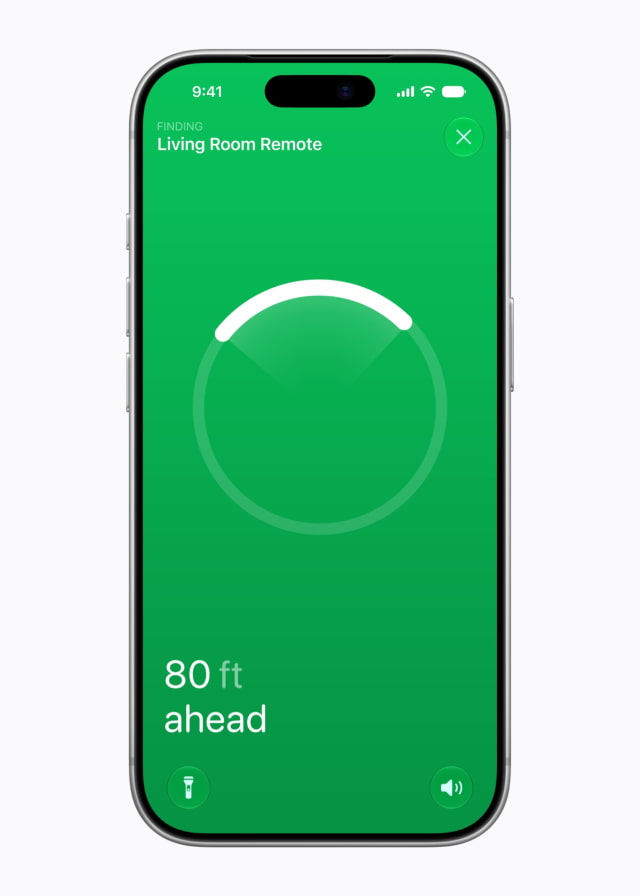
Precision Finding has a narrower iPhone requirement than ordinary remote use: Apple lists iPhone Duo, iPhone Air, and iPhone 17 or later, excluding iPhone 17e, with current iOS. Check that list before buying the remote specifically for directional guidance.
Price and Specifications
The new Apple TV 4K costs $299 and is available to pre-order on Amazon ahead of its November 13 release. That is $50 more than the outgoing 128GB Ethernet model's revised $249 Apple retail price, or $100 more than the $199 Wi-Fi model. A good discount on remaining 2022 stock could still make the older box attractive if you mainly want it for streaming.
| Feature | Apple TV 4K (2022) | Apple TV 4K (2026) |
|---|---|---|
| U.S. retail price | $199 Wi-Fi; $249 Ethernet | $299 |
| Storage | 64GB Wi-Fi; 128GB Ethernet | 128GB |
| Chip | A15 Bionic | A19 |
| Maximum output | Up to 4K at 60 fps | Up to 4K at 60 fps |
| HDR formats | Dolby Vision, HDR10+, HDR10, HLG | Dolby Vision, HDR10+, HDR10, HLG |
| AV1 | No dedicated AV1 decoder listed | AV1 supported; dedicated decoder |
| Wi-Fi | Wi-Fi 6 | Wi-Fi 7 |
| Bluetooth | Bluetooth 5.0 | Bluetooth 6 |
| Gigabit Ethernet | 128GB model only | Included |
| Thread | 128GB model only | Included |
| Voice input | Siri microphone in remote | Three far-field microphones in box, plus remote mic |
| Siri AI | Siri AI beta with tvOS 27.2 and eligible paired device | Siri AI beta with tvOS 27.2 and eligible paired device |
| Four-HomePod surround | No new four-HomePod surround mode | Four mini 2 / HomePod 2 speakers; matching front/rear pairs |
| Included remote | 3rd-gen Siri Remote, USB-C | 4th-gen Siri Remote, USB-C; Precision Finding |
| Box dimensions (W × D × H) | 93 × 93 × 31mm | 93.24 × 93.24 × 31mm |
| Box weight | 208g Wi-Fi; 214g Ethernet | 217g |
Should You Upgrade?
Keep a 2022 Apple TV 4K that is doing its job unless you specifically want the four-HomePod surround setup or microphones built into the box. You still get the same maximum streaming resolution, and you can try Siri AI on the older hardware with the required software and paired device.
If you are buying your first Apple TV or furnishing another room, the new model is the more capable choice. The $50 gap over the outgoing Ethernet model is modest for the faster chip, new remote, and additional audio options. For an existing owner, though, the decision should come down to using those additions—not replacing a box that already plays everything you watch.
You can pre-order the new Apple TV 4K on Amazon, or check the iClarified Apple TV Price Tracker for current pricing and availability from tracked retailers, including remaining 2022 Wi-Fi and Wi-Fi + Ethernet models.


![Apple Releases iOS 27.2 Beta 4 and iPadOS 27.2 Beta 4 to Developers [Download]](/images/news/102795/102795/102795-160.jpg "Apple Releases iOS 27.2 Beta 4 and iPadOS 27.2 Beta 4 to Developers [Download]")

![Apple Seeds Fourth Betas of watchOS 27.2 and visionOS 27.2 to Developers [Download]](/images/news/102801/102801/102801-160.jpg "Apple Seeds Fourth Betas of watchOS 27.2 and visionOS 27.2 to Developers [Download]")
![Apple Releases macOS 27.2 Golden Gate Beta 4 to Developers [Download]](/images/news/102798/102798/102798-160.jpg "Apple Releases macOS 27.2 Golden Gate Beta 4 to Developers [Download]")
![How To Take a Screenshot on iPhone [Video]](/images/tutorials/399/399/399-160.jpg "How To Take a Screenshot on iPhone [Video]")
![How To Forward Calls on iPhone [Video]](/images/tutorials/92926/92926/92926-160.jpg "How To Forward Calls on iPhone [Video]")
![How To Back Up Your iPhone to an External Drive on Mac [Video]](/images/tutorials/72786/72786/72786-160.jpg "How To Back Up Your iPhone to an External Drive on Mac [Video]")






![Mac mini Drops to $779.99 for Prime Big Deal Days [Deal]](/images/news/102624/102624/102624-160.jpg "Mac mini Drops to $779.99 for Prime Big Deal Days [Deal]")
