iSmart Dialer, a utility that adds useful features to your iPhone's phone app, has been updated with Retina Display support.
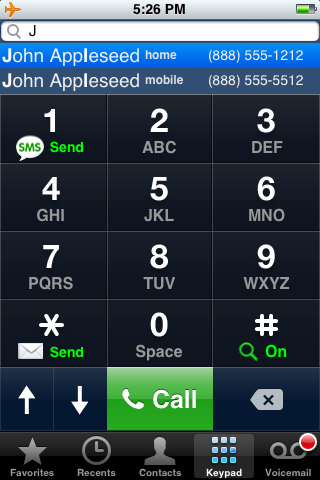
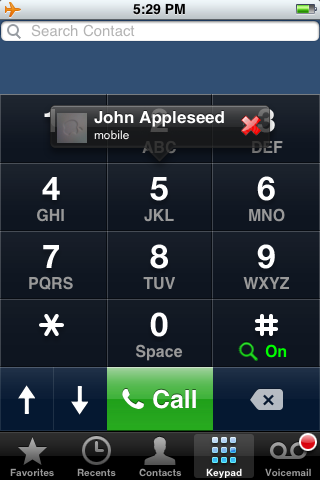
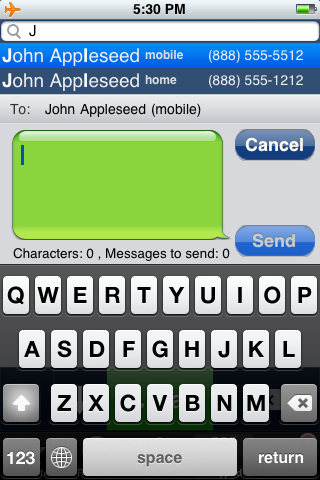
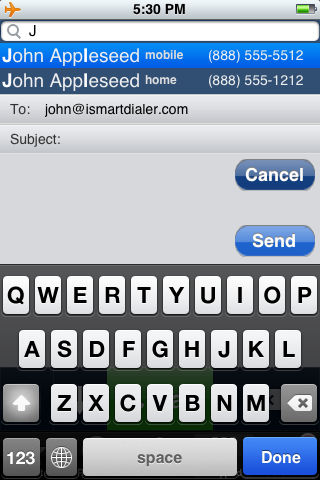
Features: ● Search mode: find contacts by first, last or company name by using only the numeric keypad. The familiar phone number display turns into search results screen. ● Shake or Tilt your iPhone to turn on/off search mode fast (or just hold # for 2 seconds). ● Search bar: shows the letters you typed for searching. ● Smart logic search: shows the recent calls you made, your favorites and the new Speed Dial contacts before the other search matches. ● Instant Search: even if you have more than 1000 contacts. ● 3 Types of search results sizes to choose from: 1, 2 or 3 per screen. ● Up and Down arrow keys to scroll through the search results. you can choose between large and small arrow keys. ● Tap on the search results screen for an easy "Finger Scrolling". ● Clear all letters in search bar by holding the delete key. ● Press for 2 seconds on a result for contact information and editing. ● Call, SMS or Email from inside the dialer. ● Auto-Off search mode when you start dialing a number. ● Speed Dial: Assign 'Speed Dial-Favorites' to keys 1-9. Hold one of the keypads for 2 seconds to assign a contact/number to it or, after the assignment, to speed dial the contact. ● Multi language support: Unlimited number of languages for simultaneously searching and up to 2 languages to be printed on the keypad. ● Enable/Disable Keypad Vibrate and Sounds.
What's New in the Version: ● iPhone 4 Retina support. All the dialer resources/graphics (keypad, sms/email buttons, etc,..) were updated to support the iPhone 4 Retina display
You can purchase iSmartDialer for $3.99. A free trial is also available from the BigBoss Cydia repository.
Get the iClarified Daily Newsletter
Apple news, rumors, tutorials, price drop alerts, in your inbox every evening, free.
Unsubscribe at any time.
Success!
You have been subscribed.
Add Comment
Would you like to be notified when someone replies or adds a new comment?
Yes (All Threads)
Yes (This Thread Only)
No
Notifications
Would you like to be notified when we post a new Apple news article or tutorial?




![Apple Releases iOS 26.4.1 and iPadOS 26.4.1 With Bug Fixes [Download]](/images/news/100492/100492/100492-160.jpg "Apple Releases iOS 26.4.1 and iPadOS 26.4.1 With Bug Fixes [Download]")

![Apple TV Debuts 'Criminal Record' Season 2 Trailer [Video]](/images/news/100488/100488/100488-160.jpg "Apple TV Debuts 'Criminal Record' Season 2 Trailer [Video]")






![13-inch MacBook Air M5 Drops to $949 in New All-Time Low [Deal]](/images/news/100466/100466/100466-160.jpg "13-inch MacBook Air M5 Drops to $949 in New All-Time Low [Deal]")




