AirView lets your iPhone, iPad, or iPod touch watch an AirPlay stream coming from another iDevice
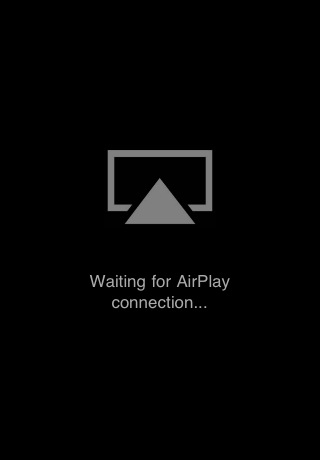
Use this application to watch AirPlay video streams from another iOS device (iPhone, iPod Touch or iPad running iOS 4.2) on the same local network, or from iTunes.
Just launch AirView, then tap the AirPlay icon on the YouTube media player from another iPhone for example, and the video should start playing on AirView. This works with videos played in iTunes on a Mac or PC too.
Photos are not supported yet.
You can download AirView from the App Store for free.
Apple news, rumors, tutorials, price drop alerts, in your inbox every evening, free.
Unsubscribe at any time.
Success!
You have been subscribed.
Add Comment
Would you like to be notified when someone replies or adds a new comment?
Yes (All Threads)
Yes (This Thread Only)
No
Notifications
Would you like to be notified when we post a new Apple news article or tutorial?
Yes
No
Comments (3)
Comments are closed for this article.
0
turim - January 18, 2011 at 3:20pm
Tried it. Trying to send from Youtube-app from my iPhone to AirView on iPad. It almost worked; meaning it saw the iPhone and after a while just quitted.
0
Frank - January 18, 2011 at 1:19pm
Nice, I wonder how long it will stay up
0
Leonick - January 18, 2011 at 1:44pm
Seeing how apple made it possible to work with Airplay with they App SDK and the fact that the app were approved I don't think it'll be removed






![Apple Releases iOS 26.4.1 and iPadOS 26.4.1 With Bug Fixes [Download]](/images/news/100492/100492/100492-160.jpg "Apple Releases iOS 26.4.1 and iPadOS 26.4.1 With Bug Fixes [Download]")

![Apple TV Debuts 'Criminal Record' Season 2 Trailer [Video]](/images/news/100488/100488/100488-160.jpg "Apple TV Debuts 'Criminal Record' Season 2 Trailer [Video]")






![13-inch MacBook Air M5 Drops to $949 in New All-Time Low [Deal]](/images/news/100466/100466/100466-160.jpg "13-inch MacBook Air M5 Drops to $949 in New All-Time Low [Deal]")




