Paramount has released Super 8, a camera emulator for your video-capable iDevice.
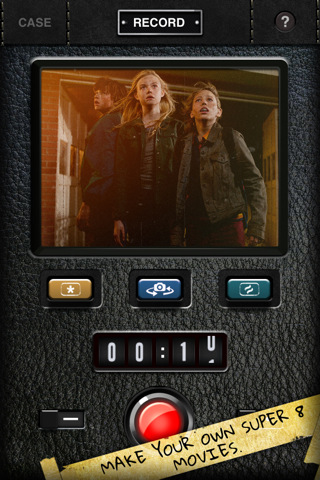
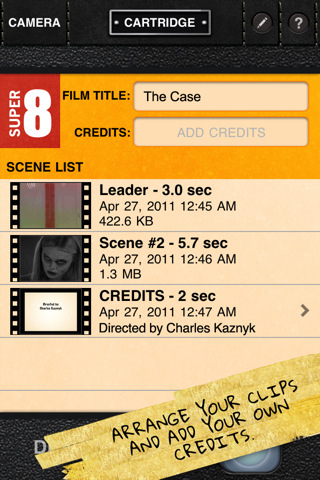
Using Super 8, you can make your own vintage movies and add lens, filter and shake effects, arrange clips and scenes the way you want them; you can even add your own credits.
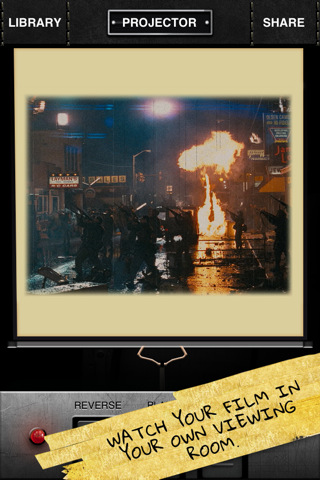
When you're done, send your Super 8 movie off to be developed. Your masterpiece will appear in your personal movie library where, with the tap of a finger, you can view your movie in the built-in Super 8 projector room, export it to a computer or email it to friends.
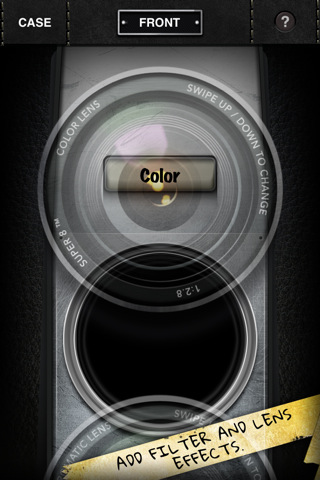
Super 8 offers seven lens effects, three animated filters, a scratch-and-dirt overlay and frame shake effect that you can mix-and-match to create a wide variety of looks for your movies.
» RECORD - Scratch-and-Dirt Overlay - Add/Change Filter Effects - Switch Between Front and Reverse Camera Views (iPhone 4 only) - Analog Time Elapsed Counter - Turn On Camera Light (iPhone 4 only) - Turn On Frame Shake Effect (set accelerometer or tap activation in app prefs)
» CAMERA FRONT - Change Lenses Between: • Color • Chromatic • Black & White • Sepia • X-Ray • Negative • Infrared
» CARTRIDGE - Arrange or Delete Scenes (clips) - Add or Delete an Authentic Super 8 Film Leader - Edit Film Title - Add Credits - Develop Your Film
» LIBRARY - Select Movie to Play - Change Movie Titles - Delete Movies from Library
» PROJECTOR - Pull Down Screen to Start Movie - Reverse, Pause/Play and Forward Playback Controls - Share (email movies or save them to a computer via iTunes)
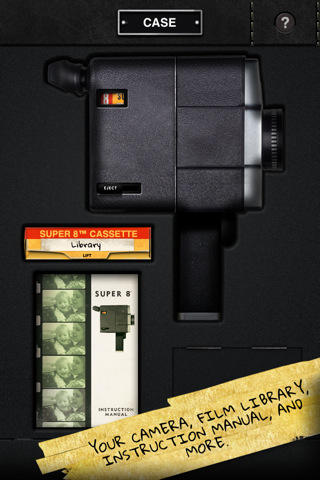
» CASE - Access Your Camera - Open Your Movie Library - Super 8™ Instruction Manual - Found Footage: playback your movies to see if they reveal missing frames from the S8 Editing Room film! Be the first to collect all the frames to unlock a new clip at S8editingroom.com!
You can download Super 8 from the App Store for free.





![Apple Releases iOS 26.4.1 and iPadOS 26.4.1 With Bug Fixes [Download]](/images/news/100492/100492/100492-160.jpg "Apple Releases iOS 26.4.1 and iPadOS 26.4.1 With Bug Fixes [Download]")

![Apple TV Debuts 'Criminal Record' Season 2 Trailer [Video]](/images/news/100488/100488/100488-160.jpg "Apple TV Debuts 'Criminal Record' Season 2 Trailer [Video]")






![13-inch MacBook Air M5 Drops to $949 in New All-Time Low [Deal]](/images/news/100466/100466/100466-160.jpg "13-inch MacBook Air M5 Drops to $949 in New All-Time Low [Deal]")




