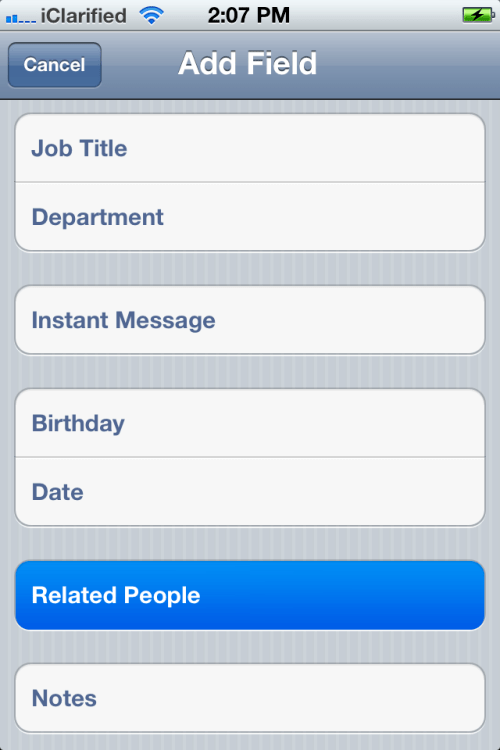
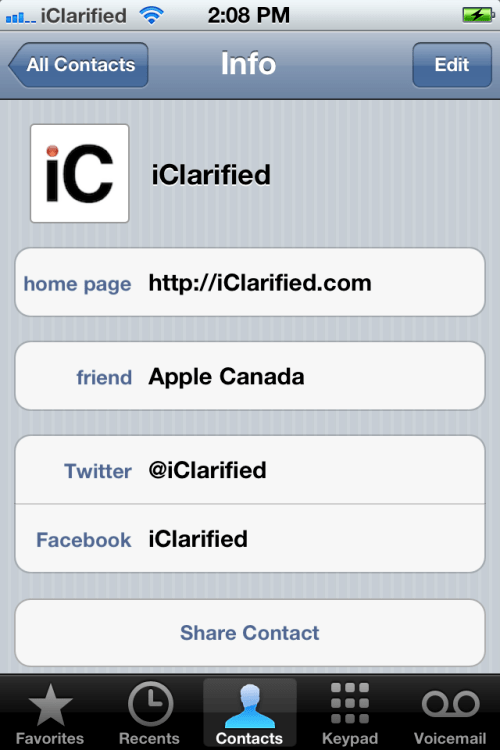
Another new feature in iOS 5 is the ability to add related people to your contacts.
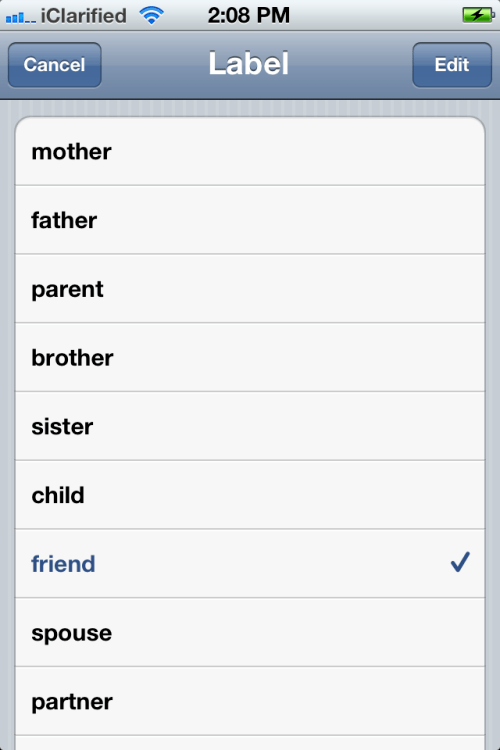
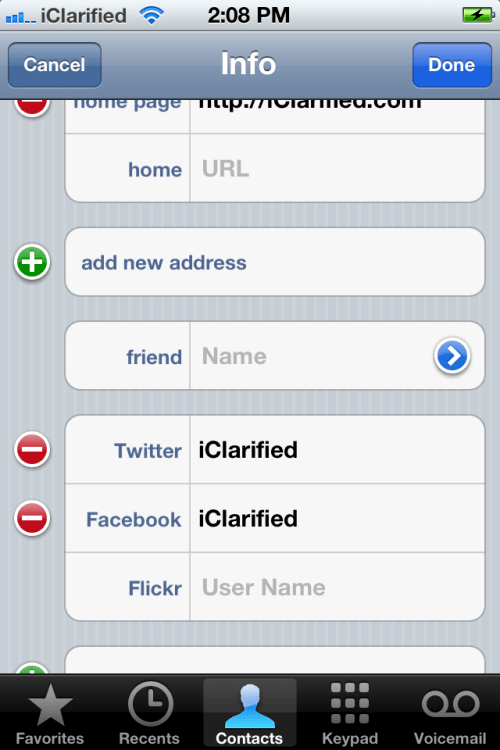
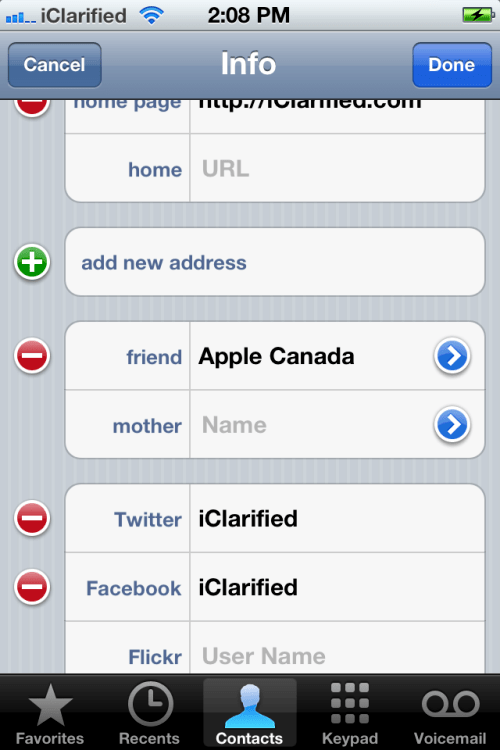
To use the feature you simply edit an existing contact and choose Related People from the field list. You are then asked to assign a label to the person (ie. mother, father, friend, spouse, etc) and select the contact from your address book.
Is unclear if Apple has any plans to use this social graph in any other way. For now it only serves to improve the organization of your contacts.
Apple news, rumors, tutorials, price drop alerts, in your inbox every evening, free.
Unsubscribe at any time.
Success!
You have been subscribed.
Add Comment
Would you like to be notified when someone replies or adds a new comment?
Yes (All Threads)
Yes (This Thread Only)
No
Notifications
Would you like to be notified when we post a new Apple news article or tutorial?
Yes
No
Comments (4)
Comments are closed for this article.
0
RelatedItem - October 20, 2011 at 1:17am
Scratching my head with this feature... wondering why it doesn't update the related person and link back to the original. For example, if I edit Alice to set Bob as a spouse by choosing it in the address book, why doesn't it automatically update Bob's contact info to set Alice as a spouse for him? And once it is linked, why can't I click the name to switch to related persons address book entry... Missing the apple polish...
0
Bronson - January 27, 2012 at 3:23am
I too have this same query. Kind of pointless really. I also found that when updating the contact post linking it that it does not update the detail in all of the prior linked instances
0
jr72 - June 10, 2011 at 10:36pm
I saw this and immediately thought "ooh this would be a cool feature for keeping business contacts organised" ie having contacts related to other businesses, co-workers etc etc, not just family relations. Then I saw the typical fixed and limited list Apple loves to do (eg SMS tones and ringtones) and I was sad.
0
esler - June 10, 2011 at 5:00pm
what they really need is a way to SAVE contacts to the SIM





![Apple Releases iOS 26.4.1 and iPadOS 26.4.1 With Bug Fixes [Download]](/images/news/100492/100492/100492-160.jpg "Apple Releases iOS 26.4.1 and iPadOS 26.4.1 With Bug Fixes [Download]")

![Apple TV Debuts 'Criminal Record' Season 2 Trailer [Video]](/images/news/100488/100488/100488-160.jpg "Apple TV Debuts 'Criminal Record' Season 2 Trailer [Video]")






![13-inch MacBook Air M5 Drops to $949 in New All-Time Low [Deal]](/images/news/100466/100466/100466-160.jpg "13-inch MacBook Air M5 Drops to $949 in New All-Time Low [Deal]")




