Twitterrific for iOS has migrated from xAuth to OAuth logins and added ReadItLater support.
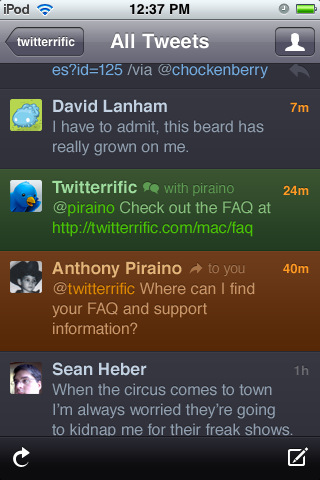
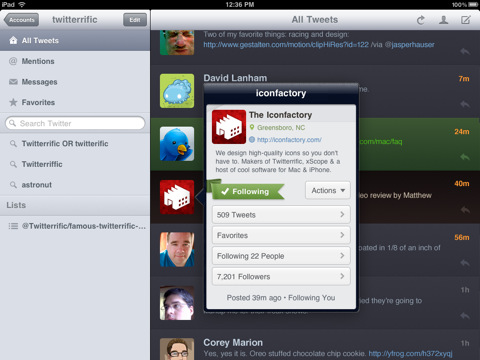
Now a universal app for both iPad & iPhone, Twitterrific is the friendly, award-winning Twitter client that’s beautiful to look at easy to use and full of elegant features. Effortlessly read and compose tweets, search Twitter.com, filter message types and much more.
FEATURE LIST: • Universal app for iPhone and iPad • Simple to use, easy to understand • Unified display for replies, re-tweets, direct messages, mentions & more • Create Twitter-based searches & view lists • Browse conversation threads between users • Follow, un-follow and block Twitter users easily • Filter timeline for specific tweet types & trends • Helpful actions including: re-tweet, link shortening, email & tweet translation
ADDITIONAL FEATURES WITH UPGRADE: • Manage additional Twitter accounts • Remove advertising from the timeline
What's New In This Version: NOTE: Twitter has changed the way third party apps are required to authorize an account. Unfortunately, this change means you’ll need to re-authorize Twitterrific to access your accounts.
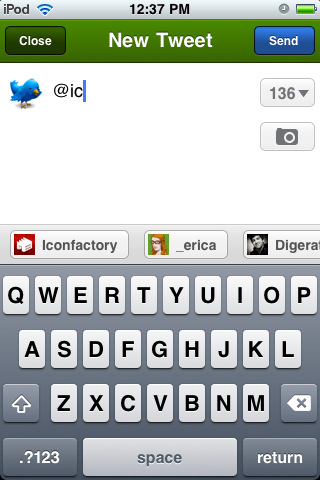
NEW FEATURES • Migrated from xAuth to OAuth logins to comply with Twitter’s authentication policy change • ReadItLater support • Support for the mlkshk media uploading service via settings • Support for the Pikchur media uploading service via settings
IMPROVEMENTS • Links in the timeline are now easier to tap • Option in Settings to control frequency of auto-refresh rate or turn it off • Sidebar only shows @username in a list title when it’s one you didn’t create • Improvements maintaining reading position when loading large number of tweets • Updated profile actions enabling DM’ing a follower even if you don’t follow them • Blocking/reporting immediately removes the user’s tweets from your timelines • Copy and pasted author names now include a leading @ symbol • Third party URL posting scheme for sending links to Twitterrific • Mlkshk and Pikchur image links display in-line • Compose field remembers un-sent content • Tapping the notification bar is now easier • Visual tweaks for clarity and consistency
BUG FIXES • Fixed problems with VoiceOver accessibility • Fixed a bug that prevented sidebar searches, lists and trends from updating • Fixed a bug that prevented conversations from loading while viewing search results • Fixed a problem that prevented lists containing unusual characters not to display • Updated the Plixi API to support Lockerz images in-line
You can download Twitterrific for Twitter from the App Store for free.





![Apple Releases iOS 26.4.1 and iPadOS 26.4.1 With Bug Fixes [Download]](/images/news/100492/100492/100492-160.jpg "Apple Releases iOS 26.4.1 and iPadOS 26.4.1 With Bug Fixes [Download]")

![Apple TV Debuts 'Criminal Record' Season 2 Trailer [Video]](/images/news/100488/100488/100488-160.jpg "Apple TV Debuts 'Criminal Record' Season 2 Trailer [Video]")






![13-inch MacBook Air M5 Drops to $949 in New All-Time Low [Deal]](/images/news/100466/100466/100466-160.jpg "13-inch MacBook Air M5 Drops to $949 in New All-Time Low [Deal]")




