

These are instructions on how to make Mac OS X Lion always display scroll bars instead of only showing them while scrolling.
Step One
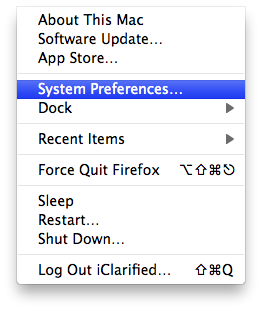
Select System Preferences from the Apple menu at the top left of your screen.
Step Two
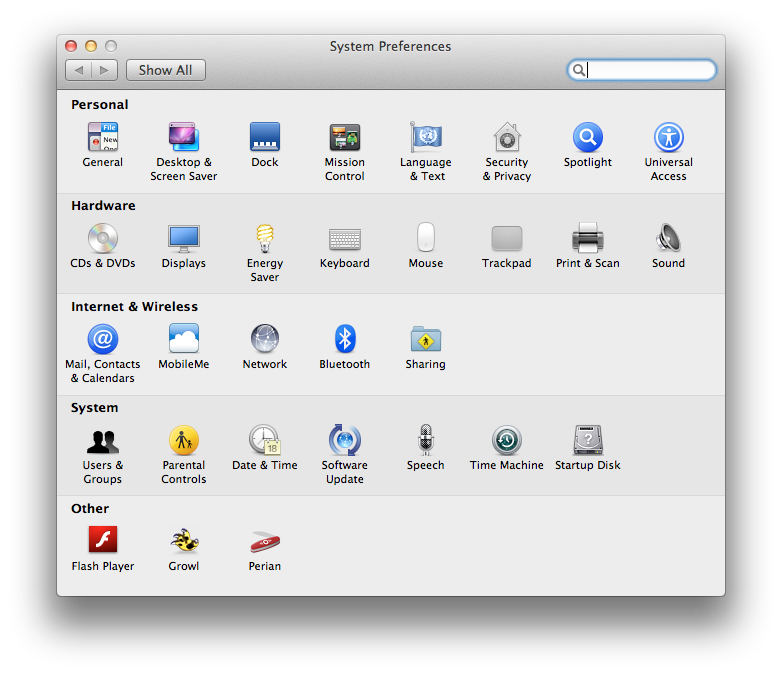
Select General from the System Preferences window.
Step Three
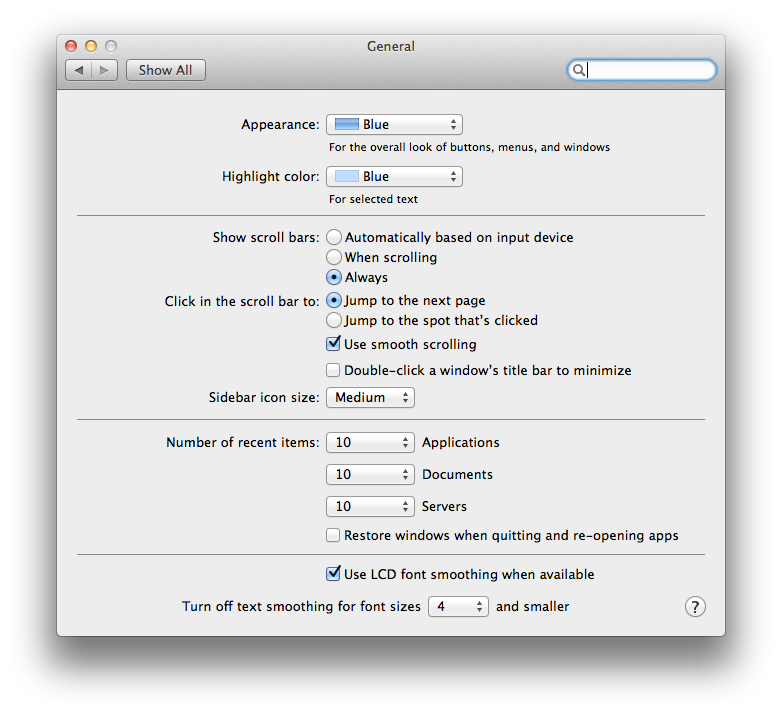
Choose Always from the Show scroll bars option list.
Before and After
Step One
Select System Preferences from the Apple menu at the top left of your screen.
Step Two
Select General from the System Preferences window.
Step Three
Choose Always from the Show scroll bars option list.
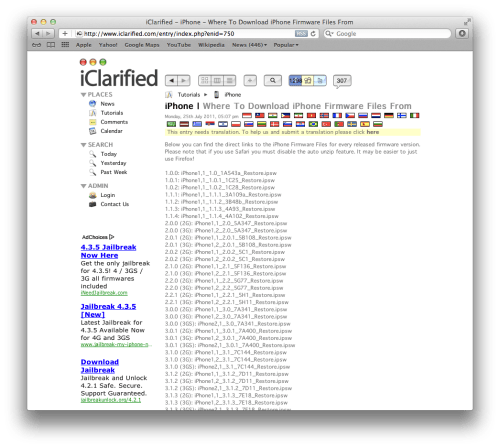
Before and After



![Apple Releases iOS 26.4.1 and iPadOS 26.4.1 With Bug Fixes [Download]](/images/news/100492/100492/100492-160.jpg "Apple Releases iOS 26.4.1 and iPadOS 26.4.1 With Bug Fixes [Download]")

![Apple TV Debuts 'Criminal Record' Season 2 Trailer [Video]](/images/news/100488/100488/100488-160.jpg "Apple TV Debuts 'Criminal Record' Season 2 Trailer [Video]")






![13-inch MacBook Air M5 Drops to $949 in New All-Time Low [Deal]](/images/news/100466/100466/100466-160.jpg "13-inch MacBook Air M5 Drops to $949 in New All-Time Low [Deal]")




