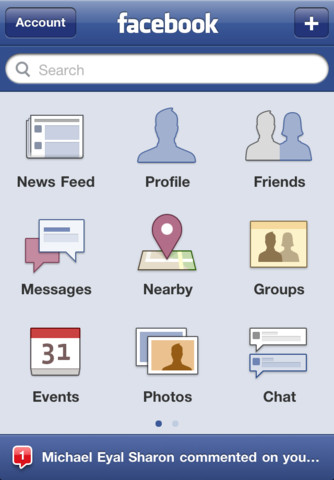
Facebook's app for iOS has received a big update that brings the ability to tag friends and places in posts, to share external links from a web view, a new design for Profile and Group walls, and more.
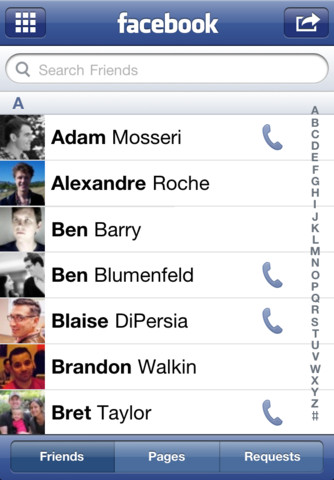
Facebook for iPhone makes it easy to stay connected and share information with friends. Use your iPhone to start a conversation with Facebook Chat, check your friends' latest photos and status updates, look up a phone number, or upload your own mobile photos to Facebook while on the go.
What's New In This Version: Made it easier to share with who you want ● Added the ability to tag friends and places in posts ● Added the ability to share external links from a web view ● Added new design for Profile and Group Walls ● Improved the sharing tool to add privacy controls on posts and match your settings on the web site
Improvements and bug fixes: ● Improved Notifications speed ● Fixed a number of Chat bugs ● Made it easier to select filters in News Feed ● Fixed a bug with the Notifications bar disappearing ● Fixed a number of Photos bugs ● Improved performance and stability overall
You can download Facebook from the App Store for free.
Apple news, rumors, tutorials, price drop alerts, in your inbox every evening, free.
Unsubscribe at any time.
Success!
You have been subscribed.
Add Comment
Would you like to be notified when someone replies or adds a new comment?
Yes (All Threads)
Yes (This Thread Only)
No
Notifications
Would you like to be notified when we post a new Apple news article or tutorial?
Yes
No
Comments (18)
Comments are closed for this article.
0
Adcpolo - September 9, 2011 at 2:16am
After update its worse. No tag either
0
Ollie - September 8, 2011 at 9:12pm
The bugs on this app are ridiculous
Even after the update
0
Elpanda503 - September 7, 2011 at 5:39pm
I updated the app for my iPhone but I can't tag friends on my status!!!!! Is there a new trick or what? I tried to use the @ and nothing :( Someone help
0
FL455H - September 7, 2011 at 6:49pm
It seems numerous people are asking this question and no-one seems to have the answer!!
0
Nobo1 - September 7, 2011 at 9:53pm
That was the old method. Reboot the phone or reinstall the app and friend tag works for me!
0
Soleh - September 9, 2011 at 1:17am
@unhandsome; done that and it doesn't work...
0
Nobo1 - September 7, 2011 at 3:14pm
i buy n sell via it's pages otherwise wouldn't bother...
0
hbsjr - September 7, 2011 at 2:25pm
I lost Facebook iPad tweak after the upgrade. I reverted back
0
PReaper - September 7, 2011 at 10:04am
And it still sucks just as much as last upgrade.. All they do is adding stuff but never fix the bugs..
0
Soleh - September 7, 2011 at 4:26am
No friends/status tag on Facebook ver 3.5a...bummer..
0
Soleh - September 7, 2011 at 4:28am
I mean on my Facebook ver 3.5a...
0
Kristina - September 8, 2011 at 7:29pm
I have version 3.5a why do some get it and others don't? How can this be fixed!?!?
0
Soleh - September 9, 2011 at 8:18am
@Kristina, I got it!! You have to enable the feature on your desktop Facebook first.
0
Apurva - September 10, 2011 at 4:26am
@Soleh .. How did you enable it in your desktOp Facebook!? I can't find the option!
0
Soleh - September 11, 2011 at 1:13am
When I logged into desktop Facebook the option just pop up.
0
Soleh - September 11, 2011 at 3:41am
Or change at your privacy setting on your desktop Facebook








![Apple Releases iOS 26.4.1 and iPadOS 26.4.1 With Bug Fixes [Download]](/images/news/100492/100492/100492-160.jpg "Apple Releases iOS 26.4.1 and iPadOS 26.4.1 With Bug Fixes [Download]")

![Apple TV Debuts 'Criminal Record' Season 2 Trailer [Video]](/images/news/100488/100488/100488-160.jpg "Apple TV Debuts 'Criminal Record' Season 2 Trailer [Video]")






![13-inch MacBook Air M5 Drops to $949 in New All-Time Low [Deal]](/images/news/100466/100466/100466-160.jpg "13-inch MacBook Air M5 Drops to $949 in New All-Time Low [Deal]")




