These are instructions on how to sync multiple iTunes Libraries to your iPhone or iPod touch.
To follow this tutorial you will need to jailbreak your device. You can find instructions on how to do this here.
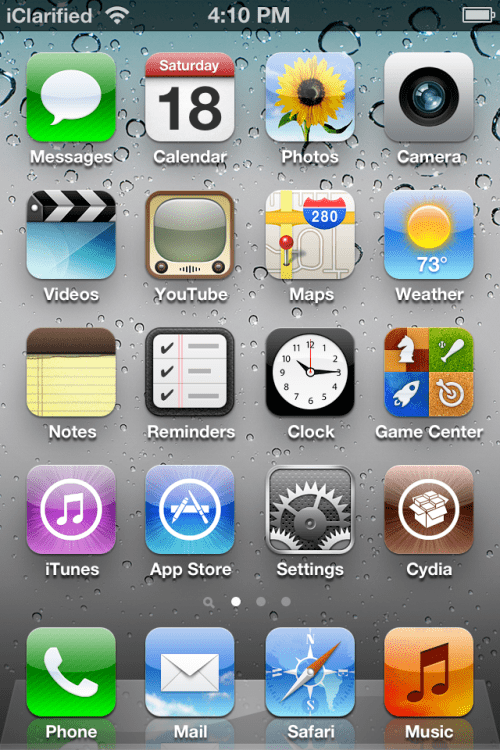
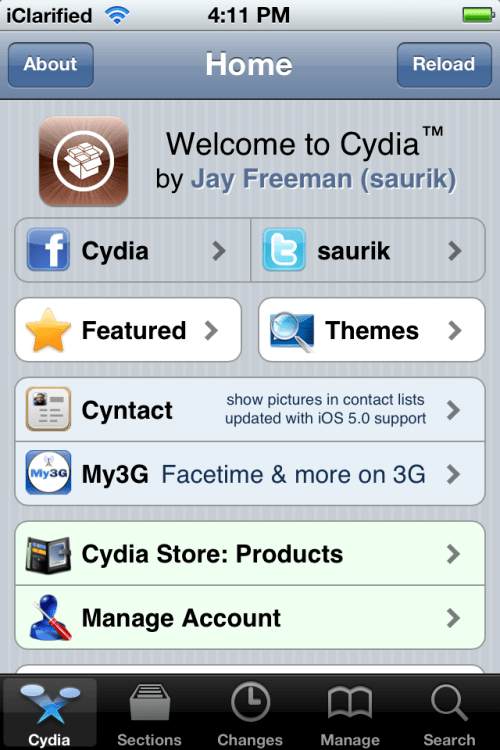
Step One Launch Cydia from your SpringBoard.
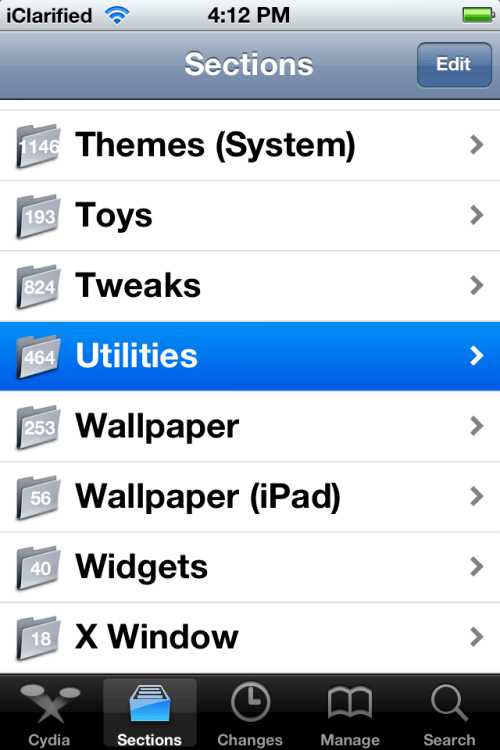
Step Two Tap to select Sections from the tabs across the bottom of the screen.
Step Three Select Utilities from the list of sections displayed.
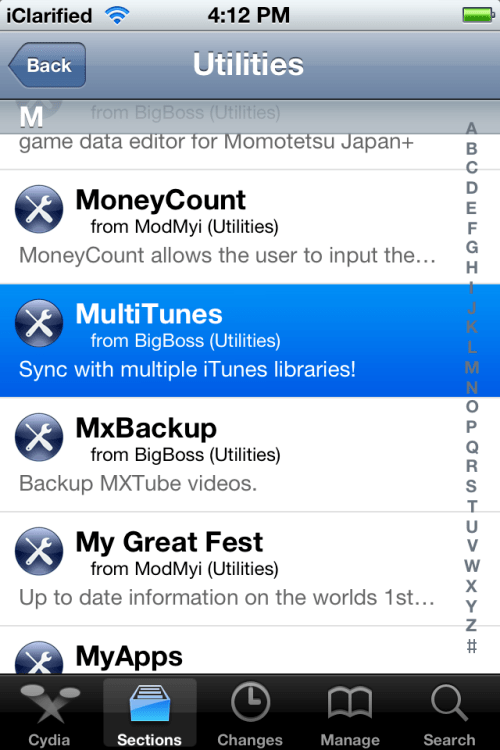
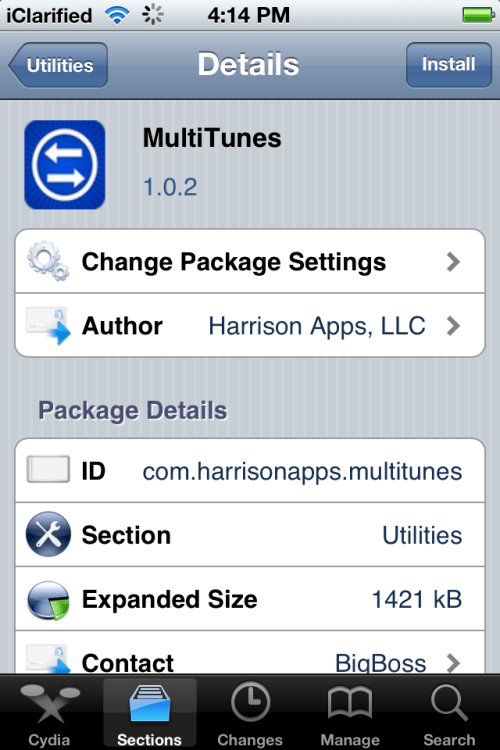
Step Four Choose MultiTunes from the list of packages.
Step Five Press the Install button at the top right of the screen.
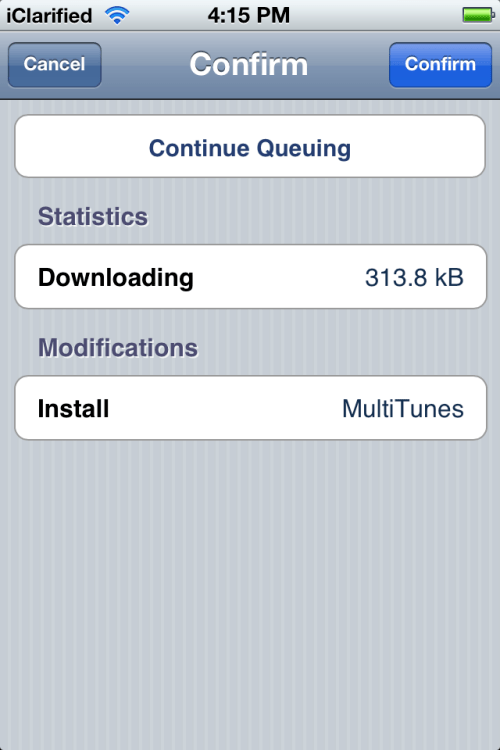
Step Six Press the Confirm button to begin installation.
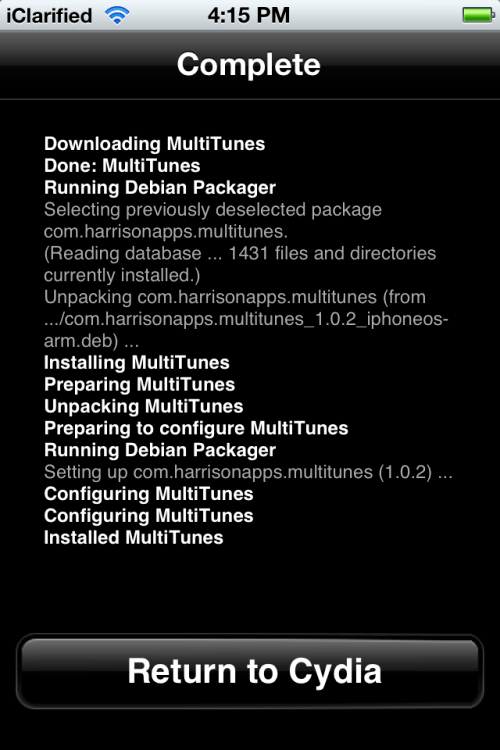
Step Seven Once the installation has completed successfully press the large Return to Cydia button.
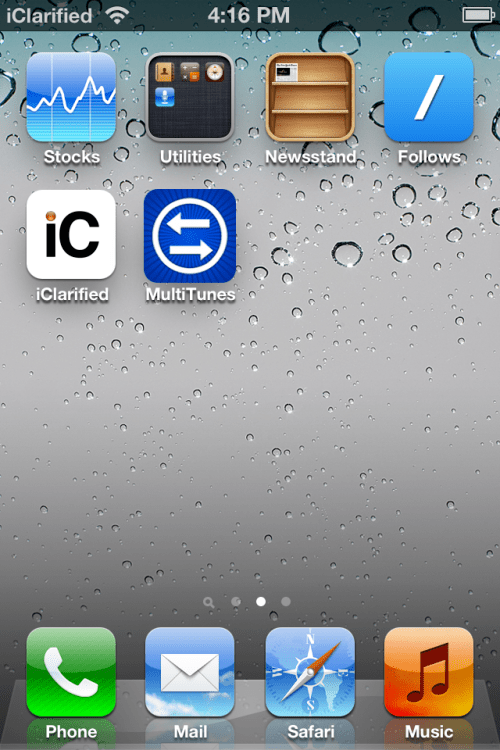
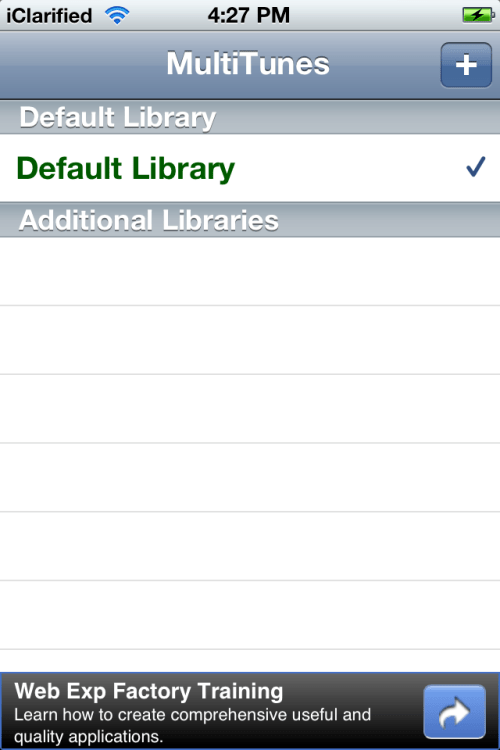
Step Eight Press the Home button to return to your SpringBoard and launch MultiTunes.
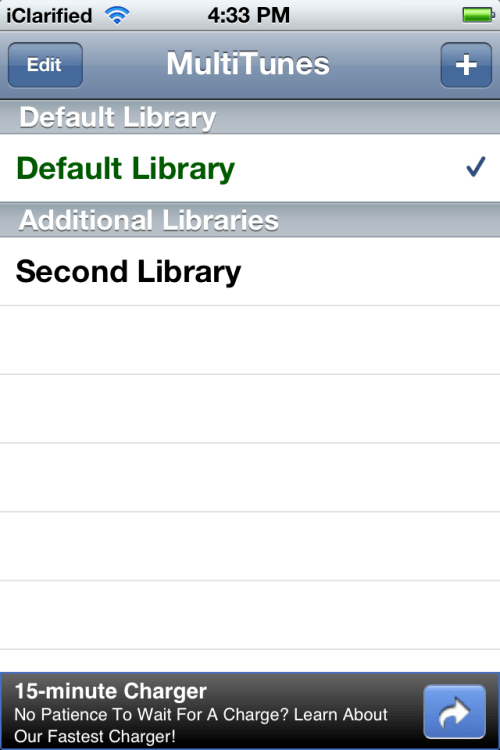
Step Nine Press the + button at the top right of the screen.
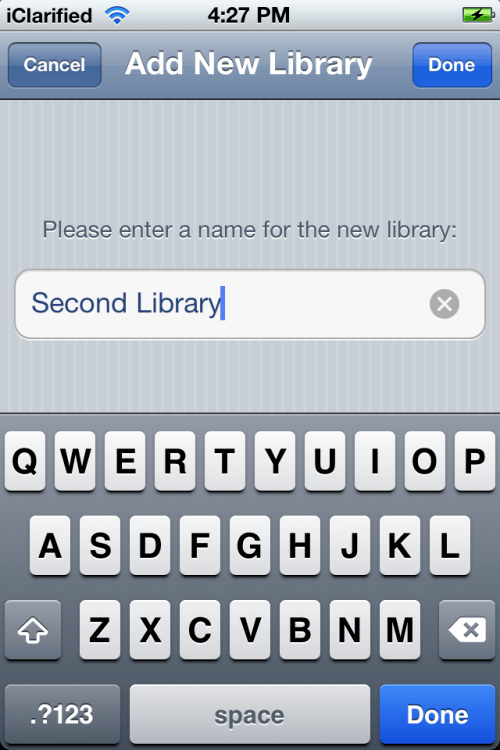
Step Ten Enter a name for a second library to be synced to your iOS device and press the Done button.
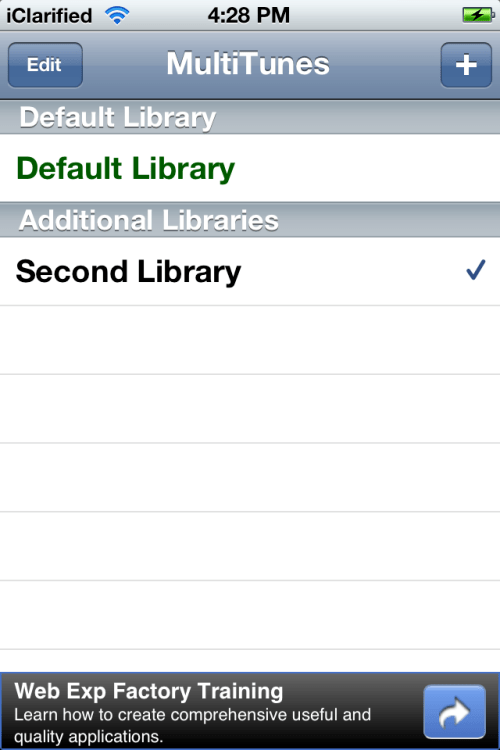
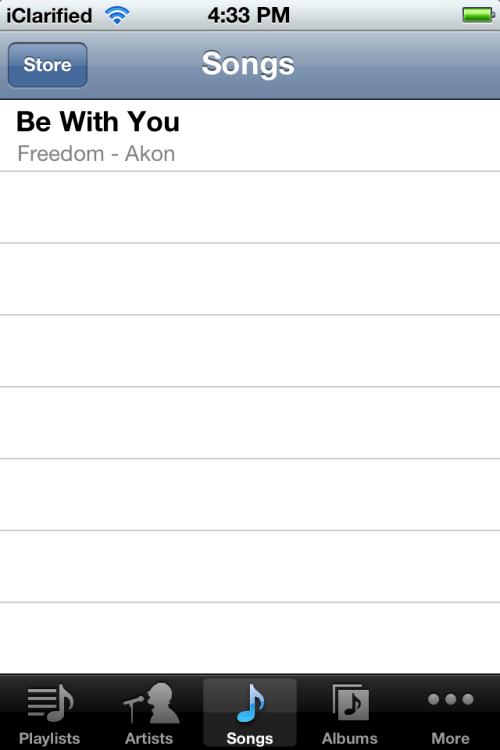
Step Eleven Select the library you just created from the list and then connect your device to iTunes and sync with the new library.
***Important: This app does NOT sync apps with multiple libraries, so be sure to only sync apps with your default library. Before downloading content from the iTunes app, make sure your default library is selected in this app. Otherwise, your content may not download properly.
Step Twelve You can now open at MultiTunes at any time to switch libraries.
Get the iClarified Daily Newsletter
Apple news, rumors, tutorials, price drop alerts, in your inbox every evening, free.
Unsubscribe at any time.
Success!
You have been subscribed.
Add Comment
Would you like to be notified when someone replies or adds a new comment?
Yes (All Threads)
Yes (This Thread Only)
No
Notifications
Would you like to be notified when we post a new Apple news article or tutorial?





![Apple Releases iOS 26.4.1 and iPadOS 26.4.1 With Bug Fixes [Download]](/images/news/100492/100492/100492-160.jpg "Apple Releases iOS 26.4.1 and iPadOS 26.4.1 With Bug Fixes [Download]")

![Apple TV Debuts 'Criminal Record' Season 2 Trailer [Video]](/images/news/100488/100488/100488-160.jpg "Apple TV Debuts 'Criminal Record' Season 2 Trailer [Video]")






![13-inch MacBook Air M5 Drops to $949 in New All-Time Low [Deal]](/images/news/100466/100466/100466-160.jpg "13-inch MacBook Air M5 Drops to $949 in New All-Time Low [Deal]")




