Read Now for Mac OS X has been updated with a new name and new features.
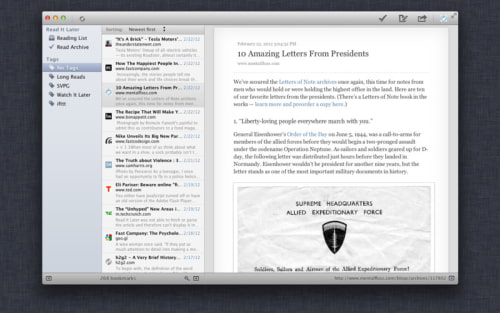
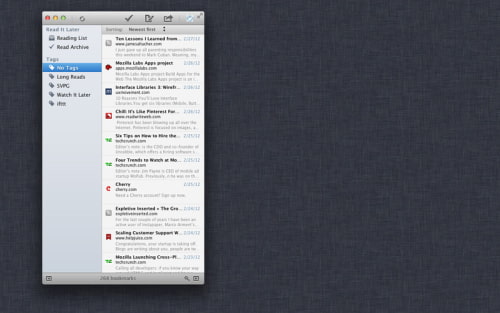
Read Later gives you access to your Read It Later account (free) or Instapaper (which requires a paid subscription membership) in a easy-to-use application.
Enjoy viewing all your read later items without logging in via a clean mac app - where your articles are just one mouse click away. The clean design offers you a fast navigation and will save you time storing and accessing articles you are planning to read.
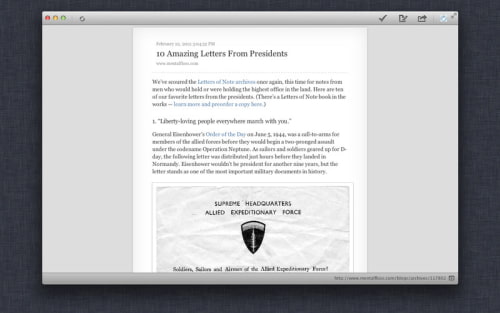
Features: ➪ Syncs your articles with Read it Later (free) and / or Instapaper (paid subscription membership needed) ➪ Add, Archive, Edit, Move, Like or Delete your articles ➪ Customizable shortcuts to open Read Later or add new web pages ➪ Read articles in an Article View with Paper, Light and Dark styles ➪ Adjustable fonts, text sizes, line spacing, and margins in the Article View ➪ Download up to 500 Instapaper articles and up to 1000 Read It Later articles per folder ➪ Export your items to CSV or HTML
Share: - Share via Twitter, Pinboard, Facebook, Delicious, Evernote - Shorten article link with bit.ly or j.mp - Send article link via email
What's New In This Version: - Renamed ReadNow to Read Later - [Added] Save fullscreen state - [Added] Caching of delete bookmark operations - [Added] Keyboard Shortcuts in the Sharing Popovers - [Fixed] Case Insensitivity in the bookmark search - [Fixed] Close of Popover Windows - [Improvements] Share with Evernote
You can download Read Later from the App Store for free.




![Apple Releases iOS 26.4.1 and iPadOS 26.4.1 With Bug Fixes [Download]](/images/news/100492/100492/100492-160.jpg "Apple Releases iOS 26.4.1 and iPadOS 26.4.1 With Bug Fixes [Download]")

![Apple TV Debuts 'Criminal Record' Season 2 Trailer [Video]](/images/news/100488/100488/100488-160.jpg "Apple TV Debuts 'Criminal Record' Season 2 Trailer [Video]")






![13-inch MacBook Air M5 Drops to $949 in New All-Time Low [Deal]](/images/news/100466/100466/100466-160.jpg "13-inch MacBook Air M5 Drops to $949 in New All-Time Low [Deal]")




