

These are instructions on how to run Absinthe 2.0 on OS X Mountain Lion.
Step One
Download the latest version of Absinthe from here.
Step Two
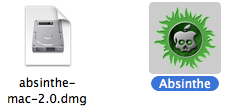
Double click to mount the downloaded dmg and drag the Absinthe application to your desktop.
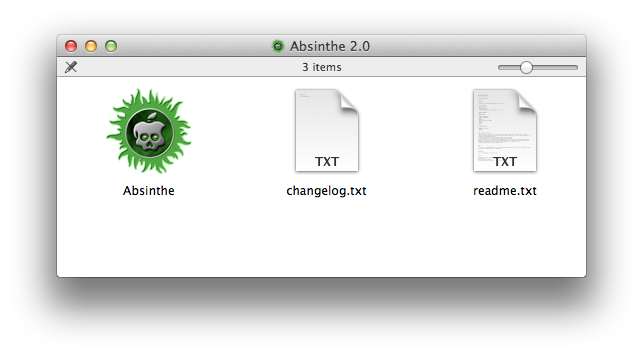
Step Three
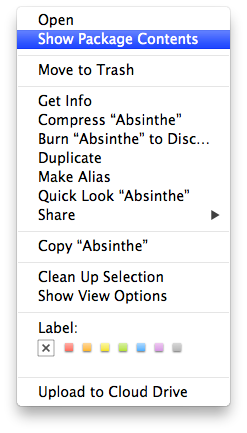
Right click the Absinthe application from your desktop and select Show Package Contents from the contextual menu.
Step Four
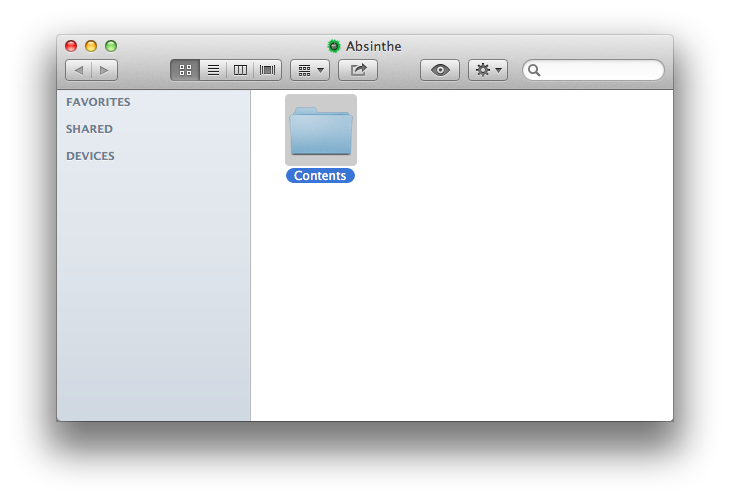
Double click the Contents folder.
Step Five
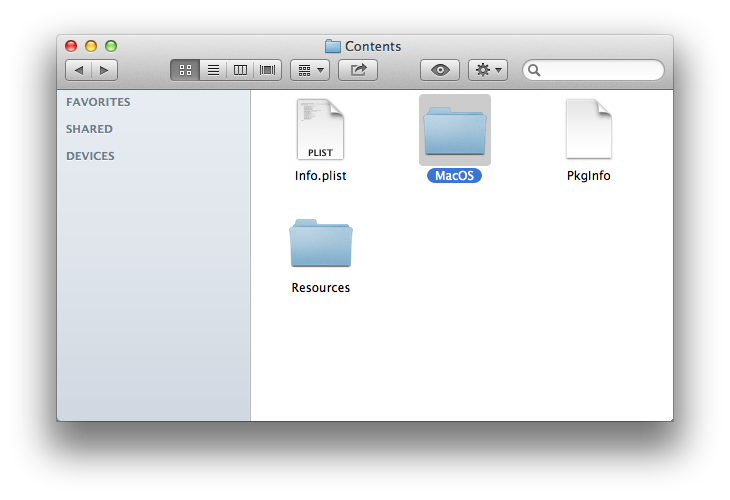
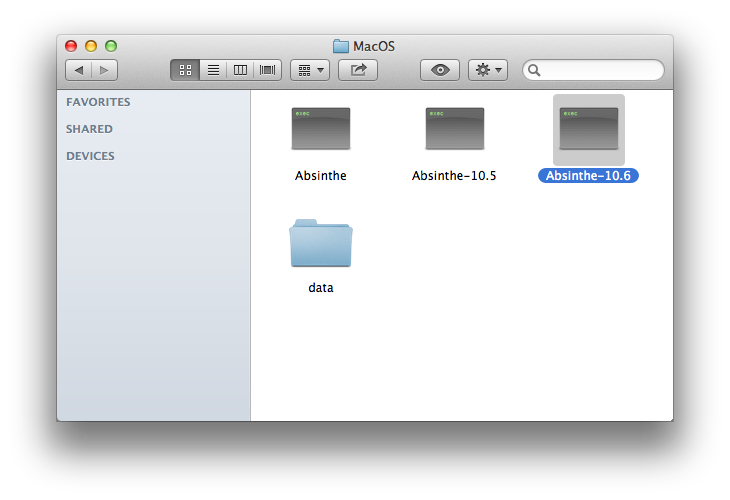
Double click the MacOS folder.
Step Six
Open a new Terminal window.

Step Seven
Drag the Absinthe-10.6 executable into the Terminal window.
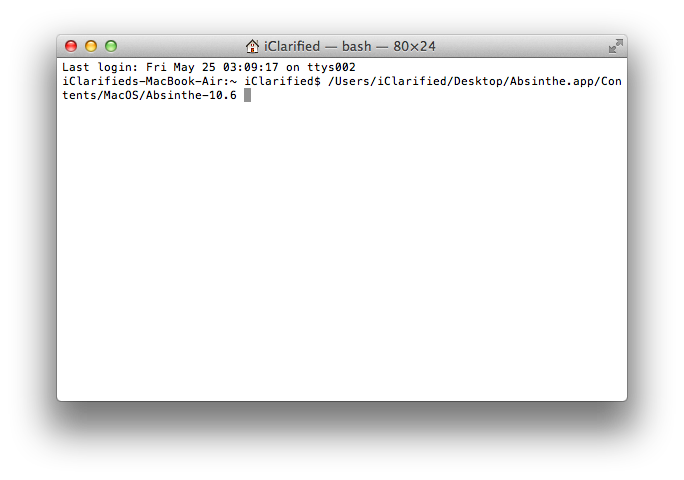
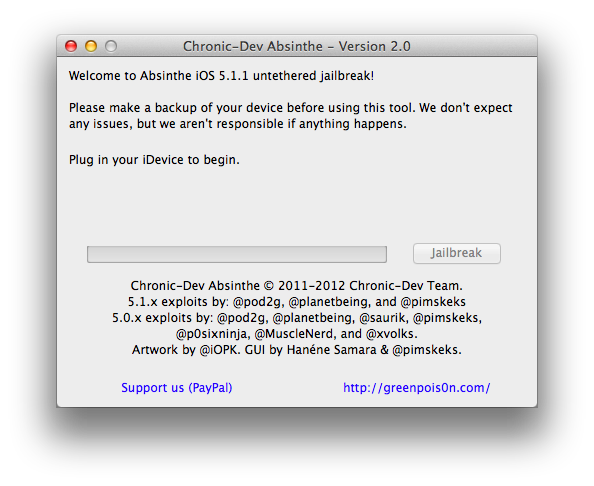
Press Return to launch the application.
Step One
Download the latest version of Absinthe from here.
Step Two
Double click to mount the downloaded dmg and drag the Absinthe application to your desktop.
Step Three
Right click the Absinthe application from your desktop and select Show Package Contents from the contextual menu.
Step Four
Double click the Contents folder.
Step Five
Double click the MacOS folder.
Step Six
Open a new Terminal window.
Step Seven
Drag the Absinthe-10.6 executable into the Terminal window.
Press Return to launch the application.



![Apple Releases iOS 26.4.1 and iPadOS 26.4.1 With Bug Fixes [Download]](/images/news/100492/100492/100492-160.jpg "Apple Releases iOS 26.4.1 and iPadOS 26.4.1 With Bug Fixes [Download]")

![Apple TV Debuts 'Criminal Record' Season 2 Trailer [Video]](/images/news/100488/100488/100488-160.jpg "Apple TV Debuts 'Criminal Record' Season 2 Trailer [Video]")






![13-inch MacBook Air M5 Drops to $949 in New All-Time Low [Deal]](/images/news/100466/100466/100466-160.jpg "13-inch MacBook Air M5 Drops to $949 in New All-Time Low [Deal]")




