

To add your iCal Events to Google Calendar follow these steps:
Step One
Open iCal by clicking the iCal icon in your dock.
Step Two
Select the calendar you would like to work with from the list of calendars on the left.
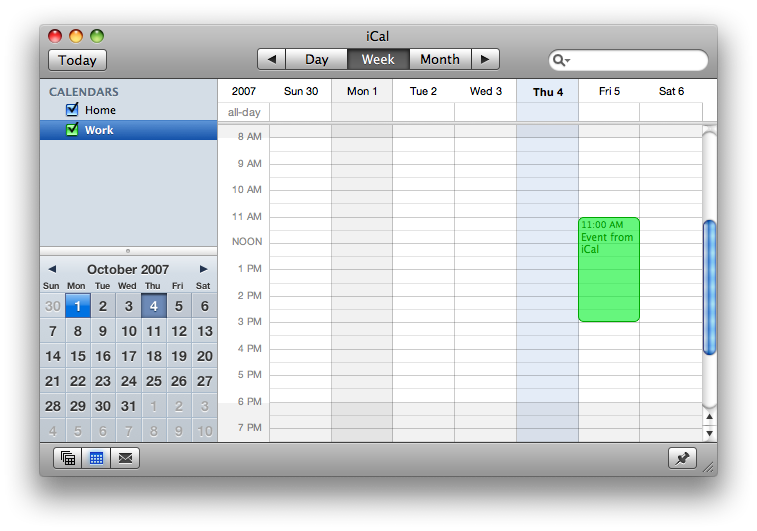
Step Three
Select Export from the File menu.
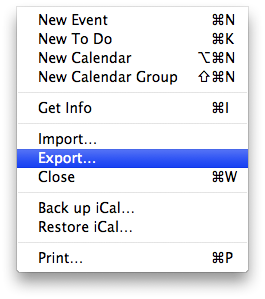
Step Four
Select a name from the exported file and then click Export
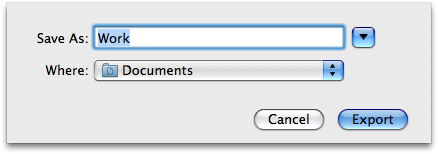
Step Five
Log into your Google Calendar: http://www.googe.com/calendar
Step Six
At the top of the calendar list on the left, click the Add down-arrow button and select Import Calendar.
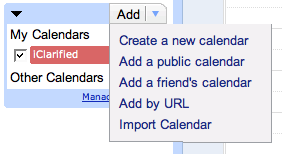
Step Seven
Click Browse and select the appropriate file, then select Open.
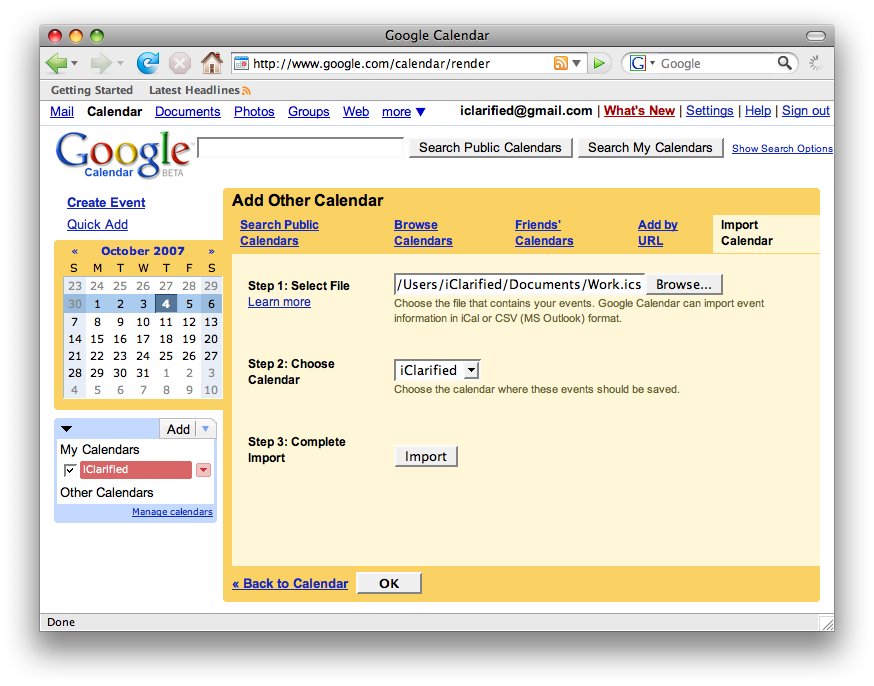
From the drop-down menu, select the calendar to which you'd like to import events.
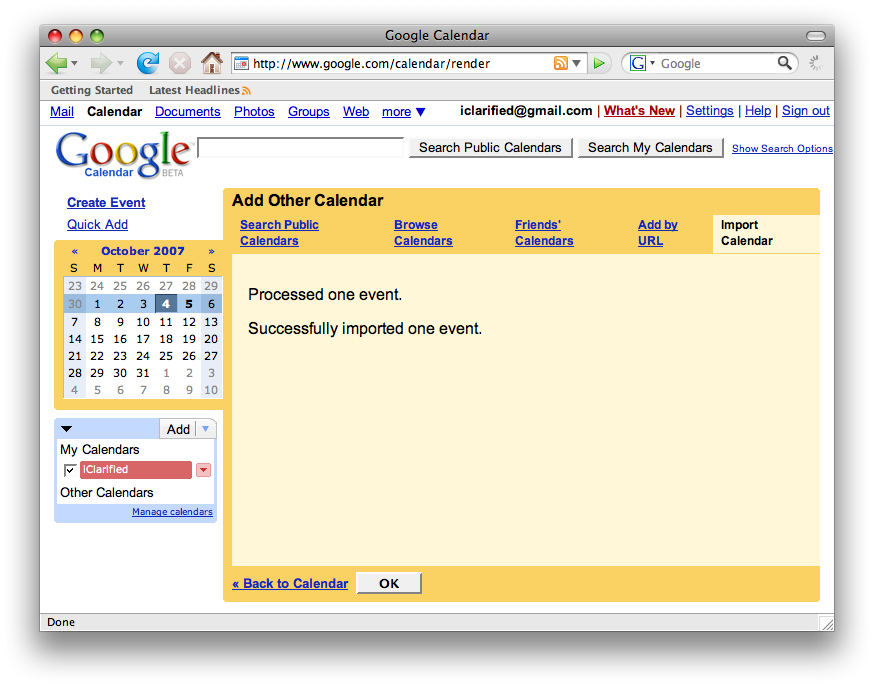
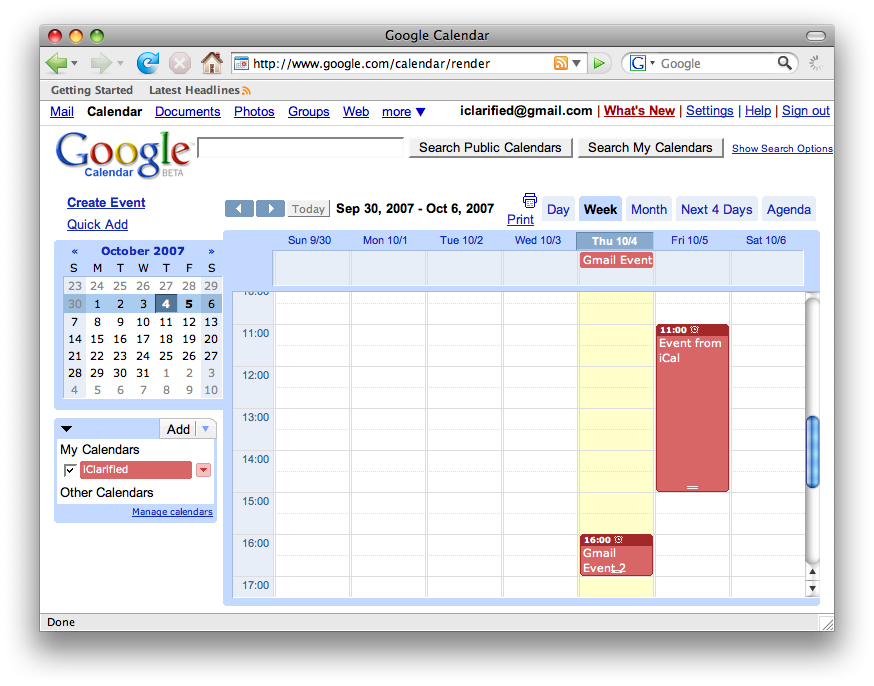
Click Import to complete the import.
Step One
Open iCal by clicking the iCal icon in your dock.
Step Two
Select the calendar you would like to work with from the list of calendars on the left.
Step Three
Select Export from the File menu.
Step Four
Select a name from the exported file and then click Export
Step Five
Log into your Google Calendar: http://www.googe.com/calendar
Step Six
At the top of the calendar list on the left, click the Add down-arrow button and select Import Calendar.
Step Seven
Click Browse and select the appropriate file, then select Open.
From the drop-down menu, select the calendar to which you'd like to import events.
Click Import to complete the import.


![Apple Releases iOS 26.4.1 and iPadOS 26.4.1 With Bug Fixes [Download]](/images/news/100492/100492/100492-160.jpg "Apple Releases iOS 26.4.1 and iPadOS 26.4.1 With Bug Fixes [Download]")

![Apple TV Debuts 'Criminal Record' Season 2 Trailer [Video]](/images/news/100488/100488/100488-160.jpg "Apple TV Debuts 'Criminal Record' Season 2 Trailer [Video]")






![13-inch MacBook Air M5 Drops to $949 in New All-Time Low [Deal]](/images/news/100466/100466/100466-160.jpg "13-inch MacBook Air M5 Drops to $949 in New All-Time Low [Deal]")




