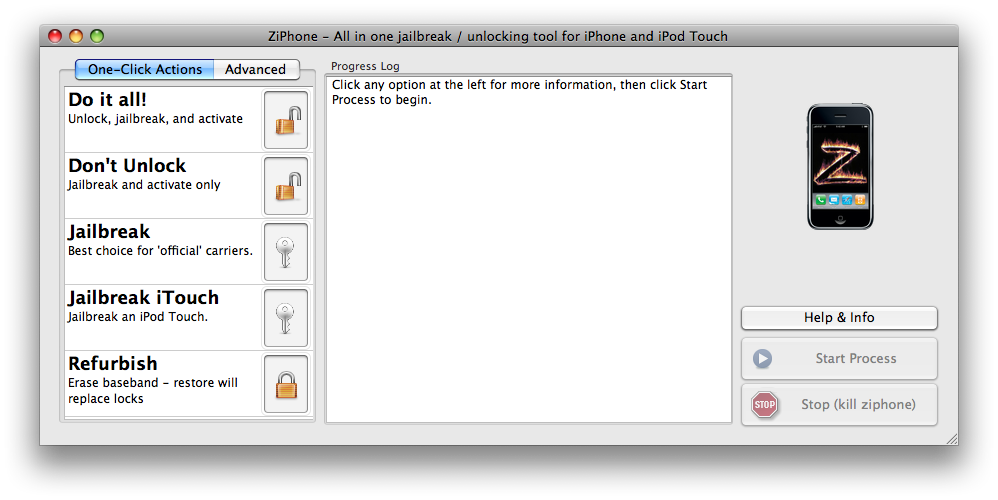
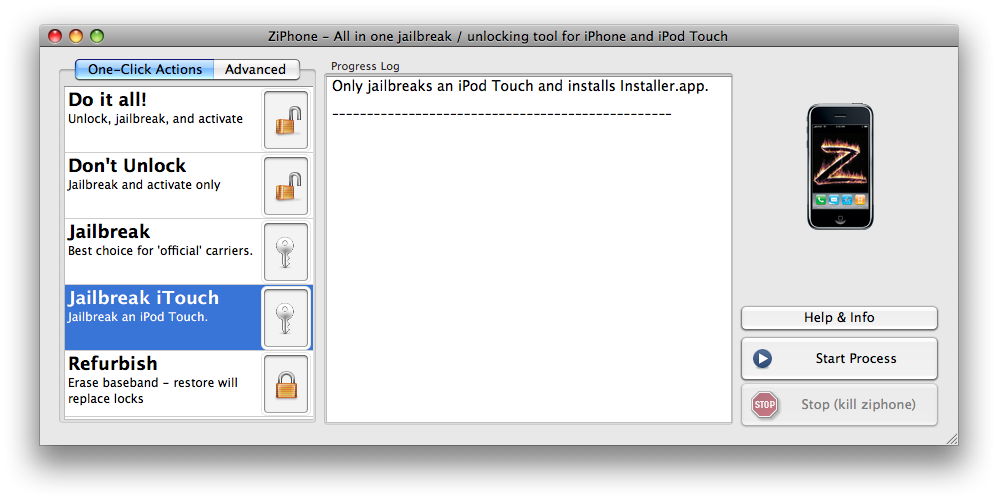
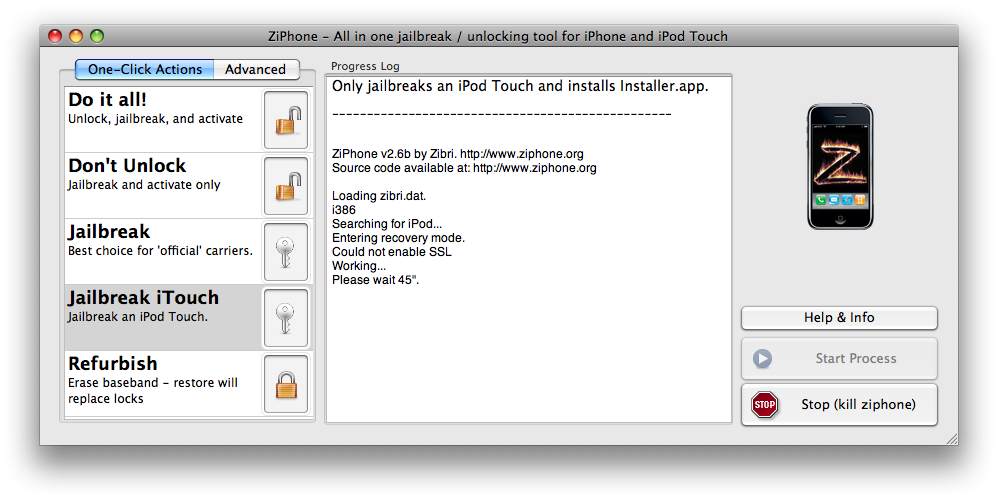
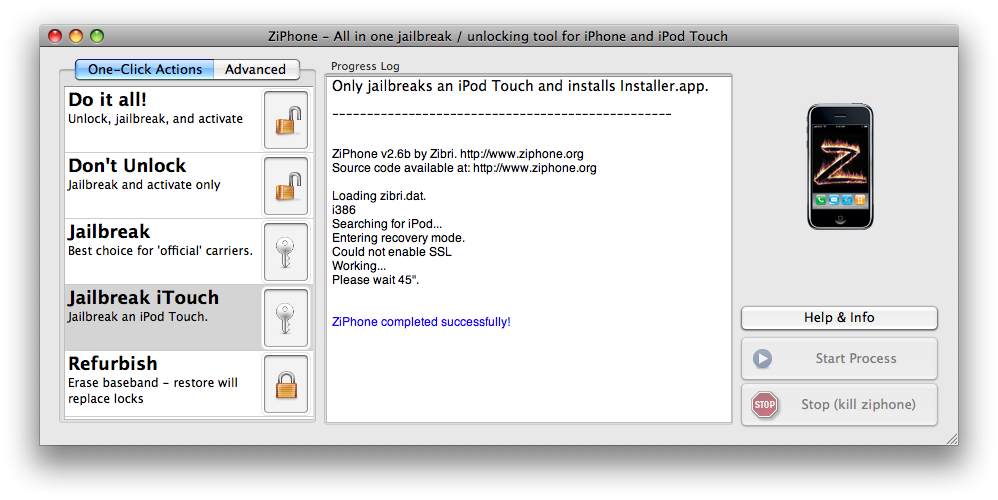
These are step by step instructions how to jailbreak almost any iPod touch instantly! No downgrading then upgrading! You can do the jailbreak from 1.1.2-1.1.4. It will jailbreak as well as install Installer.app for you!
ZiPhone performs all these functions: - Unlock iPhone will work on 4.6 BL and 3.9 BL for Windows. - Jailbreak will work on any OS version. - Activation for iPhone will work on any OS version, except for youtube on 1.0.X. - iErase iPhone BL 3.9 Baseband
10x alot, first i had problems going abt it until i upgraded to 1.1.4 firmware and in less than 2mins, i had a huge smile on my face.10x again to ziphone.now i'm in love with my ipod touch again.
i downloaded ziphone for my ipod touch and installed it. i went through the process ae far as BSD Root: md0, major 2,minor 0 but it was taking too long so i pluged out the cable and tried to reset it. i resetted it by pressing both buttons on my ipod and the same sentence keeps popping up on screen on my ipod and itunes nor ziphone can recognise it now....help me man please
So do I have to reset my entire iPod in order to do this? And if I do, exactly how do I get every song off of my iPod? I've used EphPod and some other ones but it only takes off a small fraction of the songs. Is there another way to jailbreak my iPod without losing my songs or resetting my iPod?
My 16GB iPod Touch shows BSD root ....IPODSTACK can't start after ziphone jailbreak!!!! Help pressing home&on/off didn't get it into dfu mode to restore
I appear to have downloaded an iPhone application onto my iTouch and I am getting the BSD error. Resetting my iTouch won't work and ZiPhone's DFU button isn't working, and my iPod won't connect to iTunes. Please help, I'm desperate!
hi i need to know what i can do with my ipod that desn`t want to work on the screen just appears ( BSD root: md0,major 2,minor 0) please!!! i need help!!
After the black screen even releasing both buttons followed by unplugging and plugging the cable will work. Then just allow itunes to check for updates and restore...and it should do the trick
to solve your BSDRoot problem.. do the following:
1) Start iTunes and plug the phone in.
2) With the phone powered on, hold both the POWER and HOME buttons for
seven seconds. The screen should turn black.
3) Wait two seconds while the screen is black and release the POWER button
while still holding the HOME button.
4) The screen will remain black, but after a few more seconds iTunes will
detect the phone in recovery mode.
5) Release the HOME button and proceed to restore firmware with iTunes.
Timing is fairly important on this. If your phone reboots or ends up in
recovery mode, just try again. You might want to look at a clock that shows
seconds while you do this. The timing needs to be exact for it to work.
If you enter this mode by mistake, hold the HOME and POWER buttons for
seven seconds until you see the Apple logo and immediately release both
buttons. The phone should reboot normally, assuming a valid firmware image
is present on the phone.
I am getting error "Start ipod stack cant start need Configuration and next line
AppleMRVL868x: reading EEPROM
AppleMRVL868x: starting
AppleMRVL868x: invalid calibration data in device tree
BSDRoot : md0, major 2, minor
BSDRoot : md0, major 2, minor
BSDRoot : md0, major 2, minor
BSDRoot : md0, major 2, minor its keep coming and Icant restore also through itune all version I am getting error 1611 sometime 1601 etc...
Can you please tell me how to fix this problem. Thanks






![Apple Releases iOS 26.4.1 and iPadOS 26.4.1 With Bug Fixes [Download]](/images/news/100492/100492/100492-160.jpg "Apple Releases iOS 26.4.1 and iPadOS 26.4.1 With Bug Fixes [Download]")

![Apple TV Debuts 'Criminal Record' Season 2 Trailer [Video]](/images/news/100488/100488/100488-160.jpg "Apple TV Debuts 'Criminal Record' Season 2 Trailer [Video]")






![13-inch MacBook Air M5 Drops to $949 in New All-Time Low [Deal]](/images/news/100466/100466/100466-160.jpg "13-inch MacBook Air M5 Drops to $949 in New All-Time Low [Deal]")




